 Plan Services, songs, and attendance, with the team scheduled.
 People Your directory, volunteers, and team chat in one place.
 Present Lyrics, scripture, slides, and stage display, free in any browser.
 Produce One dashboard for the switcher, PTZ cameras, and the stream.
 Publish Stream Sunday, keep every sermon on your watch page, clip it.
 Patch Every device, cable, and signal path, mapped and printable.
 Pulse Know the moment the stream or a device drops.
Use case · Running the slides
The slides should be the easy job.
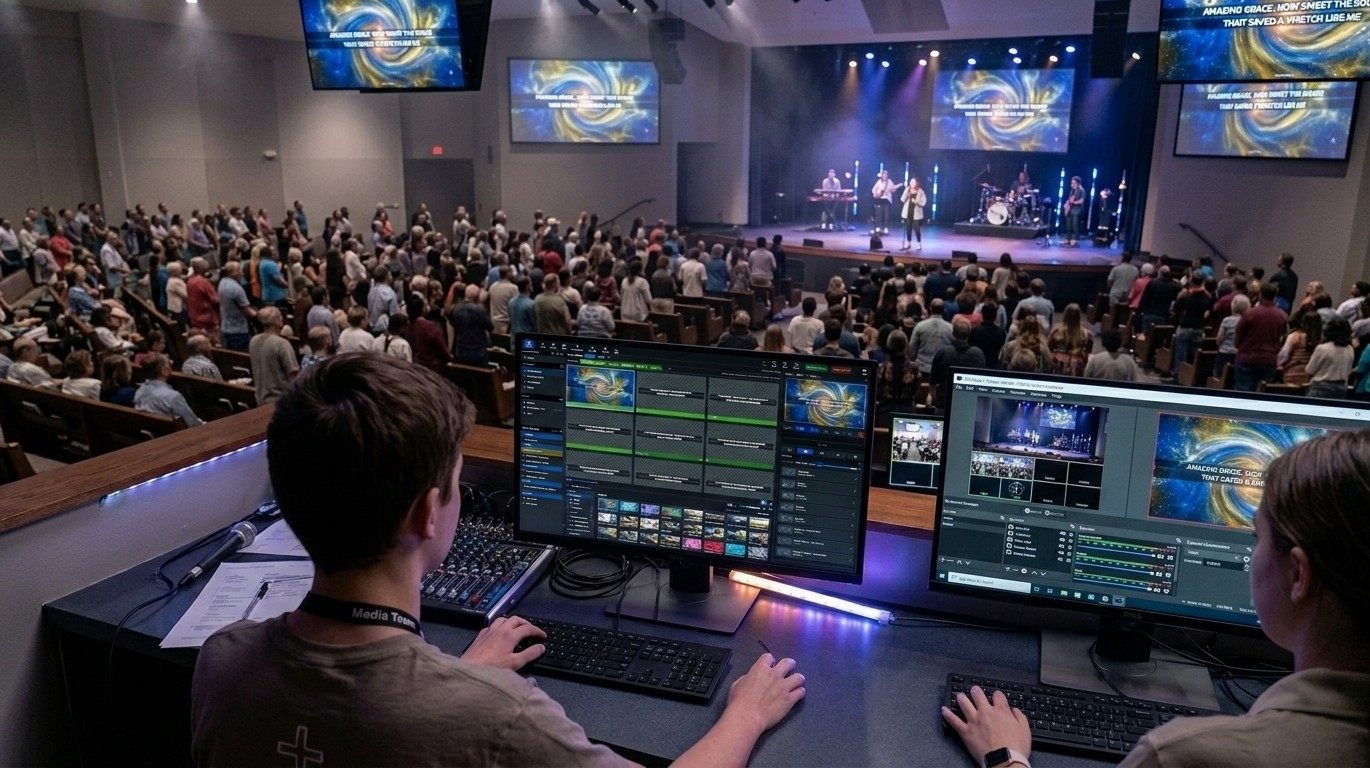
The volunteer at the keyboard shouldn't need training to put the words up. Lyrics come from the song library, scripture comes from a reference, the band reads the stage display, and the whole service is in one window before it starts.
Present is free forever, with unlimited users. No credit card.
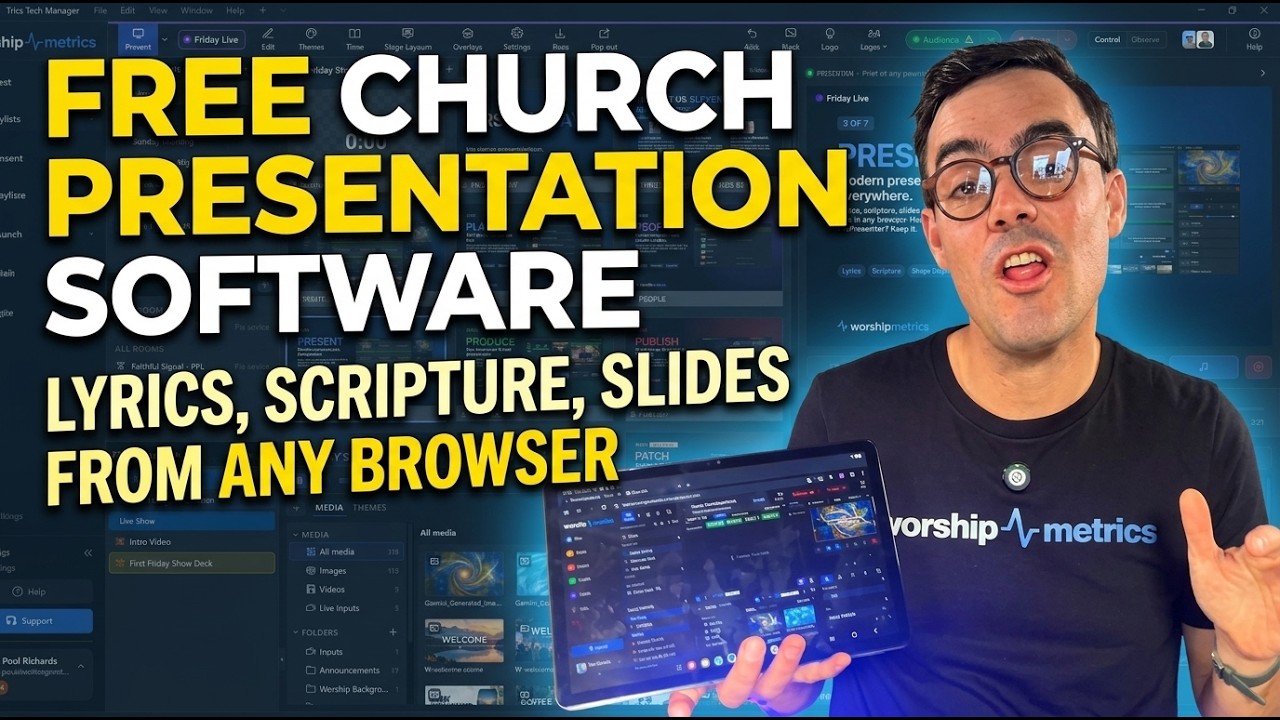
Watch before Sunday
What the volunteer will see.
Nine minutes on Present in a browser: lyrics, scripture, slides and media for the service. It makes a good first look for a new slides volunteer, and it's free forever, with nothing to install.
Ready to try it? Start free: no credit card, no trial clock, and unlimited users.
Saturday, 9:40 pm
The setlist changes. Somebody drives to the building.
The worship leader texts at 9:40 on Saturday night: swap the second song, and it's in G this week, not E. In a lot of churches that means someone drives to the building, opens the presentation computer, finds the file, retypes the verses, and hopes the bridge ends up in the right place.
Sunday morning, the person at the keyboard meets the new slides for the first time in front of everyone, and discovers the chorus a beat late.
Here is the same Saturday when the words live in a library instead of a file.

Sunday, after
Four things the volunteer never has to build by hand.
Lyrics
From the library, not a text box.
Pick the song and the arrangement and the slides build themselves: verse, chorus, bridge, each section labeled and colored so the operator sees what's next. Change the key and the chord chart on the stage display follows, because they were never separate copies.
See lyrics →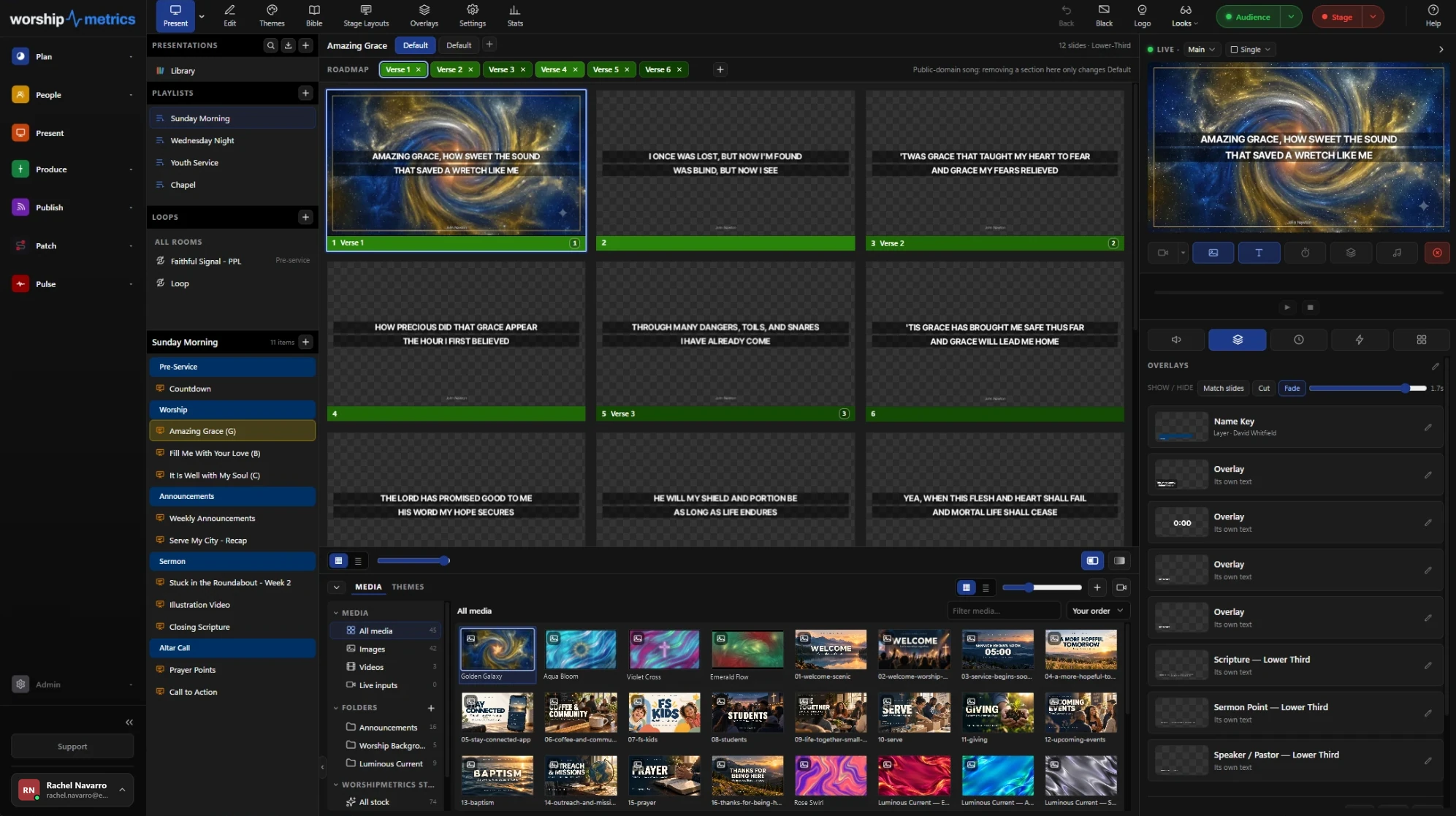
Scripture
By reference, in seconds.
Type John 3:16-20 and the passage is ready slides, in any of nine included Bibles, English or Spanish, with verses per slide the way your church reads them. The pastor changes the text on Sunday morning and the slides are ready before the sermon.
See scripture to slides →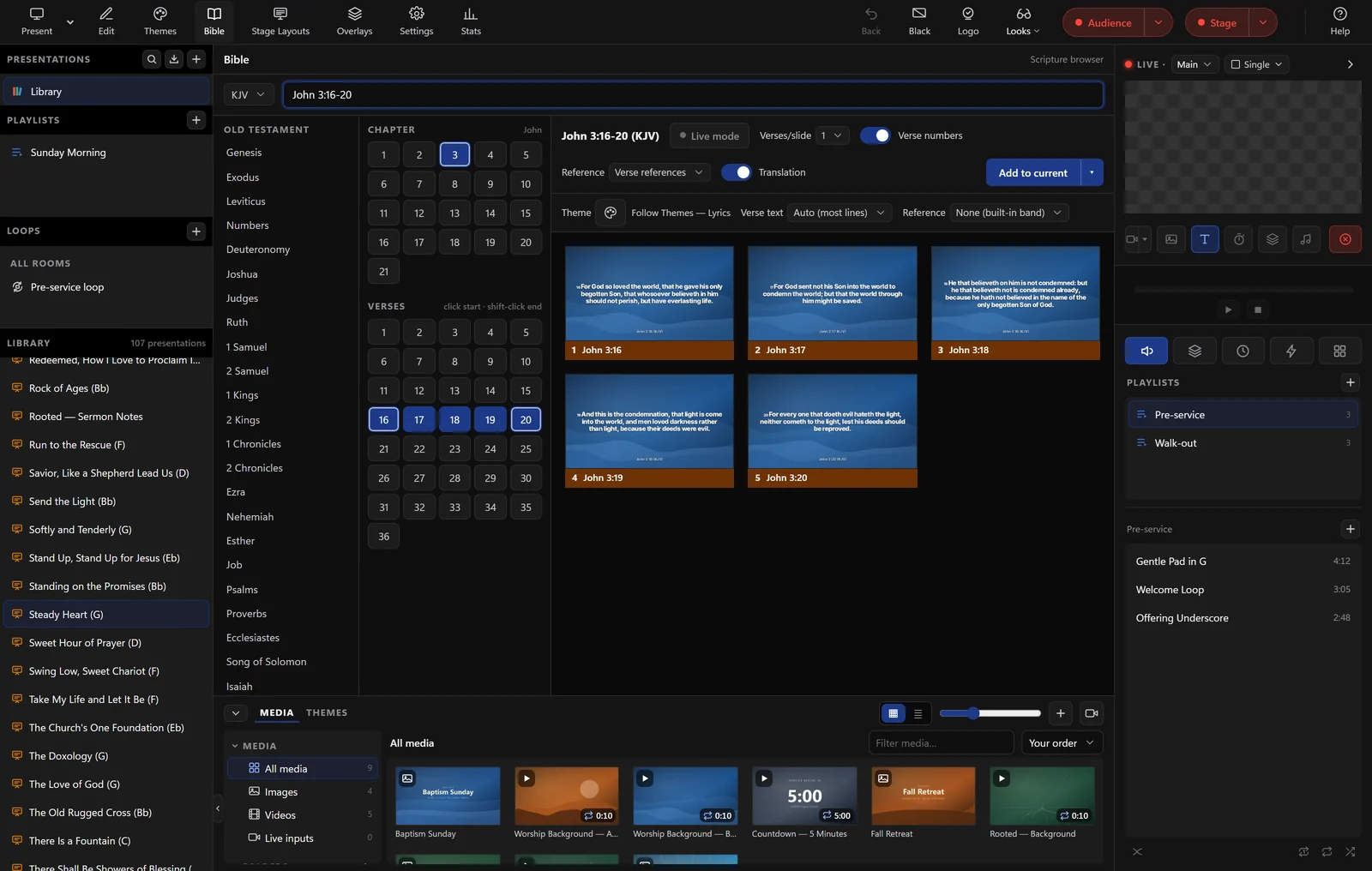
Stage display
The band reads the stage, not the back wall.
A spare screen on the platform shows the current and next line, the chord chart in the right key, timers, and a message from the booth. It runs from the browser, so there is no second computer to buy, and each output can show a different layout: the drummer doesn't need the chord chart.
See stage display →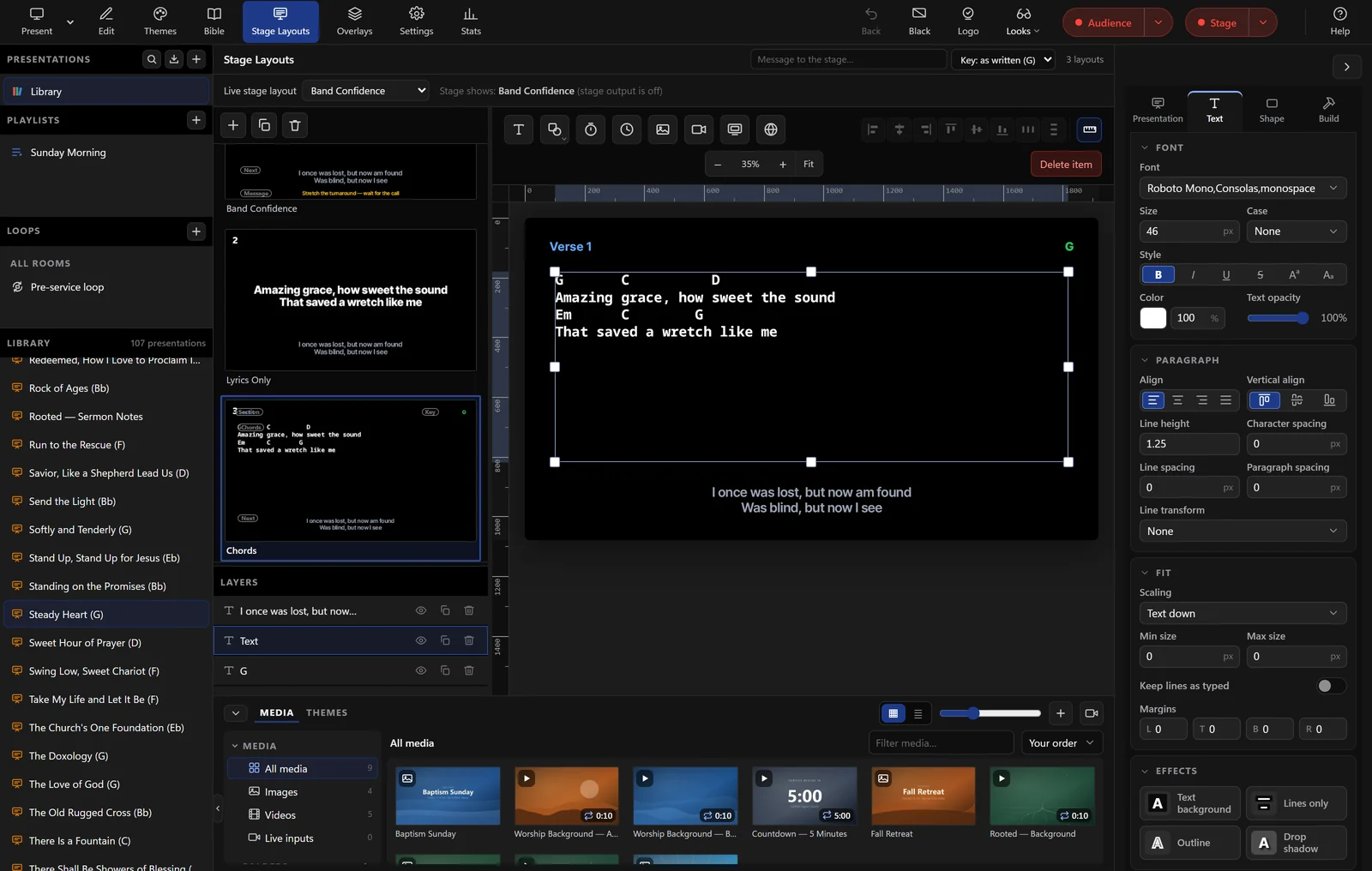
The room
When the slide goes live, the room follows.
Every slide in the playlist is visible at once, in order, so the person clicking through knows what is coming. Backgrounds change without touching the words, an announcement can float over both, and Clear to Logo is always one button away.
See the full presentation suite →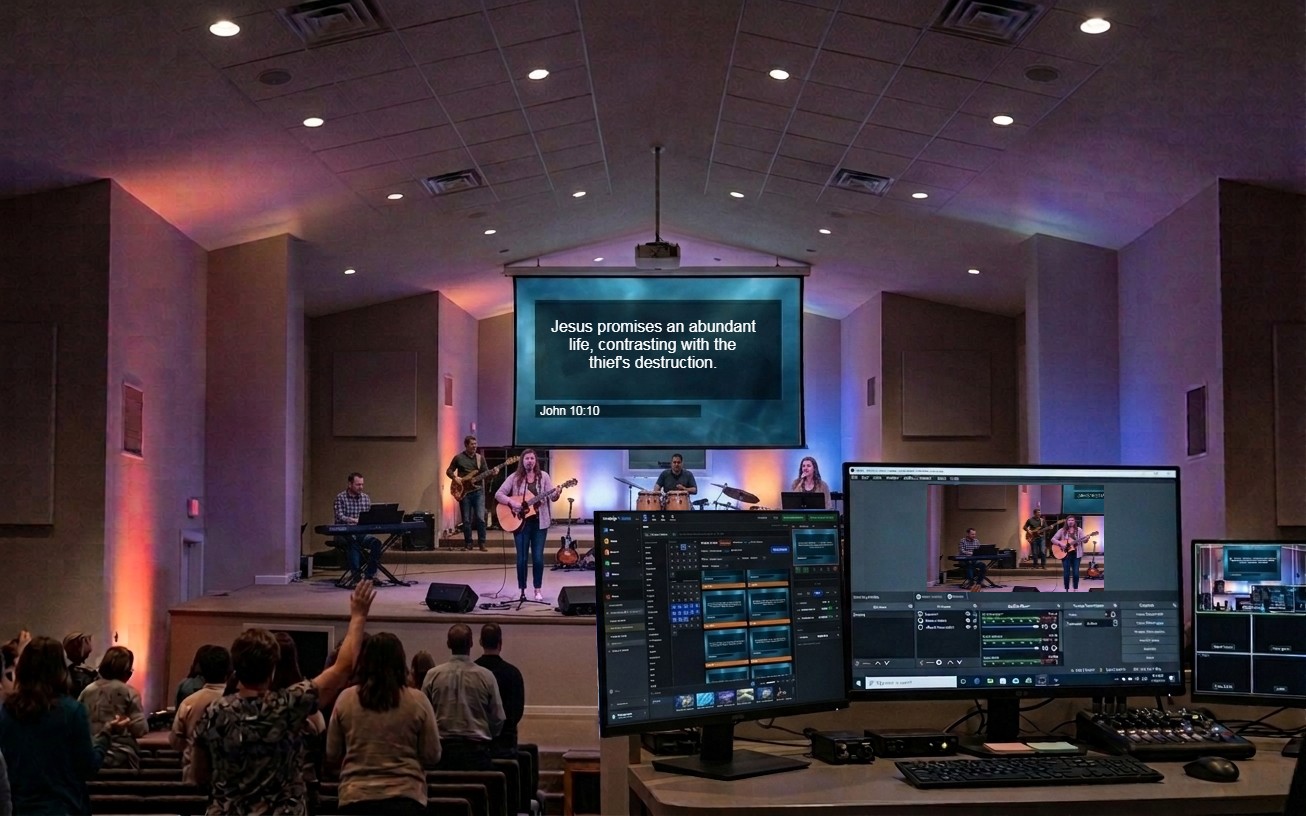
For the person who sets it up
What the keyboard needs to know.
Runs in
Any Chromium-based browser (Chrome, Edge), or Tech Manager, the free desktop app for Mac and PC
Outputs
Multiple program and stage outputs across connected monitors, each with its own look and resolution; NDI output with Tech Manager; a web link shows the live slides on any signed-in laptop or lobby TV
Lyrics
Built from the song library's arrangements, with section labels and colors; seven lyric layouts themed in your church's colors, fonts, and logo
Scripture
KJV, BSB, ASV, WEB, YLT, Darby, and BBE in English; Reina-Valera 1909 and La Biblia en Español Sencillo in Spanish, with verses-per-slide and reference display options
Stage display
Current and next line, section labels, chord chart in the arrangement's key, timers, clocks, and a message from the booth, in a layout per output
Imports
ProPresenter 7 shows straight into Present; ProPresenter 4–6, ChordPro, OpenLyrics, and OpenSong through Songs; Planning Center sync; plain pasted text
If the internet drops
Edits made offline are saved on your computer and sent when the connection returns. In Tech Manager, a plan you've prepared plays even offline
Price
Free forever, unlimited users. Pro and Max add Bitfocus Companion control
Moving a library over? The migration guide walks through what carries across. Building a team around the booth? See the seats people can fill.
FAQ
Questions churches ask about running the slides
Do we need a second computer for the stage display?
No. The stage display runs from the browser on any spare screen: a borderless fullscreen window on the display you choose, synced live to the program. Each stage output holds its own layout, so the drummer and the worship leader can see different things.
Our worship team enters lyrics in Planning Center. Do we retype them?
No. Link your Planning Center account and your plans, items, songs, people, and teams import, then stay in sync every five minutes. Fix a song once in the library, with its sections and arrangement, and every slide built from it is right from then on.
What happens if the internet drops during the service?
Edits made offline are saved on your computer and sent when the connection returns. In Tech Manager, our free desktop app, a plan you've prepared plays even offline.
Can we keep ProPresenter?
Yes. Keep it or replace it, your call. ProPresenter 7 shows import straight into Present, and ProPresenter 4 to 6 song files come in through Songs, so years of work come with you either way.
From the Knowledge Base
Slides questions, answered in the Knowledge Base.
Get started
Put the words up this Sunday.
Create your church's free account, import the songs you already have, and give the whole team accounts. Present is free forever. No credit card, and no call or approval needed.
Questions? Call 910-WORSHIP or email hello@worshipmetrics.com.
- Sign up on your own, any time
- Setup help by phone and email
- On-site installation and training available
- AI phone support any hour