 Present
Worship Presentation Software, Accessible Everywhere
A full presentation engine for lyrics, scripture, slides, videos, and stage display. A full slide editor, a media library with motion backgrounds, timers, and lower thirds, running on the screens you already own. Works in your browser with nothing to install, so you can make quick changes and give your team access when and where they want to work.
Present is free forever. The slide editor, lyrics from your song library, scripture, playlists, timers, and your church's brand — no credit card, no trial clock, unlimited users. See exactly what's free →
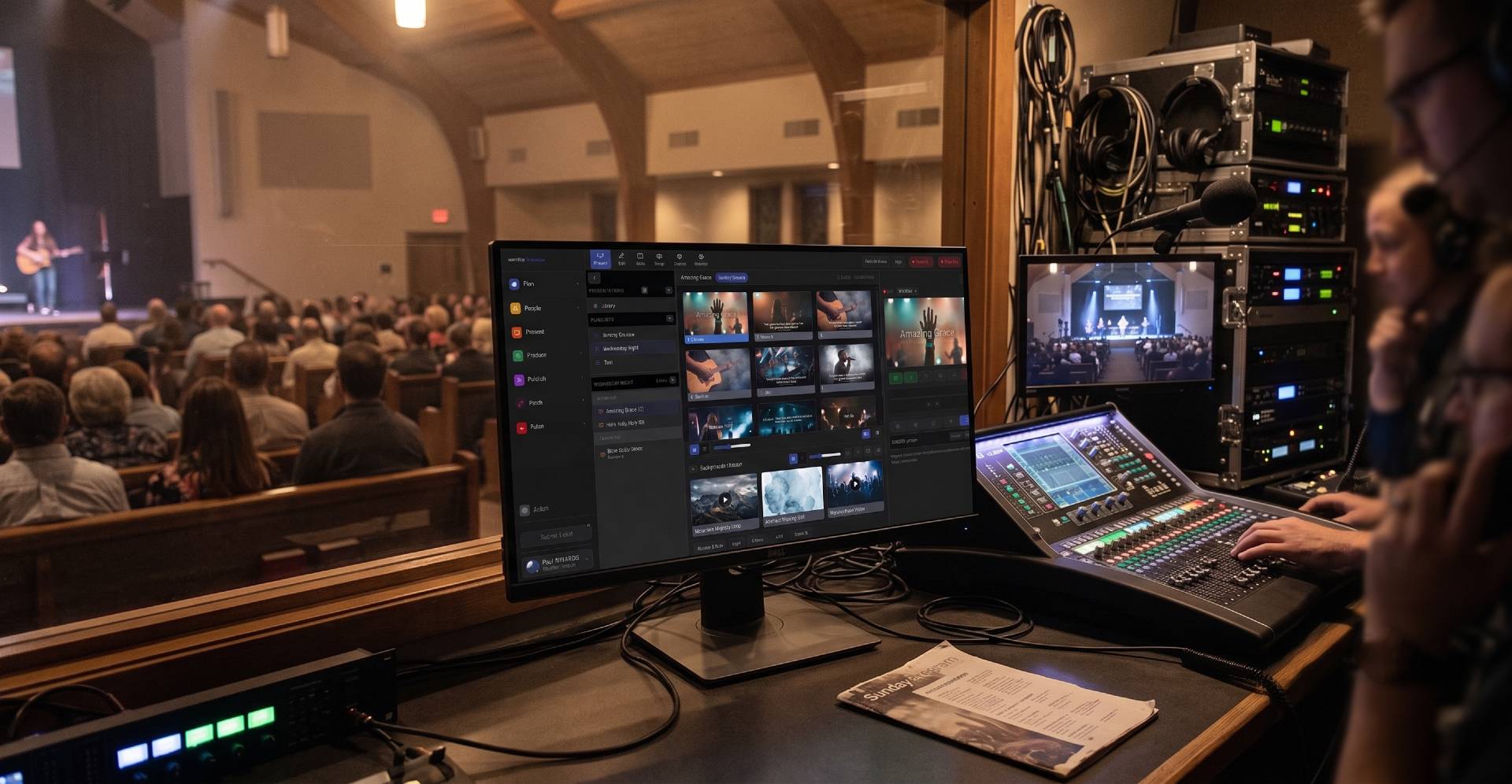

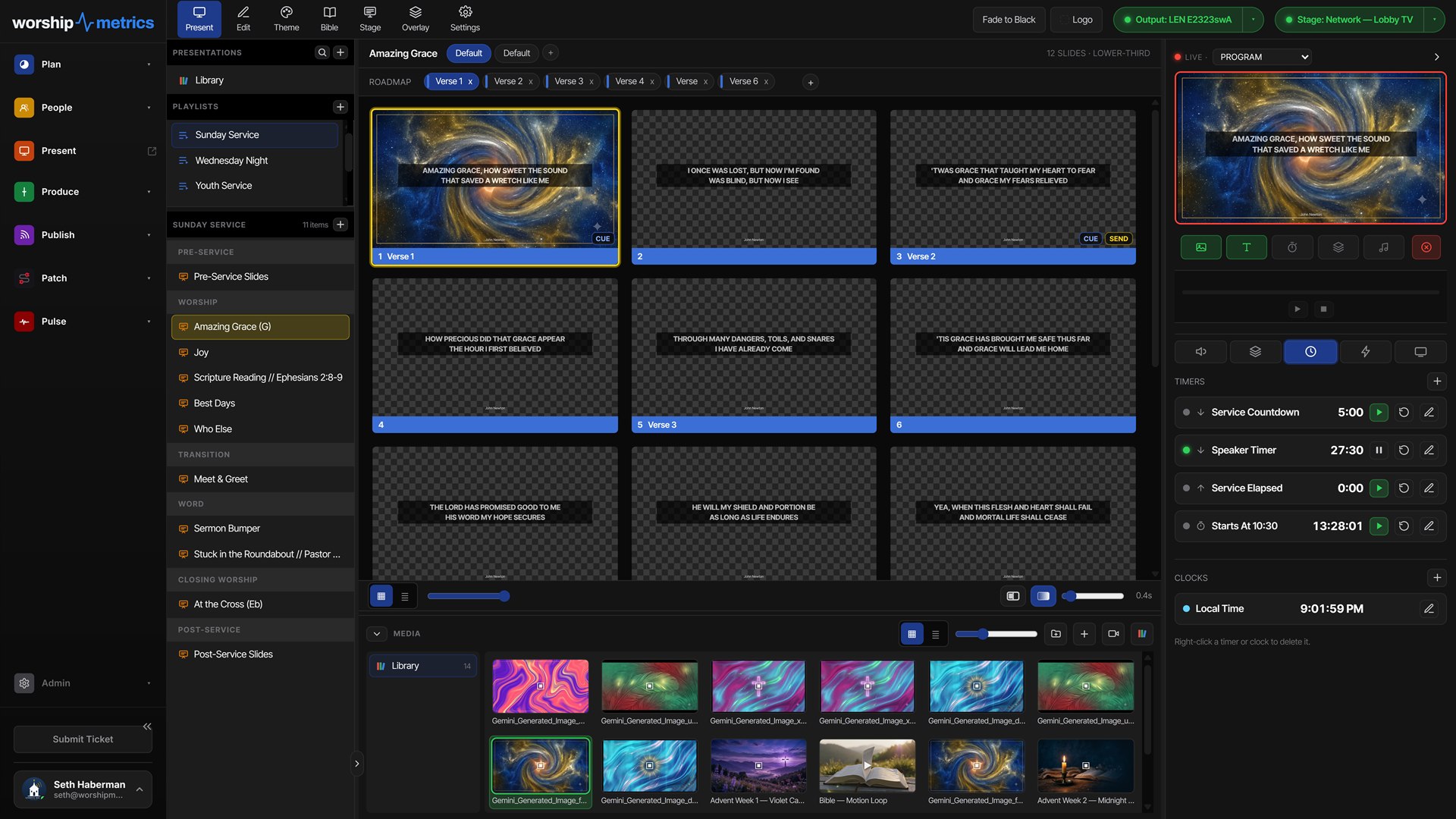

Plan → Present
The plan is the presentation.
Build a playlist with songs in the right key and arrangement, announcements, and media, in order.
- Songs, announcements, and media in one ordered playlist
- The plan changes on Thursday? The playlist re-syncs live, in seconds
- Operator tweaks during the service are preserved, not overwritten
- Lyrics follow the arrangement and key the worship leader picked in Songs
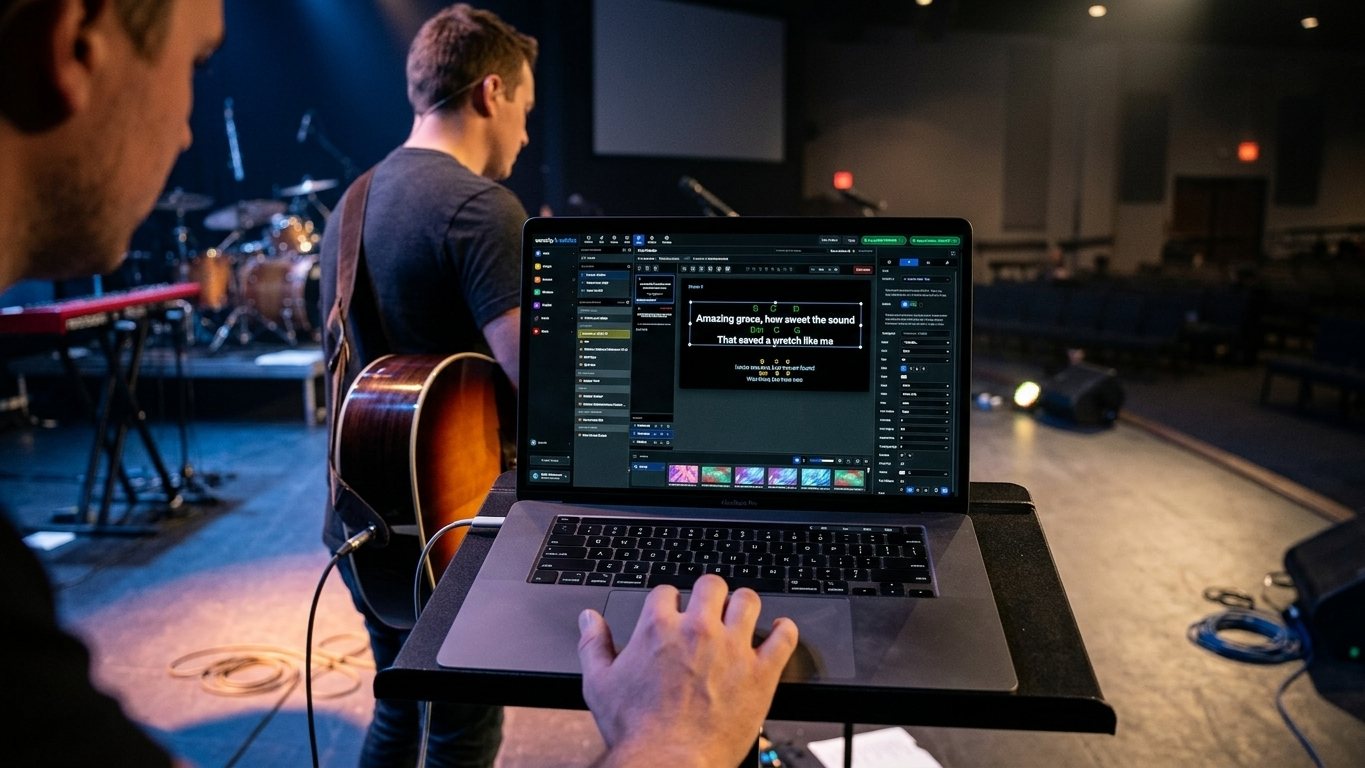
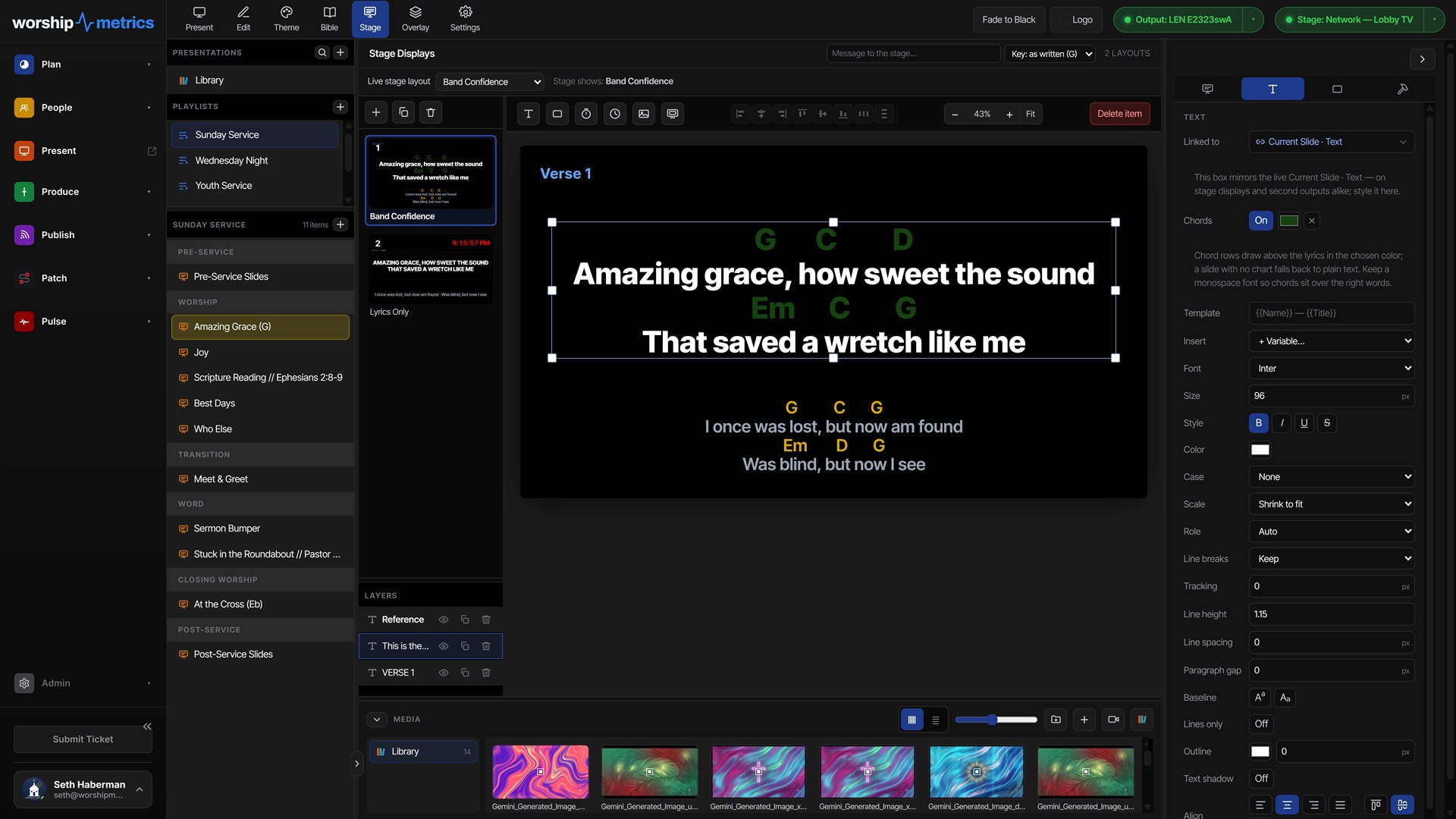
Thursday rehearsal: the worship leader tweaks the slides from the stage, chords and all — and Sunday's playlist is already right.
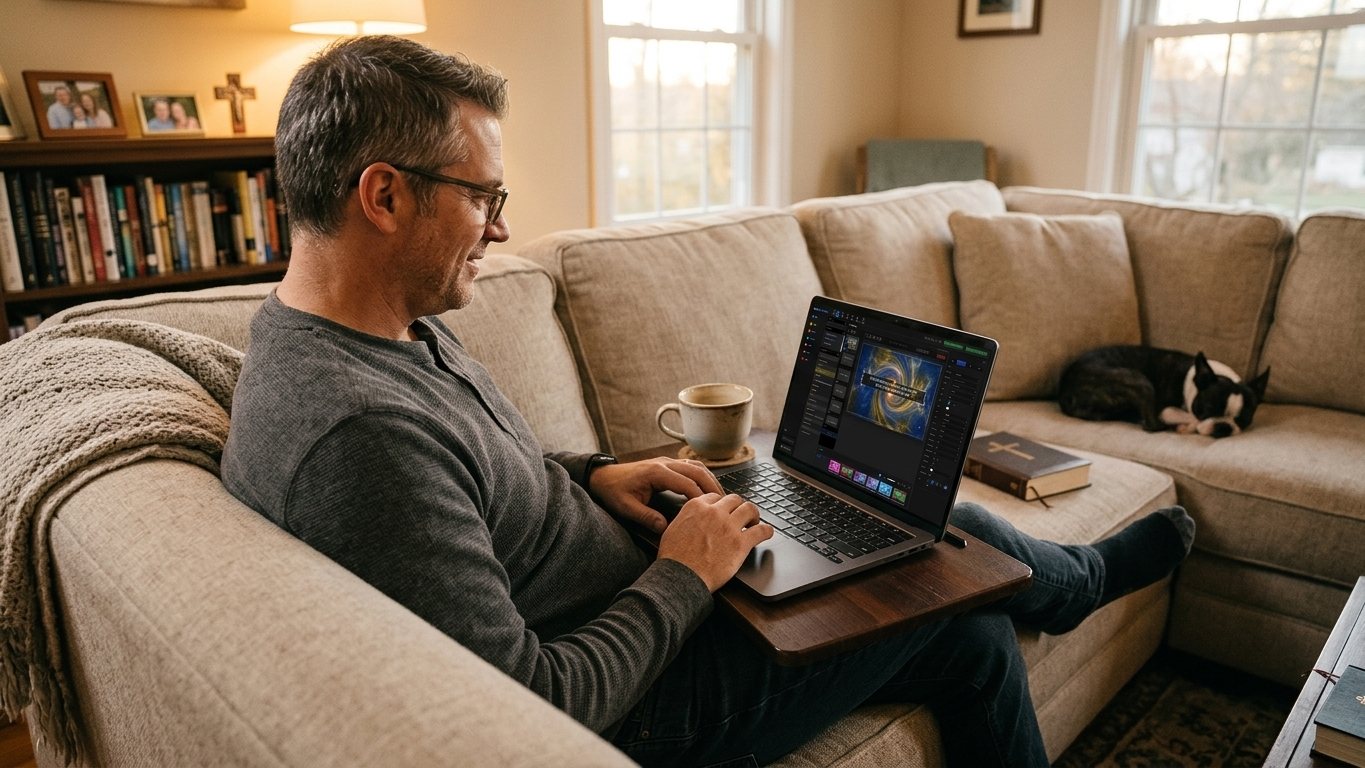
Edit from anywhere
The last-minute change stopped being an emergency.
Present lives in the cloud, so the editor is wherever you sign in — the church office, the kitchen table, the couch on Saturday night. The pastor reworks a sermon slide at home, and it's simply there when the booth opens the service.
- No attachments, no shared folders, no wondering which file is current — everyone opens the same live service
- Fix a lyric at 9 p.m. Saturday and it's on the booth PC, the projector and the stage display by Sunday morning. Nobody has to copy a file
- Pastors make their own quick changes without asking anyone to export anything
- The whole team works in it at once — unlimited users, each with their own sign-in
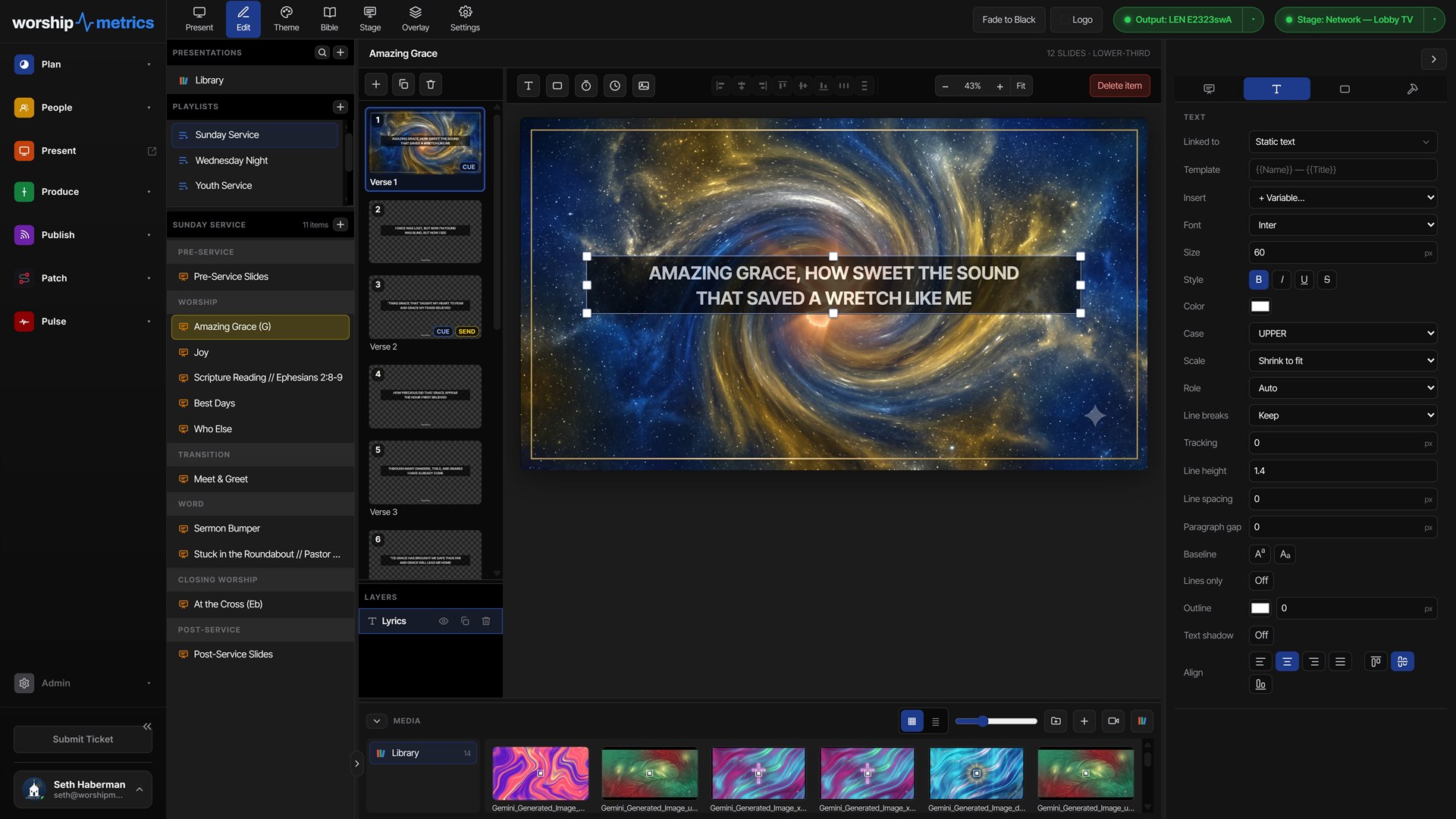
What Present does
A full presentation engine for lyrics, scripture, slides, videos, and stage display.
A real slide editor
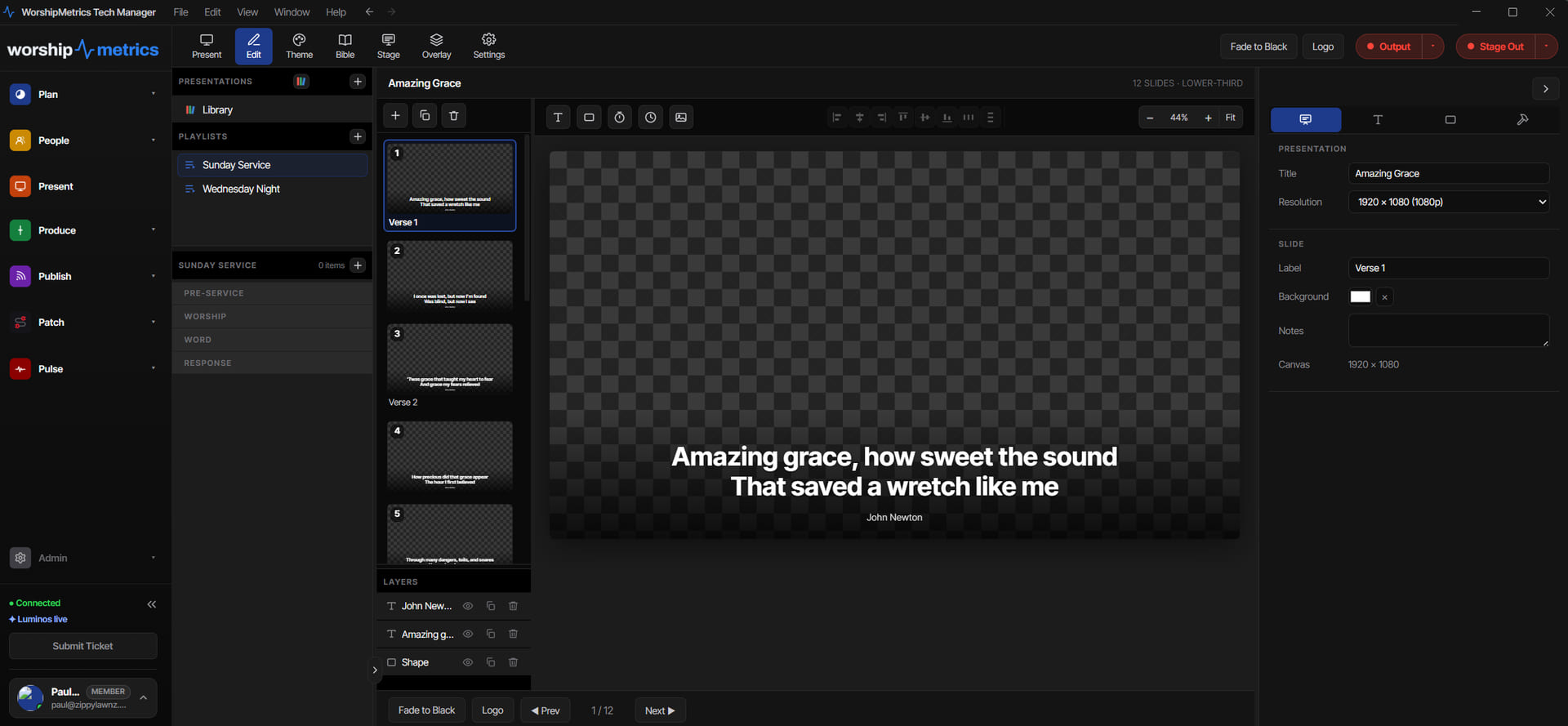
Full 1920×1080 editing with layered items, per-church themes, shrink-to-fit text, and six lyric layouts from Centered Classic to Lower-Third. Section labels carry identity colors — Verse, Chorus, Bridge — so the operator always knows where the song is going.
Live video on your slides
Capture cards drop onto slides in any browser; NDI cameras with Tech Manager in the booth — so IMAG, picture-in-picture teaching, and camera-behind-lyrics looks are just another slide, not another system.
Scripture to slides in seconds
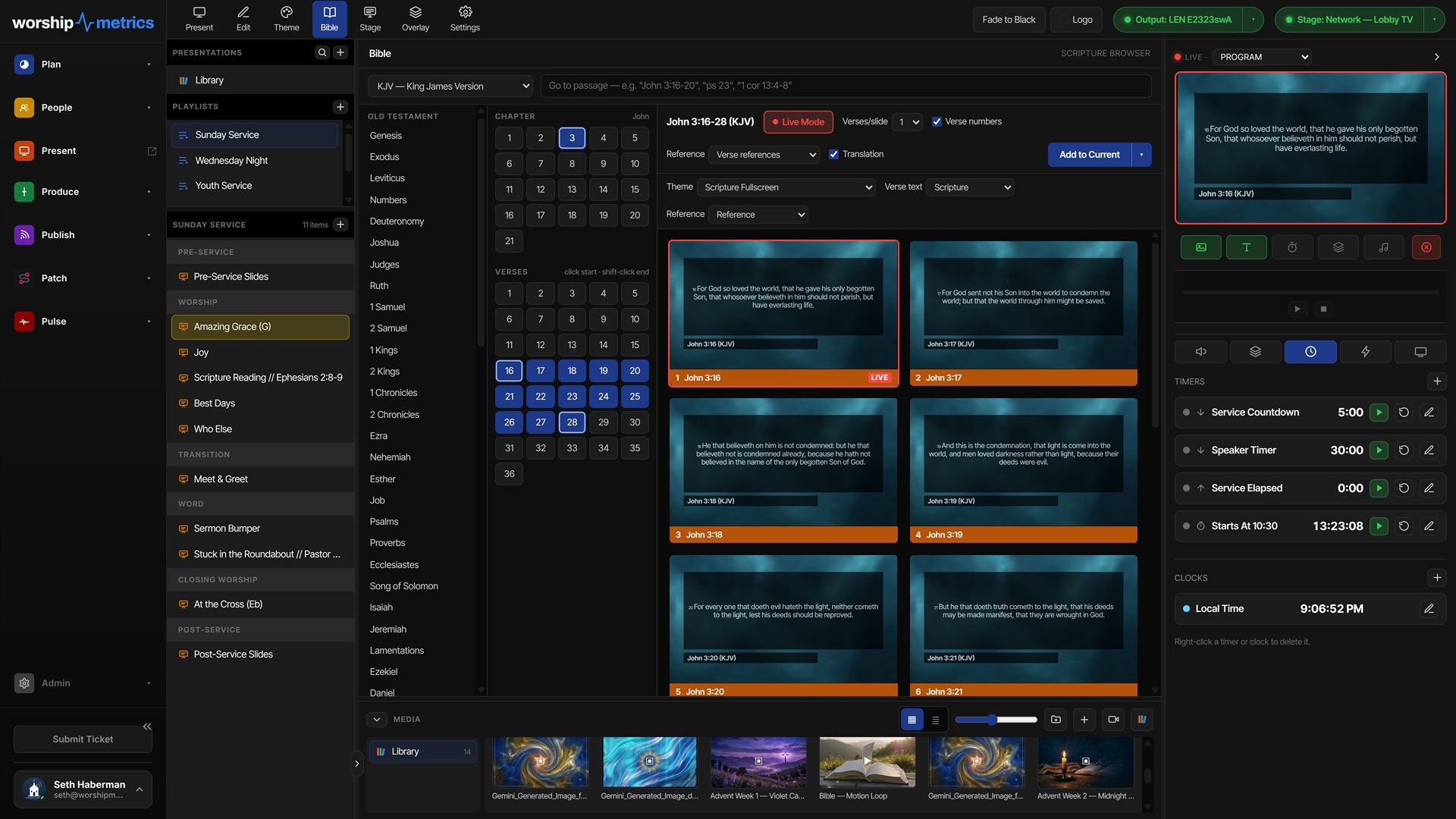
Type a reference and the passage becomes clean slides — six translations included (KJV, ASV, WEB, YLT, Darby, BBE), with verses-per-slide and reference display options. Save it, or append it to the live show mid-service.
A media bin that behaves
Images and video with fit modes, crop, trim, fades, loop, and per-use audio gain. Up to 250 MB per video upload, organized in folders, with a relink flow when files move.
Data-driven overlays
Lower thirds, messages, logo bugs, and timer overlays — and overlay fields can bind to a CSV, JSON, or XML source, so names and rosters update themselves row by row.
Macros for big moments
One click fires a named sequence: change the background, jump to a playlist, show an overlay, start audio, wait, clear — even fire the booth's control protocols. Complex transitions become a single button.
Playlists synced to the plan
Build a playlist of songs, announcements, countdowns, and media in the order Sunday runs. Arrangements and keys stay in lockstep with the Songs library.
Timers, clocks & countdowns
Countdown, count-up, and countdown-to-time with warning and overrun colors, plus timezone-aware clocks. Pre-service countdowns and sermon timers, built in.
Your brand, everywhere
Church brand colors, fonts, and logo flow through templates and themes — and 'Clear to Logo' is always one button away. Every slide looks like your church without a volunteer designing under pressure.
Scripture
A reference in. Slides out.
No copying from a Bible site, no reformatting someone else's line breaks. Type the passage, pick how it should break, and it's on screen — or saved to your library for next time.
How a slide is built
Four layers, painted in order.
Present doesn't flatten your service into pictures. Every frame is composed live from four independent layers — so the background can change without touching the lyrics, and an announcement can appear over anything without rebuilding a slide.
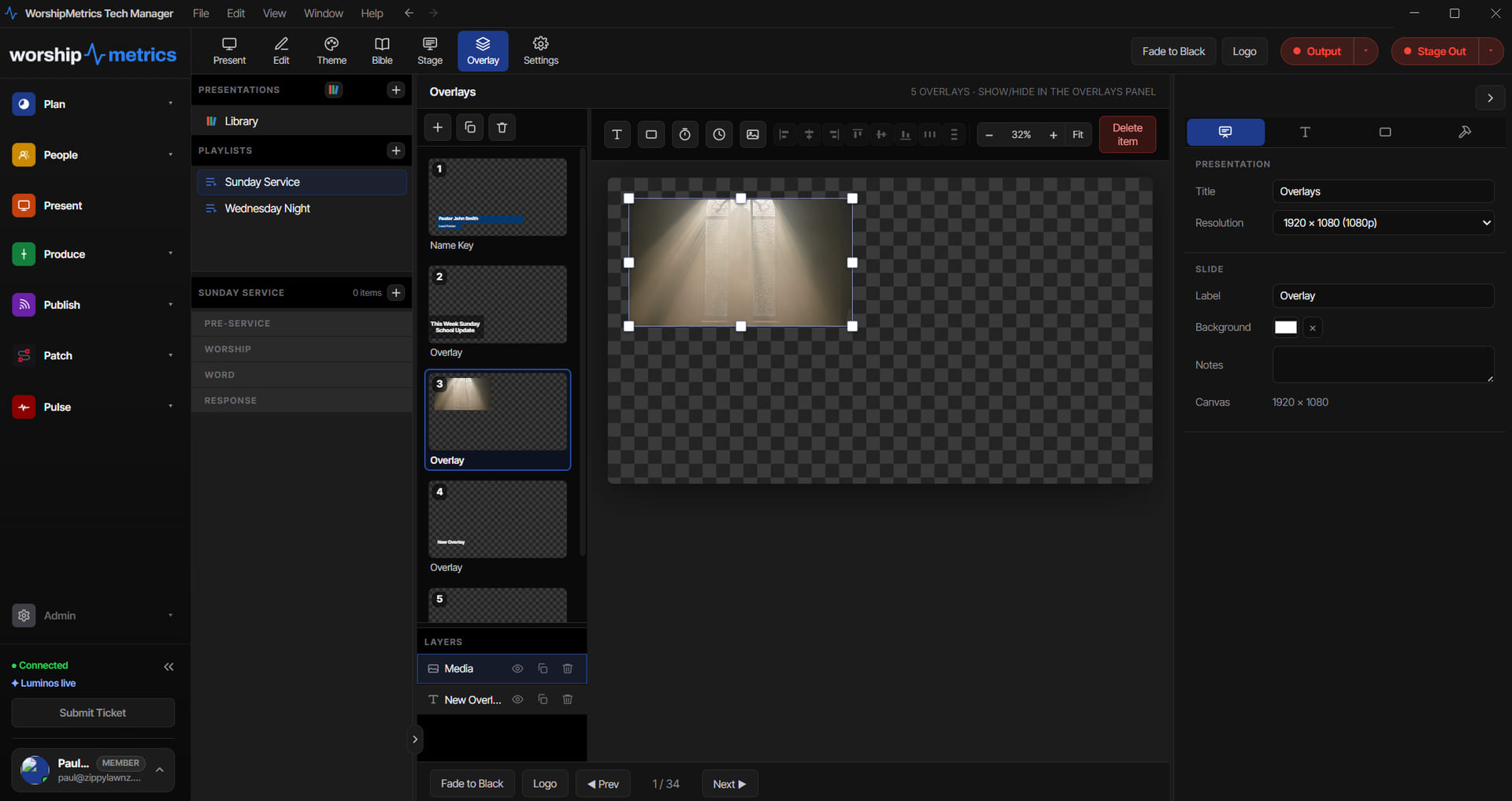
The overlay layer
Everything that floats on top, built separately.
Lower thirds, announcements, logo bugs, and timers live in their own list — so a name key can go up over a song, or an announcement over a sermon, without anyone rebuilding a slide mid-service.
One plan, every screen
The same service, told differently on each screen.
One browser tab drives them all. The projector gets the full picture, the platform gets the words and chords, the lobby gets announcements, and the booth gets the lyrics over NDI — each output painting only the layers it should.
Program & stage outputs
Two screens. One click.
Pick a monitor and Present opens a borderless, fullscreen output on it, straight from the browser. The projector gets what the congregation sees; the platform gets a stage display with lyrics, timers, and cues on its own layout. Fade to black, logo, and clear are one button each.
Program out
The audience screen: slides, lyrics, media, and overlays, fullscreen on any connected display or projector — each output with its own look and resolution.
Stage out
The confidence monitor: current and next lyrics, notes, live timers, song key — even the chord chart, transposed to the key you're playing in. Its own editable layout, never a mirror.
Browser, booth, or network
Web output needs no install — pick the screen and go. Tech Manager adds NDI output in the booth, with a transparent background for a clean key, plus SDI or HDMI through a Blackmagic DeckLink or UltraStudio device when you need more outputs than your graphics card has. Put Present on any screen with a web browser: a web link shows the live slides on a signed-in laptop or lobby TV, and Signage plays your Present loops on any TV, no sign-in needed.
What the platform sees
The stage display, labeled.
The confidence monitor is its own layout with its own job: keep the band in the song, in the right key, and on time — without ever showing them the projector's picture.
Slides that run the room
When the slide goes live, the room follows.
Attach protocol actions to slides and playlists, and going live fires them across the network — lights shift for worship, the switcher takes the sermon camera, the stream overlay updates. One volunteer advancing slides quietly runs the whole moment.
Use Bitfocus Companion? On Pro and Max, its buttons show up in Present's Companion tab, slides can press them, and Companion can drive Present back. How Companion works with Present.
Speaks the booth's languages
- OSC over the network for lighting and media servers
- RossTalk for Ross production switchers
- MIDI — local devices or network MIDI
- HTTP requests for anything with an API
- OBS Studio via WebSocket, and Q-SYS via QRC
- Presets for vMix, Companion, Resolume, ProPresenter, X32/M32, QLab, and disguise
- A Companion tab with your Bitfocus Companion buttons, right beside the slides, on Pro and Max
One click. Five things happen.
A macro is a named sequence attached to a slide. Fire it and the room moves together — while the volunteer keeps their eyes on the words.
Already on ProPresenter?
Keep it, or replace it. Your call.
If your team loves its current presentation software, WorshipMetrics works alongside it — the plan, stream, and monitoring still connect. When you're ready to try it, Present is here.
Bring your library
Import what you've already built.
- ProPresenter 7 shows (.pro), straight into Present
- ProPresenter 4–6 files (.pro4, .pro5, .pro6), through Songs
- ChordPro charts (.cho, .crd, .chopro), through Songs
- OpenLyrics libraries (.xml), through Songs
- OpenSong songs, through Songs
- Plain text — paste and go
- The WorshipMetrics Songs library — already connected
Years of song files and presentations come with you — not left behind.
Technical details
For the person who reads the spec sheet.
Authoring canvas
1920×1080 with layered media, slide, prop, and announcement layers rendered by one engine across editor, program, and stage
Output resolutions
1280×720, 1920×1080, 1920×1200, 4K UHD (3840×2160), portrait 1080×1920, or custom — with fit, fill, and stretch screen modes
Multi-display output
Multiple program and stage outputs across connected monitors — each with its own look, stage layout, resolution, and audio device
Live video inputs
Capture cards placed on slides in any browser, and NDI sources with Tech Manager in the booth, as live media for IMAG and picture-in-picture
NDI, Blackmagic & web screens
NDI output with alpha (a transparent background for a clean key) via the Tech Manager desktop app; SDI or HDMI out through a Blackmagic DeckLink or UltraStudio device, with key and fill on SDI; a web link shows the live slides on any signed-in browser, and Signage plays your Present loops on any TV, no sign-in needed
Media formats
Images: JPG, PNG, WebP, GIF, AVIF, SVG, BMP · Video: MP4, WebM, MOV, M4V, MKV · up to 250 MB per video upload, with crop, trim, fade, loop, and gain per use
Scripture
KJV, ASV, WEB, YLT, Darby, and BBE included, with verses-per-slide, verse numbers, and five reference display modes
Imports
ProPresenter 7 shows straight into Present; ProPresenter 4–6, ChordPro, OpenLyrics, and OpenSong files through Songs; plain pasted text
Control protocols
OSC, RossTalk, MIDI (device and network), HTTP, OBS WebSocket, and Q-SYS QRC — fired from slides or macros, relayed through Tech Manager in the booth
Offline resilience
Edits made offline are saved on your computer and sent when the connection returns. In Tech Manager, a plan you've prepared plays even offline.
Runs in
Any Chromium-based browser (Chrome, Edge); multi-monitor output uses the Window Management API
Plan it. Present it. Stream it. Handled.
One platform carries the whole service — from the plan to the screens to the stream.
Modernize your AV · Instant tech support
Download Tech Manager free — and put a tech support number in the booth.
Tech Manager connects your church's AV system to WorshipMetrics: documented, monitored around the clock while it runs (it starts with the computer), and backed by a number your team can call the moment anything acts up. Our AI support sees your actual system — so issues get solved before frustration starts.
New to us? Call and we'll put you in touch with the team. How phone support works →
Tech support, any time
910-WORSHIP(910) 967-7447
AI phone support any hour on Pro and Max · a person on the line with Care or Sunday Assurance.