 People
The people who make Sunday happen.
Members, guests, and volunteers in one directory — with serving schedules, team chat, and follow-up built in. Unlimited users on every plan, so the whole team lives in it, from the senior pastor to the newest camera operator.
Unlimited users, free forever. Import your existing list by CSV in minutes.
What's included
People management that ministry actually uses.
One directory, your vocabulary
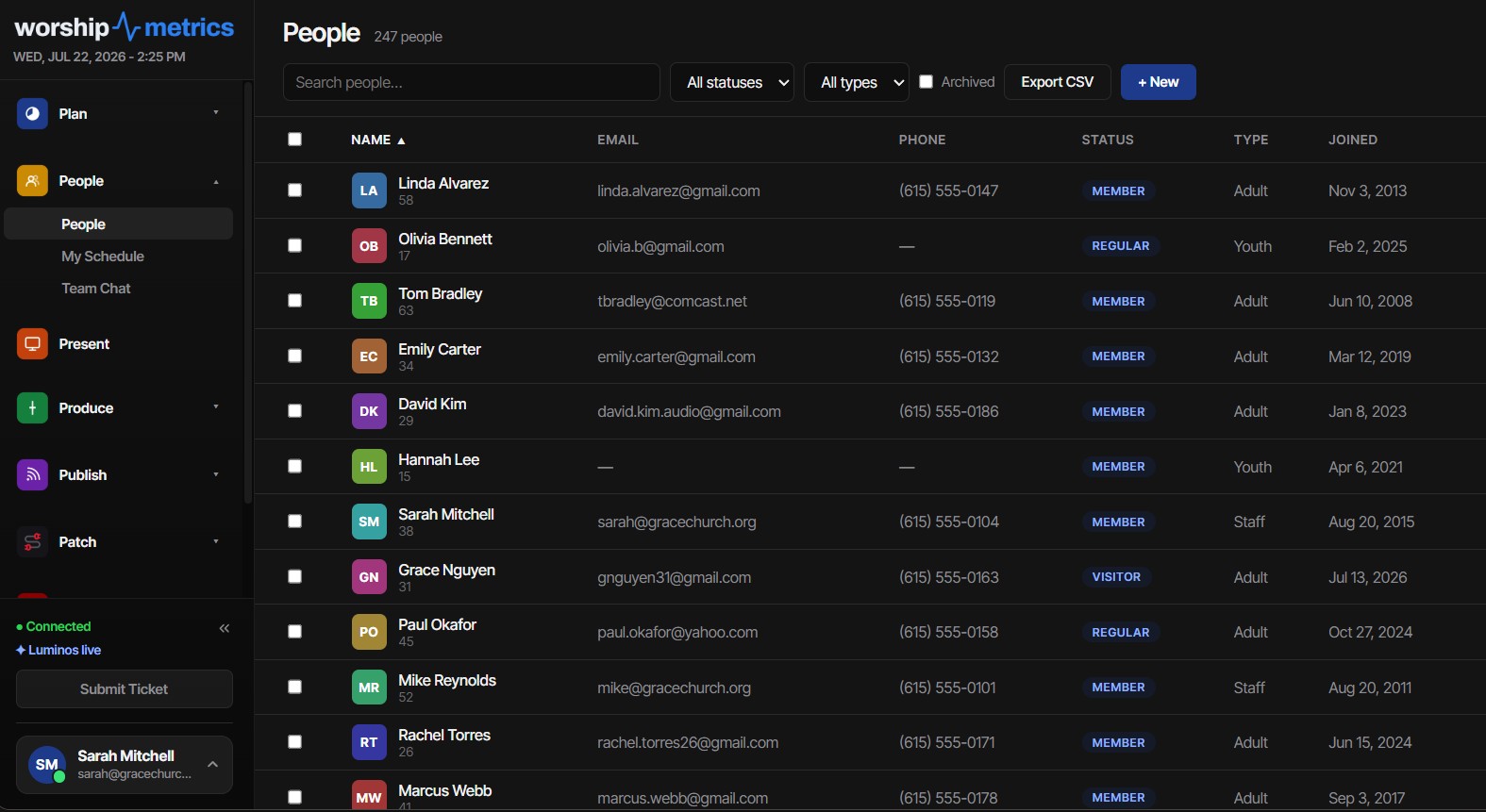
Members, guests, and attenders — plus unlimited custom types your church defines. Every profile carries labeled contact methods, photo, birthday with auto-computed age, join date, and anniversary.
Households, not just rows
People group into households with a designated head, shared address, and family visibility — and removing a household never removes its people. Follow-up reaches the right person, not just an address.
CSV in, CSV out — safely
A 16-field import wizard auto-maps your old system's headers, previews before writing, and handles duplicates your way: skip, update, or create — deduping on email, phone, or exact name. Full exports carry every field.
Team Chat, built in
Public channels that auto-join the whole org, invite-only private channels, and one-click DMs — with typing indicators, presence, reactions, pinning, file sharing, and polls. Live over WebSocket, everywhere.
A serving lifecycle, not a signup sheet
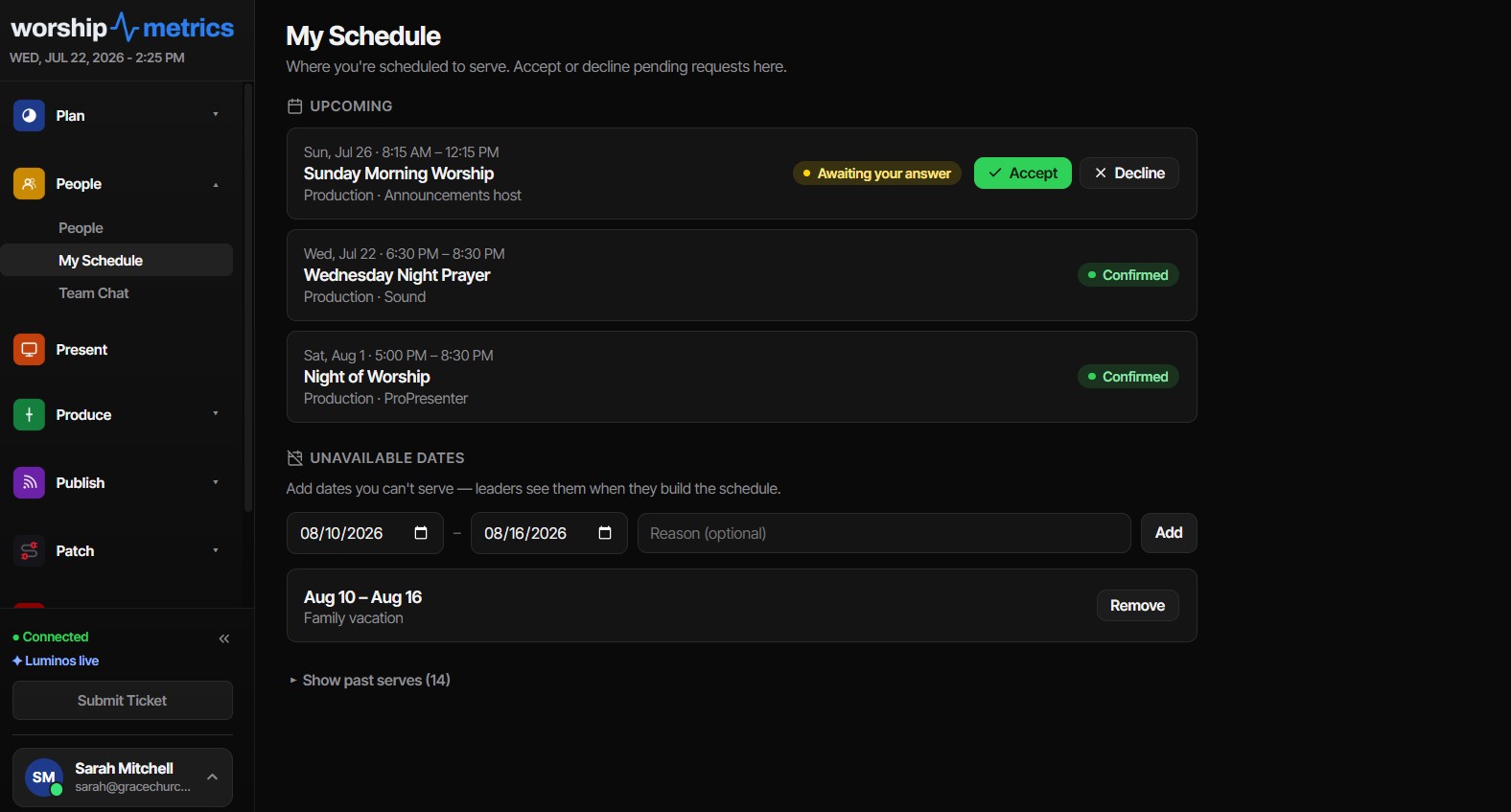
Assignments move through unfilled, invited, confirmed, declined, no-show, and completed. A decline instantly re-opens the vacancy and tells the team's leaders — not just whoever clicked invite.
My Schedule, self-service
Volunteers see their upcoming serves, respond inline or straight from the email — no login required — and manage their own unavailable dates, which leaders see as warnings at assign time, never hard blocks.
Emails that close the loop
Invites with accept/decline buttons, day-before reminders that can't double-send, cancellation notices, and unfilled-position nudges days before Sunday. The no-show loop closes itself.
First-time guests in seconds
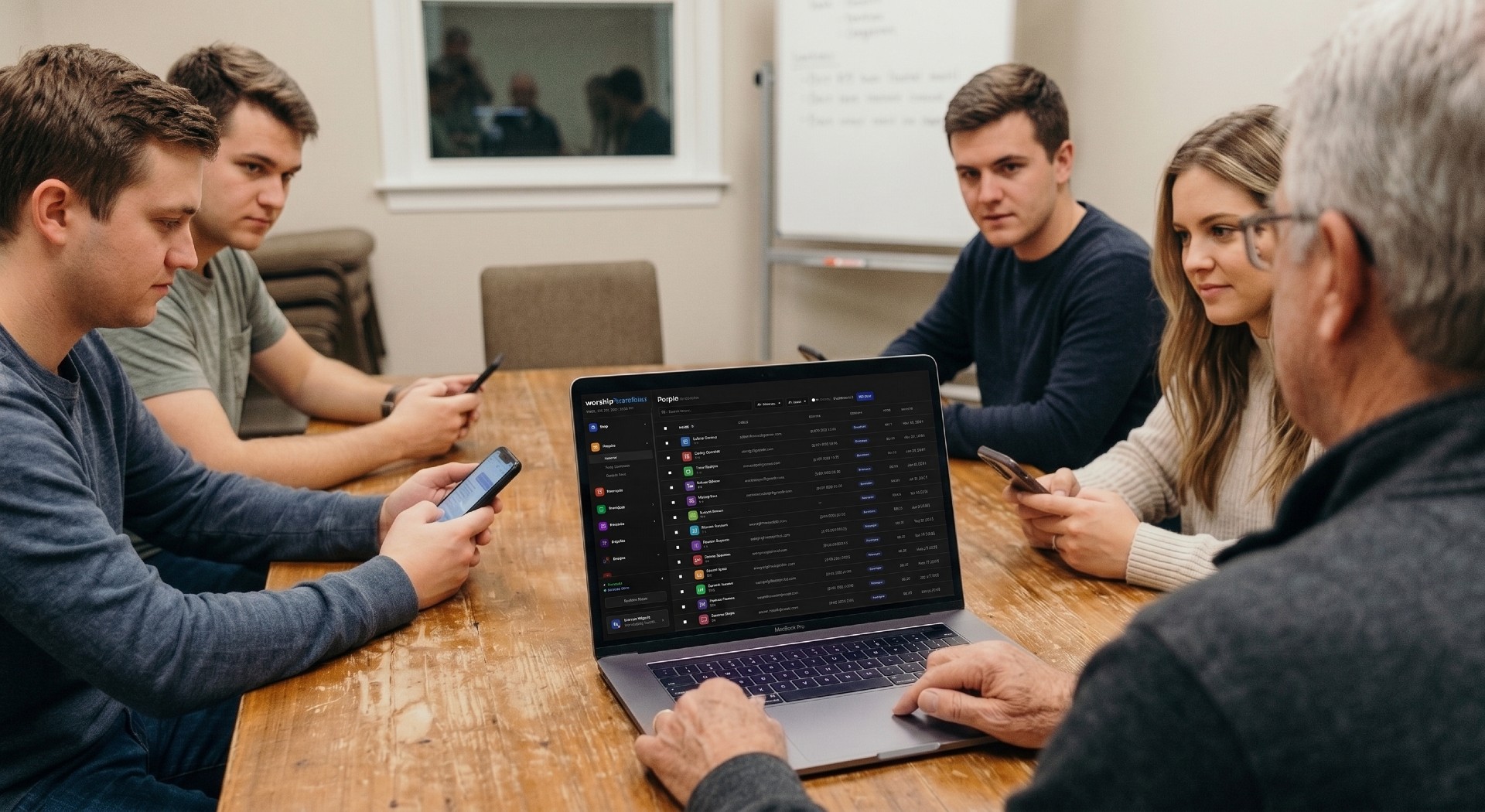
Add first-time guests in seconds from any phone or laptop, and they land in People with your follow-up notes.
Live everywhere, instantly
Every edit reaches every open screen in about 50 milliseconds — web and desktop — with bulk archive/restore, filtered exports, and a duplicate detector that flags likely pairs for review.
From the directory to the schedule
Every profile connects to how someone serves.
Open a profile and see the person, not just the record: contact details, household, and their serving assignments — confirmed, declined, or flagged for follow-up. Message anyone directly through Team Chat without leaving the page.
- Serving assignments with confirmed, declined, and follow-up statuses
- Volunteers accept or decline requests from My Schedule, with unavailable dates leaders can see
- One-tap message to any person through Team Chat
- Changes sync live across every device — no refresh, no stale lists
Why it lives here
The directory that already knows your Sunday.
Standalone church management software doesn't know who ran the sound board last week or which visitor showed up through a livestream. WorshipMetrics does — because People sits beside Plan, attendance, and the booth in one platform.
A visitor becomes a regular, a regular becomes a volunteer, a volunteer becomes a leader — and the whole journey happens in one system your church already runs on Sunday morning.
Bring your whole congregation into one place.
Import your list by CSV, invite unlimited users, and give every ministry the same source of truth — free forever.
Technical details
For the person who reads the spec sheet.
Directory model
Built-in types Member / Guest / Attender plus unlimited custom types; Active/Inactive statuses; labeled multi-value contact methods (home, work, mobile × email, phone, address) and social handles
Households
Optional head-of-household, shared address and contact details, archive flag — removing a household never removes its people
CSV import/export
16-field vocabulary with alias auto-mapping and a preview step; duplicate strategies skip / update / create with dedup on email, phone, or exact name; full server-side export carries every field
Serving lifecycle
Six assignment statuses; tokenized email accept/decline that works without login; per-position needed counts; per-service-time coverage math
Volunteer self-service
My Schedule with inline responses and self-managed unavailable date ranges — surfaced to leaders as warnings, never hard blocks
Scheduling emails
Invites, day-before reminders on a 15-minute idempotent sweep, cancellation notices, decline alerts routed to team leaders, and unfilled-position nudges
Team Chat transport
WebSocket delivery with typing indicators and presence; REST fallback; org-scoped live updates so every open surface stays current
Chat file sharing
Private cloud storage with direct uploads, a 25 MB cap, a safe-format allowlist (images, video, audio, PDF, Office, text), and expiring signed download links
Chat polls
2–10 options, single or multiple choice, vote-change semantics, double-vote-proof by design
Auth & team invites
Role-carrying email invites with cryptographically random tokens and 7-day expiry; joining an existing church always requires an invite
Users & pricing
Unlimited users and unlimited people on every plan, including Free — the whole volunteer team lives in it
From the Knowledge Base
People questions churches actually ask.
Modernize your AV · Instant tech support
Download Tech Manager free — and put a tech support number in the booth.
Tech Manager connects your church's AV system to WorshipMetrics: documented, monitored around the clock while it runs (it starts with the computer), and backed by a number your team can call the moment anything acts up. Our AI support sees your actual system — so issues get solved before frustration starts.
New to us? Call and we'll put you in touch with the team. How phone support works →
Tech support, any time
910-WORSHIP(910) 967-7447
AI phone support any hour on Pro and Max · a person on the line with Care or Sunday Assurance.