 Produce · Integration
vMix, fully integrated.
The switcher panel your booth runs vMix from is the same panel your whole team can open in the cloud on Pro and Max — full switching, recording, streaming, program and preview, and real audio meters. And because we can see your vMix settings, our support can troubleshoot the smallest configuration change, 100% online.
Local control is free on every plan. vMix is a product of StudioCoast Pty Ltd; WorshipMetrics connects through vMix's own APIs.
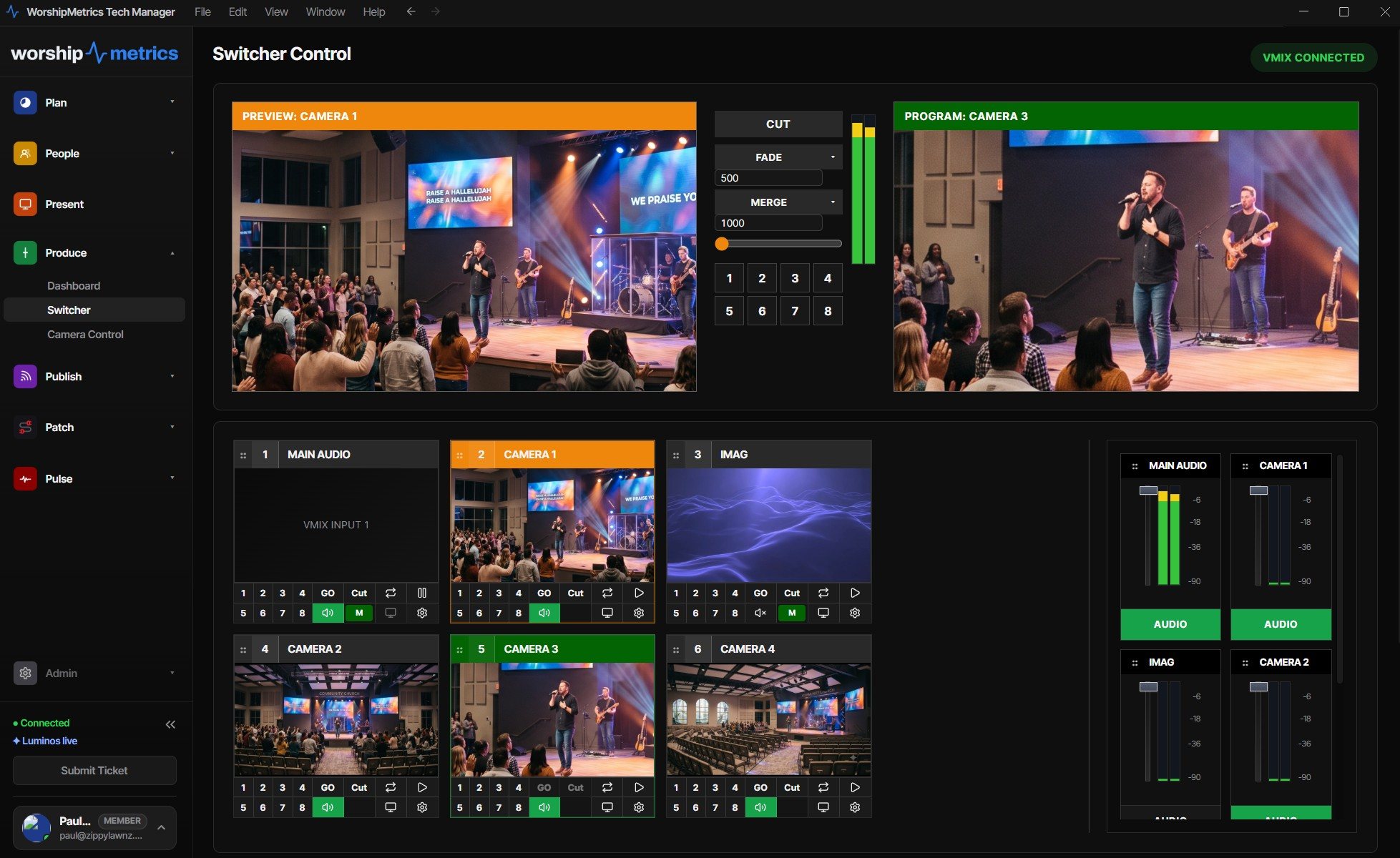
What the integration covers
Everything a Sunday asks of vMix, in one panel.
Deep integration over vMix's HTTP and TCP APIs — not a webcam pointed at the booth monitor.
Full switcher control
Cut, fade, wipe, zoom, and stinger transitions with adjustable duration, a hands-on T-bar, and preview/program switching across every input — through vMix's own HTTP and TCP APIs.
Recording & streaming control
Start and stop recording and streaming from the panel — and let a second person confirm the red light is actually on before the prelude ends.
Program & preview monitors
Live thumbnails of every input beside an enlargeable program view, so anyone with access can see exactly what's on screen and what's queued next.
Real vMix audio meters
Master and bus meters streamed at ~30 fps over a persistent TCP connection — the same numbers vMix shows, live in the panel beside the video.
Per-input control
Play and pause inputs, toggle overlays 1–4, and manage bus audio mute and volume — the everyday moves of a service, one click each.
Settings, visible
vMix connection state, inputs, and configuration are part of your live system record — the foundation for monitoring, alerts, and support that actually knows your setup.
One panel, your whole team
Four eyes on the record button beat two.
The vMix controls live in the Switcher panel — in the booth, and on Pro and Max in the cloud and in every authorized member's WorshipMetrics account. That changes what's possible on a Sunday morning:
- A second person confirms recording is running — from any seat, any campus, any couch
- Sources checked before the service: every input live in thumbnails, not guesswork over the phone
- A veteran volunteer takes the switch remotely when the scheduled operator is out sick
- You decide who can control the switcher — control stays inside your team's accounts, and every remote action is logged
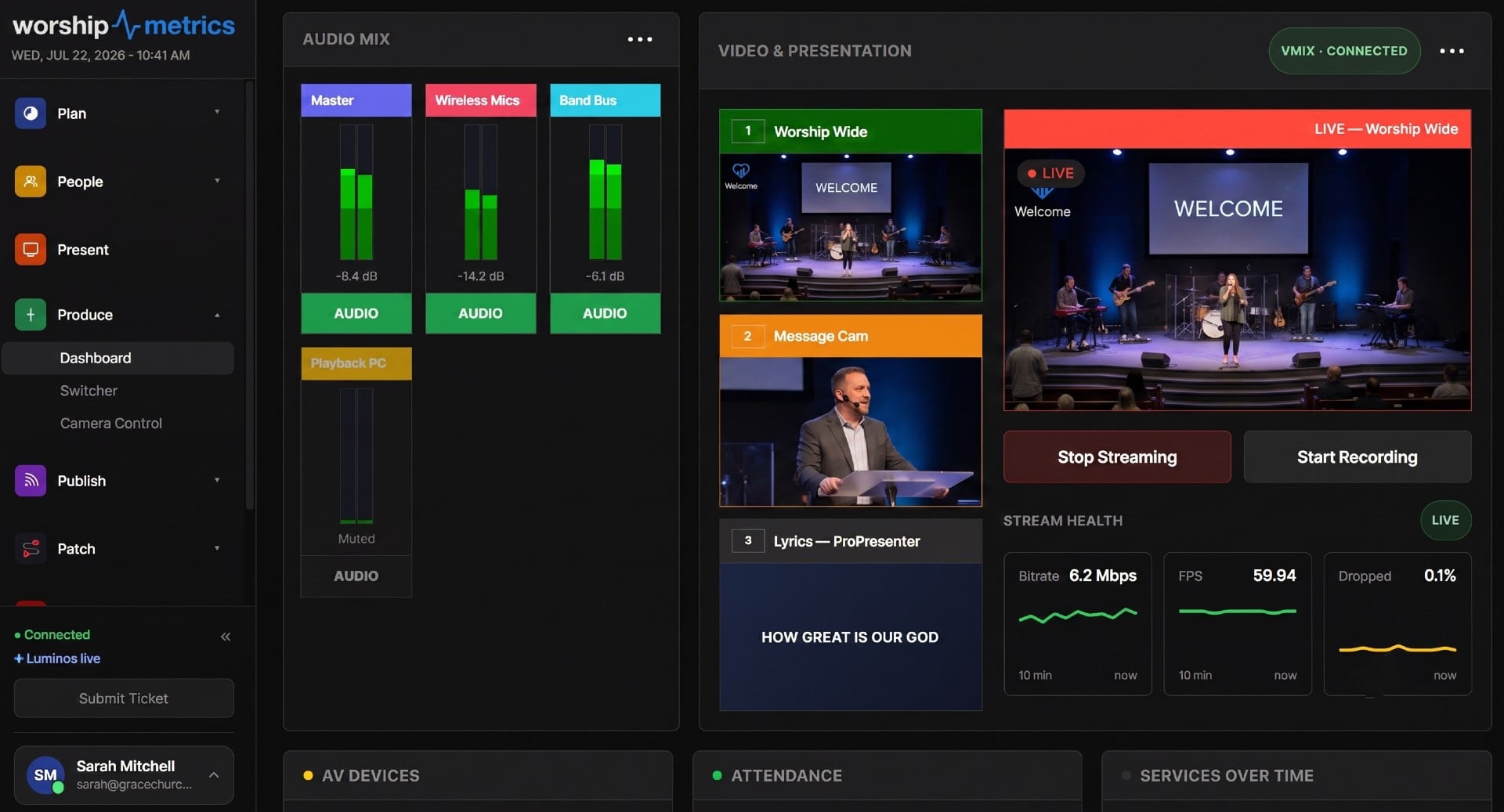
The bigger headline
Our vMix support is 100% online — because we can see your settings.
Most support for production software starts with an interrogation: what version, which input, what did you change? Ours starts with the answer. Tech Manager's live vMix connection puts your connection state, inputs, meters, outputs, and stream destinations in front of Luminos in the app, Journey on 910-WORSHIP (Pro and Max), and the production humans behind them.
And when a stream misbehaves, the evidence is already in hand: Tech Manager reads vMix's own streaming logs into a live event feed — bitrate, dropped frames, connection errors, with your stream keys redacted before anything is stored. That's how a Saturday-night “the stream output looks wrong” call becomes a two-minute fix: we look at the actual configuration together and troubleshoot even the smallest settings change — without anyone driving to the church.
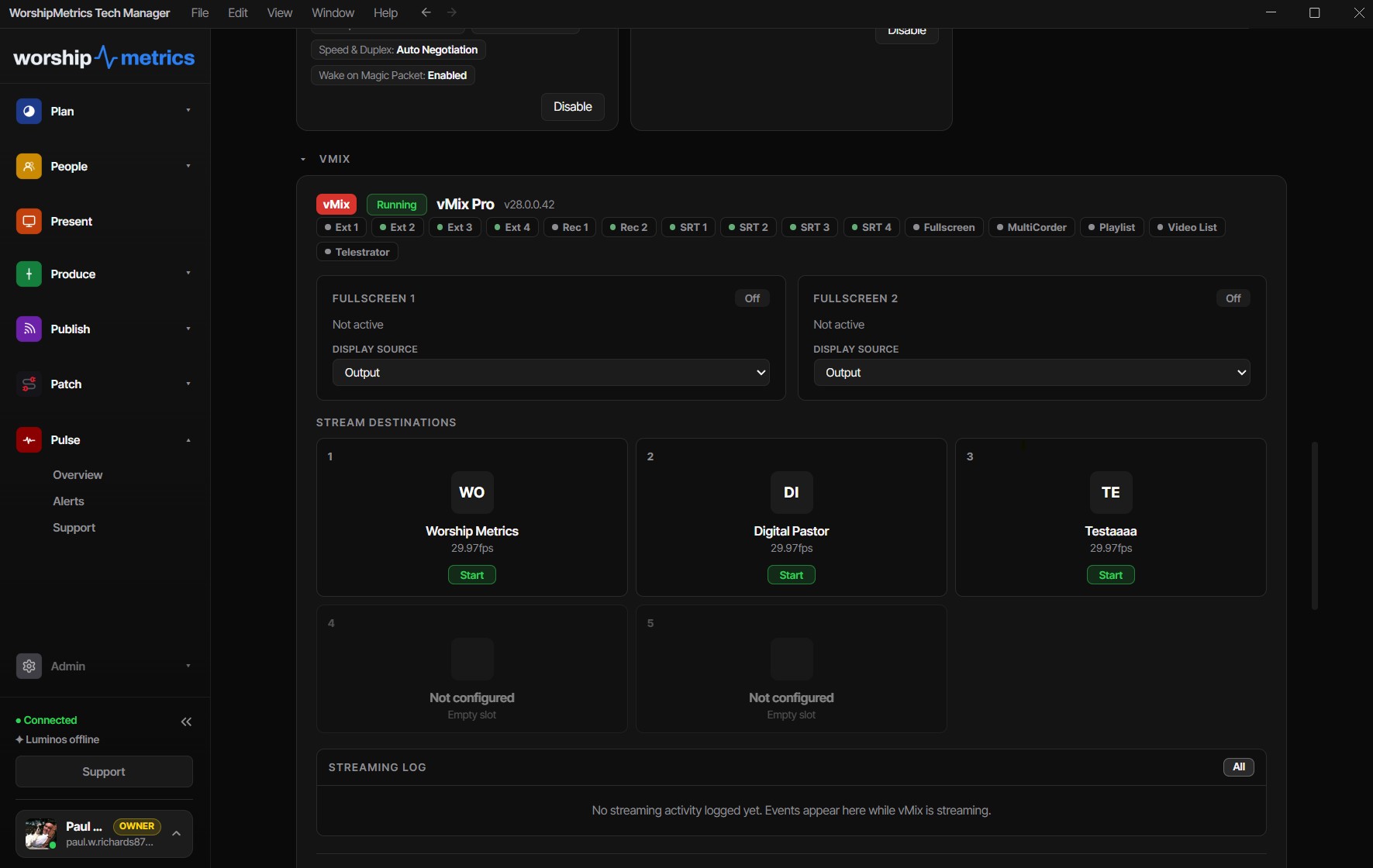
How it connects
Point Tech Manager at vMix once. Done.
Connect on your network
Tech Manager talks to vMix over its HTTP and TCP APIs on the booth's own network — switching, meters, and status flow immediately, free on every plan.
One secure outbound link
Tech Manager makes a single outbound connection to WorshipMetrics. No port forwarding, no VPN — the same link that powers your monitoring and alerts.
Your team, from anywhere
On Pro and Max, everyone you authorize opens the same Switcher panel from their own account — with every action logged.
vMix is also a first-class streaming source: resilient SRT and RTMPS ingest straight from vMix, with cloud delivery to every destination on Max and reusable stream keys so vMix is configured exactly once.
FAQ
The vMix integration, answered.
Does WorshipMetrics replace vMix?
No — it makes vMix better. vMix stays your production engine, doing what it does brilliantly. WorshipMetrics connects to it through vMix's own HTTP and TCP APIs and wraps it with the things vMix doesn't do: cloud control for your whole team on Pro and Max, monitoring and alerts, and support that can see the system.
What can my team control remotely?
On Pro and Max, the full switching surface: preview/program with cuts, fades, wipes, zooms, and stingers, a T-bar, overlays 1–4, per-input play/pause, bus audio mute and volume, and recording and streaming start/stop — with live program and preview monitors and real vMix audio meters beside it all.
Who gets access to the switcher?
That's yours to decide. Remote control lives inside your church's WorshipMetrics team — only people you've invited can open the panel. Anyone you authorize can operate from their own account — in the booth or from anywhere — and every remote action lands in your support history.
Is the vMix integration free?
Local control — running vMix from Tech Manager in the booth — is free on every plan, forever. Cloud control, the same panel from anywhere for your whole team, comes with Pro ($49/mo) and Max ($99/mo).
How does remote vMix support actually work?
Because Tech Manager holds a live connection to vMix, our support — Luminos in the app, Journey on 910-WORSHIP (Pro and Max), and the humans behind them — sees your actual connection state, inputs, settings, and streaming log when you ask for help. Troubleshooting starts from your real configuration, not twenty questions about what version you're running.
Do I need port forwarding for remote control?
No. Tech Manager makes one secure outbound connection from the booth to WorshipMetrics — the same link that powers monitoring. Nothing on your network is exposed, and your firewall stays closed.
Run OBS instead? There's a dedicated page on the full OBS integration — and Blackmagic ATEM control is built into Tech Manager. If the vMix stream or recording ever stops unexpectedly, Self Healing tells you within seconds and offers a one-tap restart.
WorshipMetrics Livestream Systems
Need a computer that can keep up with vMix?
Our Studio and Broadcast Livestream Systems are vMix machines built on vMix's own tested hardware recommendations, with Magewell SDI capture and outputs for IMAG and confidence monitors.
Your vMix, backed by a team that can see it.
Connect vMix to Tech Manager tonight and the whole platform lights up around it — control, monitoring, alerts, and support that already knows your system.
From the Knowledge Base
You already have vMix. Now grow the team.
Modernize your AV · Instant tech support
Download Tech Manager free — and put a tech support number in the booth.
Tech Manager connects your church's AV system to WorshipMetrics: documented, monitored around the clock while it runs (it starts with the computer), and backed by a number your team can call the moment anything acts up. Our AI support sees your actual system — so issues get solved before frustration starts.
New to us? Call and we'll put you in touch with the team. How phone support works →
Tech support, any time
910-WORSHIP(910) 967-7447
AI phone support any hour on Pro and Max · a person on the line with Care or Sunday Assurance.