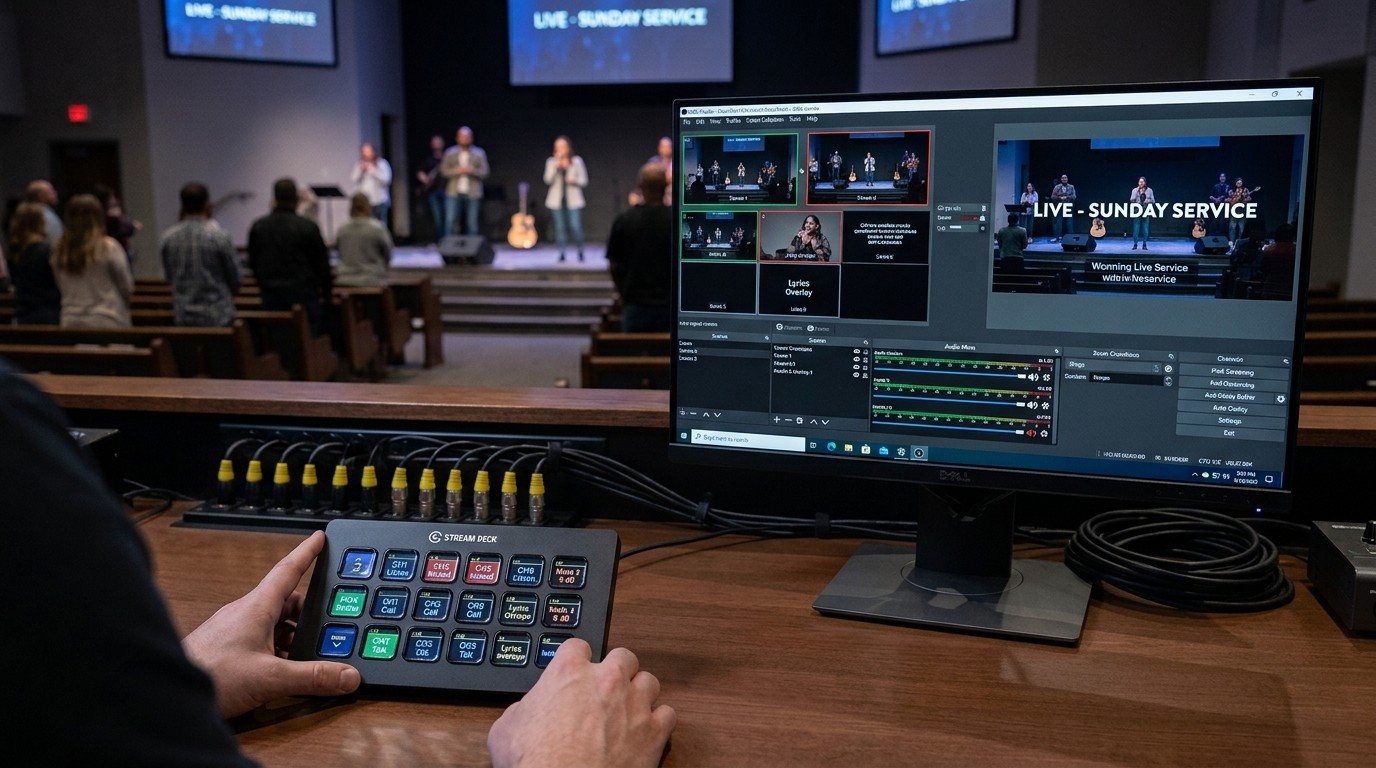
The problem: every device has its own controls
A typical church booth has a streaming computer, a sound board, a projector or two, PTZ cameras, a slides computer, and maybe a lighting console. Each has its own software, its own remote, its own menus. Running Sunday means knowing all of them.
That’s why church AV often depends on one person. It isn’t that the gear is bad. It’s that nothing ties it together in a way a new volunteer can understand.
What Companion does
Bitfocus Companion is free, open-source software that lets you build your own button panel for your whole system. Each button can do one thing, or a whole sequence:
- “Pastor Wide” cuts OBS to the wide camera and recalls a PTZ preset.
- “Start Service” starts the stream and the recording, turns on the projector, and unmutes the pastor’s mic.
- “Prayer” switches to the prayer slide and dims the stage.
Buttons can also show what’s happening: a button turns red while you’re live, or shows which camera is on air. That feedback is what makes it volunteer-friendly.
Where the buttons live
- An Elgato Stream Deck or another control surface on the booth desk.
- Any tablet or phone, through Companion’s built-in web buttons page. An inexpensive Android tablet can become a touch panel. (See a touch control panel with an Android tablet.)
- Inside WorshipMetrics, in Present’s Companion tab. (See Companion buttons inside WorshipMetrics.)
What it can control
Companion connects to hundreds of products through modules. For churches, the useful ones usually include:
| Gear | Examples |
|---|---|
| Streaming and switching | OBS, vMix, ATEM switchers |
| Presentation | ProPresenter, and WorshipMetrics Present through its command addresses |
| Cameras | PTZ cameras over VISCA and many brand-specific modules |
| Projectors and displays | Projectors that support PJLink and many brand modules |
| Audio | Many networked digital sound boards |
| Anything else on the network | Generic HTTP, OSC, and TCP commands |
More detail: controlling projectors, PTZ cameras, and mixers with Companion.
Why it matters for churches
- Volunteers can do more. A button that says “Start Service” is something anyone can press. The complexity is built once, by someone who understands it, and then everyone benefits.
- It fits the three-seat setup. Each seat (director, slides, cameras) gets its own page of buttons. (See the three-seat setup.)
- It makes a complicated system easier without a custom control system. Many churches can build a simple, reliable control panel themselves. (See making church AV easy to run without hiring an AV company.)
- It costs very little. Companion is free. A tablet or a Stream Deck is the only hardware.
Getting started
- Install Companion on the booth computer or a small dedicated computer.
- Add connections for your gear, starting with OBS or vMix. (Guides: OBS + Companion · vMix + Companion)
- Build one page for Sunday morning with the six to twelve buttons you use every week.
- Label in plain words and test with someone who’s never run the booth. (See designing Companion pages for volunteers.)
How WorshipMetrics builds it in
WorshipMetrics Present works with Companion in three ways:
- A Companion tab that shows your Companion buttons right inside Present, found automatically on the church network by Tech Manager.
- Slides that press buttons: a slide can press a Companion button when it goes live, so the “Prayer” slide can also dim the stage.
- Buttons that drive Present: a Companion button can advance slides, go to a slide, black out, start a timer, or run a macro.
Details and setup: Companion buttons inside WorshipMetrics.
Using a Blackmagic ATEM? Splitting ATEM Mini jobs for church volunteers. See also Bitfocus Companion + ATEM.
The big picture: church livestream setup: what you need, OBS vs. vMix vs. ATEM, and a booth volunteers can run.
Related questions
- What is Bitfocus Companion?
- Bitfocus Companion is free, open-source software that lets you build button panels to control AV equipment. It runs on Windows, Mac, Linux, or a small computer like a Raspberry Pi, and its buttons can live on an Elgato Stream Deck, another control surface, or a web page on any tablet or phone.
- What can Bitfocus Companion control in a church?
- Anything it has a connection module for, and that's hundreds of products: OBS, vMix, ATEM switchers, ProPresenter, PTZ cameras, projectors, digital sound boards, lighting software, and more, as long as the device can be reached over the network or another supported connection.
- Does WorshipMetrics work with Bitfocus Companion?
- Yes. WorshipMetrics Present has a Companion tab that shows your Companion buttons inside Present, slides can press Companion buttons automatically, and Companion buttons can drive Present (next slide, previous slide, blackout, timers, and macros) through Tech Manager on the booth computer.
ATEM + WorshipMetrics: What Tech Manager Adds to a Blackmagic ATEM Church Booth
NextSound Board Scenes, Stream Deck, and WorshipMetrics: Making Church Audio Volunteer-Friendly
Related Articles

Bitfocus Companion + ATEM Mini: A Stream Deck Panel for Your Church Switcher
A Stream Deck running Bitfocus Companion turns a Blackmagic ATEM into plain-word buttons with colors that show what's live, and the same panel can run PTZ cameras, projectors, and more. Here's how to connect Companion to an ATEM and build a volunteer page.

Lyrics Over the Camera on an ATEM Mini: Luma Keys, Chroma Keys, and the Slides Computer
To put song lyrics over the camera shot on a Blackmagic ATEM Mini, feed the slides computer into an ATEM input and key it over the camera. Here's how luma and chroma keys work for lyrics, how to design slides that key cleanly, and who should run it.

ATEM Mini + OBS for Church: Hardware Camera Switching with OBS for Graphics and Streaming
Many churches use an ATEM Mini as a camera switcher and send its output into OBS over USB as a webcam. The ATEM gives volunteers real buttons; OBS adds lyrics, graphics, recording, and streaming. Here's how to set it up, split the jobs, and avoid the common sync and quality problems.