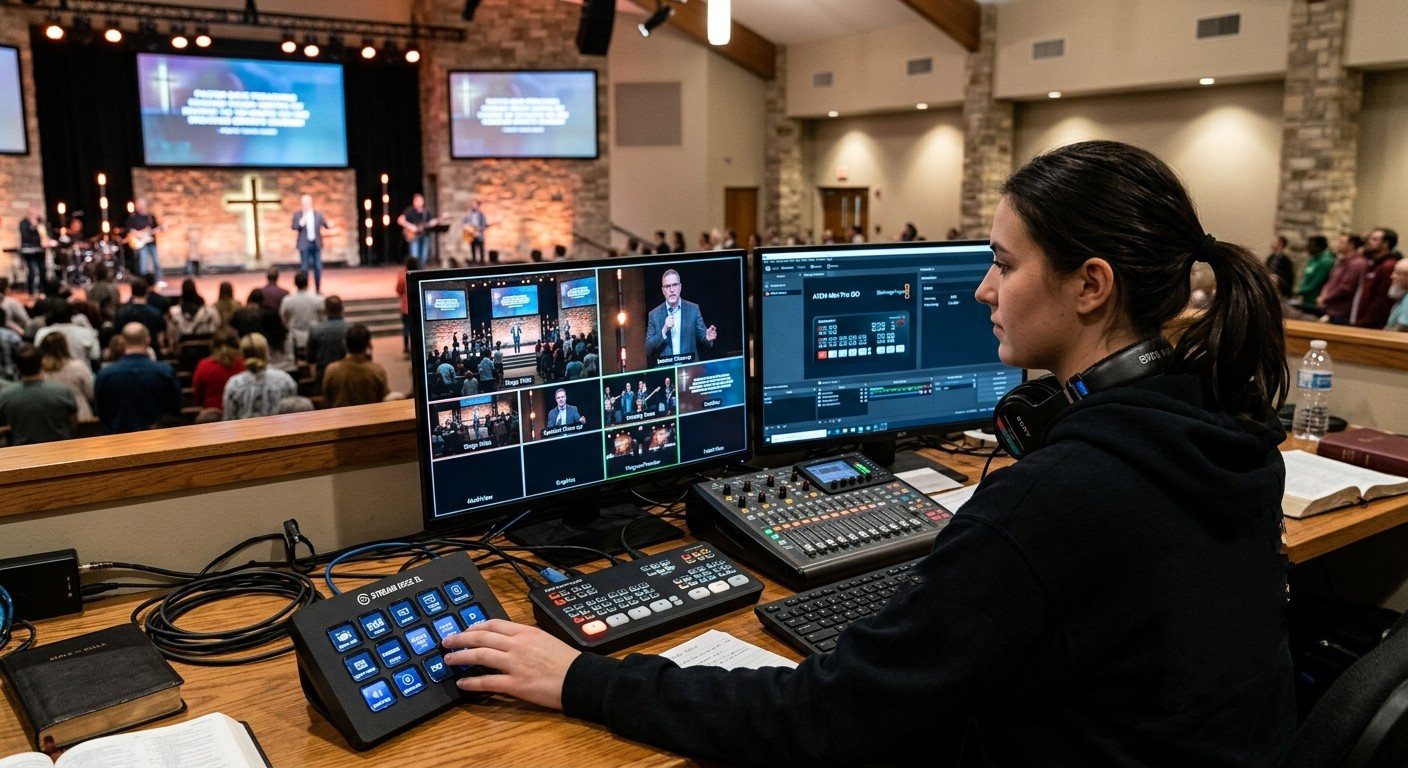
The ATEM Mini’s gift, and its trap
The Blackmagic ATEM Mini family put real, hardware multi-camera switching on thousands of church booths. Press a number, the camera cuts. Volunteers love that.
The trap is that everything else ends up on the same person: lyrics keys, audio levels, picture-in-picture, PTZ moves, and the stream. The buttons are simple; the job isn’t.
The answer is the same as for OBS and vMix: split the job into seats.
The ATEM seats
| Seat | What they do | Where they work |
|---|---|---|
| Switcher | Cut between cameras and slides | The ATEM’s own buttons, or a Stream Deck |
| Software | Keys, audio mix, media, stream and recording | ATEM Software Control on a second computer |
| Cameras | Framing PTZ shots and recalling presets | A joystick, a tablet, or a browser |
| Slides | Lyrics and sermon slides | A slides computer feeding an ATEM input (lyrics keys) |
Small team? Start with two: switcher plus software. That alone takes most of the pressure off.
Three layers of tools
1. What the ATEM already gives you
- The front panel, which is simple for the switcher seat.
- ATEM Software Control, free for Mac and Windows, for everything the buttons don’t show. (Full guide: ATEM Software Control setup.)
- Macros that turn several steps into one. (See ATEM Mini macros for churches.)
2. Bitfocus Companion: plain-word buttons
A Stream Deck running Bitfocus Companion turns the ATEM into “Pastor,” “Wide,” “Lyrics On,” with button colors that show what’s live. It can also run your PTZ cameras, projectors, and more. (See Bitfocus Companion + ATEM.)
3. WorshipMetrics: the team around the booth
Tech Manager controls the ATEM’s cut, preview, and program from the booth, Present slides can cut the ATEM when they go live, Camera Control gives the camera seat picture presets, and the team shares chat, alerts, and wiring diagrams. (See ATEM + WorshipMetrics.)
Getting started this Sunday
- Put the ATEM on the church network, so a second computer can connect.
- Give one volunteer ATEM Software Control for keys and audio.
- Label the ATEM’s inputs in the software (“Pastor,” “Wide,” “Slides”), so the multiview reads in plain words.
- Write a one-page checklist per seat.
Using an ATEM Mini as a camera switcher into OBS? See ATEM Mini + OBS. Feeling the limits? See when your church outgrows the ATEM Mini.
The big picture: church livestream setup: what you need, OBS vs. vMix vs. ATEM, and a booth volunteers can run.
Better livestream audio: Why your church livestream sounds bad, and how a separate stream mix fixes it. See also getting the sound board into OBS, vMix, or an ATEM · the stream audio seat.
Related questions
- Can two people control an ATEM Mini at the same time?
- Yes. The ATEM's front panel and ATEM Software Control on a computer can be used together, and with the ATEM on the church network, more than one computer (and tools like Bitfocus Companion) can connect. One volunteer switches on the buttons while another handles keys, audio, or the stream in the software.
- What jobs can be split on an ATEM Mini?
- Common seats are switching (the panel), graphics and keys plus audio (ATEM Software Control), PTZ cameras (a joystick, tablet, or browser), slides (a separate computer feeding an ATEM input), and the stream and recording.
- Is an ATEM Mini easy for church volunteers?
- The physical buttons are very approachable: press a number to cut to a camera. The harder parts are keys, audio, and streaming settings in the software. Splitting those into a separate seat, with clear labels and a checklist, keeps the switcher seat simple.
ATEM Software Control on a Second Computer: Give a Church Volunteer the Keys, Audio, and Stream
NextATEM + WorshipMetrics: What Tech Manager Adds to a Blackmagic ATEM Church Booth
Related Articles

Bitfocus Companion + ATEM Mini: A Stream Deck Panel for Your Church Switcher
A Stream Deck running Bitfocus Companion turns a Blackmagic ATEM into plain-word buttons with colors that show what's live, and the same panel can run PTZ cameras, projectors, and more. Here's how to connect Companion to an ATEM and build a volunteer page.

Lyrics Over the Camera on an ATEM Mini: Luma Keys, Chroma Keys, and the Slides Computer
To put song lyrics over the camera shot on a Blackmagic ATEM Mini, feed the slides computer into an ATEM input and key it over the camera. Here's how luma and chroma keys work for lyrics, how to design slides that key cleanly, and who should run it.

ATEM Mini + OBS for Church: Hardware Camera Switching with OBS for Graphics and Streaming
Many churches use an ATEM Mini as a camera switcher and send its output into OBS over USB as a webcam. The ATEM gives volunteers real buttons; OBS adds lyrics, graphics, recording, and streaming. Here's how to set it up, split the jobs, and avoid the common sync and quality problems.