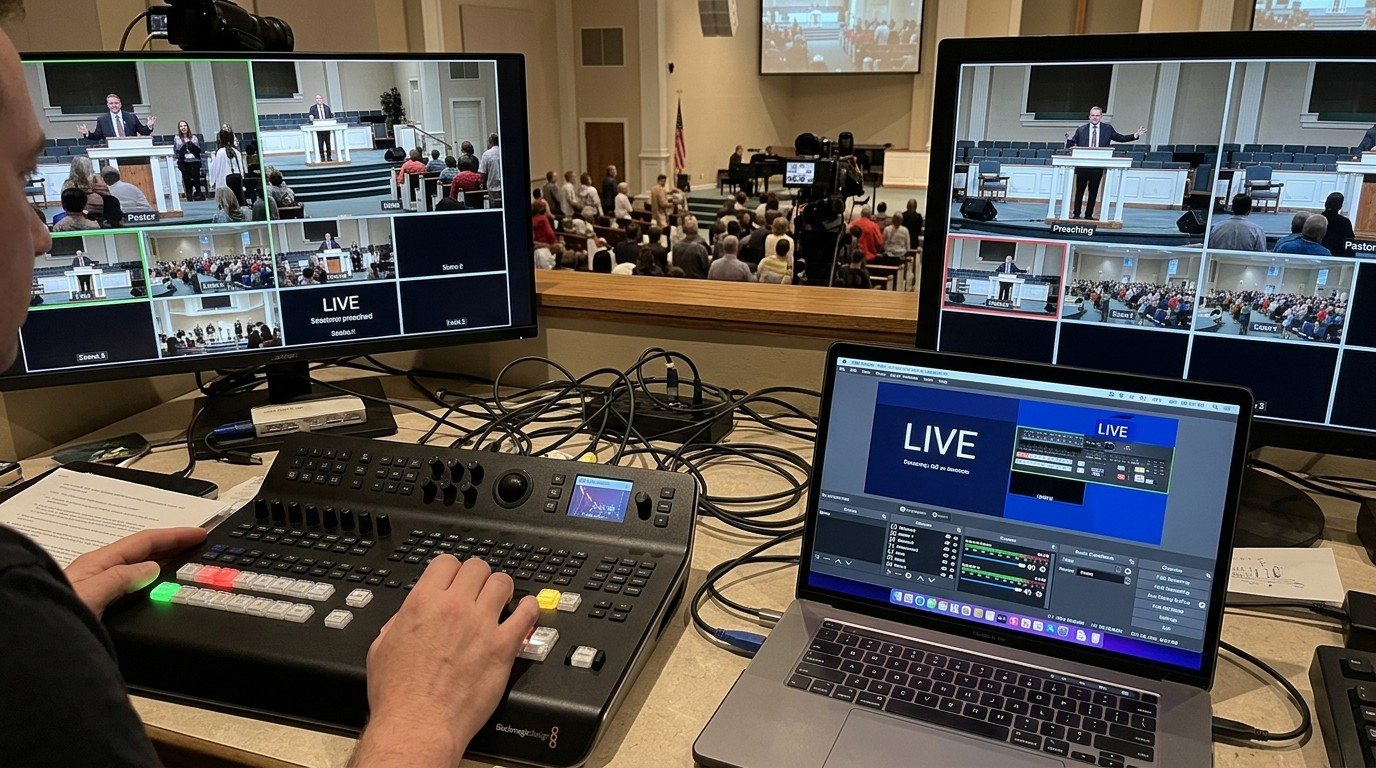
Why a second computer
The ATEM Mini’s front panel is wonderful for switching. Everything else lives in ATEM Software Control: keys for lyrics, picture-in-picture, the audio mixer, media like logos, macros, and on streaming models, the stream and recording.
If one volunteer does both, they’re constantly looking away from the buttons. Put the software on its own computer, with its own volunteer, and the switcher seat stays simple. (See splitting ATEM jobs.)
Connecting over the network
- Connect the ATEM’s Ethernet port to the church network, ideally the same switch as the booth computers.
- Give the ATEM a fixed IP address with Blackmagic’s ATEM Setup utility (connected once by USB). Write the address in the booth binder or the Signal Map.
- Install ATEM Software Control (free, Mac or Windows) on the second computer.
- Point it at the ATEM’s IP address and connect.
Now the panel and the software both control the same switcher.
What the software seat does
| Panel | The volunteer’s job |
|---|---|
| Switcher | Keys on and off: lyrics, lower thirds, picture-in-picture |
| Media | Load logos, countdowns, and graphics into the media pool |
| Audio | Set levels, mute unused inputs, watch the meters |
| Output | Start and stop the stream and recording, on streaming models |
| Macros | Run prepared sequences, like “Welcome,” “Sermon,” “End” |
The full tour: ATEM Software Control setup guide.
Working together
- Switcher: “Going to the pastor.” Software: “Lower third ready.” Switcher: “Take it.”
- Software owns audio, so the switcher never has to reach for a fader.
- Agree on who starts the stream. Usually the software seat, with a checklist.
Tips
- Label every input in the software (“Pastor,” “Wide,” “Slides”), so the multiview reads in plain words. (See ATEM Mini multiview.)
- Save the switcher’s settings to a file after every change, so you can restore them.
- Keep the ATEM on the staff or AV network, not the guest Wi-Fi.
- Use macros for anything that takes more than two clicks. (See ATEM Mini macros.)
Where WorshipMetrics helps
Volunteers in both seats share team chat, the Signal Map with the ATEM’s address and wiring, and AI help from Luminos and Journey. Tech Manager can control the ATEM’s cut, preview, and program from the booth computer, and alerts the team when a networked device goes offline. (See ATEM + WorshipMetrics.)
Related questions
- Can ATEM Software Control run on a different computer than the one connected by USB?
- Yes, if the ATEM is on the network. Connect the ATEM's Ethernet port to the church network, give it an IP address (with Blackmagic's ATEM Setup utility), and then ATEM Software Control on any Mac or Windows computer on that network can connect to it.
- What does a volunteer do in ATEM Software Control?
- Everything the buttons don't show: turning lyrics keys and picture-in-picture on and off, mixing audio levels, loading media like logos and countdowns, running macros, and, on streaming models, starting and stopping the stream and recording.
- Does using ATEM Software Control stop the ATEM's buttons from working?
- No. The front panel and the software control the same switcher. A cut on the panel shows up in the software, and a key turned on in the software shows up in the program output, so two people can work together.
ATEM Mini + OBS for Church: Hardware Camera Switching with OBS for Graphics and Streaming
NextSplitting ATEM Mini Jobs for Church Volunteers: Switching, Software Control, Cameras, and the Stream
Related Articles

Bitfocus Companion + ATEM Mini: A Stream Deck Panel for Your Church Switcher
A Stream Deck running Bitfocus Companion turns a Blackmagic ATEM into plain-word buttons with colors that show what's live, and the same panel can run PTZ cameras, projectors, and more. Here's how to connect Companion to an ATEM and build a volunteer page.

Lyrics Over the Camera on an ATEM Mini: Luma Keys, Chroma Keys, and the Slides Computer
To put song lyrics over the camera shot on a Blackmagic ATEM Mini, feed the slides computer into an ATEM input and key it over the camera. Here's how luma and chroma keys work for lyrics, how to design slides that key cleanly, and who should run it.

ATEM Mini + OBS for Church: Hardware Camera Switching with OBS for Graphics and Streaming
Many churches use an ATEM Mini as a camera switcher and send its output into OBS over USB as a webcam. The ATEM gives volunteers real buttons; OBS adds lyrics, graphics, recording, and streaming. Here's how to set it up, split the jobs, and avoid the common sync and quality problems.