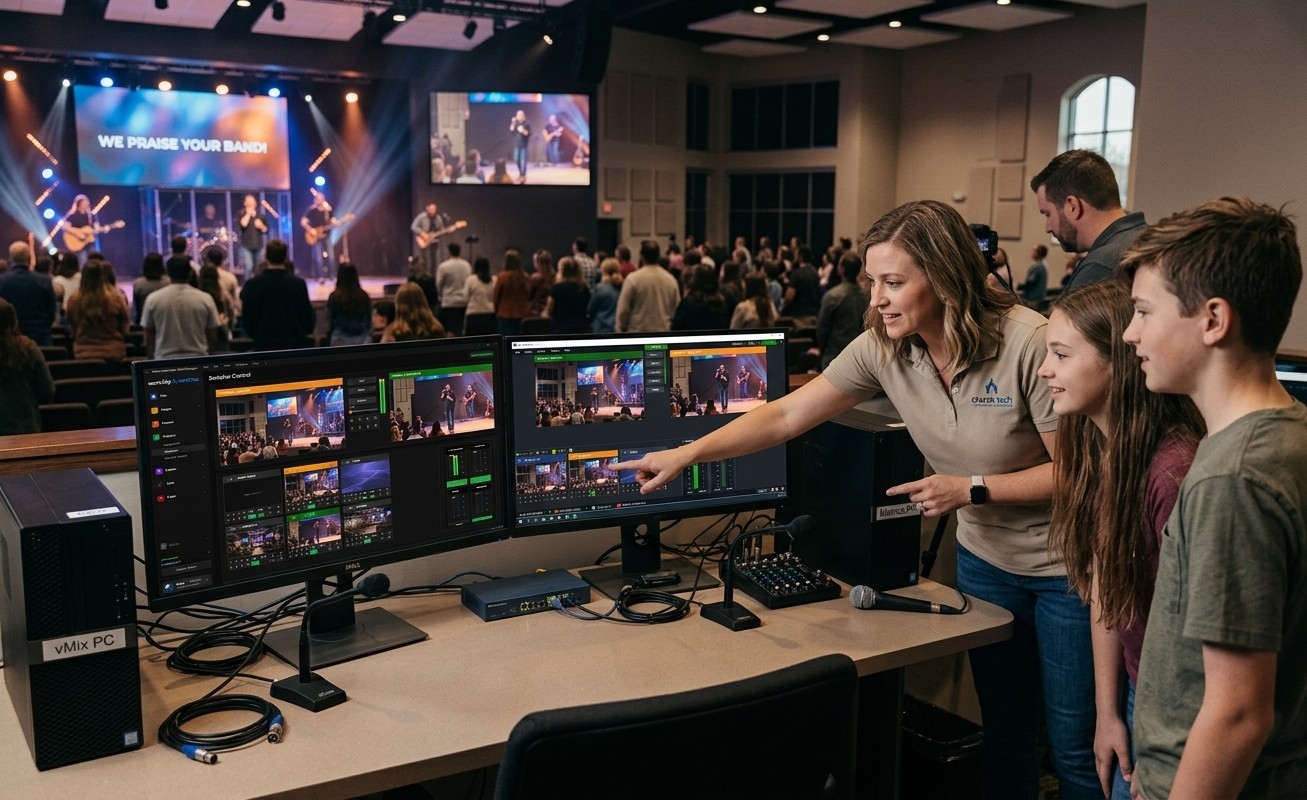
The clubhouse already exists — it’s your booth
Most churches that want young people involved in tech start with a vague announcement: “see the tech team if you’re interested.” Nobody comes, and the conclusion gets drawn that kids aren’t interested. The truth is usually the opposite — the students who spend their evenings editing videos, running Discord streams, and obsessing over game audio are deeply interested in exactly what your booth does. What’s missing isn’t interest. It’s a structure with a door on it.
That structure is an AV Club: a named group with a regular rhythm, defined seats, a visible ladder, and adult mentors — and if your church runs vMix, the clubhouse is already built. A capable production system is the single best recruiting asset a church tech ministry can have, because it’s real. Students can tell the difference between being given a job and being given a toy. Here’s the launch plan, step by step.
Step 1: Recruit where interest already exists
Skip the pulpit announcement (for now). Go directly to where the interest already lives: youth group leaders, homeschool families, senior-high small groups — and by name, the students who already like video, audio, design, streaming, or gaming. The invitation that works isn’t “we need help.” It’s “we have a real production system, and we’ll teach you to run it.”
Aim for two or three students to start. A small club with a real rhythm beats a big signup list that meets twice and evaporates. And plan for the second wave to recruit itself — the first students’ friends will follow once there’s something real to join.
Step 2: One seat, one clear job
The founding rule of the club, borrowed from how the whole ecosystem works: every member owns one seat. Not “helps with tech” — owns the lyrics, or one camera, or the seat-map tablet, or the clips queue that turns Sunday’s sermon into Monday’s Reels. Match the seat to age and maturity: a 14-year-old can run one camera well; the tablet and clips seats have even lower floors; the vMix chair itself is the summit, not the entrance.
One seat per person does three jobs at once: training stays small and specific (“here is your job” beats “here is everything”), the room genuinely depends on each student (which is where belonging comes from), and the safety story stays honest — nobody holds more responsibility than they’re ready for.
Step 3: Let the system do the supervising
The reason an AV Club is practical now, in a way it wasn’t a decade ago, is that the ecosystem around your vMix machine carries most of the supervision load:
- A mentor sees everything from anywhere. The cloud panel mirrors preview, program, every input, and the audio meters to any device — so coaching happens over a shoulder or over a text, and a student’s choice is visible in preview before it ever hits air.
- The routine failures get caught instantly. Self Healing flags a dropped stream or stopped recording the moment it happens and offers a one-tap restart — on the booth or the director’s phone — so a student’s Sunday doesn’t hinge on crisis reflexes nobody should expect them to have yet.
- Everything is logged. Access lists say who can touch what; the support history says who did what. Parents and boards get an audit trail, not assurances.
- The debrief has data. The stream health score turns each service into a teachable timeline — and a string of healthy scores into visible proof the students are doing it well. Read a month of them together at club meetings; it teaches failure patterns faster than any hypothetical.
Step 4: Build the ladder in public
A club needs somewhere to go. Make the progression explicit and visible: tablet → lyrics → camera → stream monitor → the vMix chair — and beyond it, the club’s own leadership: the 17-year-old who trains the 14-year-old, the student who owns the Signal Map and keeps the documentation true, the one who runs the scheduling matrix for the whole rotation. Older students mentoring younger ones is the moment the club stops consuming the tech director’s energy and starts generating its own.
Then celebrate in public. Thank the students from stage sometimes; name who ran cameras on the big Sunday. Recognition is what turns a task into belonging — and belonging is the actual product here, as the next post in this series argues: the tech booth is a youth ministry.
Step 5: Give it a rhythm
The minimum viable club: a monthly meeting (pizza, one skill taught, one month of health reports reviewed, one round of recognition) plus serving rotations staffed a month at a time so students and parents can plan. Blockouts let students mark exam weeks themselves; day-before reminders mean nobody’s mom has to remember.
That’s the whole launch: real system, real seats, real ladder, real rhythm. The full role-by-role guide — with age fits and what each seat runs — lives at Build Your AV Team, and if you need leadership buy-in first, the printable AV Club proposal makes the case on one page. Every great tech director started somewhere. Start someone.
Share the vMix PC with more volunteers: Splitting vMix roles for church volunteers. See also a titles volunteer for vMix · calling PTZ shots with vMix virtual inputs.
Related questions
- How many students do you need to start an AV Club?
- Two or three is a real club. One seat each, one mentor, one regular rhythm — a monthly meeting plus serving rotations. Small and consistent beats large and occasional, and the club grows itself once the first students start recruiting their friends.
- Where do you find students who'd want to join?
- Recruit where interest already exists: youth group, homeschool families, and especially students who already love video, audio, design, streaming, or gaming. Don't wait for the perfect tech kid to appear — invite interest first, then train for one job.
- Doesn't a student club create more work for the tech director?
- The design prevents that: one seat per student means training is small and specific, older students mentor younger ones so the team trains itself, and self-healing plus remote visibility means Sunday doesn't depend on the director hovering. Most directors report the club eventually gives them their first real margin in years.
Sponsor an AV Club: The Gift That Builds Your Church's Next Generation
NextCan Students Safely Run a Church Livestream?
Related Articles

Making a Complicated Church AV System Easy to Run, Without Hiring an AV Company
Many church AV systems aren't too old or too small. They're too complicated for a volunteer. A simple button panel built with Bitfocus Companion can hide that complexity behind plain-word buttons, and a church can often build it themselves. Here's when that works, when to call a professional, and how to start.

Your Church Livestream Team, Connected Even When They're Not at Church
A three-person livestream team only works if everyone shares the same plan, the same wiring diagram, and the same news when something breaks. Here's how WorshipMetrics connects the director, slides, and camera volunteers through the week: chat, alerts, documentation, AI help, scheduling, and cloud control for OBS and vMix.

The Three-Person Church Livestream Team: Director, Slides, and Cameras
A church livestream runs best with three clear jobs: a director on OBS or vMix, a slides operator, and a camera operator. Here's what each role does before, during, and after the service, what skills it takes, and how the three talk to each other.