The short answer: draft a month silently, send once, let the loop run itself
The Thursday-night text scramble isn’t a discipline problem — it’s a structural one. Scheduling one Sunday at a time guarantees that every schedule is urgent, every invite reads as an emergency, and every decline triggers a fresh scramble. The fix is structural too: schedule a month at a time, in two phases — draft the whole grid quietly, with no emails going out, then send every invite in one batch and let automatic reminders handle the follow-through.
The result, for a typical small church: one focused hour a month replaces four Thursday-night scrambles, and each volunteer receives exactly one scheduling email a month instead of a drip of urgent texts.
The grid that replaces the group text
The scheduling matrix is a grid: your teams and their named positions down the left — Band with Acoustic Guitar, Bass, Drums; Production with Camera 1 and FOH Audio — and upcoming service dates across the top. Every cell is one question: who’s serving in this position on this date? Each position carries a needed count, so a vocal team that wants three singers shows short-staffed until all three cells are filled, and a month view reveals what week-at-a-time scheduling never can: the drummer quietly carrying every single week, the position vacant three Sundays running.
Phase one is drafting, and drafting is silent by design. Pencil people in, change your mind, swap two vocalists, start a week over — no volunteer sees the churn. This matters more than it sounds: schedulers who know every click fires an email schedule timidly. When thinking is private, you can be ambitious — sketch the whole month, balance the load, and commit only when the picture looks right.
As you draft, the matrix warns you inline about three things: blockouts (volunteers enter their own unavailability from their My Schedule page — vacation, exams, a season of rest — with no email to the coordinator required), double-bookings (real time-overlap conflicts, while correctly not flagging the volunteer who happily serves both the 9:00 and the 11:00), and eligibility (whether the person actually belongs to that team and position). All three are warnings, never hard blocks — the software assumes you know things it doesn’t, which is the right posture for the pastoral side of scheduling.
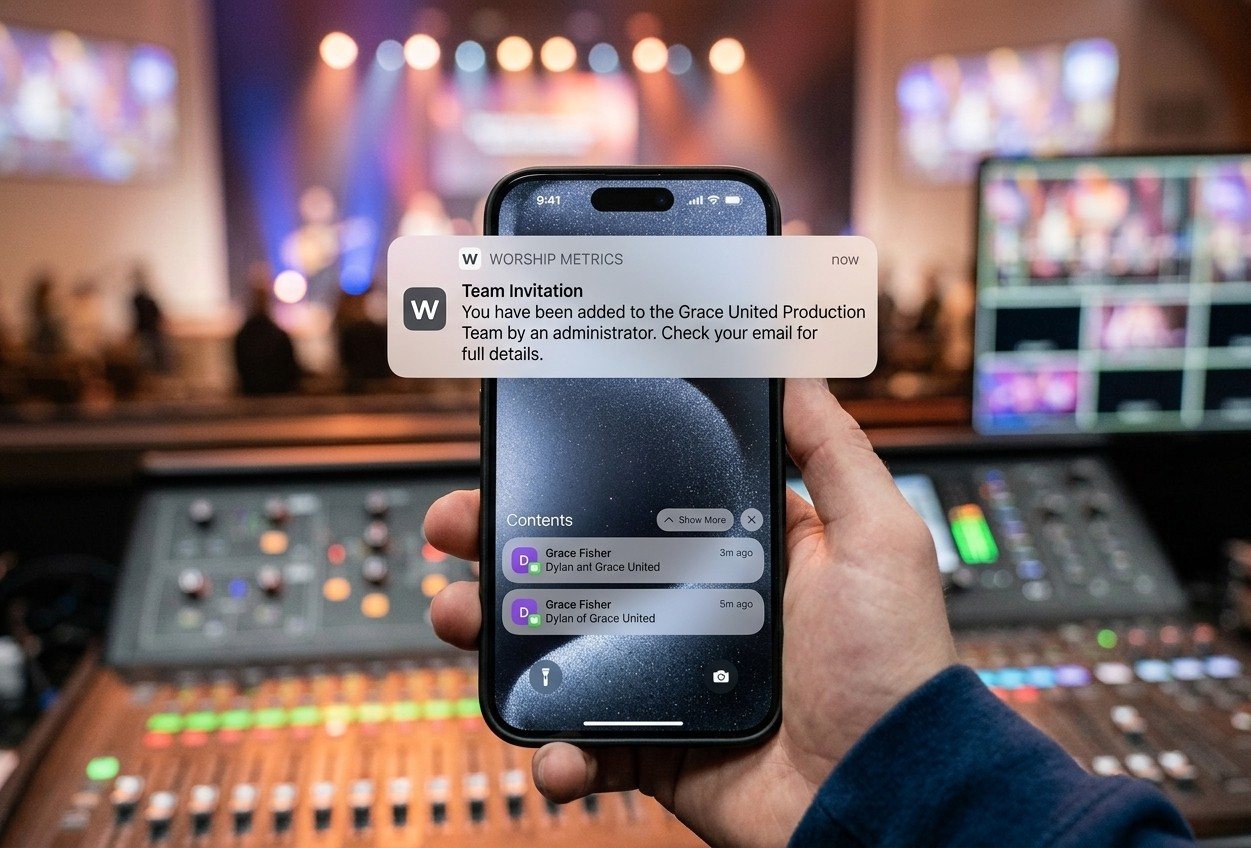
Phase two is one Send. Every outstanding draft across the window batch-invites at once, so someone drafted for three Sundays gets one coherent email about their month. The rhythm most teams settle into: draft during a quiet hour early in the previous month, sleep on it, send.
The loop that runs after you hit send
Sending isn’t the end — it starts a loop, and the loop is the part that kills the scramble:
- One-tap responses, no login. Invites carry tokenized accept and decline links; volunteers respond from their phone with no password and no app. The “I couldn’t remember my login so I just didn’t answer” failure mode disappears.
- Declines reopen the slot and tell the right person. The position reopens in the matrix and the team leader is notified instantly. Your week-of job shrinks to: watch for decline notifications, fill reopened slots with a targeted invite.
- Automatic reminders handle the follow-through. Day-before serve reminders to everyone confirmed, nudges to leaders about still-unfilled positions as the date approaches, cancellation notices when an assignment is withdrawn — all double-send-proof, all without a human remembering. The full email lifecycle is documented in the volunteer scheduling email lifecycle.
And for the coordination that should stay conversational — “can anyone grab an extra mic run-through Saturday?” — team chat keeps it with the team instead of in one person’s SMS thread, with file sharing for the stage plot or the chord chart. The scramble was never that people talked too much; it’s that scheduling state lived in conversations. Move the state into the matrix, and the conversations get to be human again.
Never rebuild a good month from scratch
Once a well-staffed month exists, reuse it. Copying a plan forward lets you choose what happens to staffing — carry positions across unfilled, or re-invite the same volunteers who served last time, which turns next month’s draft into a five-minute review for teams with a stable rotation. Recurrence can spawn up to a year of future plans on a weekly, biweekly, or monthly pattern — and monthly means “the second Sunday,” not “the 14th,” because that’s how churches actually think.
The deeper dive on all of it — the four cell states, per-service-time coverage that catches the 11:00 nobody staffed while the date column looked green, and the 400-day planning window — is in scheduling volunteers a month at a time.
How WorshipMetrics handles this
The matrix, serving teams, blockouts, and the invite loop live in WorshipMetrics People, scheduling against the plans and service times in Services. Drafts stay silent until you send, declines notify team leaders, and the reminder sweep runs the follow-through — so the hour you spend drafting is the only hour scheduling asks of you, and Thursday nights go back to being Thursday nights.
Related questions
- Do volunteers need to log in or install anything to respond?
- No. Each invite email carries tokenized accept and decline links — one tap from the phone, no password, no app. The links stay valid right up until the service starts, so even a late responder can confirm cleanly.
- What happens when someone declines?
- Two things, instantly: the position reopens as a vacancy in the matrix, and the team leader is notified — not just whoever clicked send. The classic gap where a decline lands in one inbox on someone's day off and nobody else knows the slot is open again is closed by design.
- Won't drafting a whole month spam people with emails?
- No — drafting is silent by design. You can fill four weeks, change your mind, and swap names freely; nothing sends until you choose to. Then one Send batches every outstanding invite, so a volunteer drafted for three Sundays gets one coherent picture of their month, not three surprise emails.
How Do I Get Sunday's Sermon Onto Instagram Before Monday?
NextCan Volunteers Run the Livestream When the Tech Director Is Out of Town?
Related Articles

Making a Complicated Church AV System Easy to Run, Without Hiring an AV Company
Many church AV systems aren't too old or too small. They're too complicated for a volunteer. A simple button panel built with Bitfocus Companion can hide that complexity behind plain-word buttons, and a church can often build it themselves. Here's when that works, when to call a professional, and how to start.

Your Church Livestream Team, Connected Even When They're Not at Church
A three-person livestream team only works if everyone shares the same plan, the same wiring diagram, and the same news when something breaks. Here's how WorshipMetrics connects the director, slides, and camera volunteers through the week: chat, alerts, documentation, AI help, scheduling, and cloud control for OBS and vMix.

The Three-Person Church Livestream Team: Director, Slides, and Cameras
A church livestream runs best with three clear jobs: a director on OBS or vMix, a slides operator, and a camera operator. Here's what each role does before, during, and after the service, what skills it takes, and how the three talk to each other.