 Plan
Plan
Technology to Simplify Worship.
Build the order of service, pick the songs in the right key, and schedule the team — in one plan everyone can see. Copy last week forward, make the real changes, and walk into Sunday with the whole church on the same page.
Free Forever gets the whole team into the workflow before you pay.
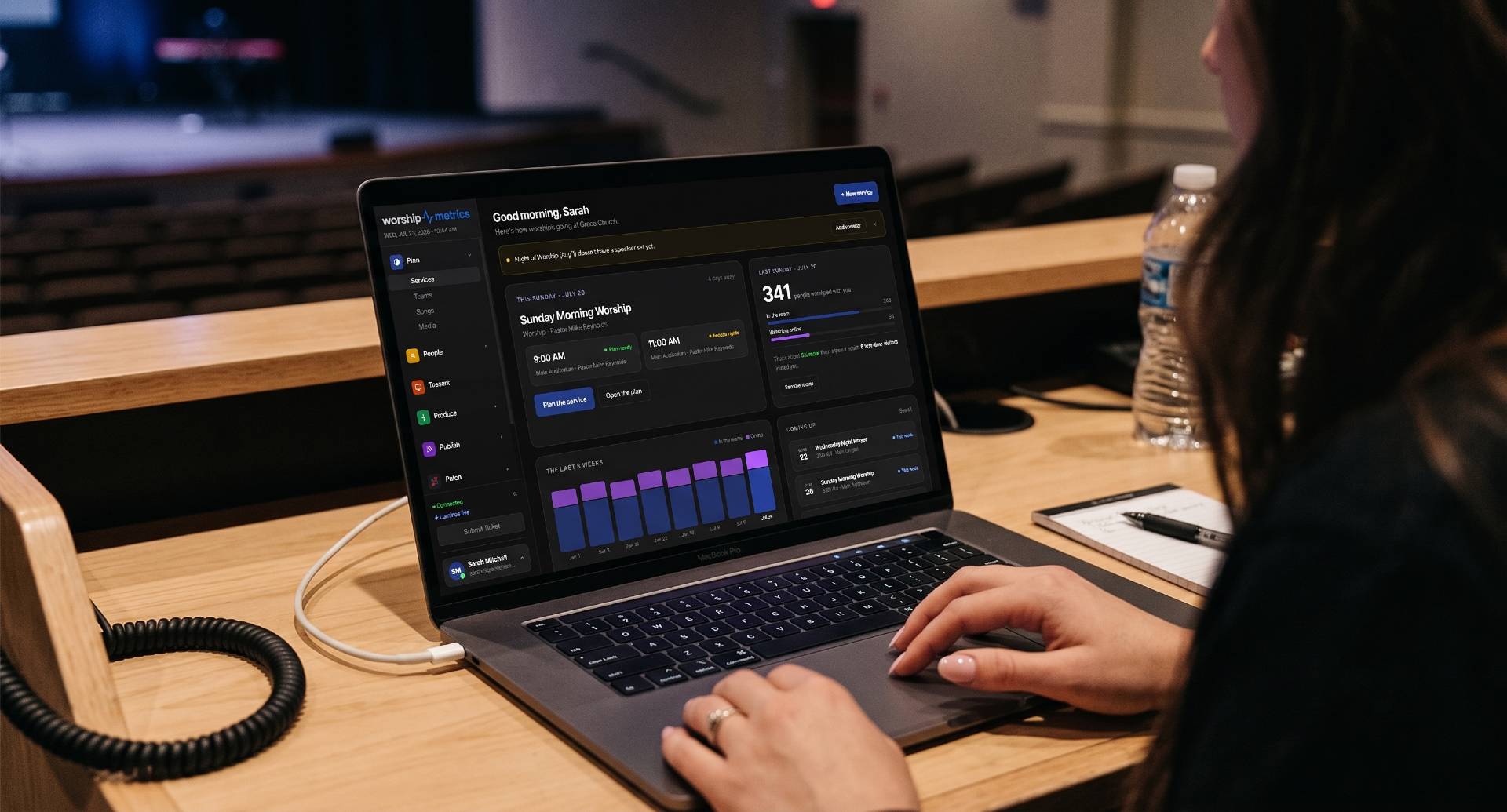
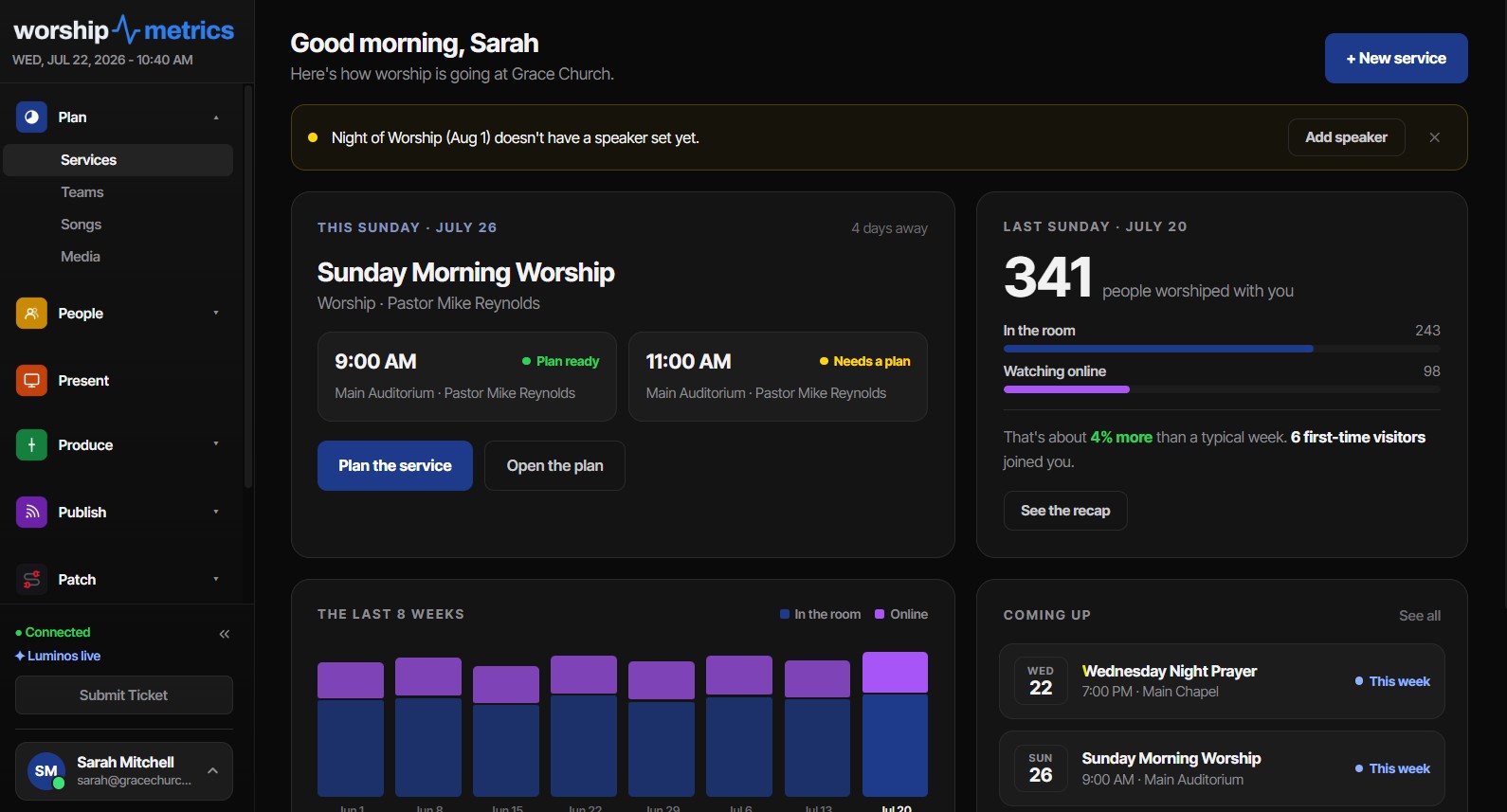
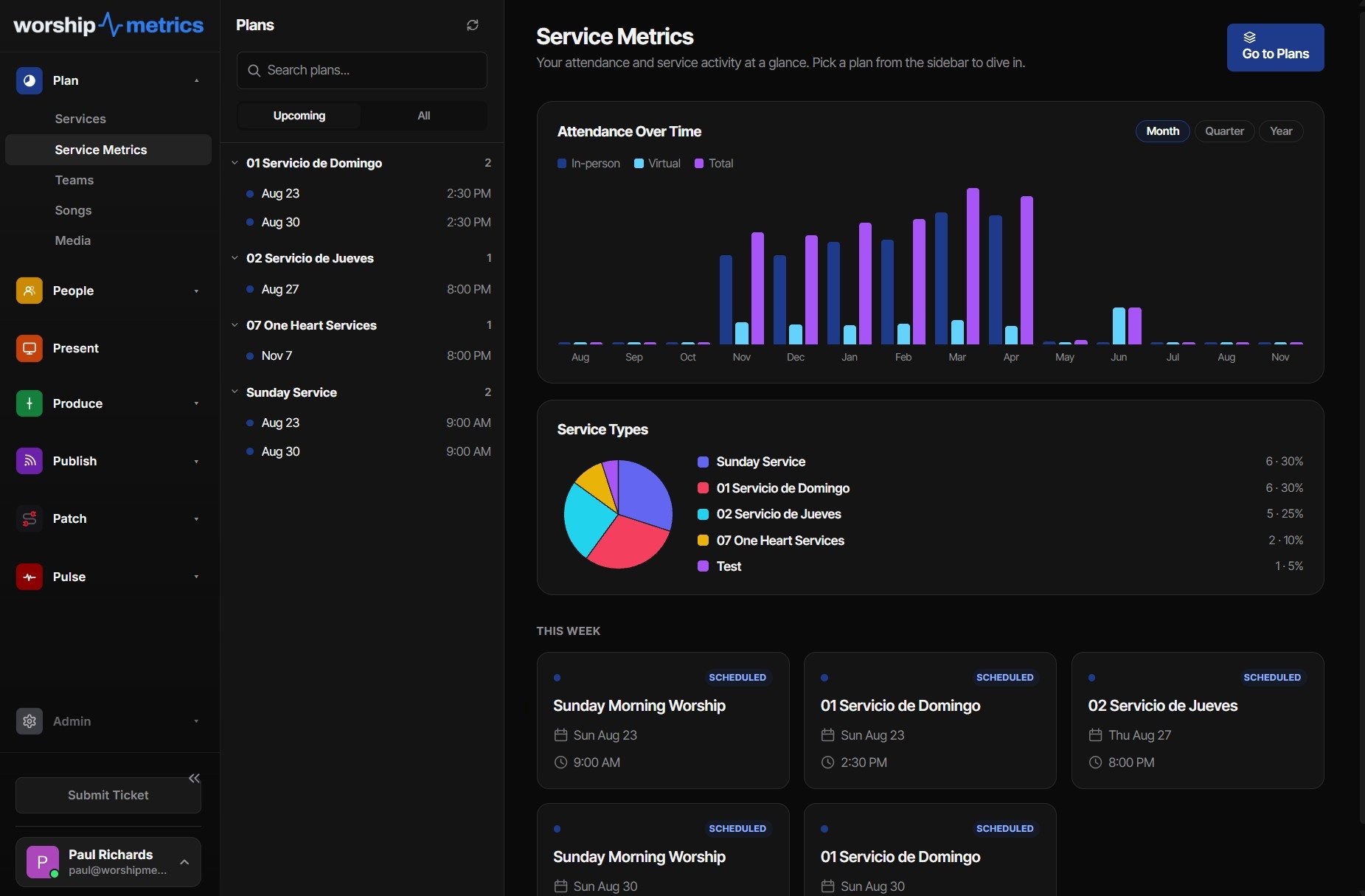

Inside Plan: Services · Service Metrics · Songs
The three views
One mental model from planning to production.
Plan view
Build the service order, duplicate forward from last week, and keep every item in one timeline your team can understand.
Production view
See every role, every timing cue, and every service item in the same operating picture instead of a stack of disconnected tools.
Run view
Move through Sunday live with confidence, with volunteers following the same order the team planned earlier in the week.
What's inside
Planning that carries the whole service, not just the setlist.
A plan built from real service items
Seventeen item types — worship, sermon, offering, communion, baptism, countdowns, transitions, and more — each with its own planned duration, drag-and-drop order, and grouping. Per-team note columns give Audio, Video, and Hospitality their own notes on every item.
Live run mode: the walkthrough and the real thing
Every service time gets its own run. Rehearsals and test runs are discardable; the real Sunday's timings lock permanently once the service completes. A 9 AM and 11 AM never overwrite each other, and the runner shows live variance — "+2:10 over" — as you go.
Duplicate forward, templates, and repeats
Copy last week with items, slides, cues, and staffing — carried as unfilled or re-invited, your choice. Repeating plans know that 'monthly' means the second Sunday, not the 14th, and any plan becomes a reusable template.
Multiple service times, honestly staffed
Each time carries its own item-length overrides and its own volunteer coverage — a 9 AM-only guitarist correctly leaves the 11 AM showing a vacancy instead of 'team full.'
The scheduling matrix
Positions × dates across months at a glance, with confirmed, invited, draft, and declined states in every cell. Draft quietly, then one Send batch-invites everything outstanding — with blockout, double-booking, and eligibility warnings inline.
Email loops volunteers actually answer
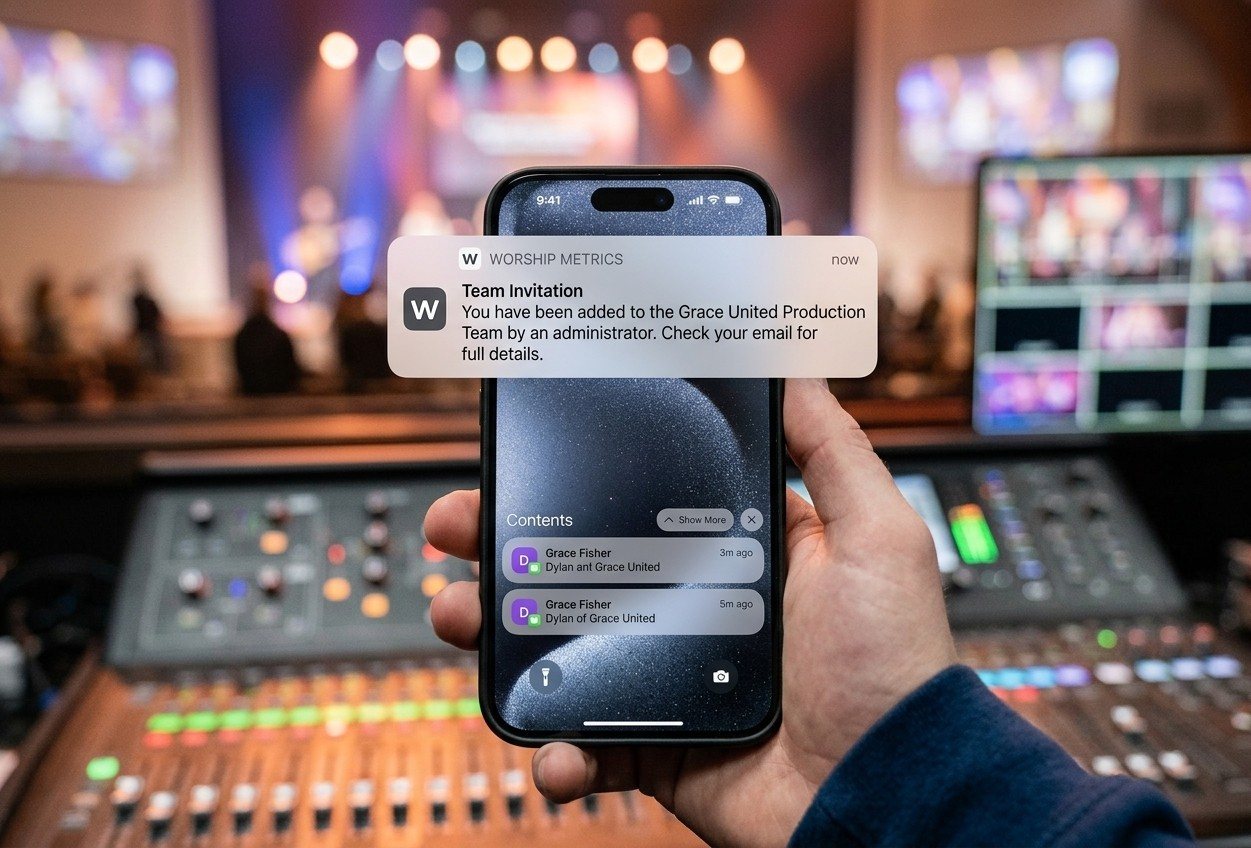
Invites carry accept/decline links that work without signing in. Declines instantly reopen the position and notify team leaders, day-before reminders go out automatically, and unfilled positions nudge the right person.
Production cues, owned by a position
Six cue types — camera change, audio change, graphics, lighting scene, clip mark, note — fired on item start, on a timed offset, on item end, or manually, so the moment everyone is waiting for is written down instead of remembered.
Songs with arrangements and named keys
Arrangements are first-class, and every key has a name — 'Girl Key' in E, 'Guy Key' in G — with capo variants. One stored chart transposes to any key non-destructively, and print-ready PDF chord charts generate themselves for every key.
Planning Center, connected
Link your PCO account and service types, plans, items and times, plus people, teams, positions and scheduling, import automatically — then stay in sync every five minutes. Bring songs in from ProPresenter 4–6, ChordPro, OpenLyrics, OpenSong, or plain text.
CCLI reporting from what was actually sung
Usage merges what was performed, what was scheduled, and what was logged — deduplicated so a 9 and 11 AM count once — and exports the exact CSV a CCLI renewal asks for, over a trailing year.
Plan with your team
Give everybody the same plan before Sunday starts.
Services is built around the reality that most churches repeat rhythms. Copy forward what worked, make the real changes, and give every person the same picture of what Sunday will require.
Adding someone takes seconds: name, email, whether they serve on a team, and an invite on its way. The invite lands in their inbox. They can accept or decline from the email, or in WorshipMetrics.
- Unlimited service plans and templates, free forever
- A planning layer pastors, volunteers, and the booth can all understand
- Duplicate-forward workflows for the Sundays that should feel familiar
- A media library that keeps service assets — videos, images, loops — organized beside the plan
- A shared plan that is useful before you ever turn on automation
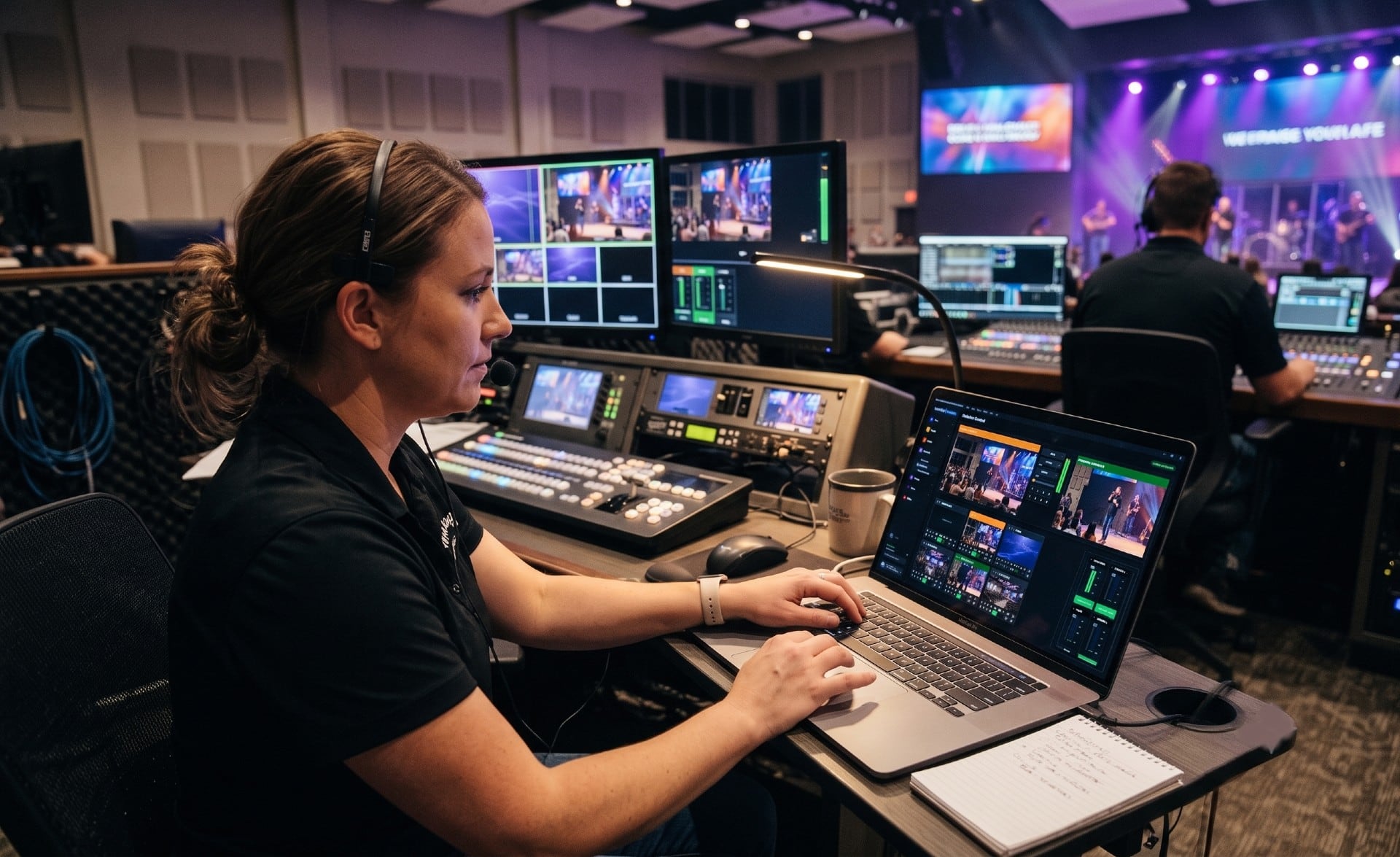
Share the work
Every volunteer gets a role. Every role gets a clear job.
This is how churches stop asking one person to do everything. Services gives staff and volunteers clearer assignments, and each seat works from the tools that job actually needs.
- Serving teams and positions defined per service, so scheduling starts from real roles
- Capability matching so the right people serve in the right positions
- Availability, blackouts, and assignment visibility in one workflow
- Faster replacement when somebody drops out late in the week
- A clean handoff into the live run for Sunday morning
Automate your Sunday
Automation turns the plan into a real production engine.
Every plan, Free included, carries the automation layer that helps cues fire on time, volunteers stay in sync, and the room run with less pressure on one operator.
- Timeline-synced show automation keeps the room in step
- A mobile run console on your own network, so the plan advances from a phone in the room
- Automated macros and cue firing reduce how much the booth has to remember live
What changes when you automate
Run Sunday live
A run-of-show that still works on the free plan.
The free workflow is not a teaser. It is a real way to get your team organized now. Then, when the ministry is ready for deeper live execution, the same workflow grows with you.

Free vs Pro vs Max
Start with the whole team. Upgrade when the room is ready.
| Services capability | Free | Pro | Max |
|---|---|---|---|
| Service Planning | Included | Included | Included |
| Volunteer Management | Included | Included | Included |
| Run mode | Included | Included | Included |
| Triggers, macros, and cue firing | Included | Included | Included |
| Planning Center sync | Included | Included | Included |
| Hosted live streaming of the service | No | No | Included |
Start with the plan your team can actually use.
Install Worship Metrics, invite the team, and build a service workflow that works before the room fills up.
Technical details
For the person who reads the spec sheet.
Plan item types
17: section, header, countdown, welcome, worship, prayer, announcements, offering, communion, baptism, sermon, response, benediction, special music, video, transition, custom
Production cues
Six cue types (note, camera, audio, graphics, lighting scene, clip mark) × four triggers (item start, timed offset, manual, item end)
Live run model
Draft (test) vs committed runs per plan and service time; completed real runs lock permanently; planned durations snapshot at run start so mid-service edits can't rewrite the target
Assignment lifecycle
Unfilled → invited → confirmed / declined / no-show / completed, with tokenized email accept-decline valid until service start and replacement chains tracked
Volunteer communications
A 15-minute server sweep sends day-before reminders, decline notices to leaders, cancellation notices, and unfilled-position alerts — double-send-proof
Scheduling matrix
Positions × dates up to a 400-day window, per-position needed counts, batch send across up to 200 plans in one click
Song imports
ChordPro (.cho, .crd, .chopro), OpenLyrics XML, OpenSong, ProPresenter 4–6, plain-text paste (ProPresenter 7 shows go straight into Present) — plus 94 public-domain hymns included, each with its traditional key and a full ChordPro chart
Chord charts
Per-key print-quality PDFs (plus capo renditions) auto-generate on save; non-destructive transpose across 17 major and 12 minor key spellings with correct flats and sharps
CCLI export
One CSV line per use — Date, Title, Authors, Copyright, CCLI Number, Confirmation, Plan — deduplicated per song per service date over a trailing-year window
Planning Center sync
PCO Services API v2 with a Personal Access Token, credentials encrypted at rest (AES-256-GCM); full import on connect, then a five-minute delta sync
Real-time sync
Changes reach every open browser in ~50 ms over Server-Sent Events; the booth's Tech Manager stays current over its WebSocket bridge; editing different services never conflicts
After Sunday · Service Metrics
Every plan ends in a number leaders can see.
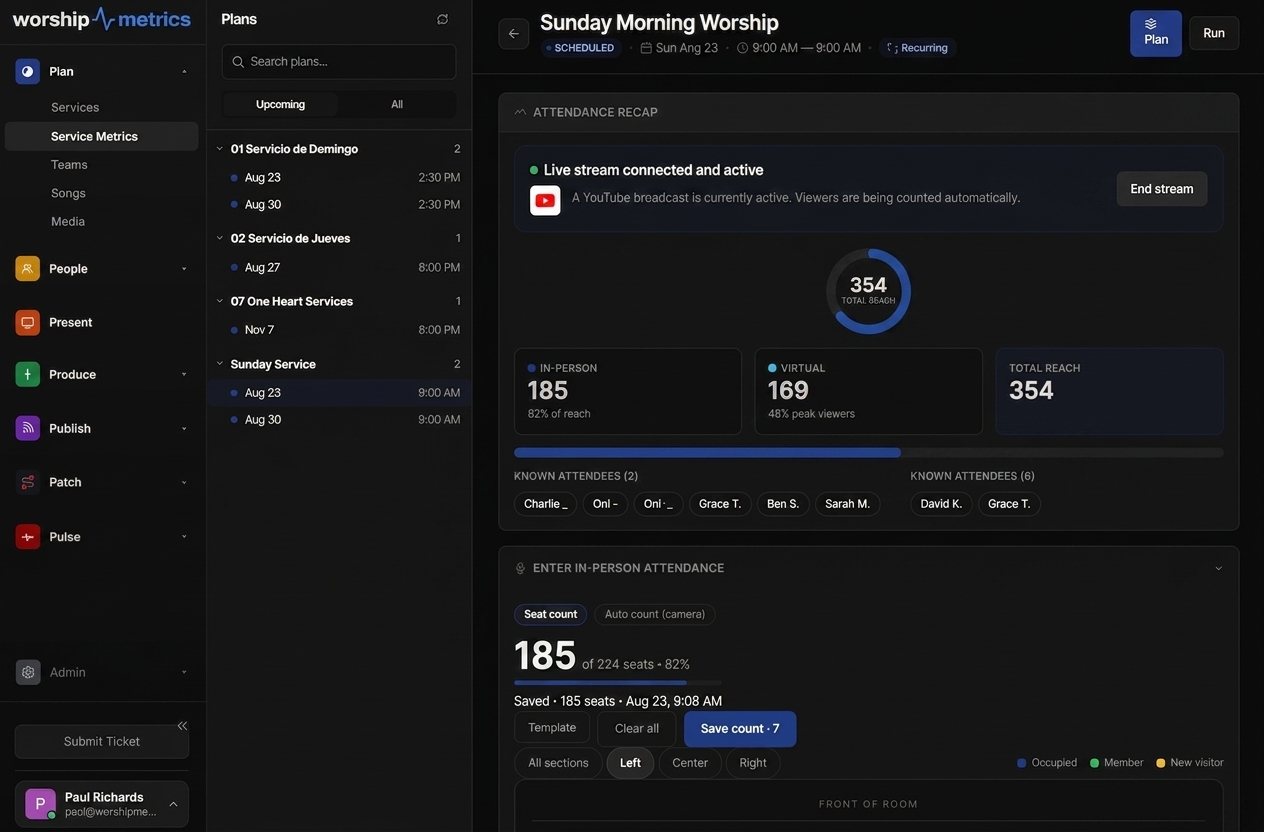
When the service ends, the plan becomes the record: in-person attendance from the seat map or camera, online viewers counted automatically from the stream on Max, and one Total Reach number per service — charted across months, quarters, and years. Did Easter grow? Is the online congregation growing or stagnant? Now leadership knows.
Connected through the cloud
One plan, planned from anywhere.
From the Knowledge Base
Planning questions churches actually ask.
Modernize your AV · Instant tech support
Download Tech Manager free — and put a tech support number in the booth.
Tech Manager connects your church's AV system to WorshipMetrics: documented, monitored around the clock while it runs (it starts with the computer), and backed by a number your team can call the moment anything acts up. Our AI support sees your actual system — so issues get solved before frustration starts.
New to us? Call and we'll put you in touch with the team. How phone support works →
Tech support, any time
910-WORSHIP(910) 967-7447
AI phone support any hour on Pro and Max · a person on the line with Care or Sunday Assurance.