 Cloud Control · Included with Pro and Max
Eyes on preview and program — from anywhere.
WorshipMetrics controls OBS, vMix, and Blackmagic ATEM switchers locally in the booth — free, on every plan. The paid plans take control to the cloud: the full vMix panel from anywhere, remote scene, stream, and recording control for OBS, and a trusted helper who can assist with the switching wherever they are.
Local control in the booth costs nothing, forever — cloud control starts at $49/mo with Pro.
In the booth — free on every plan
Local control, free forever.
Tech Manager on the production PC controls OBS, vMix, and Blackmagic ATEM — scene switching, transitions, overlays, bus audio, plus your PTZ cameras — over your local network. That's part of the free pledge, alongside monitoring and alerts. No trial clock on it, ever.
From anywhere — Pro & Max
Cloud control, wherever you are.
The paid plans lift the same control surface out of the building: live preview and program monitoring, full API control of OBS and vMix, and remote assistance from anyone you trust with access — on any device, from anywhere.
The signal path
The booth's switcher, reachable anywhere.
What cloud control gives you
A control surface, not a webcam.
Preview and program, in view
The same PVW / PGM state the booth sees, mirrored live to any phone or laptop. Know what's on air and what's queued next without calling the booth and asking someone to describe the screen.
A control surface, not a viewer
With vMix, the cloud panel is the full switching surface — cut, transition, T-bar, overlays, and bus audio. With OBS, switch scenes and start or stop the stream and the recording remotely.
Remote switching assistance
A trusted helper — your most experienced volunteer on vacation, a staff member at home, or a production pro on our team — can watch the service live and assist, or take the wheel entirely.
The switchers you already run
vMix gets the full cloud panel over its HTTP and TCP APIs. OBS gets remote scene, stream, and recording control over WebSocket v5. And Blackmagic ATEM — cut, preview, and program — is controlled locally in the booth.
Running vMix or OBS? There are dedicated pages on the full vMix integration and OBS integration — including how support can see your settings.
Why it matters
The second person the booth never had.
Most church booths run on one person. When that person is out — or when a brand-new volunteer is holding the T-bar for the first time — the difference between a rough Sunday and a smooth one is somebody experienced who can see the switcher.
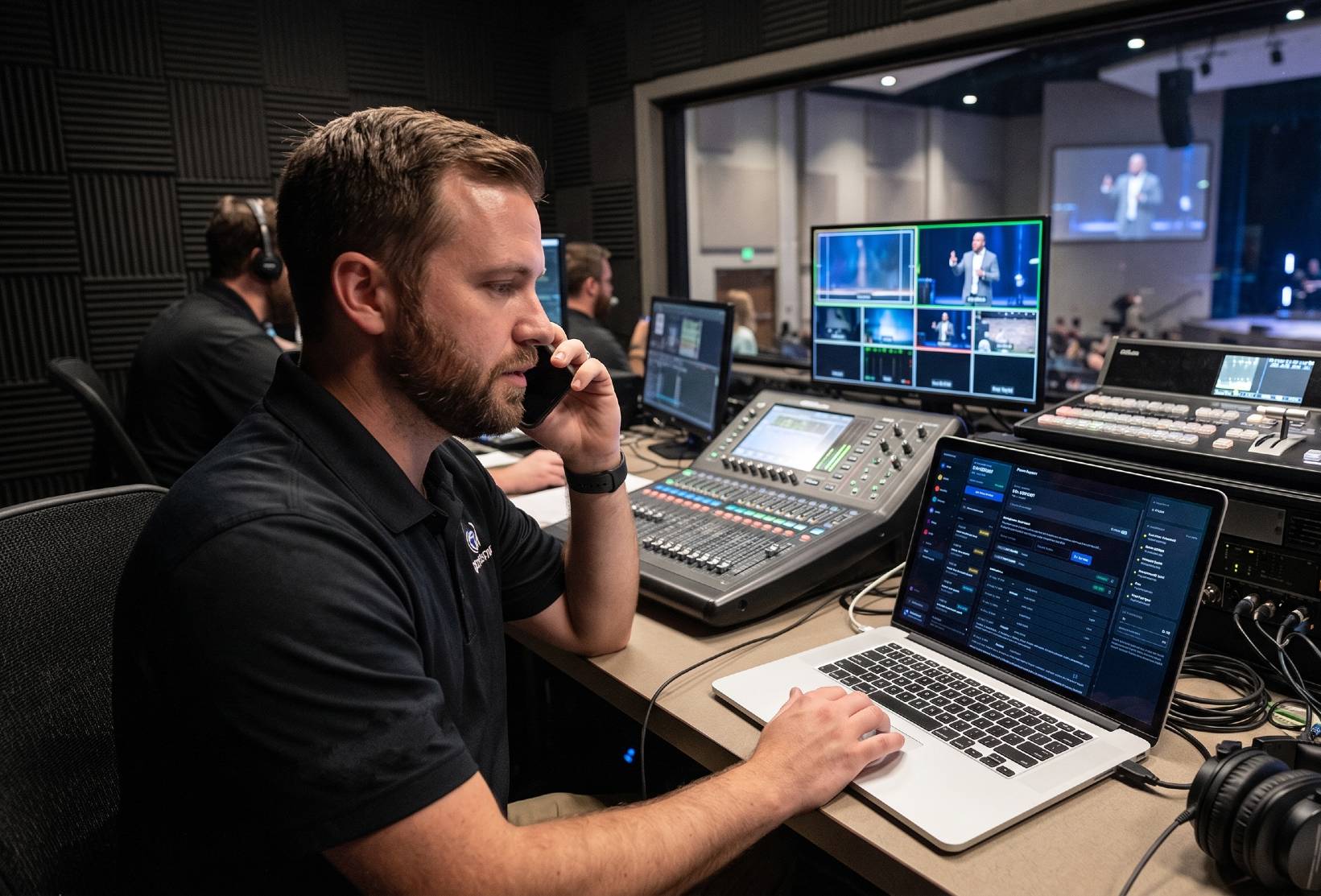
Cloud control makes that person real. Your veteran operator checks preview and program from a phone in another state. A staff member at home catches the wrong scene queued and fixes it before the transition. And when you call us, the person answering can look at what's actually in program — not ask you to describe it.
Pair it with Sunday Assurance and that helper is a production pro from our team, on call every Sunday.
How it works
No port forwarding. No VPN. No IT project.
Tech Manager connects in the booth
The desktop app on your production PC talks to OBS, vMix, or your ATEM over the local network — that's the free local control every plan gets, no cloud required.
One secure outbound link
Tech Manager makes a single outbound connection to WorshipMetrics. No port forwarding, no VPN, no holes in the church firewall — the same link that powers your AV monitoring.
Sign in anywhere, switch anything
On Pro and Max, anyone you've invited signs into WorshipMetrics from any device and gets the booth's control surface — the full vMix panel, or OBS scene and stream control, from anywhere.
Access is limited to the people you've invited to your team, and remote actions land in the same support history as everything else — nothing happens silently.
The same dashboard, anywhere
Scene thumbnails, meters, and stream health — on whatever screen you have.
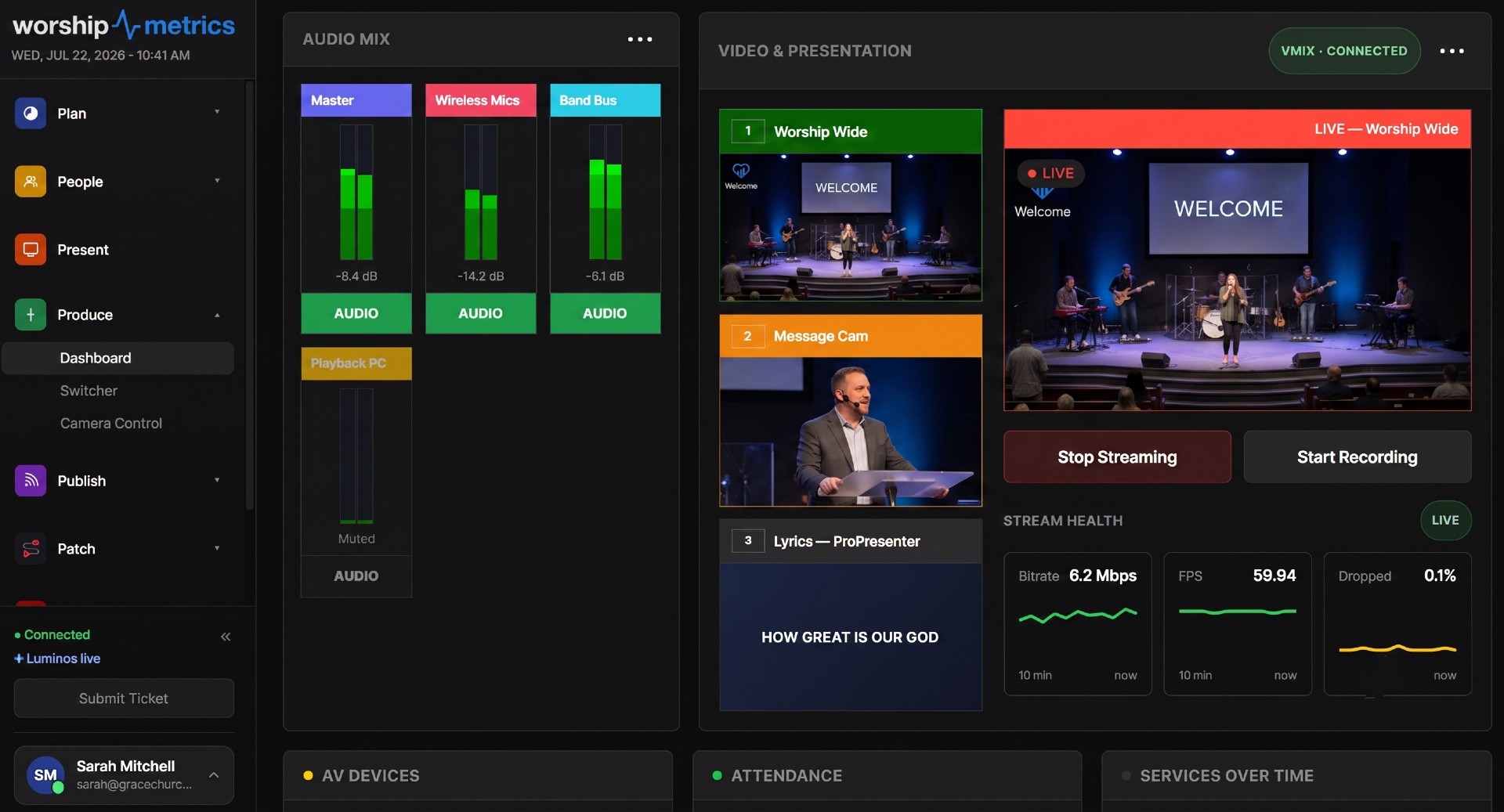
Cloud control isn't a stripped-down remote. It's the production dashboard — live scene thumbnails you can cut to program, vMix audio meters and overlay toggles, and stream health beside it all — served to wherever you are.
FAQ
Cloud control, answered.
Is switcher control free?
Locally, yes — on every plan, including Free. Tech Manager controls OBS, vMix, and Blackmagic ATEM switchers (and your PTZ cameras) from the booth at no cost, forever. Cloud control — the same control and monitoring from outside the building, for OBS and vMix — comes with the Pro ($49/mo) and Max ($99/mo) plans. ATEM is controlled from Tech Manager in the booth.
What is cloud switcher control?
It extends the booth's control surface beyond the building. WorshipMetrics mirrors your switcher's live state — what's in preview, what's in program, which scenes and inputs exist — and relays the control API, so an authorized person on any device can monitor the service and switch it. With vMix that's the full switching surface; with OBS it's scenes, the stream, and the recording.
Which switchers and software does it work with?
vMix (full cloud control over its HTTP and TCP APIs), OBS Studio (remote scene, stream, and recording control over WebSocket v5), and the Blackmagic ATEM family (cut, preview, and program control, locally in the booth), with HyperDeck status monitoring alongside. PTZ camera control follows the same local-free, cloud-on-paid pattern (cloud camera control is in beta).
Do I need port forwarding or a VPN?
No. Tech Manager makes one secure outbound connection from the booth to WorshipMetrics — the same connection that powers AV monitoring. Nothing is exposed on your network, and your IT volunteer never has to open a firewall hole.
Who can switch my service remotely?
Only people you've invited to your WorshipMetrics team, signed in with their own accounts. And because remote actions run through Tech Manager, they land in the same support history as everything else — nothing happens silently.
How does remote assistance work on a Sunday?
Anyone on your team with access can open the service from home, see preview and program live, and help — talk a new volunteer through a transition, or make the switch themselves. With the Sunday Assurance add-on, a production pro from our team is on call every Sunday and can see your system the moment you call.
Free in the booth. With you everywhere on Pro.
Start free and run OBS, vMix, or your ATEM from Tech Manager today. When you want eyes and hands on OBS or vMix from anywhere, Pro is $49 a month — and Max brings hosted live streaming with it.
From the Knowledge Base
Remote control questions churches actually ask.
Modernize your AV · Instant tech support
Download Tech Manager free — and put a tech support number in the booth.
Tech Manager connects your church's AV system to WorshipMetrics: documented, monitored around the clock while it runs (it starts with the computer), and backed by a number your team can call the moment anything acts up. Our AI support sees your actual system — so issues get solved before frustration starts.
New to us? Call and we'll put you in touch with the team. How phone support works →
Tech support, any time
910-WORSHIP(910) 967-7447
AI phone support any hour on Pro and Max · a person on the line with Care or Sunday Assurance.