Count the room. Count the stream. Know what to do next.
In-room seat templates, Auto-Count (Pro and Max), livestream attendance (Max), and pastoral follow-up signals — all in one weekly workflow.
One trusted total
In-room and online (Max) attendance in one number leadership can actually use.
Volunteer-friendly
Seat templates, and Auto-Count on Pro and Max, help teams move quickly without sacrificing accuracy.
Who is new
Guests land in people records the same morning, so follow-up gets easier.
Digital front door
Livestream, clips, and website reach become part of the same ministry picture.
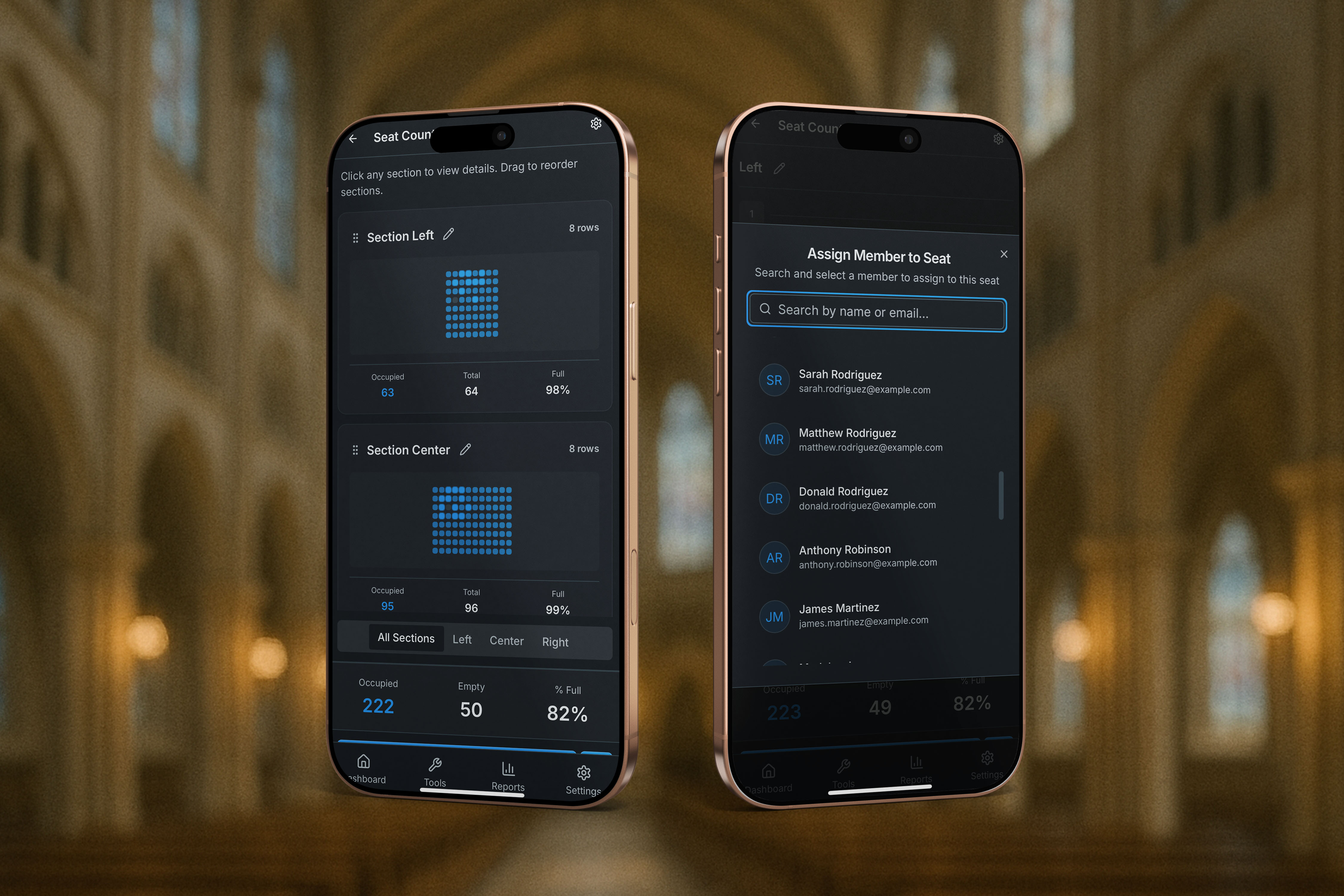
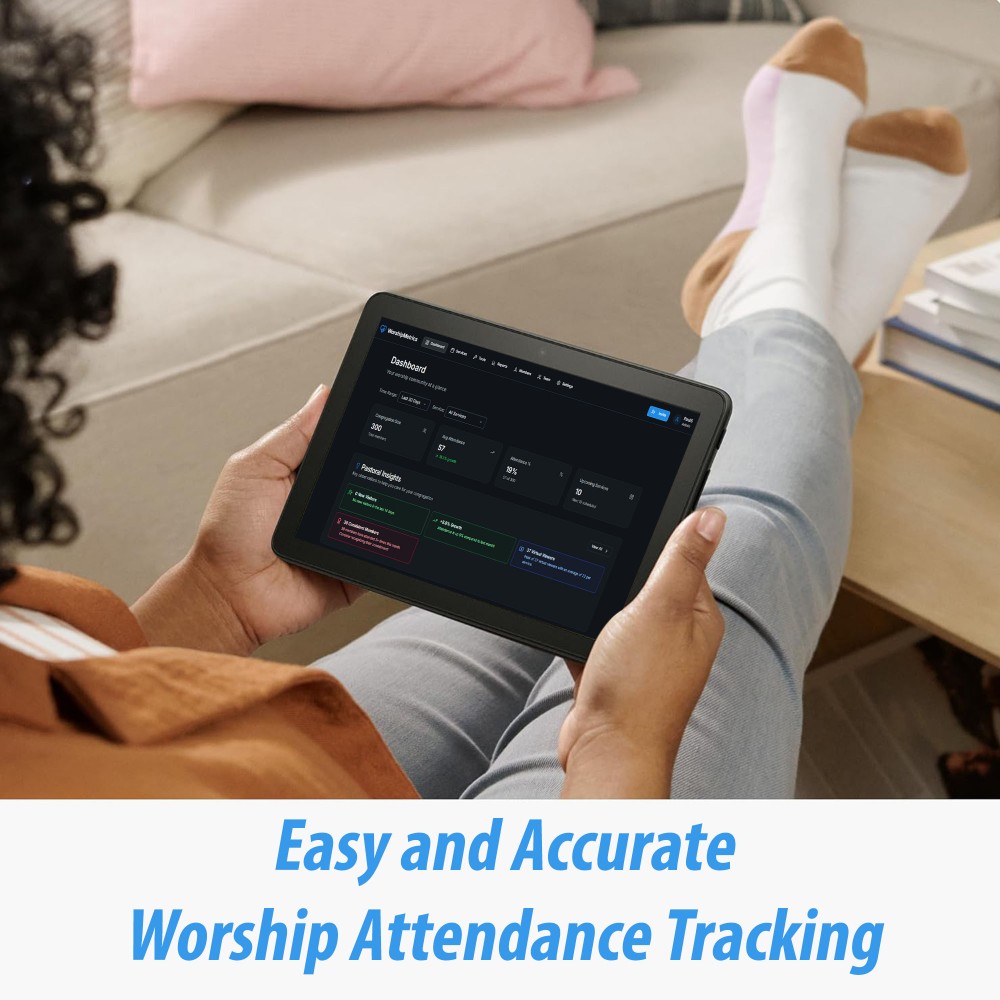
Count inside the real seating layout your volunteers already know.
Seat templates
Build layouts for sanctuary, classrooms, overflow, and children's spaces. Templates stay the same week to week.
Auto-Count when time is tight
On Pro and Max, take a photo, get a fast estimate, keep moving. No manual recount required.
Volunteer-friendly every week
Volunteers confirm changes instead of recounting from zero. Service shouldn't slow down for counting.
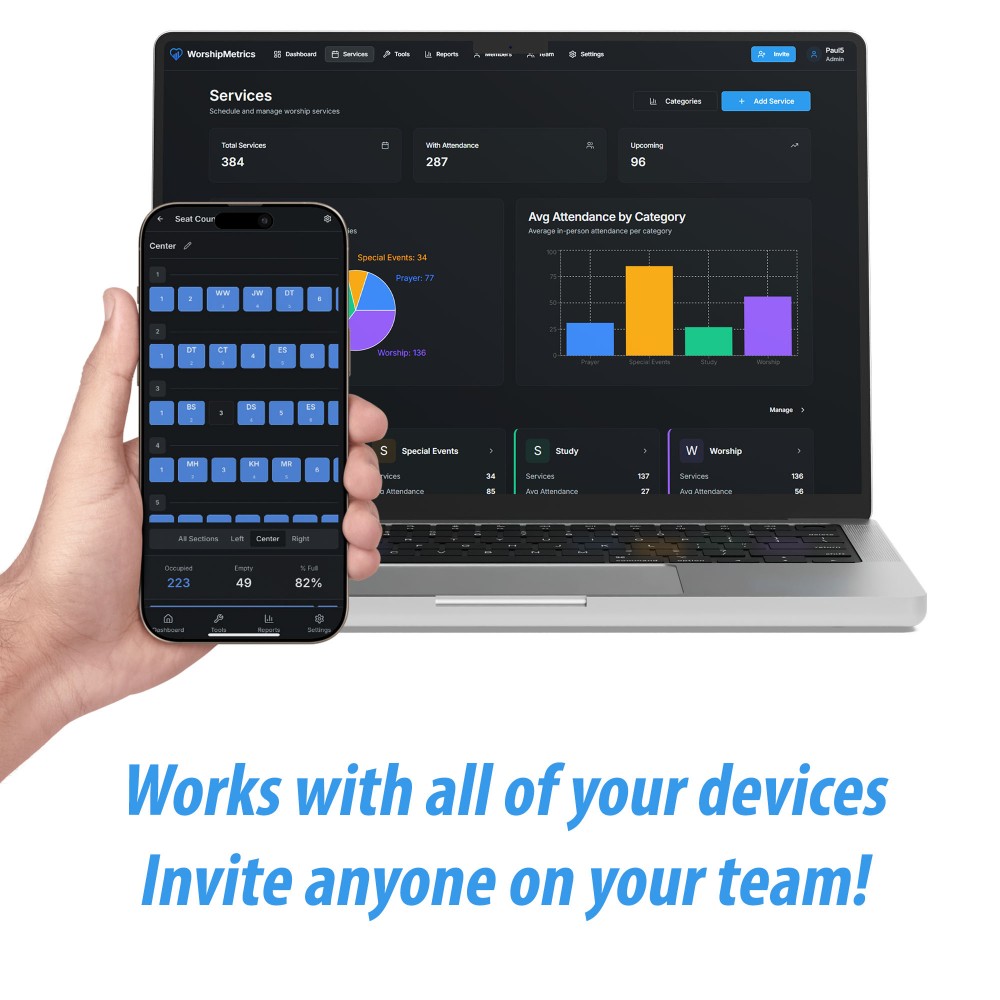
Build the seat map once
Templates mirror the real sanctuary so volunteers start from a room they recognize.
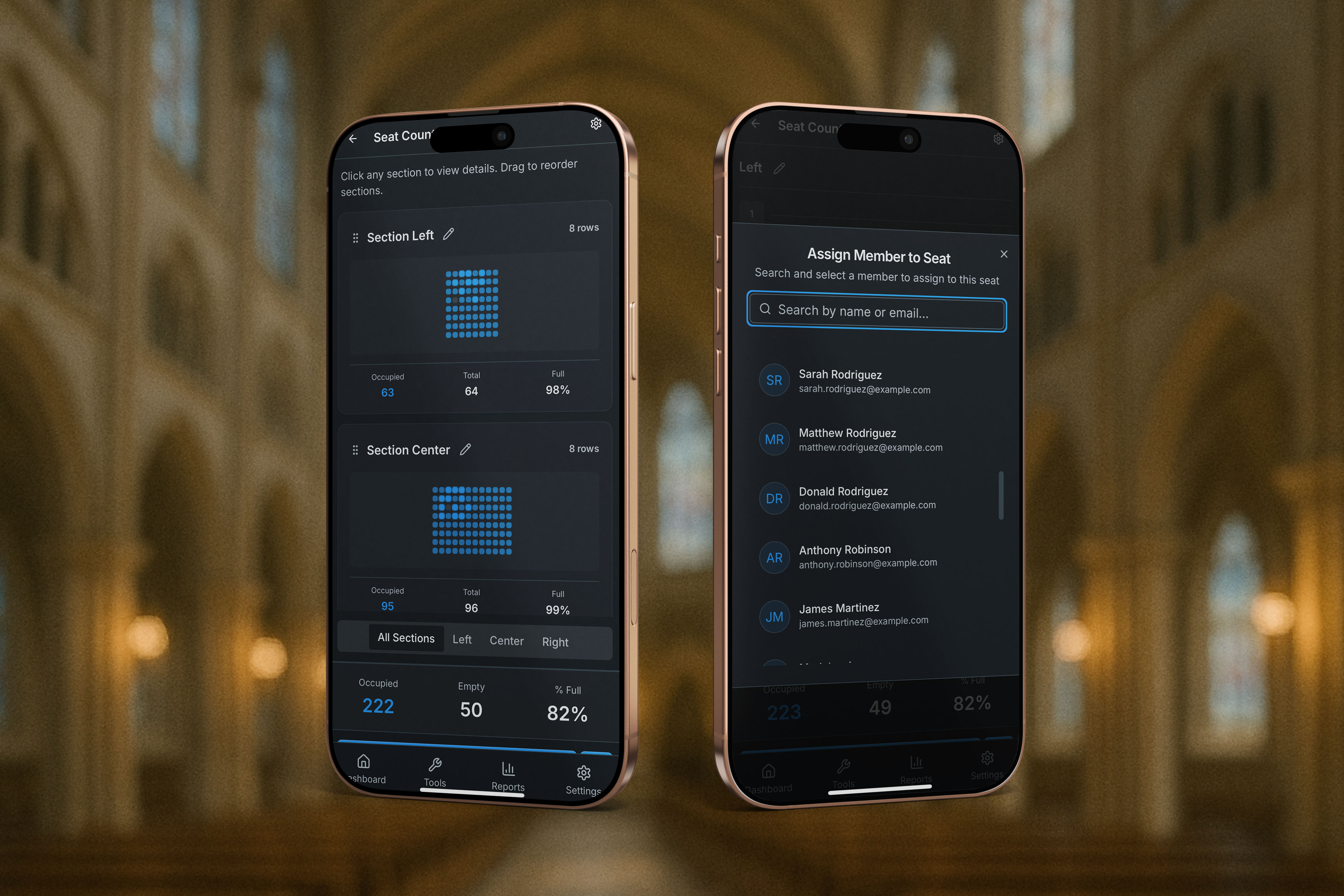
Confirm seats with member context
Seat-level counting becomes more useful when your team can understand who is usually there.
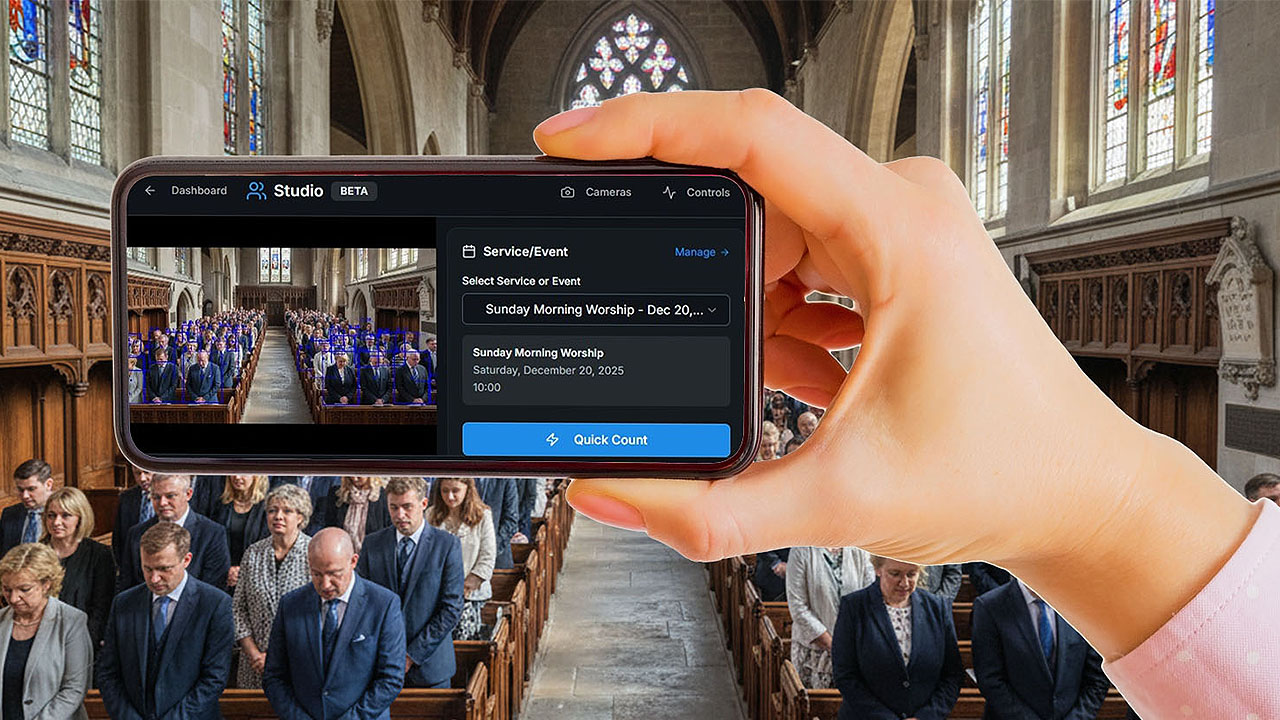
Use Auto-Count when the room moves fast
On Pro and Max, take a room photo and keep the workflow moving when manual confirmation would slow your team down.
Interactive seat counter
Start with last week. Tap only what changed.
This is the seat-template workflow volunteers actually use: choose a section, tap seats to confirm today's room, and watch totals update instantly.
Seat template preview
Left section
Tap seats to confirm who is present. Press and hold a seat to assign a member, add a new visitor, or clear it like the real app.
Volunteer workflow
No changes from the saved baseline yet. Tap seats to simulate what a volunteer sees on Sunday.
Quick assignment roster
These fake members mirror the in-app quick assignment flow. Hold a seat to assign one instantly.
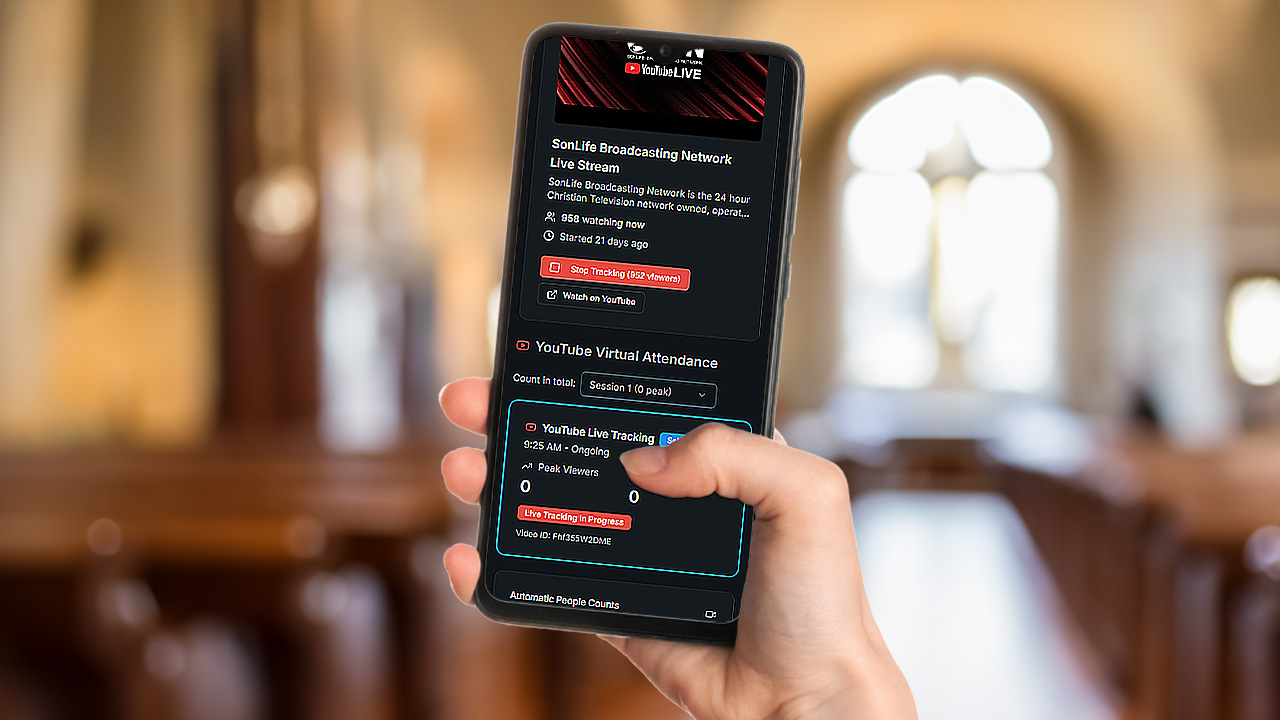
Online attendance
Livestream reporting belongs in the same weekly dashboard.
On Max, track live viewers, replay reach, and combined attendance without splitting your leadership conversation across multiple tools.
Related workflows
Keep attendance connected to the rest of the system.
AV operations
Connect attendance workflows to the same volunteer, device, and service-day operating system.
Learn more →People and guests
Add first-time guests in seconds from any phone or laptop, and they land in People with your follow-up notes.
Learn more →Pricing and plans
Compare the Free, Pro, and Max plans for church attendance software.
Learn more →Your livestream audience belongs in the same attendance conversation.
Peak live viewers
—
Replay views
—
Combined total
—
Connect the right stream
Match the scheduled or live stream to the service it belongs to. No manual cross-referencing.
Track live and replay
On Max, see peak viewers, average viewers, and on-demand replay — not just a single live count.
Report one clearer picture
Online and in-person in the same leadership conversation, with one summary that makes sense.
Attendance matters more when it's tied to real people.
First-time guest, on the record
Add first-time guests in seconds from any phone or laptop, and they land in People with your follow-up notes.
Prayer requests, in one inbox
Prayer requests sent from your live stream page land in one prayer inbox (Max).
In-room and online, one story
On Max, Sunday's headcount and the livestream's peak and average viewers land in the same service record automatically.
History a shepherd can read
Attendance is recorded service by service, so when your team asks about someone, the record is there to check.
FAQ
Common questions about church attendance tracking
How does church attendance tracking work in WorshipMetrics?
WorshipMetrics lets churches track attendance with seat templates, manual counts, mobile workflows, Auto-Count from room photos (Pro and Max), and livestream reporting (Max) in one connected system.
Can WorshipMetrics track in-person and online attendance together?
Yes, on Max. You can combine in-person attendance and online viewership into one weekly reporting workflow so leadership sees a clearer total picture.
Does WorshipMetrics support volunteer attendance counting?
Yes. Volunteers can use seat templates on any phone or laptop to confirm changes quickly without recounting every section from scratch each week.
Can attendance data connect to visitor follow-up?
Yes. Attendance in WorshipMetrics is tied to people workflows. Add first-time guests in seconds from any phone or laptop, and they land in People with your follow-up notes. Per-service attendance history lives with the person, which makes follow-up easier to organize.
Build one repeatable attendance system.
We'll walk through your current workflow and show you where the platform fits in.
Book a discovery call