 Plan Services, songs, and attendance, with the team scheduled.
 People Your directory, volunteers, and team chat in one place.
 Present Lyrics, scripture, slides, and stage display, free in any browser.
 Produce One dashboard for the switcher, PTZ cameras, and the stream.
 Publish Stream Sunday, keep every sermon on your watch page, clip it.
 Patch Every device, cable, and signal path, mapped and printable.
 Pulse Know the moment the stream or a device drops.
One place for Sunday
Keep the tools that work. Add one place to see Sunday.
You don't have to rip anything out or retrain your volunteers. WorshipMetrics works alongside ProPresenter, OBS, vMix, and Planning Center: it watches the booth, brings in your plans, and tells you when something goes wrong. If you'd rather pay for fewer subscriptions, it can take over from a tool you have now, one at a time, when your team is ready.
Works alongside
- ProPresenter
- EasyWorship
- MediaShout
- Proclaim
- OBS
- vMix
- NDI
- Blackmagic
- PTZ cameras
- Planning Center
- FreeShow
- PowerPoint
- Behringer X32
- Q-SYS
- YouTube
Tool by tool
Keep it, or let us take it over. Your call.
For each tool you run today, here's what WorshipMetrics does if you keep it, and what it offers if you'd rather have one less subscription.
Presentation
Keep yours
Keep ProPresenter, or whatever runs your lyrics now. Nothing else in WorshipMetrics needs Present, so planning, streaming, and monitoring all work beside it.
Or use ours
Present runs lyrics, scripture, slides, videos, and stage display from any browser, free. ProPresenter 7 shows import straight in.
About Present →Live streaming
Keep yours
Keep streaming from OBS or vMix to YouTube and Facebook the way you do now. Tech Manager reads the stream's health in the booth and alerts your team if it drops.
Or use ours
On Max, send one feed to WorshipMetrics and it goes out to YouTube, Facebook, your website, and custom RTMP destinations, with automatic recordings and live clipping. We turn it on for you.
About live streaming →Service planning
Keep yours
Stay on Planning Center. Sync brings in your plans, people, and teams, checks again every few minutes, and never changes anything in Planning Center.
Or use ours
Orders of service, songs, keys, chord charts, and a live run-through with timers, free for every church.
About service planning →Volunteer scheduling
Keep yours
If Planning Center schedules your teams, keep it. Who's scheduled comes over with sync, and volunteers keep answering in Planning Center.
Or use ours
Teams, positions, and schedules weeks ahead, with email notifications and blockout dates, so the schedule doesn't depend on one exhausted coordinator.
About volunteer tools →Team chat
Keep yours
Keep the group text or chat app your team already answers. Alerts go out by email, and on Pro and Max by text to anyone who opts in, so nobody has to watch a new app.
Or use ours
Channels, direct messages, files, and polls next to the service plan and the booth, with no per-person fees.
About Team Chat →All trademarks belong to their respective owners.
Nothing to replace
Some of it just adds to what you have.
These don't take over from anything. They work with the gear and software already in the booth, and most churches start here.
AV monitoring
Booth computers, the stream, and the devices on your network, with an alert when something goes offline or the stream drops. Free forever.
System documentation
A living device inventory, signal map, and patch sheets that survive volunteer turnover.
Booth control
Switch OBS, vMix, and Blackmagic ATEM and move PTZ cameras from one window. It drives the gear you already have.
910-WORSHIP
Call any hour for AI help with your system data in front of it, with hours included per plan, and people who run church production behind it.
If the AV team is just you
The AV team shouldn't be me, myself, and I.
In most churches, AV runs on volunteers, and often on one tired volunteer. WorshipMetrics isn't only a presentation tool. Tech Manager connects the whole booth to the cloud, so the work splits into jobs other people can pick up, and the system keeps running as volunteers come and go.
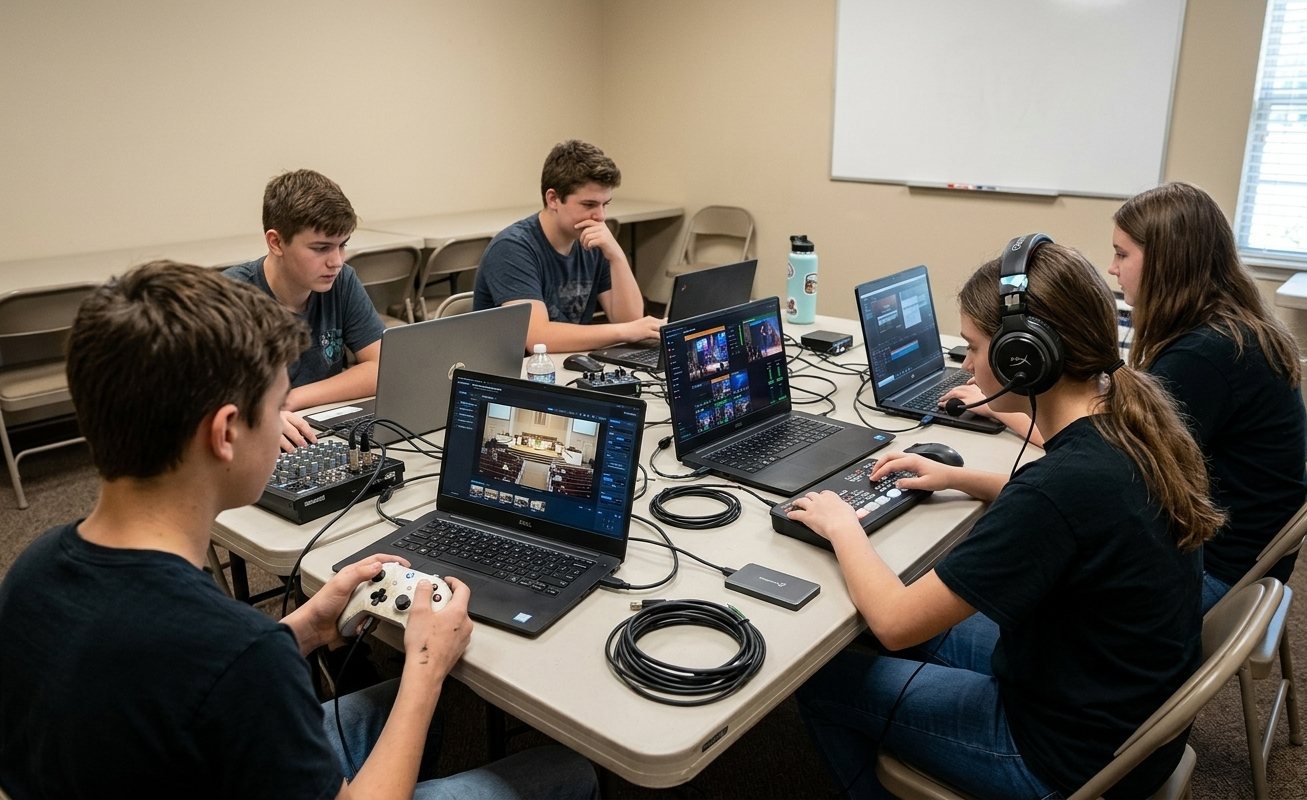
When someone new walks in, there's a real role waiting for them. Students can run cameras, make the sermon clips, and post to social media, from a seat in the booth or from home. That's more than a small team could ever do alone.
Any device with a browser.
A Chromebook, an old laptop, or a phone. Send an invite, they sign in at app.worshipmetrics.com, and there's no per-person fee. Slides, scheduling, and Team Chat work in a browser on every plan. On Pro and Max, cameras (beta), switching, and clips do too.
Cameras
Tap a picture preset and the PTZ camera moves there, simple enough for a first Sunday. From the booth computer, or from a browser on Pro and Max (beta).
Slides and lyrics
Join the service's Present room from any browser and run the words on the booth's screens, on every plan. More than one person can work the same service.
Switching and the stream
Cut between OBS or vMix scenes and start the stream. Scan a QR code to put the switcher on a phone on the church network, or switch from a browser on Pro and Max.
Sermon clips
Reels finds the best moments of the sermon and renders captioned clips. Free on the church's streaming computer, and from home in a browser on Pro and Max.
Social media
Post finished clips to the church's YouTube, Facebook, and Instagram, or send them to TikTok drafts, through connected accounts, so nobody passes passwords around.
Scheduling and chat
Put people in positions on the plan weeks ahead. They accept or decline from an email, and your staff talk it through in Team Chat, with no per-person fees.
Questions
Keeping, switching, and everything between.
Do we have to replace anything?
No. Most churches start with free monitoring. Install Tech Manager on the booth computer and it watches your computers, the stream coming out of OBS or vMix, and the gear on your network, while your team runs Sunday the way it already does. Add planning, presentation, or streaming later, or never.
Will it work with the tools we already use?
Yes. Planning Center sync only reads from Planning Center. WorshipMetrics controls vMix, OBS, Blackmagic ATEM, PTZ cameras, and Q-SYS directly, fires Present slide and macro cues at Behringer X32 and Midas M32, imports your UniFi network devices straight into your device list, documents and monitors thousands of models, and speaks standard protocols like OSC, MIDI, and HTTP. Nothing makes you drop a tool your team depends on.
Can volunteers help from home, or on a Chromebook?
Yes. WorshipMetrics runs in any browser at app.worshipmetrics.com, so a Chromebook, an old laptop, or a phone can be a workstation. Slides, scheduling, and Team Chat work there on every plan. On Pro and Max, volunteers can also switch OBS and vMix, move PTZ cameras (beta), and make sermon clips from home. Tech Manager stays on the booth computer and connects the booth to the cloud.
When does it make sense to replace a tool?
When you're paying for separate streaming, planning, presentation, and chat subscriptions that don't share information, and your team is ready for a change. Every module is free, including planning, presentation, chat, monitoring, and streaming to YouTube and Facebook from the booth, so you can try one beside the tool you have before you cancel anything. Move one tool at a time, and keep the rest.
If we do switch, what comes with us?
ProPresenter 7 shows import straight into Present, and ProPresenter 4–6, ChordPro, OpenLyrics, and OpenSong files come in through Songs. Planning Center sync brings in your plans, people, teams, and past plans, so your history isn't left behind.