 Plan Services, songs, and attendance, with the team scheduled.
 People Your directory, volunteers, and team chat in one place.
 Present Lyrics, scripture, slides, and stage display, free in any browser.
 Produce One dashboard for the switcher, PTZ cameras, and the stream.
 Publish Stream Sunday, keep every sermon on your watch page, clip it.
 Pulse Know the moment the stream or a device drops.
 Patch · Devices
Every piece of gear, in one inventory.
Devices is the list behind everything else in Patch: what you own, where it lives, what ports it has, and whether it is online right now. Tech Manager finds the networked gear for you. The rest takes about a minute each.
The inventory is free on every plan. AI import of drawings is on Pro and Max.
Getting gear in
Four ways a device arrives. None of them is a spreadsheet night.
Found on the network
Tech Manager scans the booth network with ping, a port scan, and ONVIF, SSDP/UPnP and NDI probes. What it finds is matched to the catalog, so a camera or a switch arrives with its ports already filled in, and likely duplicates are offered for a merge or an ignore.
In Tech Manager at the booth. The browser shows the synced copy.
Added by hand
A typo-tolerant search of the catalog, ten quick-add templates for the usual gear, or brand then model from two lists that fill in the form. Gear the catalog does not know can be added as a custom brand and model.
About a minute per device.
Bulk add and edit
Type or paste a grid, or import a CSV with type, sub-type, label, make, model, IP address, location and notes. A Bulk edit tab changes many devices at once.
For a first fill, or a campus with a lot of the same thing.
Imported from a drawing
Upload the integrator's schematic or proposal as a PDF or an image up to 20 MB. AI reads the gear and the wiring, you review every line, and only then does it import, followed by a pass that binds cables to ports.
On Pro and Max. Nothing writes until you approve it.
The catalog
Pick the model. The ports come with it.
Choose a Behringer WING or a Blackmagic ATEM and the record fills itself in: the type, a sensible label, the control protocol for a camera, the documentation links, and the full port list down to connector and PoE. The curated library covers more than 400 models across more than 100 brands, and a community catalog adds about 4,000 more, marked as unchecked until you confirm them.
- Gear the catalog does not know can be researched on the spot: the app offers near matches first, then looks up the real ports and documentation with AI, and keeps those entries visually distinct from checked ones
- Find missing ports runs one lookup per make and model that has no ports yet, and shows every result in a single table for review before anything is written
- AI lookups need a verified church or a paid plan, and are held to a daily budget, so a runaway batch cannot happen
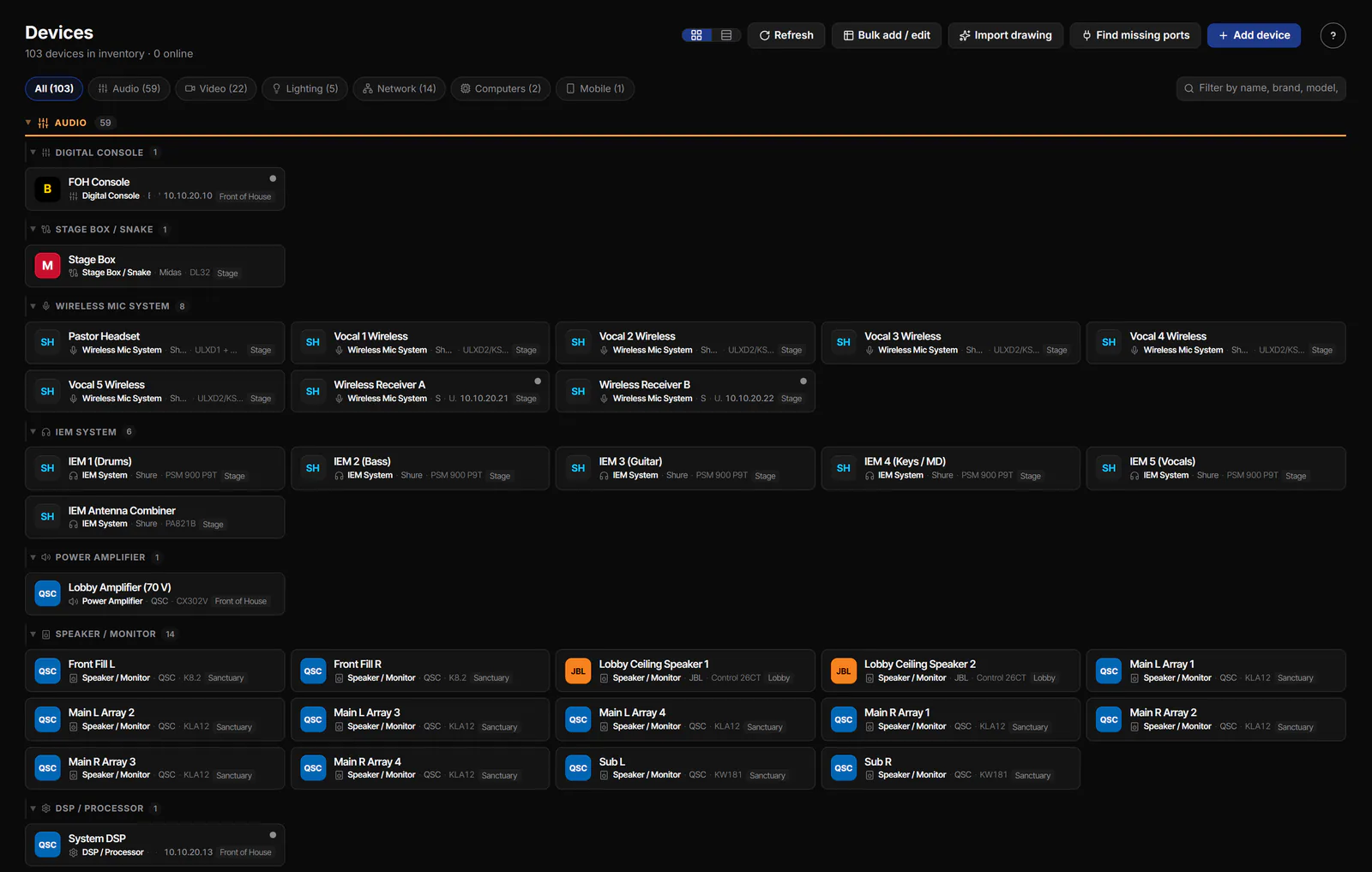
The demo church's audio gear, each card filled from the catalog.
The record
What a device knows about itself.
Enough to run the booth from, and enough for support to help without a twenty-questions call.
Identity
Label, category and type (about seventy types under Audio, Video, Lighting, Network, Computers, Smart Home, Mobile and Entertainment), brand and model
Network
IP address, or a flag for gear that has none; MAC address; Wi-Fi bands
Roles and control
Software roles, and for cameras the PTZ setting, VISCA port, RTSP address and credentials
Place
The room it lives in (its physical location) and a device group
Paperwork
Serial number, purchase date, warranty date, and notes
Health
An alert when the device has been offline for longer than you choose
Ports
Each port's number, connector type, speed, PoE, label, VLAN, direction, signal and format, and what it is connected to
Status
Online, offline, stale, and not seen in a while.
While Tech Manager runs in the booth, every networked device is probed on a schedule and the header counts what it finds. The web app shows the same picture, refreshed every twenty seconds.
Online
Answered the last probe. Tech Manager checks answering devices about once a minute, critical devices every twenty seconds.
Degraded
Answering, but not cleanly: part of the probe failed, like a camera whose control answers but whose video stream does not.
Offline
Did not answer the last probe. Combined with an alert threshold, this is what wakes you up.
Stale
The last reading is older than it should be, judged from how long the sweeps have actually been taking.
Not seen for N days. A networked device that has not been found by a scan or answered a probe for 45 days gets the note, and a "Not seen recently" filter collects them. Nothing is removed on its own: you review the list and choose Remove from inventory, so a projector that only comes out at Christmas is not deleted in July.
Finding things
Cards or a list. Filtered to the question.
The card grid groups gear by category and type, so the audio team sees consoles, stage boxes, wireless and in-ears together. The list view sorts by name, type, make, model, IP or status. Whichever you pick is remembered for you.
- Search across name, brand, model, IP, type and room
- Category pills for Audio, Video, Lighting, Network, Computers, Smart Home, Mobile and Entertainment, shown only when there is something in them
- A needs-attention filter, bulk select, and a preview of what a delete would affect before it happens
Where it goes next
The inventory is the start of the map.
Signal Map →
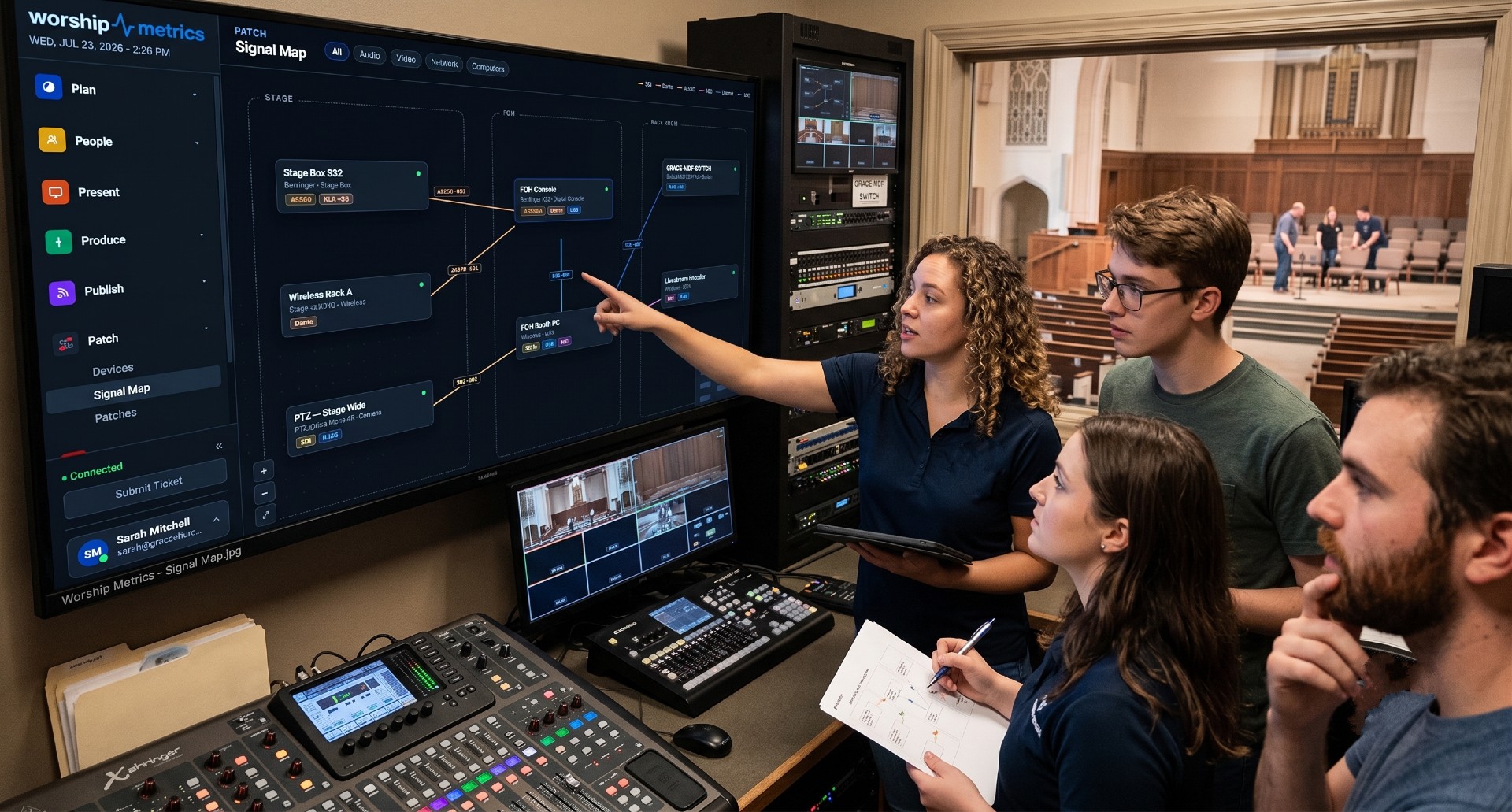
Every device becomes a card with its ports. New gear waits in the Not yet wired tray until you place it.
Patches →
Ports become the ends of cables, and cables become the schedule, the patch sheet and the wiring diagram.
Pulse →
The same status feeds the booth's health view and the alerts that reach your phone.
Journey →
Every chat and 910-WORSHIP call loads a summary of up to 200 devices, so support starts from your real gear.
Technical details
For the person who reads the spec sheet.
Discovery
Tech Manager at the booth: ping, port scan, ONVIF, SSDP/UPnP and NDI probes; finds are matched to the catalog and duplicates offered for merge. The browser shows the synced copy and cannot scan.
Catalog
More than 400 curated models across more than 100 brands, most with factory port presets; AI-researched additions kept visually distinct; a community catalog of about 4,000 entries, searchable when signed in and labelled as unchecked.
Record
Label, category and type, make and model, IP or no-IP flag, MAC, Wi-Fi bands, software roles, PTZ/VISCA/RTSP settings, room and group, serial, purchase and warranty dates, offline alert threshold, notes.
Ports
Number, connector type, speed, PoE, label, VLAN, direction, signal and format, and the connected device.
Status
Online, degraded, offline, stale. Probes about every 60 seconds (20 for critical devices, less often for gear that stays offline); stale is judged from measured sweep times; the web view refreshes every 20 seconds.
Not seen
Flagged at 45 days without a scan sighting or a successful probe; never for non-networked gear or devices online now; removal is a reviewed action.
Bulk import
Pasted grid or CSV with type, sub_type, label, make, model, ip_address, location_label and notes; a Bulk edit tab for changes across many devices.
Import a drawing
Pro and Max. PDF or image up to 20 MB; AI extracts devices and wiring; mandatory review; then a port-binding pass.
Views
Card grid or list, remembered per browser; list sorts by name, type, make, model, IP or status; search over name, brand, model, IP, type and location.
Plans
Everything on this page is free on every plan, except AI import of drawings (Pro and Max) and the AI research of unknown gear (a verified church or a paid plan).
From the Knowledge Base