 Plan Services, songs, and attendance, with the team scheduled.
 People Your directory, volunteers, and team chat in one place.
 Present Lyrics, scripture, slides, and stage display, free in any browser.
 Produce One dashboard for the switcher, PTZ cameras, and the stream.
 Publish Stream Sunday, keep every sermon on your watch page, clip it.
 Patch Every device, cable, and signal path, mapped and printable.
 Pulse Know the moment the stream or a device drops.
Sermon series · Content Library
Sermon series people binge, not scroll past.
Give every series a home that feels like a streaming service: its own artwork, every part in order, and Highlights that hook new viewers. Use social media to get attention, then bring people somewhere without the distractions, where you can add notes, scripture, giving and prayer.
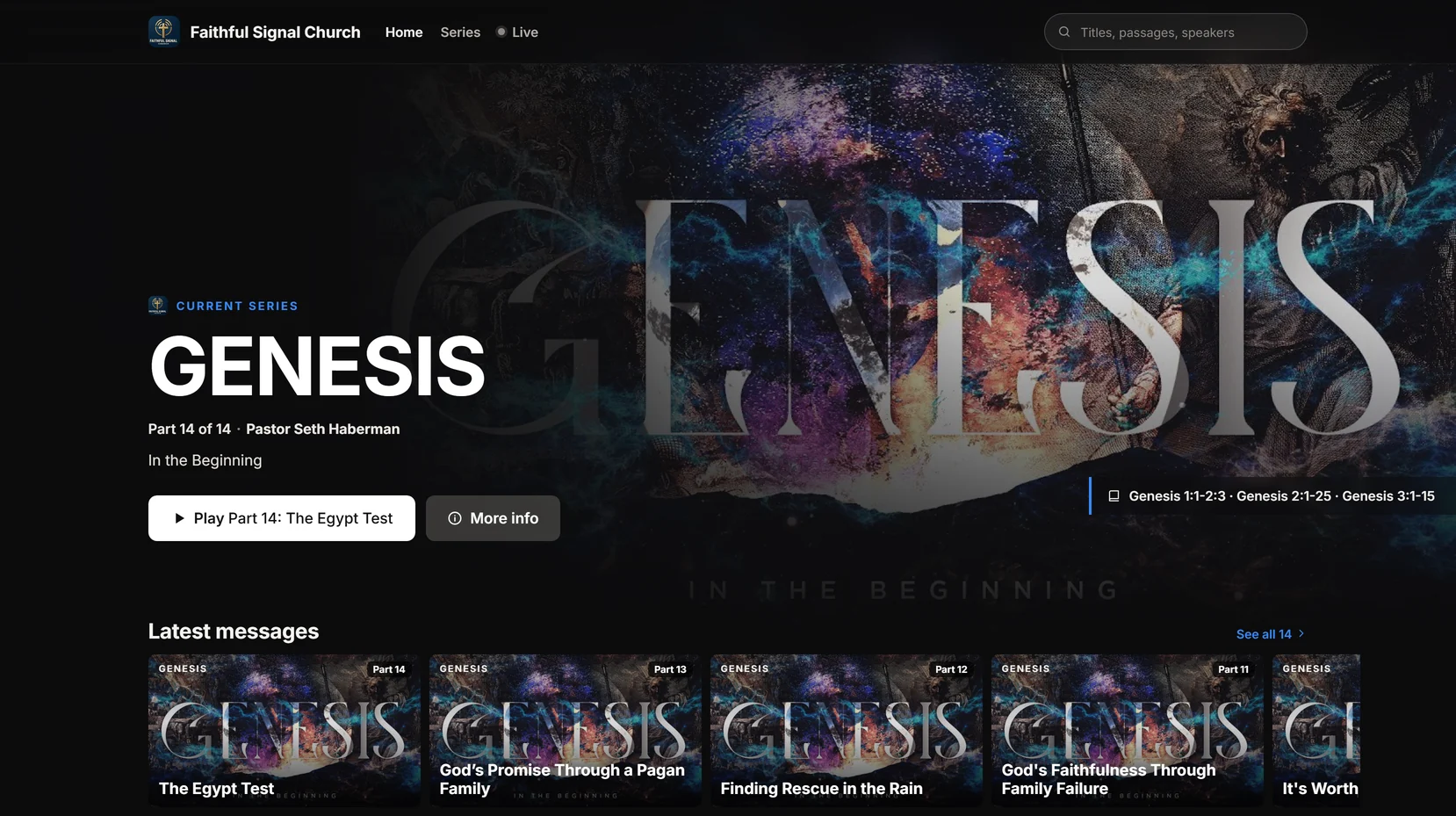
The Genesis series from Faithful Signal Church, our demo church: 14 parts, each on its own page.
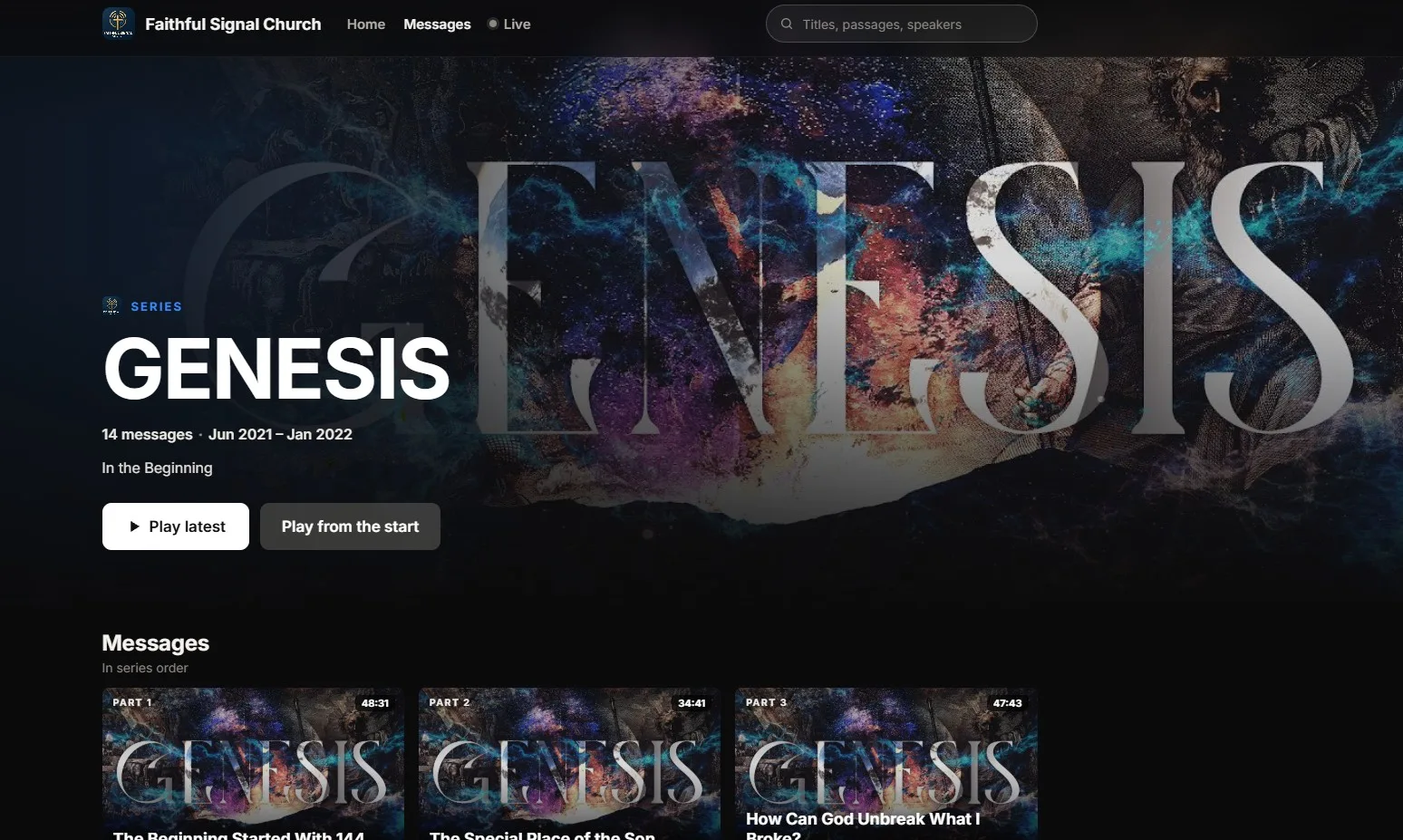
Content organization that builds engagement
Social media grabs attention. Your page keeps it.
A clip in someone's feed is a great first hello, but the feed is built to move them on to the next video. A series on your own page is built to bring them back next week.
- 1
Hook them with a Highlight
Reels turns each part of the series into short clips. Post them to YouTube Shorts, Instagram, Facebook and TikTok to get attention, and keep them on your own page as Highlights.
- 2
Bring them into the series
Every Highlight links to the full message, and every message sits inside its series: Part 3 of 8, with the next part one tap away and a series page to start from the beginning.
- 3
Give them what a feed can't
On your page there's no autoplay into someone else's channel. There are your notes, the scripture, your Give button, and a private way to ask for prayer.
Every series, organized
Set up a series in a few minutes.
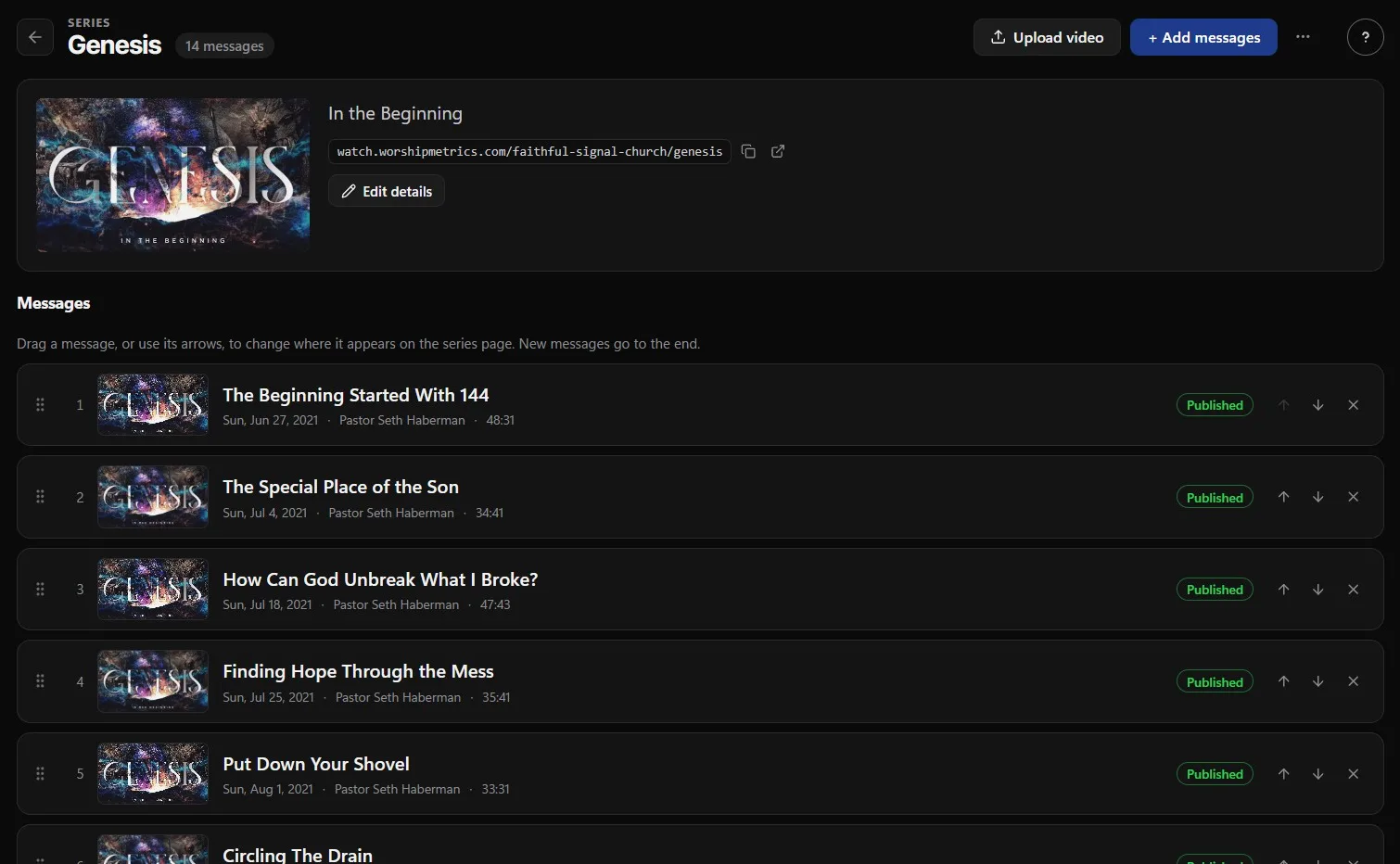
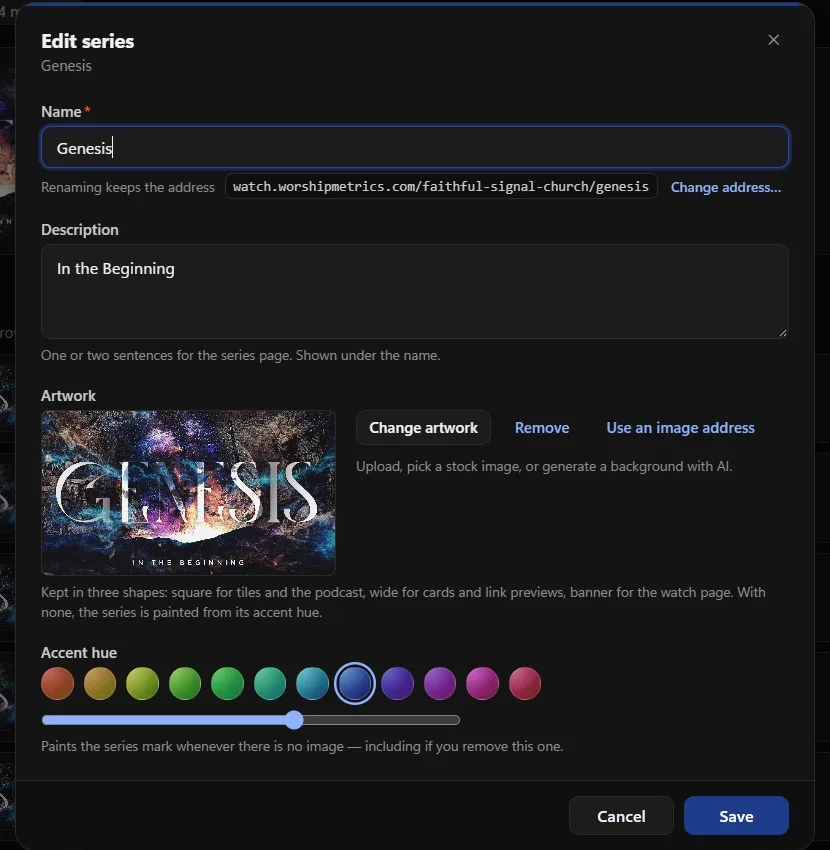
- A name, a one- or two-sentence description and its own artwork, kept in three shapes: square for tiles and the podcast, wide for cards and link previews, and a banner for the watch page.
- No artwork yet? Upload your own, pick a stock image, generate a background with AI, or let the series be painted from a color you pick.
- Drag messages into the order you preached them. Visitors can play the latest part or start from the beginning.
- Every series gets its own address on your watch site, and renaming it keeps the address. Share it, print its QR code, or embed the series on your church website.
- Your podcast can carry every message or only the series you choose.
Every part adds value
Each message gives people what a feed can't.
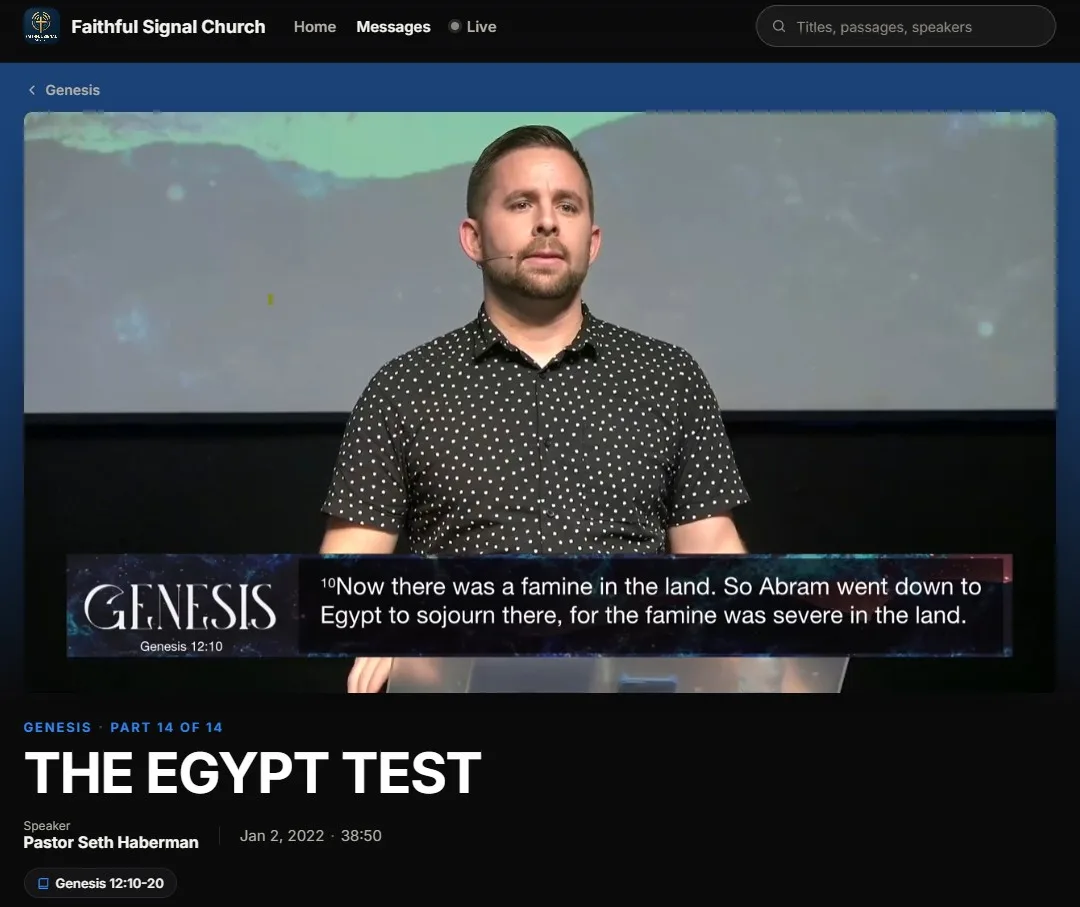
Every message in a series has its own page on your watch site, in your church's look. You can't add sermon notes or a Give button to a social post. Here, they sit right under the video.
Scripture, one tap away
Each passage is a chip under the title that opens the text right on the page.
Your notes and handouts
Add sermon notes, a study guide or any link, and each one gets its own button.
Your Give button
Right beside the message, pointing to the giving page you already use.
Share and QR code
Send a part to a friend, or put its QR code on a slide or in the bulletin.
Highlights from this service
The clips cut from this message, under the player, for anyone who wants the short version first.
More from the series
Every other part, in series order, with this one marked, so the next message is always right there.
Interactive, not just on demand
A series people can take part in.
Streaming services stop at the play button. Your watch page keeps going: people can talk, ask for prayer and take a next step, all on your page.
Live chat during the service Max
Your congregation talks during the service, with moderation by your team. Afterward, the conversation stays beside the replay on your live page.
Prayer requests, any day Every plan
A “Send a prayer request” button on your watch page, during the service and all week. Requests are private and go straight to your prayer team.
I'm new here Every plan
A button that sends first-time viewers to your welcome page, under the video on your watch page.
Continue watching Pro
People pick up where they left off in a series, saved in their own browser, with no account to create.
Any screen
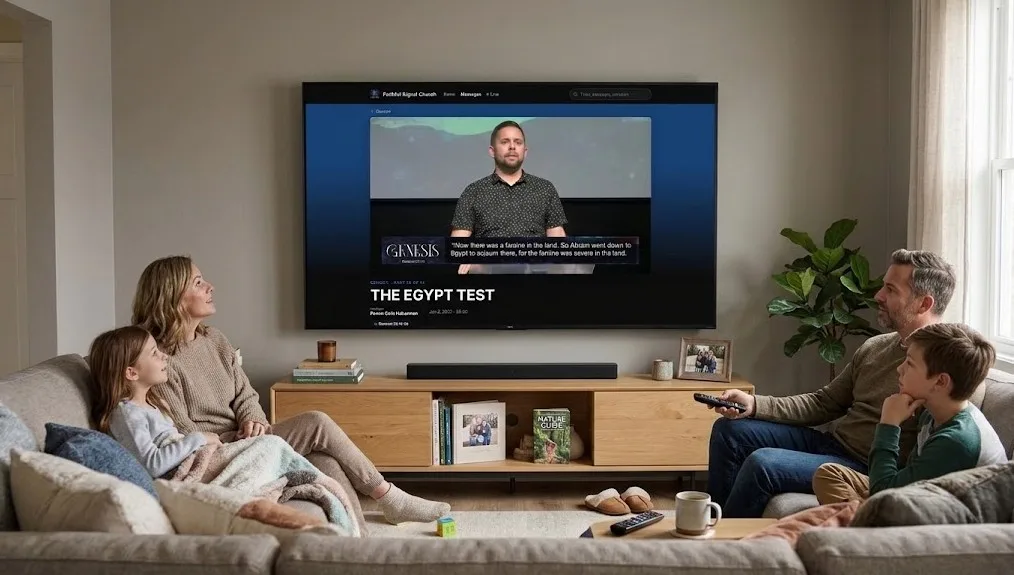
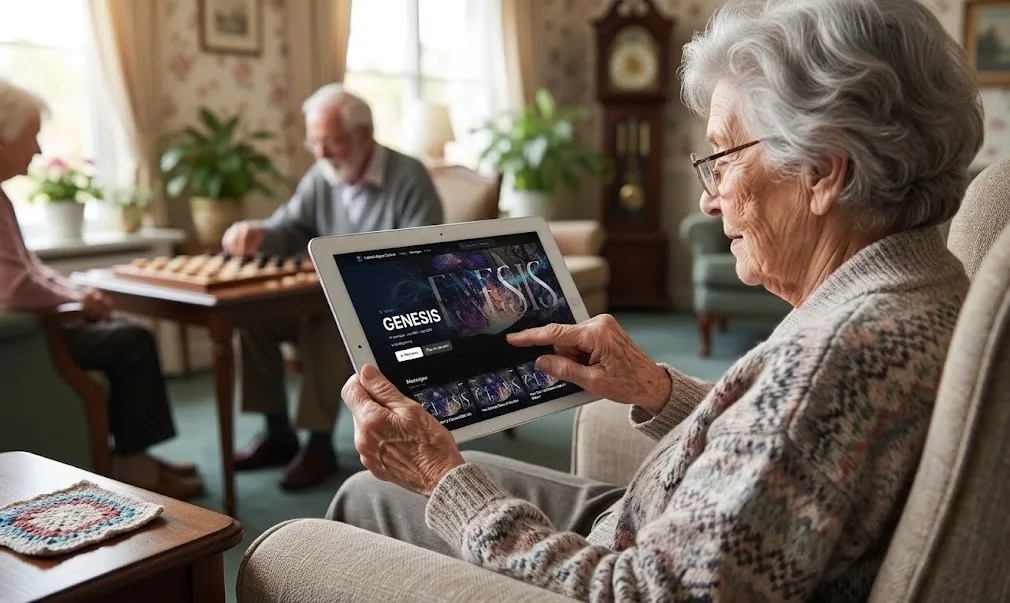
On the couch, and on Grandma's iPad.
Your watch page works in the browser on phones, tablets, laptops and TVs. There's no app to install and no account to create, so a family can watch the next part together and a homebound member can catch up at their own pace.
Want your own app?
Ask us about a fully branded app for Apple TV and iPad that brings your series straight to the living room and the tablet, in your church's name.
See it live
Binge a series on our demo church.
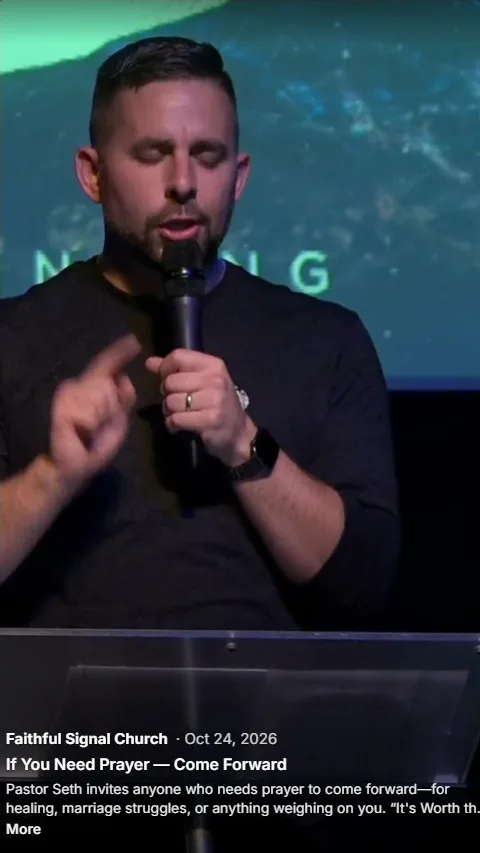
Faithful Signal Church is our demo church. Its Genesis series has 14 parts, each with its own page, its scripture and the Highlights cut from it. Open it on your phone, start from Part 1, and swipe through the Highlights.
Or go straight to the series: open Genesis ↗
From the Knowledge Base
Go deeper on sermon series.
FAQ
Questions churches ask about sermon series
How do we make a sermon series?
In Publish > Library > Series, click Add series, give it a name, a short description and artwork, then add its messages and drag them into order. Every series gets its own page on your watch site.
Do we need artwork for every series?
It helps, but it isn't required. Upload your own, pick a stock image, or generate a background with AI. With no image, the series is painted from a color you pick, so it never shows up blank.
Can people watch a series on a TV or an iPad?
Yes. Your watch page works in the browser on phones, tablets, laptops and TVs, with no app to install and no account to create. If you'd like your own app, ask us about a fully branded app for Apple TV and iPad.
Can we put one series on our church website?
Yes. The embed code for your website can show your full Content Library, one series, or only your latest message.
Can a series be its own podcast?
Your podcast can carry every published message or only the series you choose. New messages in those series become episodes by themselves on Apple Podcasts, Spotify and YouTube.
Which plan do we need?
Series pages are part of the Content Library, which comes with Pro and Max. Live chat comes with Max. Your watch page and prayer requests are on every plan, including Free.
Series are part of your Content Library. Read why your sermon series deserve a home of their own, or see how Reels makes the Highlights.