 Plan Services, songs, and attendance, with the team scheduled.
 People Your directory, volunteers, and team chat in one place.
 Present Lyrics, scripture, slides, and stage display, free in any browser.
 Produce One dashboard for the switcher, PTZ cameras, and the stream.
 Publish Stream Sunday, keep every sermon on your watch page, clip it.
 Patch Every device, cable, and signal path, mapped and printable.
 Pulse Know the moment the stream or a device drops.
Content Library · Watch page
Your church's front door, open all week.
Your Content Library is one branded home for every message you've preached, your sermon series, your podcast and the short clips that bring people back. People find it on your watch page, beside your live services. Just your church, and a way for anyone watching to ask for prayer.
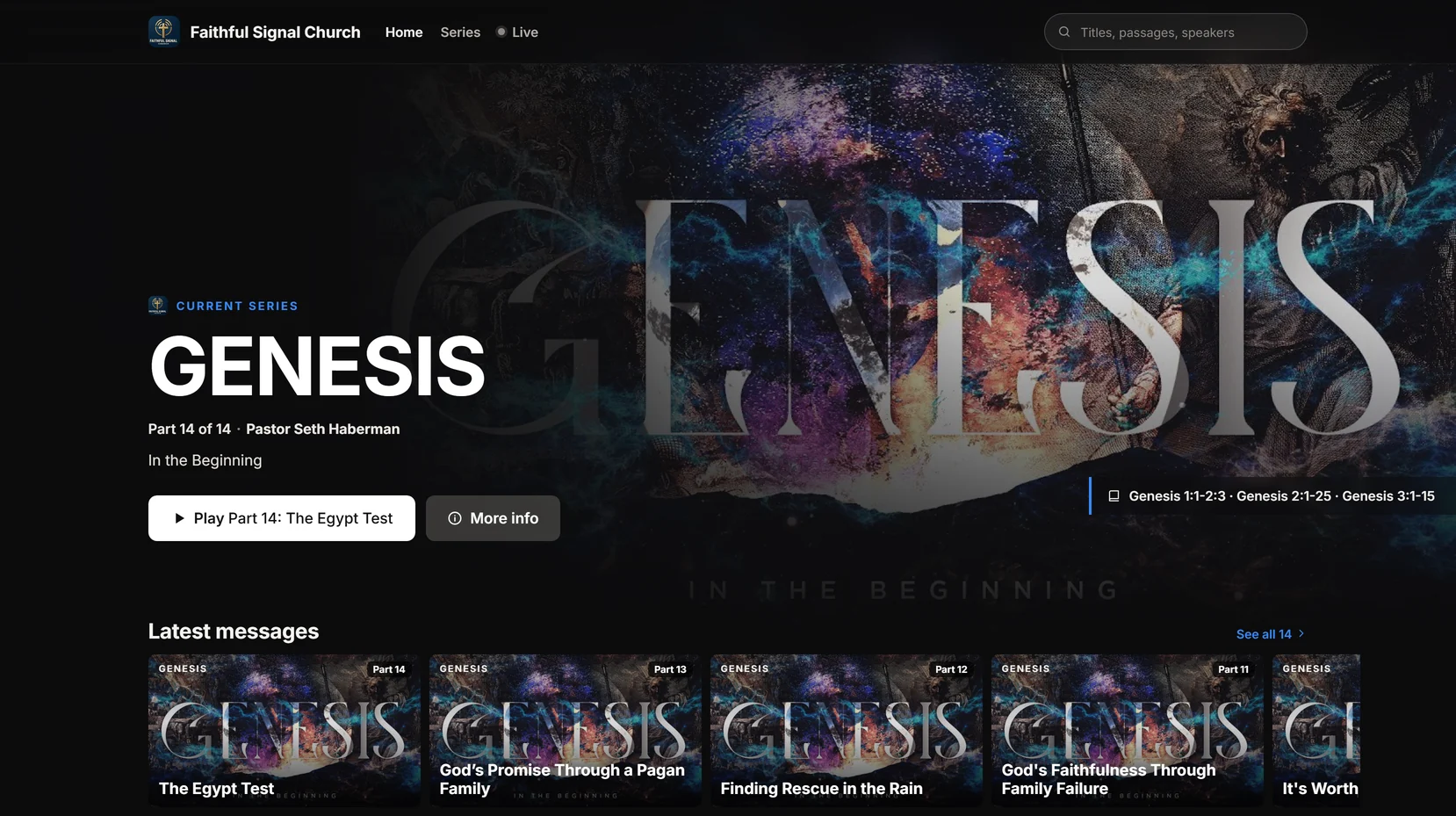
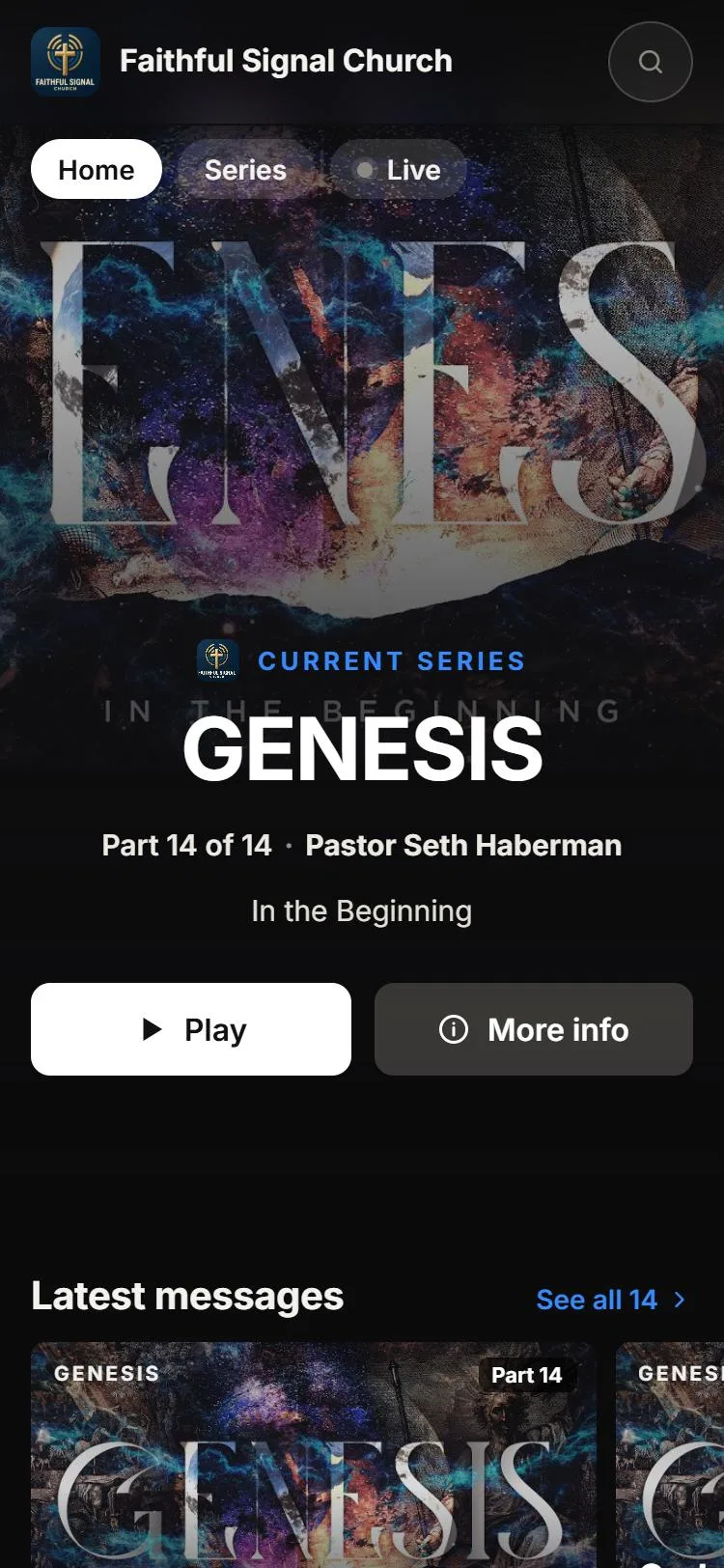
Faithful Signal Church is our demo church. Open its page on your phone.
Why not just YouTube?
When you send people to YouTube, you're sending them to YouTube.
Your pastor spent all week on that message. On YouTube or Facebook it has to compete with an ad before it starts, a sidebar of other videos while it plays, and an autoplay that ends somewhere else. Social feeds are built to keep people scrolling, not to keep them in a moment of worship.
Your watch page is built the other way round. Everything on it is yours: your service, your messages, your clips, your people. When one video ends, the next thing on screen is your church.
| On YouTube and social media | On your watch page |
|---|---|
| Ads you didn't choose | No ads* |
| “Up next” from other channels | Every next video is yours* |
| Comments from strangers | Chat with your own church, moderated by your team Max |
| An algorithm decides who sees it | Your link, your people, and your own domain on Max |
| Asking for prayer means a public comment | A private prayer request that goes straight to your prayer team |
| Their logo, their colors | Your logo, your colors, your font Pro |
* With hosted streaming on Max, every video on your page plays in your own player. On the Free plan, the live stream plays in YouTube's or Facebook's own player inside your page, which can show its own ads and end screens. Messages in your Library always play in your own player.
When you're live
Live, the way your church would design it.
-
A countdown before the service
Over your series artwork, so people who arrive early see something better than a black box.
-
A player that works on any phone
With picture-in-picture and full screen. A YouTube or Facebook stream keeps its own captions.
-
No dead links afterward
When the service ends, the page says the recording is being prepared, then turns into the replay as soon as it's ready.
-
Your four buttons under the video
Give, Prayer request, I'm new here and Message notes. Fill in the ones you use; the rest stay hidden.
-
Live chat, if you want it Max
For your congregation, with pinned messages, slow mode, blocked words and moderation by your team.
-
A password when you need one
For a members' meeting, a memorial or a private event. Viewers type it once.
-
Something worth seeing between services
Your own picture and a button to watch the latest message, never just “offline.”
-
One link for everything
Your page lives at watch.worshipmetrics.com/yourchurch, or on your own domain on Max, like watch.yourchurch.org. Put your live player or your Library on your church website with an embed code, or print the page's QR code in the bulletin.
Your Content Library Pro
Every message, one tap away.
Think of a streaming service, built for your church. With hosted streaming, each service lands in your Library by itself, ready to watch, and you can upload any message you already have. Pick the look that suits you:
Cinematic
Dark and immersive. A rotating banner shows your next service and current series, with rows of series posters, speakers, books of the Bible, and Continue watching.
Classic
Light and warm in your church's color, with a series shelf, your latest messages and your podcast.
People can search by title, passage or speaker, and browse by series, speaker or book of the Bible. Continue watching picks up where they left off. There's no account to create, because their place is saved only in their own browser.
Trim off the pre-service loop and the announcements, so viewers see the message you meant them to see. New messages are public by default, so your Library fills itself. If you'd rather review first, set new videos to private.
Series and podcasts Pro
Take the message where people already listen.
The same Content Library that fills your watch page also builds your sermon series and your podcast. More people hear the message, in the apps they already use, and you can see what's reaching them.
Sermon series, each with its own page
Group messages into a series like Genesis or Advent, with its own artwork, description and order. Every series gets a page on your watch site that people can binge from Part 1, and you can share it or embed it on your website.
See sermon series →A podcast on Apple Podcasts, Spotify and YouTube
Your published messages become a podcast feed, in audio or video, for every message or only the series you pick. Submit the feed once to each directory, and every new message you publish becomes an episode by itself.
See what people watch
Analytics shows plays, unique viewers and watch time for every message, on your watch page, your series pages and your website, next to your live viewers and your in-person attendance. See which sermons people come back to, and grow from there.
AI Reels and Highlights
Your best 60 seconds, found for you.
After the service, AI Reels reads the whole recording and finds the songs, sermon points, scripture readings and prayers. Then it picks the moments worth sharing: short clips that open on the hook. Song clips can take their captions from the song's lyrics. It writes the titles, descriptions and hashtags too, using your real website and service times, never invented ones.
Post to YouTube Shorts now or on a schedule, and share to Instagram, Facebook and your TikTok drafts. With hosted streaming, a volunteer can even keep the last 15, 30 or 60 seconds while you're still live.
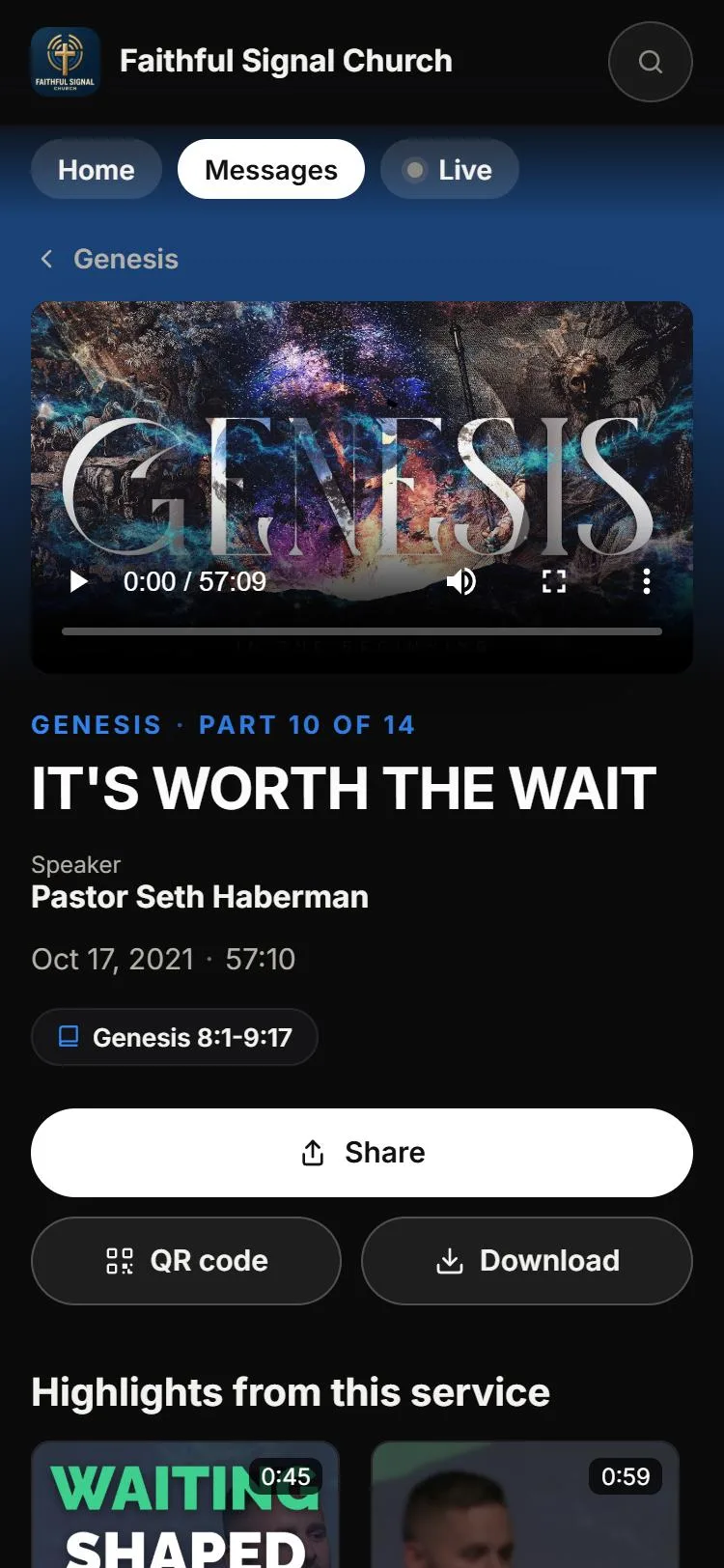
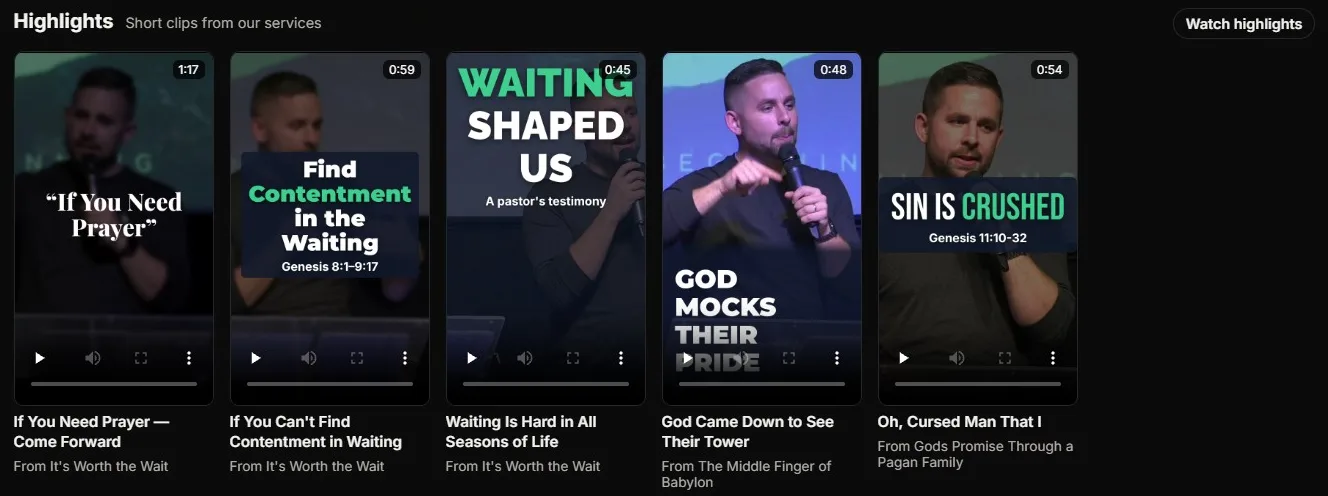
Here's what social media can't do: every clip can also stay on your watch page as a Highlight. Highlights appear under the message they came from, on your home page, and in a full-screen swipe feed on phones, with a link to the full message.
Your clips go out into the world. Your watch page brings people home.
Prayer requests · every plan
“How can we pray for you?” Answered by people, not an algorithm.
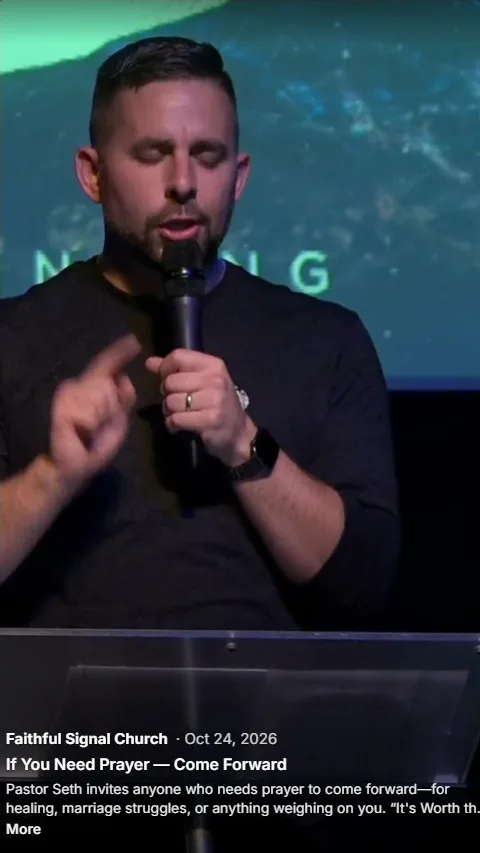
On social media, asking for prayer means posting a public comment. On your watch page, a “Send a prayer request” button sits right under the video. Requests are private, never shown on the page, and go straight to your prayer team.
- Your team sees who sent each request, when, and during which service.
- They can mark it Prayed for, and the record keeps who prayed and when.
- They can reply by email from their own inbox.
- New requests can email your prayer team. Requests that arrive together come as one email, never more than one every ten minutes, so a busy Sunday isn't a flood. The subject line shows only a count, never anyone's words, because subject lines show on lock screens.
Someone watching from a hospital bed at 10:15 on Sunday can be prayed for by name that afternoon.
How it fits together
One Sunday, all week long.
-
Saturday
Your watch page counts down to the service over this week's series art. You share one link everywhere.
-
Sunday, 10:00
You go live. Families at home watch on your page, give and send prayer requests.
-
Sunday, 11:30
The service ends. The page turns into the replay, and the message lands in your Library.
-
Sunday afternoon
A volunteer opens the recording in Reels. It finds the moments worth sharing, captions them and writes the posts.
-
Monday to Friday
Clips go out to YouTube Shorts, Instagram, Facebook and TikTok, and stay on your watch page as Highlights.
-
Wednesday
Someone who has never been to your church sees a clip and follows it to your page. They watch the full message there, not in a feed. They tap “I'm new here” and send a prayer request.
-
Thursday
Your prayer team marks it prayed for and writes back.
-
Next Saturday
They see the countdown, and this time they're waiting for it.
Each piece has a job.
Live streaming gets people into the room.
See live streaming →The Content Library and your podcast keep the message going all week.
See the Content Library →AI Reels carry it out into the world.
See AI Reels →Prayer requests turn viewers into people your church knows by name.
See prayer requests →The watch page ties every piece back to one place: yours.
Plans
What's in each plan
Free
$0
A watch page that plays your YouTube or Facebook stream.
- Plays the YouTube or Facebook stream you start through WorshipMetrics
- The replay stays on the page after the service
- Give, Prayer request, I'm new here and Message notes buttons
- Private prayer requests for your team
- A password for any live stream
Pro
$49/mo · $39/mo at founding prices
Your branded video Library with your own link, plus AI Reels and AI-written social posts.
- Every message on its own page, with search
- Sermon series, each with its own page
- A podcast for Apple Podcasts, Spotify and YouTube
- Cinematic or Classic, in your logo, color and font
- Highlights from AI Reels, with the swipe feed on phones
- Analytics for every message
Max
$99/mo · $79/mo at founding prices
Hosted live streaming with chat on your branded page, streaming everywhere at once, and your own domain.
- Your live stream in your own player, with no ads
- Live chat with moderation
- Stream to up to ten destinations at once
- Your own domain, like watch.yourchurch.org
Pro and Max include everything in the plan before them. See pricing
FAQ
Questions churches ask about the watch page
What's the difference between the Content Library and the watch page?
Your Content Library is where your church keeps every message, series, podcast episode and Highlight. Your watch page is where people see it: your live stream when you're live, and your Content Library the rest of the week, at one link.
Can we put our sermons on Apple Podcasts and Spotify?
Yes, with Pro or Max. Your published messages become a podcast feed. Copy its address, submit it once to Apple Podcasts, Spotify and YouTube, and every new message you publish becomes an episode by itself. A check on the page tells you when the feed is ready to submit.
What can we measure?
Plays, unique viewers and average watch time for each message, and where people watched: your watch page, a series page, your website or the live replay. Your live viewers and in-person attendance show on the same chart. Analytics never names a viewer. Listens in podcast apps are counted by those apps, not in WorshipMetrics.
Is the watch page free?
Yes. On the Free plan, your watch page plays the YouTube or Facebook stream you start through WorshipMetrics, with your Give, I'm new here and prayer request buttons. Your Content Library comes with Pro, and hosted streaming with live chat comes with Max.
Do viewers need an account?
No. Anyone with the link can watch. To send a prayer request or join live chat, a viewer confirms their email address. Continue watching is saved in their own browser, so there's nothing to sign up for.
Will our watch page show YouTube ads?
Not with hosted streaming on Max: your live stream and replays play in your own player. On the Free plan, the live stream plays in YouTube's or Facebook's own player inside your page, and those players can show their own ads and end screens. Messages in your Library play in your own player.
Can people watch on a TV or an iPad?
Yes. Your watch page works in the browser on phones, tablets, laptops and TVs, with no app to install. If you'd like your own app, ask us about a fully branded app for Apple TV and iPad.
Can we use our own domain?
Yes, on Max. Our team sets up an address your church owns, like watch.yourchurch.org, within one business day. Every church gets a page at watch.worshipmetrics.com/yourchurch.
Can we put it on our church website?
Yes. Copy the embed code for the live player, your full Library, one series or your latest message, and paste it into your site. Your watch page link also comes with a QR code for the bulletin or a slide.
Can we keep a service private?
Yes. Each live stream can be public, unlisted or private, and you can add a password for a members' meeting or a memorial. The password protects your watch page and website player; YouTube and Facebook follow their own privacy settings.
Who sees prayer requests?
Only your church's team, in People > Prayer Requests. Requests are never shown on the watch page, and the subject line of the email to your prayer team says only how many requests came in, never what they say.
From the Knowledge Base
The church content library playbook.
See it live
See a real Content Library.
Open our demo church on your phone: the current series, every message, and Highlights you can swipe through. Every clip links back to the full message.
Ready for your own? Start free