 Plan Services, songs, and attendance, with the team scheduled.
 People Your directory, volunteers, and team chat in one place.
 Present Lyrics, scripture, slides, and stage display, free in any browser.
 Produce One dashboard for the switcher, PTZ cameras, and the stream.
 Publish Stream Sunday, keep every sermon on your watch page, clip it.
 Patch Every device, cable, and signal path, mapped and printable.
 Pulse Know the moment the stream or a device drops.
Alerts · Email and desktop on every plan, texts on Pro and Max
The problems, in one inbox. The right people, told.
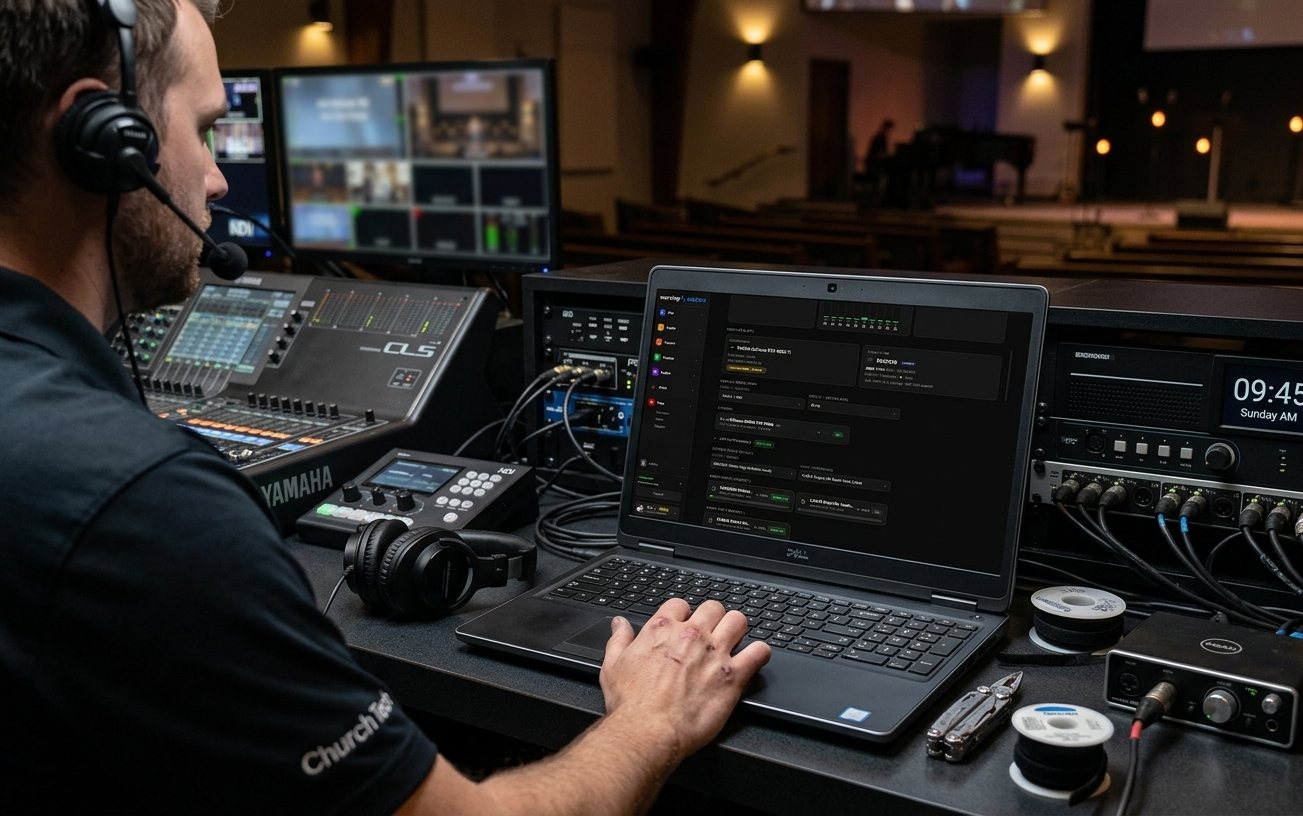
Alerts is Pulse's inbox. A booth computer going quiet, CPU, memory or disk running critical, a live stream dropping, no audio going out while you're live, a camera that stopped answering: each one lands here as a card, stays until someone resolves it or it recovers, and reaches the people you choose by email, on the booth computer, or by text.
On every plan while Tech Manager runs in the booth. Text messages are on Pro and Max.
What raises an alert
Seven main conditions. Every line published.
When Pulse is quiet the booth is healthy, and when it speaks it is worth the walk. That only works if everyone knows where the lines are, so here they are. Tech Manager also raises alerts from what the booth itself sees, such as going to sleep, losing power or the network, OBS or vMix crashing, or a capture card coming unplugged. Several of those start off, and each has its own switch.
Booth computer offline
No heartbeat from Tech Manager for five minutes, or its connection to WorshipMetrics dropped and did not come back, which is caught in about a minute: a power cut, a pulled cable, a freeze. The badge on System Health flips at 90 seconds; the alert waits long enough to rule out a router hiccup.
Critical. In the inbox for everyone. Email, the booth notification and texts stay off until a person switches this alert on for themselves.
CPU, memory, disk or temperature critical
CPU load or RAM at 90%, under 5% of the disk free, or the processor at 95 °C (temperature on Windows booths for now). It clears once the machine is comfortably back inside the line, and a machine that hovers on the edge re-alerts at most every 30 minutes, so a flapping PC sends one email, not forty.
Critical, with an email. The same numbers paint the rings red on System Health.
Live stream dropped
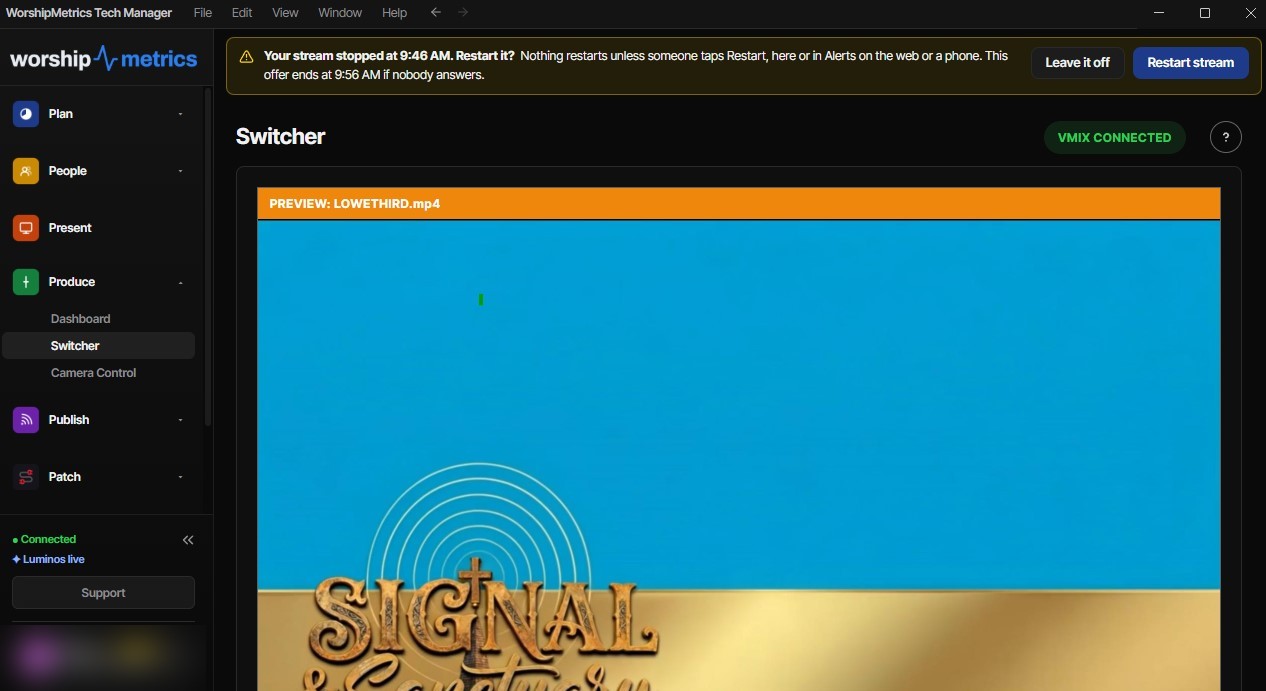
A stream leaves the live state for any reason other than someone stopping it in the app. One alert per stream per 45 minutes, however many times the connection comes and goes, and when WorshipMetrics started the stream, Self Healing's restart offer rides beside it.
A warning, with an email to the church's owners, admins and members.
No audio going out
While a booth streams or records from vMix, it listens to its own program audio. Fifteen seconds of silence raises a pop-up on the booth and a critical alert here, so a muted desk is caught before a whole service goes out silent. It clears itself the moment audio is back.
vMix today, not OBS. No email, because dead air is over before an email is read; a text to anyone opted in to Audio.
Monitored device offline
A camera, console or switcher you flagged for monitoring in Devices, after the delay you set for it, and only when every booth computer that probes it agrees it is unreachable. One booth's bad network path never pages the whole team.
A warning. Like a booth going offline, it notifies only the people who switch it on. Clears on its own when the device answers again.
Speaker muted, volume down
The booth computer's default output muted or under 10%, or its default microphone muted: the classic pre-service mistake nobody can see from the booth. Raised once as a warning, cleared when it is put right.
Warning, with an email. Windows booths for now.
Self Healing
A stream or recording that WorshipMetrics started stops without anyone stopping it from WorshipMetrics. The offer to restart it lands here with Restart and Leave it off, and the card says who answered, from the booth or the web, and whether it came back.
Its own area, so a person can be emailed or texted about restart offers alone.
The inbox
One row per problem, not one per minute.
A booth that flapped fourteen times over a morning used to be fourteen identical lines. Now it is one card with a count, three things a person can do about it, and a banner at the top that says how many alerts need attention on how many computers, names the worst one, and says how to get help in words that match your plan.
A restart offer is one row in Alerts, with the same two buttons the booth shows above its Switcher, on the web and on a phone.
- One card per computer, worst first, with a Check line under each problem naming the first thing to look at. A problem that keeps coming back stacks into one row with a count instead of fourteen rows; four quiet hours start a new one.
- Three views: Needs attention, Muted and History. Filter by severity (critical, warning, info), by area (Hardware, System, Stream, Self Healing, Audio, Network, Other) or by booth.
- Open a row for the full story: What to check, a Timeline of every time it happened and cleared and how many people were emailed, Notify me about alerts like this, and Get help with this, which opens Support with the facts already drafted, or the ticket already tracking it.
- Acknowledge says I saw it: the row dims, stays open and carries your name. Resolve closes it by hand; recovery closes it on its own. Mute snoozes that computer and that kind of alert for 1 hour, 24 hours, until after Sunday or 7 days. The record stays; nobody is woken.
- Tick several and handle them together when one outage produced six alerts from the same booth.
- The same page on the web and in Tech Manager, refreshed every 30 seconds, with 90 days of history.
Who hears about it
Per person, per area, per channel.
The row in the inbox is always written; you cannot opt out of the record. What buzzes is up to each person: open Notification settings on the Alerts page and switch on, for each area, the ways you want to hear about it. Tick Notify me about alerts like this on any alert to follow that one kind personally.
Owners, admins and members, up to ten people; viewers are never paged. Booth and stream alerts are on for everyone unless a person turns them off under Settings, Notifications, or from the Unsubscribe link in any alert email. The exceptions start off, so a PC shut down after the service never mails the whole team at midnight: a booth computer or a monitored device going offline, and the booth's own alerts such as sleep, power and network. Each person switches those on for themselves.
On the booth computer
Tech Manager raises a notification on the booth computer for every alert the signed-in person is subscribed to, within 30 seconds, whichever tab is open or with the window in the tray. One switch per computer keeps a shared PC in a dark balcony silent whoever is signed in, and each person picks the areas they want under Notification settings.
Text message
Two things first: confirm your mobile number under Sunday readiness texts, and switch Text on for the areas you want. Warnings and criticals only, at most one text per person per area every ten minutes with the rest folded into a summary, and an all-clear when it recovers. A booth or device going offline texts at once from 30 minutes before a service until it ends; outside that it waits, with one heads-up an hour before the next service if it is still down. Reply STOP to any text.
Not yet: phone push
Push notifications to a phone or browser are not available yet. An alert reaches a phone by email, or by text on Pro and Max.
Before it becomes an alert
Most problems should be caught on a calm Tuesday.
Pulse does not wait to be checked. Four checks run on their own.
Thirty minutes before
Before each service on your plan or weekly schedule, the booth is checked: that it is reporting, OBS's connection on an OBS booth, disk space, CPU and the internet. Anything red is written up as a support ticket before the room fills.
The evening before
At 6 PM the evening before your first service of the week, going by your Plans and weekly schedule, a ready-for-tomorrow email to the owner lists anything worth a look.
Monday morning
Every Monday morning, a plain-English digest of the week's health lands in the owner's inbox. The Reports and summaries switch turns it off.
Patterns, nightly
Every night the last 30 days are scanned for the same issue three or more times, and a recurring one opens a ticket with the root-cause analysis attached. On System Health, Needs attention shows the patterns no single alert catches: packet loss over 20%, latency at twice a device's own baseline, the same alert flapping four times in a day, a computer silent for an hour.
When Pulse sees it, support already knows
An alert is the start of the fix, not the end of the story.
Every alert, every answer and every fix goes into your church's System history on the Support page, one timeline filtered by device and date, exported as a CSV when leadership asks what went wrong this quarter. Call 910-WORSHIP or open a chat and Journey is already looking at the same record.
Where it goes next
The rest of Pulse, one tap away.
Self Healing →
The restart offer for a stopped stream or recording, answered from the booth, the web or a phone. Nothing restarts until a person taps Restart.
System Health →
Open the computer an alert names and see its CPU, memory, disk, displays, audio and ports, and whether the booth is ready right now.
Journey →
Get help with this drafts the alert's facts into a conversation, so the AI starts from what actually happened, not from twenty questions.
Devices →
Flag a camera, console or switcher for monitoring and set how long it may be offline before it alerts.
Technical details
For the person who reads the spec sheet.
Offline detection
Online badge flips after 90 s without a heartbeat; a dropped connection is confirmed in about 60 s; a silent booth is alerted after 5 minutes by a server-side check that runs every 5 minutes whether or not anyone has a page open. Once per outage, re-armed on recovery.
Resource red lines
CPU ≥ 90%, RAM ≥ 90%, disk ≤ 5% free, CPU ≥ 95 °C (Windows booths for now); recovery at 85% / 85% / 8% free / 92 °C; one re-alert per 30 minutes per machine.
Stream drop
Any exit from the live state except a Stop in the app; one alert per live stream per 45 minutes; a Self Healing restart offer where WorshipMetrics started the stream.
Silent audio
vMix program bus while streaming or recording; 15 s of silence; critical; a pop-up on the booth, the inbox row, a desktop notification and texts to Audio opt-ins; no email; clears itself.
Monitored devices
Multi-observer rollup with online, degraded, stale, offline and unknown states; only observers that checked in the last 10 minutes vote; a per-device delay; probes about every 60 s, every 20 s for critical devices.
Audio state
Default output muted or ≤ 10%, or default input muted: a warning, cleared once the output is back above 15%. Windows booths for now.
Grouping
One incident per booth and alert type while it keeps happening; a 4-hour quiet gap starts a new one; repeats shown as a count; Flapping when it keeps going down and coming back.
Severity and areas
Info, warning, critical. Hardware, System, Stream, Self Healing, Audio, Network, Other.
Mutes
Per booth and alert type: 1 hour, 24 hours, until after Sunday, 7 days. The row is still written; nothing is sent.
Owners, admins and members, up to 10 people; per-person switches and one-click unsubscribe; a booth or monitored device going offline, and the booth's own alerts, are opt-in per person (off by default); Self Healing email is its own switch.
Booth notification
Tech Manager checks every 30 s; one switch per computer plus per-area switches per person; shown at most once per booth.
Text messages
Pro and Max. Double opt-in (a confirmed number plus Text on for an area); warnings and criticals only; one text per person per area per 10 minutes, then a summary; at most 25 people; offline alerts held outside service windows (30-minute lead, a heads-up 60 minutes before the next service); an all-clear on recovery; STOP honoured.
Phone push
Push to a phone or browser is not available yet.
Signage screens
A screen dark for 30 minutes is emailed between 2 hours before and 2 hours after a service starts (service times under Settings, Organization), or once a day for a screen that goes dark in the daytime when no times are set. An email, not an inbox row.
History
Alert history 90 days; a computer's event log 60 days; everything also in System history on the Support page, exportable as CSV.
Access and plans
Viewer sees the inbox; Editor acknowledges, resolves and mutes. The same page on the web and in Tech Manager. Everything on this page is free on every plan except text messages.
From the Knowledge Base