 Plan Services, songs, and attendance, with the team scheduled.
 People Your directory, volunteers, and team chat in one place.
 Present Lyrics, scripture, slides, and stage display, free in any browser.
 Produce One dashboard for the switcher, PTZ cameras, and the stream.
 Patch Every device, cable, and signal path, mapped and printable.
 Pulse Know the moment the stream or a device drops.
 Publish
Go live once. Keep every message on a page that's yours.
Publish is where Sunday leaves the building. Schedule each service and go live on YouTube and Facebook with no stream keys to paste, or on Max send one stream to us and we deliver it to up to ten destinations and your own player. Your Content Library fills your watch page, your sermon series and your podcast; Reels cuts the service into short clips for social; and Signage puts your announcements on any TV with a browser.
Watch page, YouTube and Facebook streams, and Reels in the booth on every plan. The Library and cloud Reels on Pro. Hosted streaming on Max.
Keep OBS or vMix, and the YouTube and Facebook channels you already have.
Inside Publish9 sections to explore
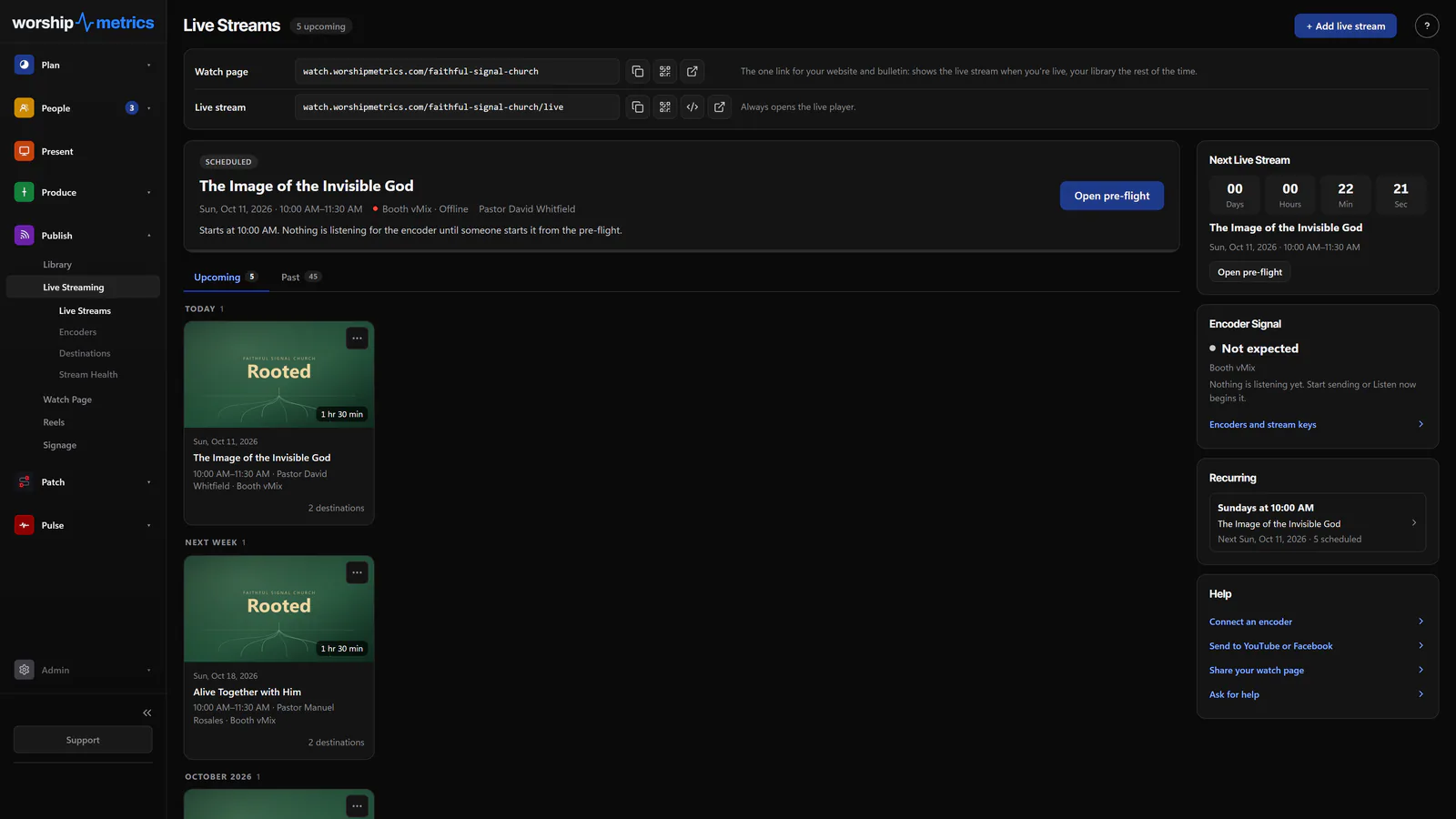
Schedule every service, check it on a pre-flight screen, and go live on YouTube and Facebook from Tech Manager or any browser. On Max, one stream to us reaches every destination and your own player.
Free, hosted and everywhere at once on Max.
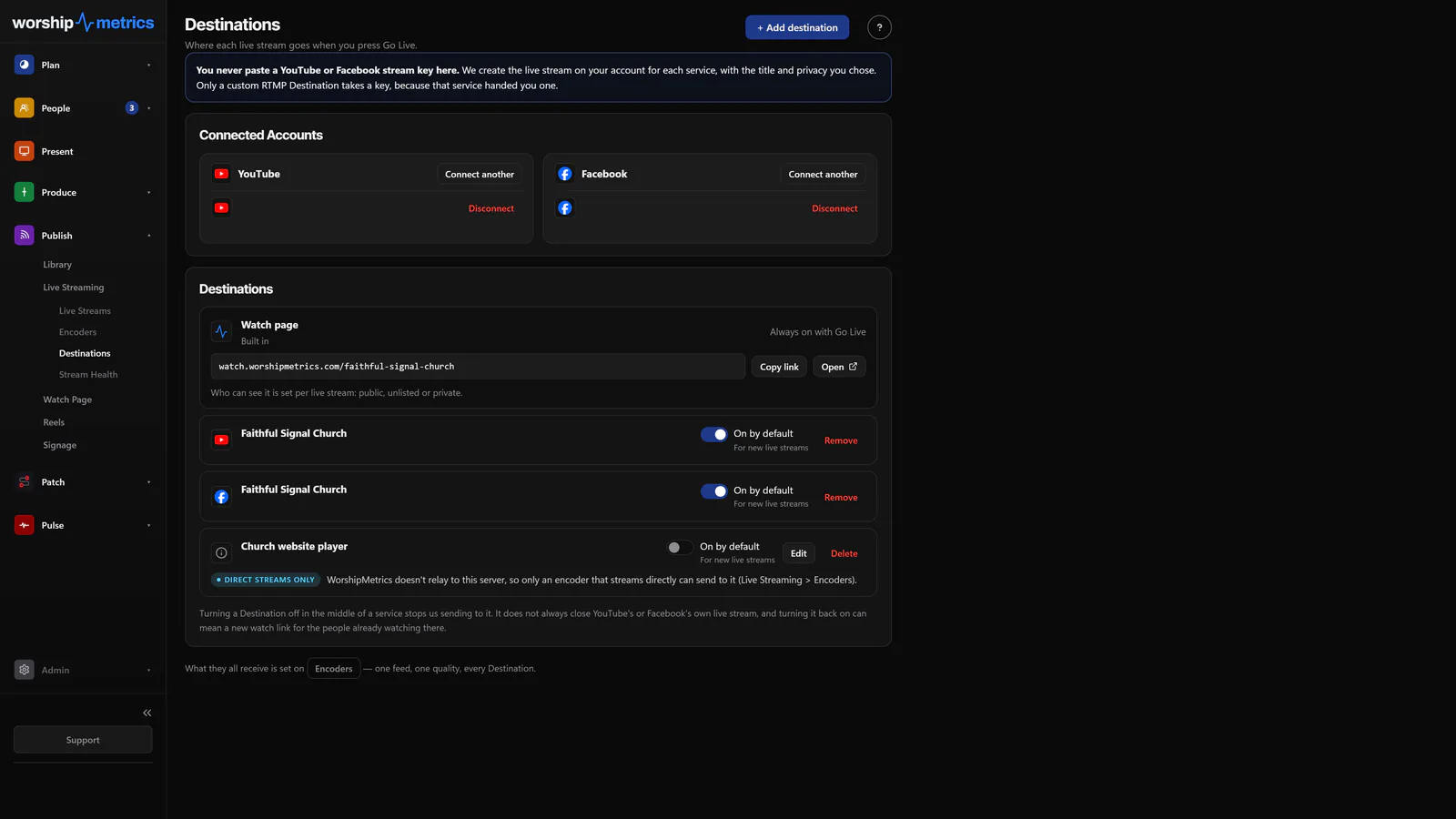
Open page →Connect YouTube and Facebook once. We create each broadcast on your account, so nobody pastes a stream key; a custom RTMP server is the only destination that takes one.
Free, up to ten at once on Max.
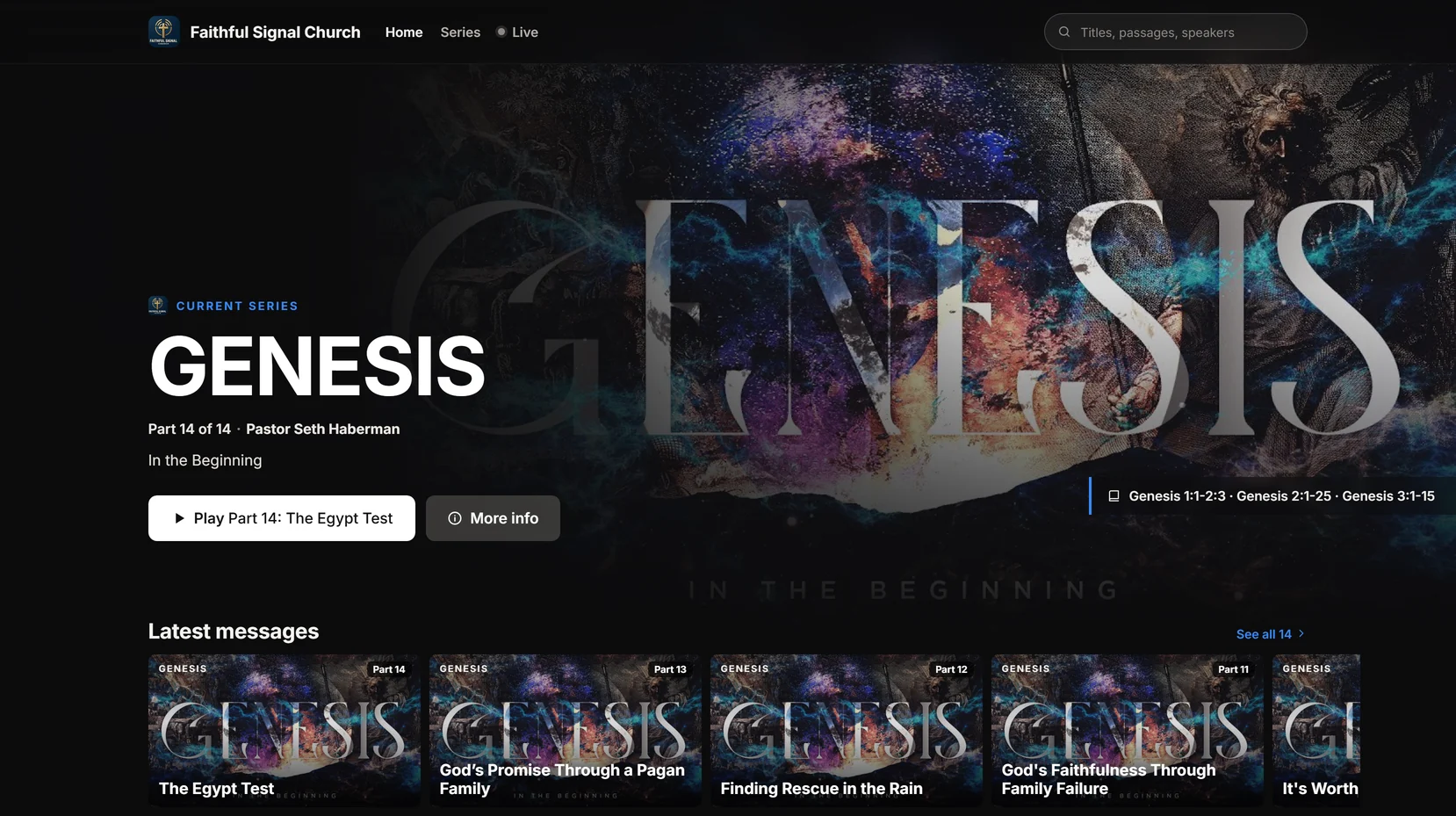
Jump to section →One link that plays your live stream when you're on, and your messages, series and Highlights the rest of the week, with Give, I'm new here and prayer request buttons.
Free, publishing to your Library and its look on Pro.
Open page →Every series gets its own page on your watch site: artwork, every message in the order you set, and Highlights, sermon notes, scripture, Give and prayer on each part.
Open page →Your published messages become a podcast feed for Apple Podcasts, Spotify and YouTube, and Analytics shows plays, viewers and watch time for every message beside your live viewers and in-person attendance.
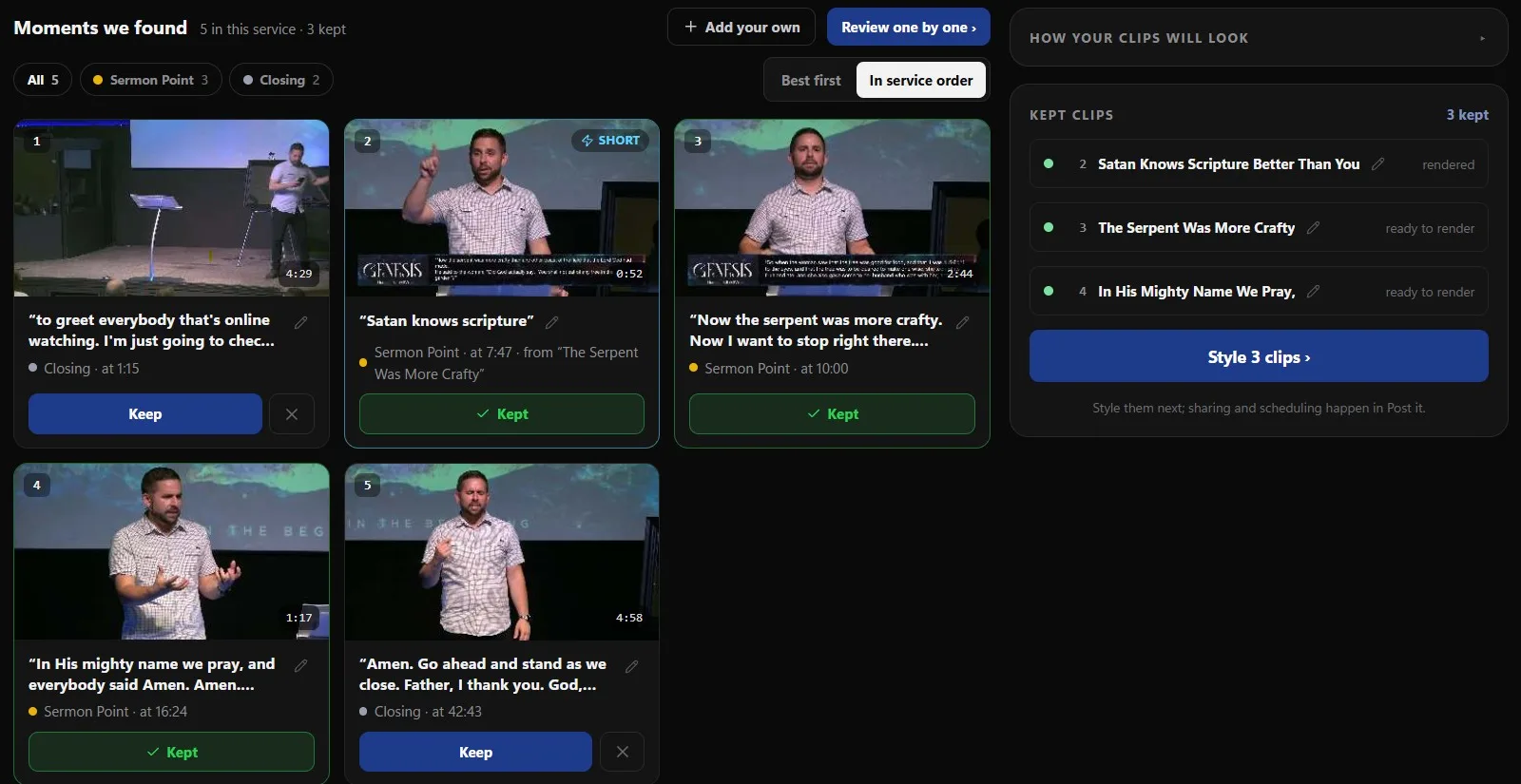
Jump to section →Pick a recording, keep the moments the AI finds, style them with captions and your brand, and post or schedule them to YouTube, Facebook, Instagram and TikTok.
Free, in Tech Manager; cloud clipping and AI-written posts on Pro.
Open page →Every service recording transcribed, with each line timed to the video: search it, copy it, cut clips from its lines, and caption them word by word.
Free, in Tech Manager; any browser on Pro.
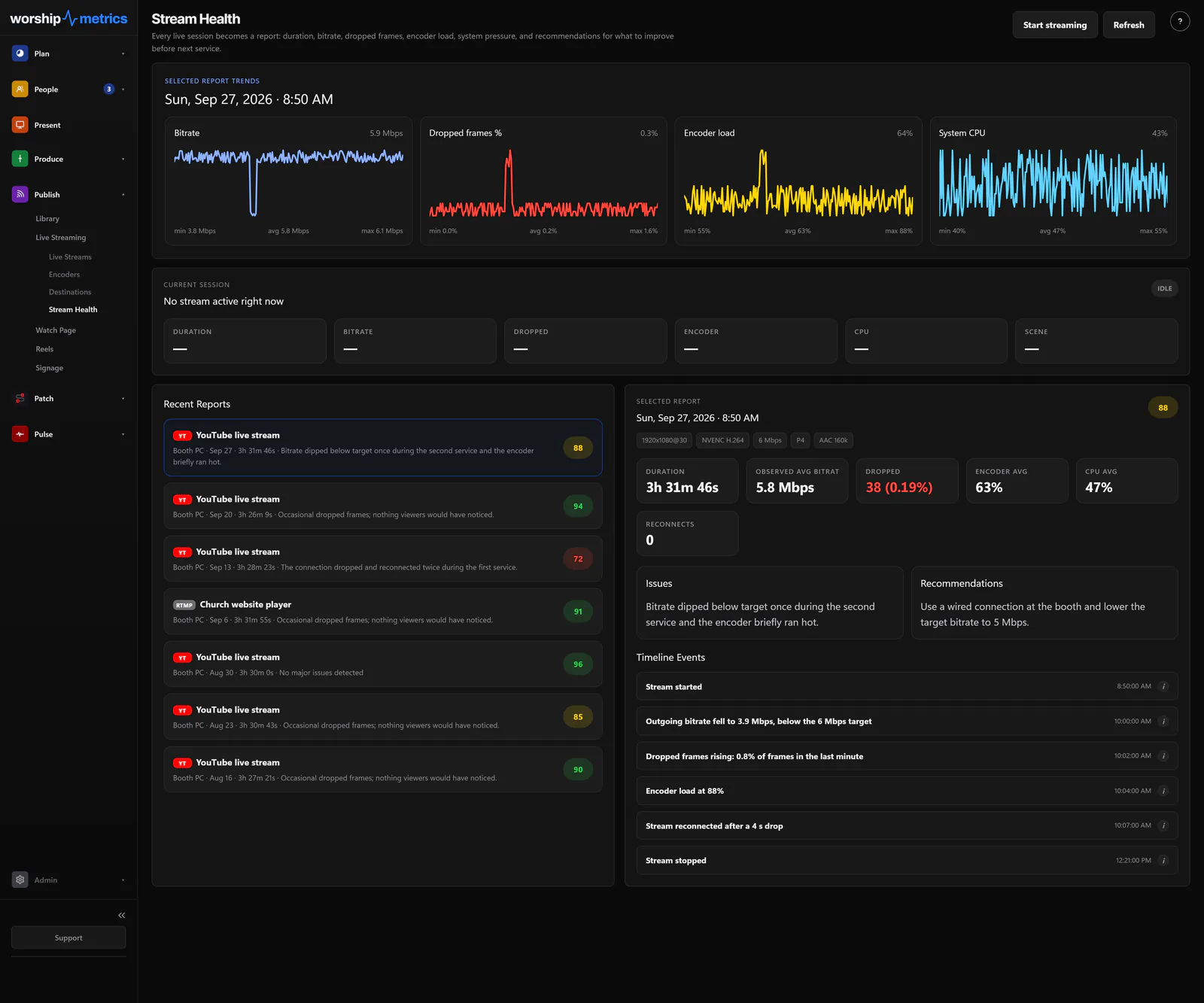
Open page →Bitrate, dropped frames and encoder load while you're live, and a scored report after every stream with what to fix before next Sunday.
Free, live viewer numbers on Max.
Open page →Any TV with a browser becomes a screen for the loops and playlists you build in Present, scheduled by day and hour, grouped by room, with an alert you can push to every display.
Open page →Guides
Reading that belongs near Publish.
Across every module
The parts that belong to all of them.
- Journey AI Diagnoses from your live system and answers 910-WORSHIP any hour.
- Team Chat and unlimited users On every plan, from the senior pastor to the newest camera operator.
- Tech Manager The free desktop app that connects the booth to all of it.
- Planning Center sync The plans, people, and teams you already keep flow in.
How the pieces fit
Free runs your whole Sunday. Pro and Max add premium features, more storage and streaming.
Start with the shared workflow
Services, Volunteers, Attendance, Signage, and Planning Center sync give the team a connected baseline, all on the Free plan.
Add booth intelligence
Tech Manager and Journey bring the booth, the system map, and real diagnostics into the same operating picture.
Grow into the cloud
Pro adds OBS and vMix control from any browser, AI Reels online, more storage, and AI phone support. Max adds hosted live streaming; compare it with what you pay your provider now.