 Plan Services, songs, and attendance, with the team scheduled.
 People Your directory, volunteers, and team chat in one place.
 Present Lyrics, scripture, slides, and stage display, free in any browser.
 Produce One dashboard for the switcher, PTZ cameras, and the stream.
 Publish Stream Sunday, keep every sermon on your watch page, clip it.
 Pulse Know the moment the stream or a device drops.
 Patch · Patches
Every cable, numbered at both ends.
Patches is the cable schedule behind the map: one row per cable with its label, signal, both devices and both ports. Print it as a patch sheet, export the wiring diagram, or share a read-only link with your integrator.
Everything on this page is free on every plan.
The schedule
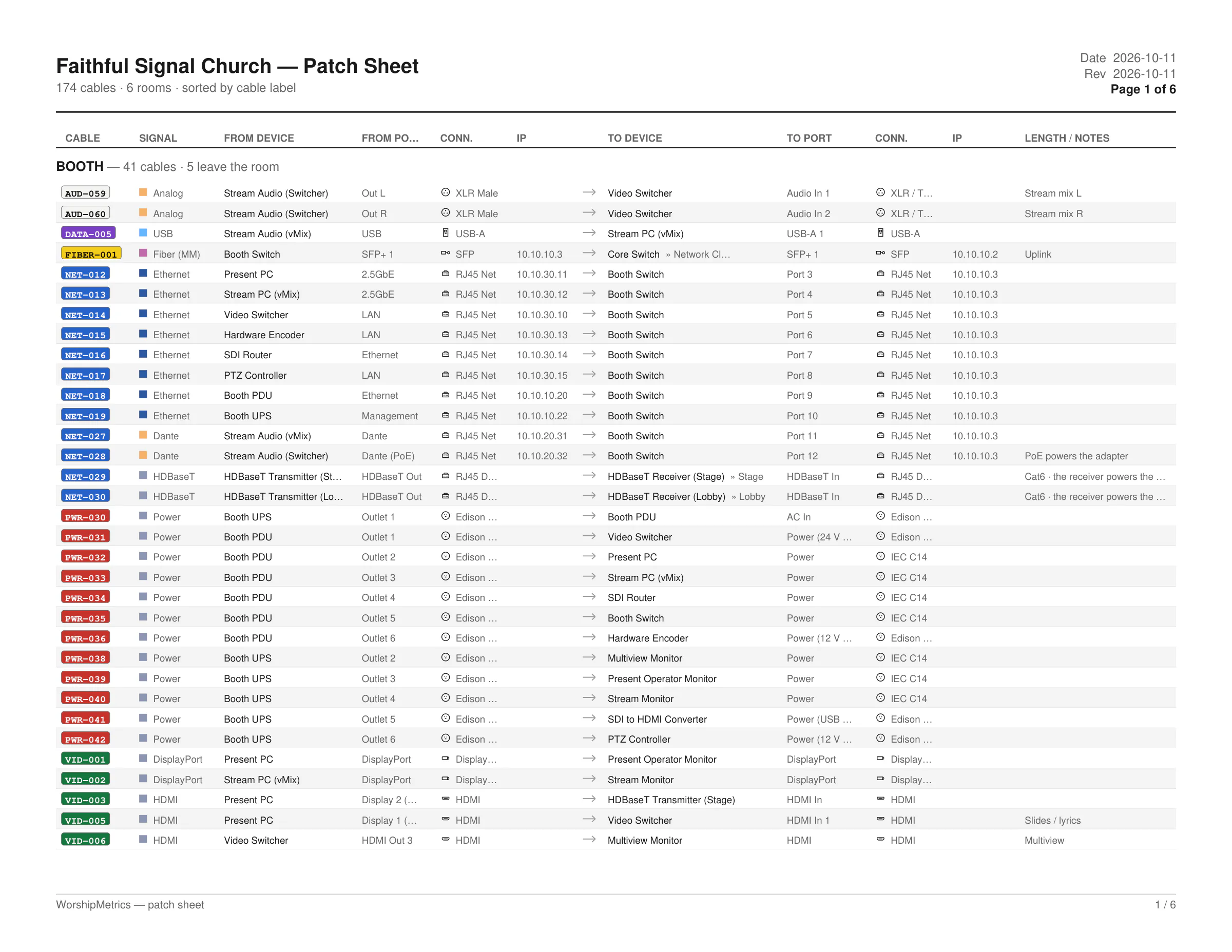
One row per cable. Eight columns. Nothing to interpret.
Cable, signal, from device, from port, source connector, to device, to port, destination connector. Filter by cable type with live counts, search across devices and signals, edit either end in place, and add a cable with the plus row.
How a cable gets its name
The prefix follows the plug, the number never moves.
Draw a connection on the Signal Map and it is numbered the moment it exists: a prefix from the physical connector, three digits from 001, the same label at both ends. The label on the sheet is the label on the cable is the label support reads back to you.
Wi-Fi links get no number and stay off the schedule. Label colors match the printed sheets.
By device
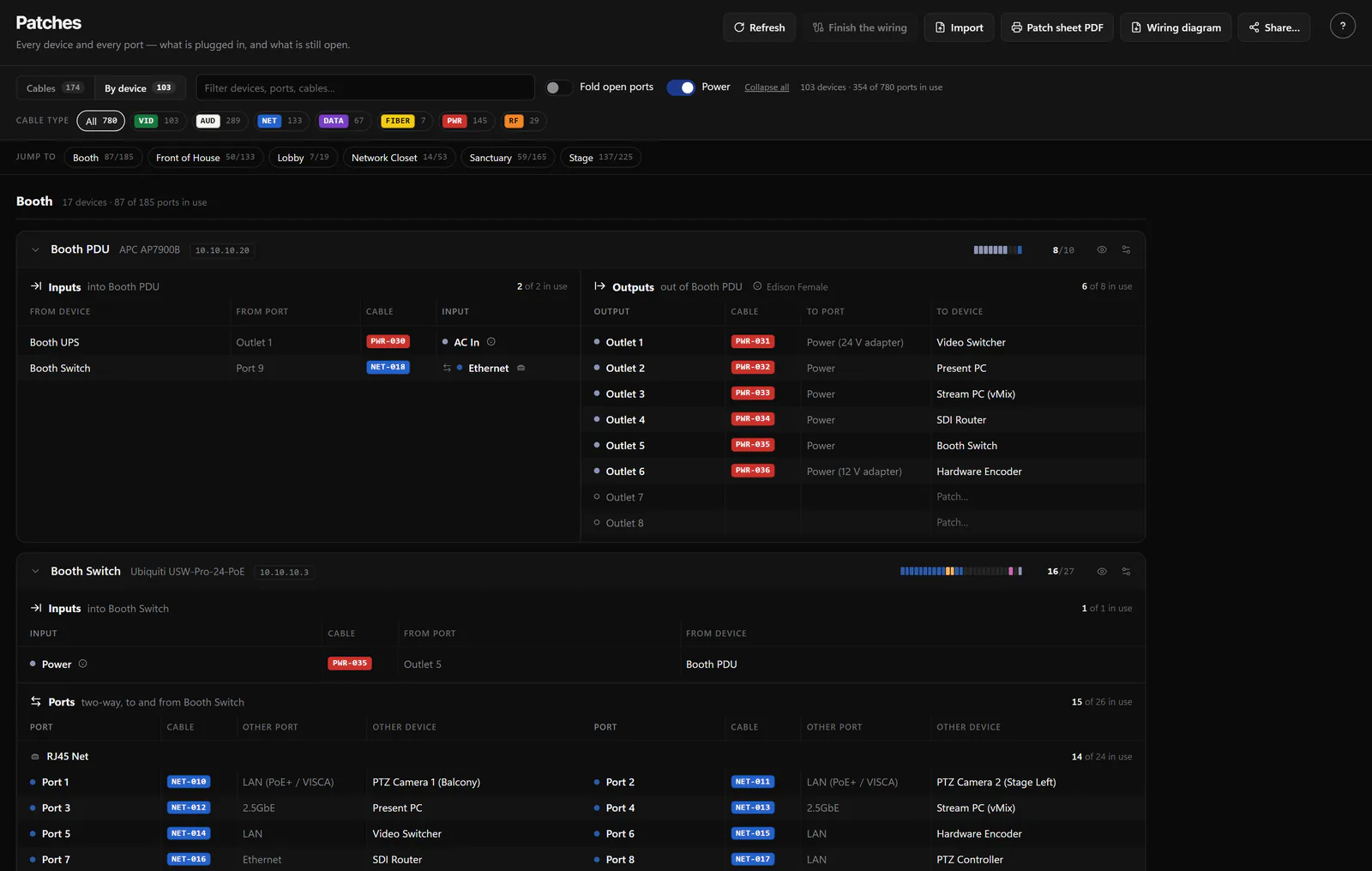
The same cables, jack by jack.
Flip the tab and every device lists every jack it has, grouped by room and then by rack, inputs on the left and outputs on the right, with the cable in each one and the device at the other end. Open jacks offer a Patch button, wireless mics offer Pair, and open ports and power can be folded away.
Nobody has to trace a cable to find a free port on the switch. The list already says which ones are empty.
Finishing the job
Two helpers for the cables that are not quite done.
Finish the wiring
The button counts the cable ends that are not landed on a specific port. Open it and each one gets a rule-based suggestion, not a guess from an AI: accept per row, accept all, or leave all. It can create the port a label implies, applies in one transaction, and cannot lose a cable.
Import a schedule you already have
Paste a tab-separated sheet or pick a CSV, TSV or text file, check the preview, and import. It only creates cables between devices and ports that already exist in the inventory, so a bad spreadsheet cannot invent gear.
The patch sheet
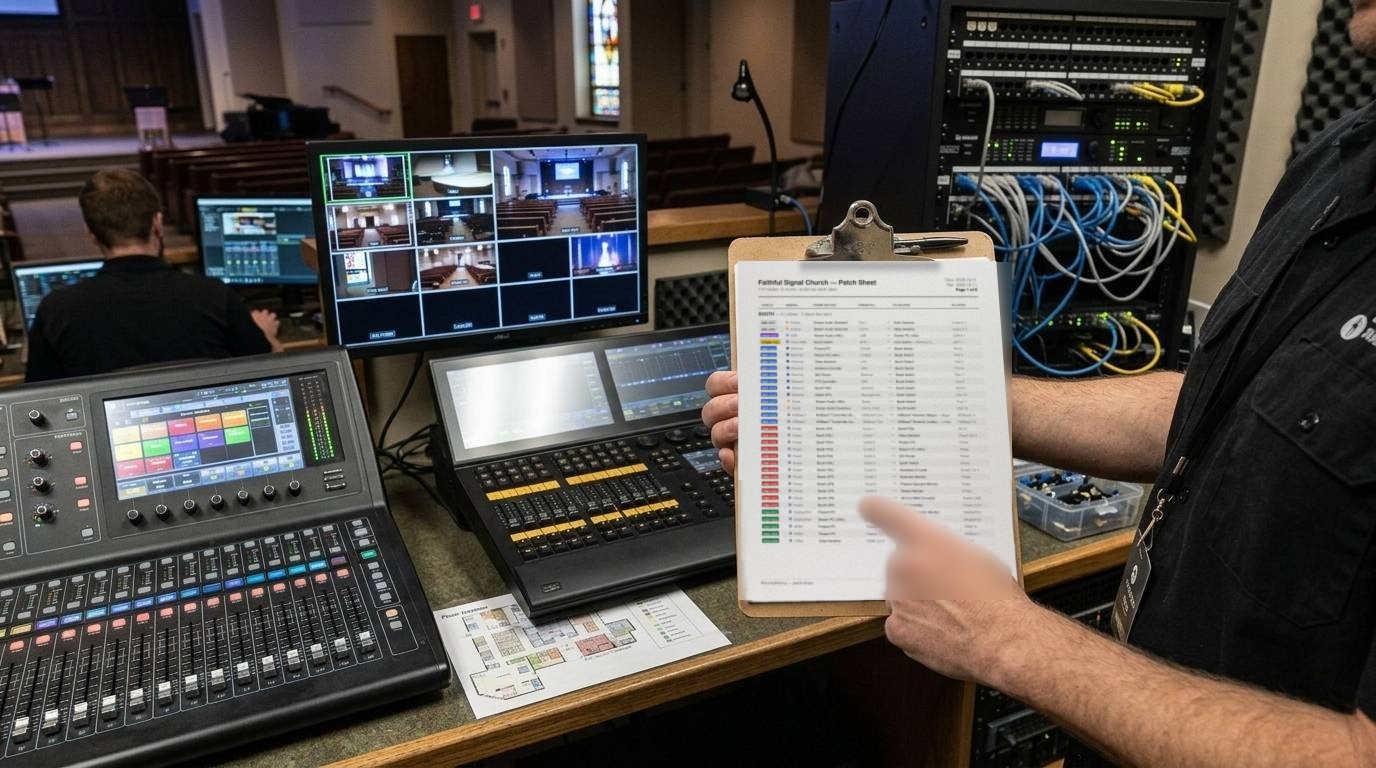
Clip it to the rack door.
The schedule as a PDF, the way a volunteer reads it: by room with subtotals, both ends of every cable, connectors and IPs if you want them, and the date it was printed at the top so nobody trusts a stale copy.
Page
Landscape or portrait; Letter, A4 or Tabloid; color or black and white; your church logo in the header
Order
Sort by cable, signal, from device or to device; group by room with subtotals, on by default
Columns
Signal, from and to ports, connectors, IP addresses, unlabeled cables, and a device port list as an appendix
Scope
Prints what the current filter shows, with a page estimate before you commit; Download PDF, or Print instead
The wiring diagram
An integrator-style schematic, one room per sheet.
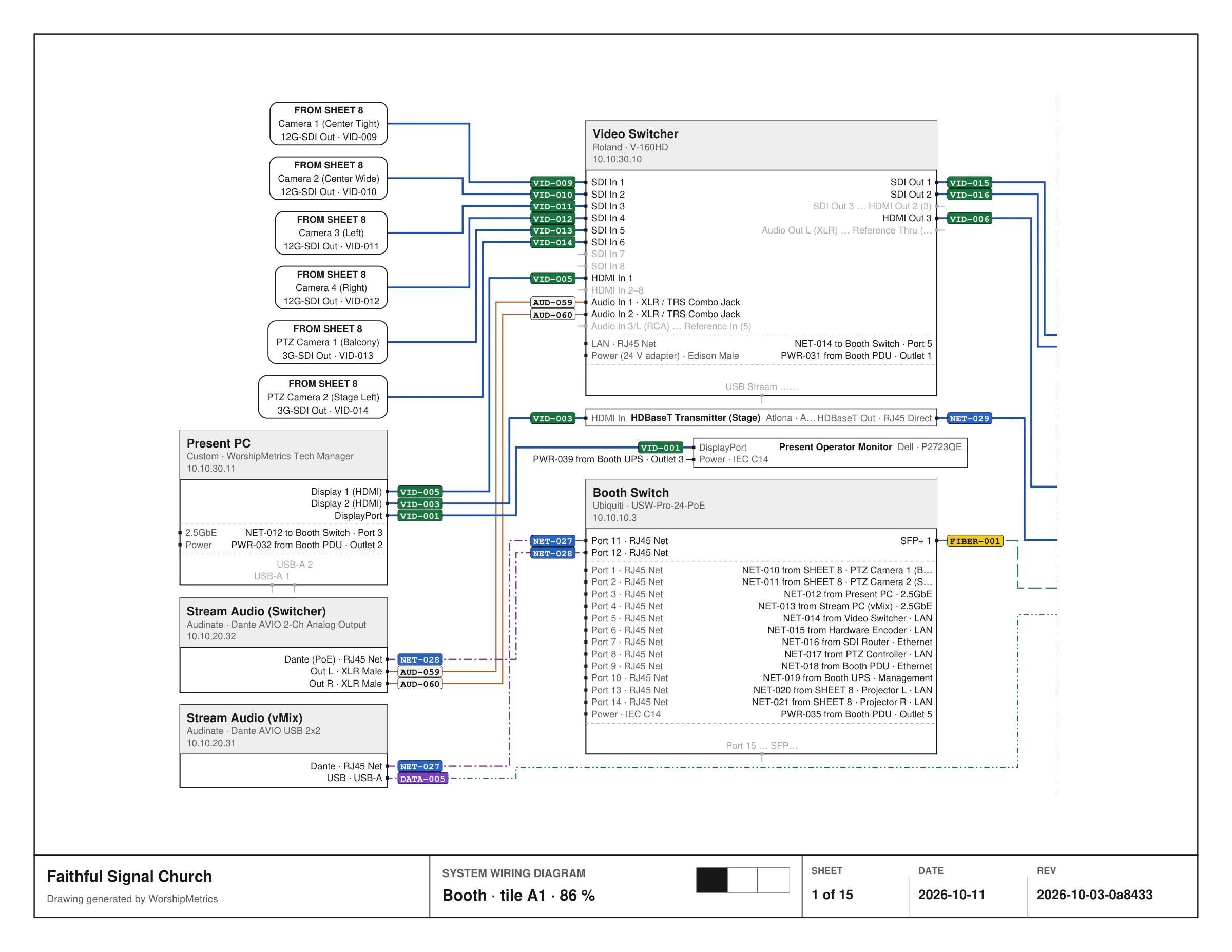
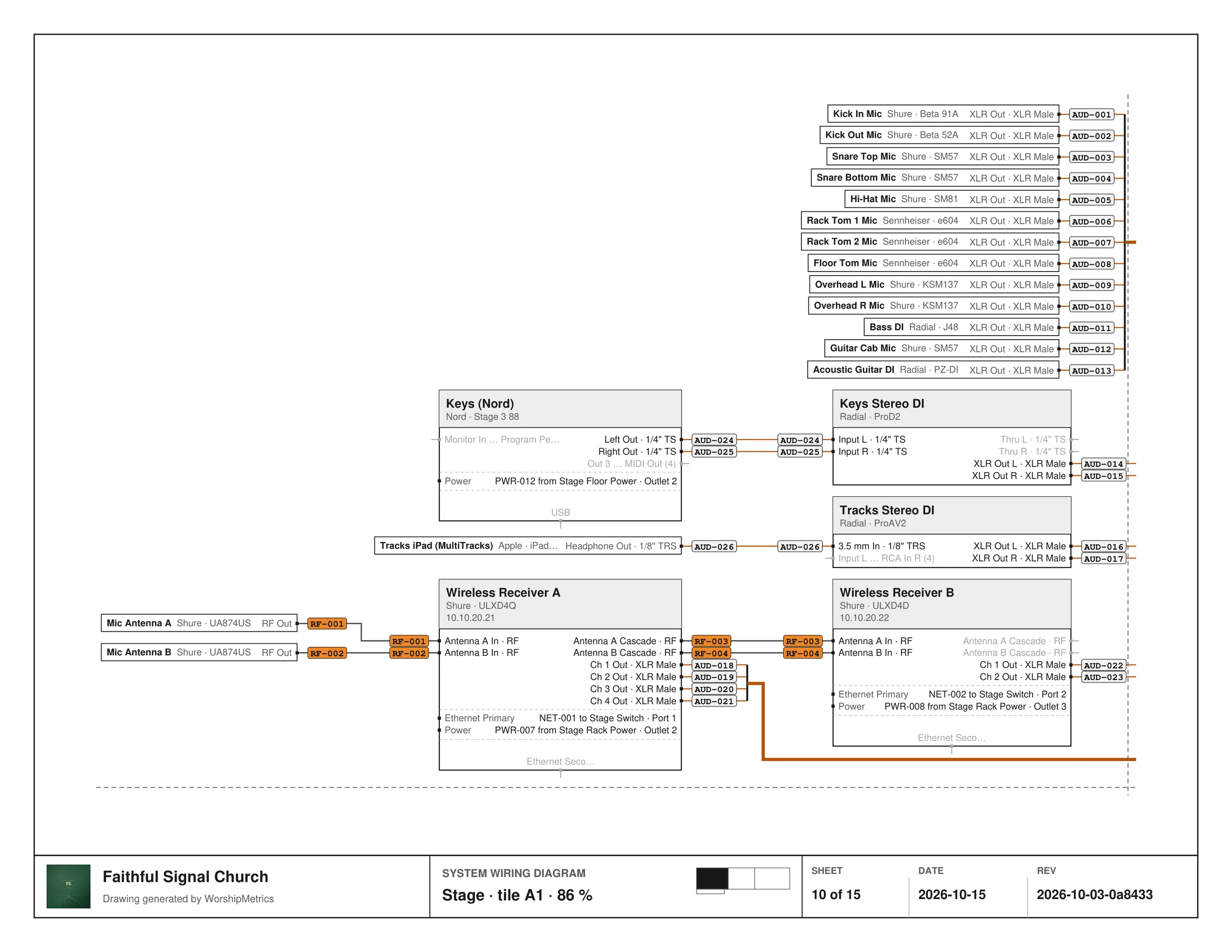
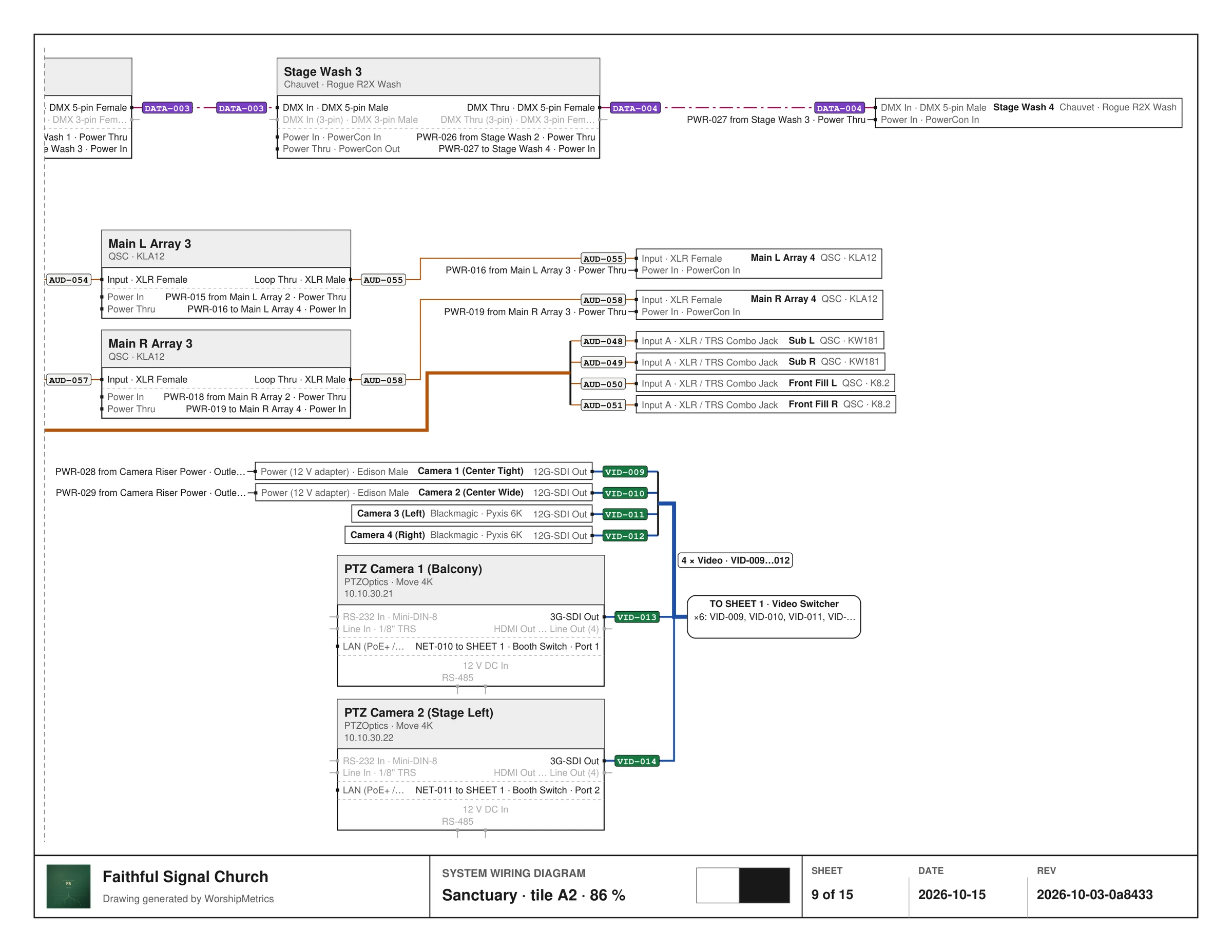
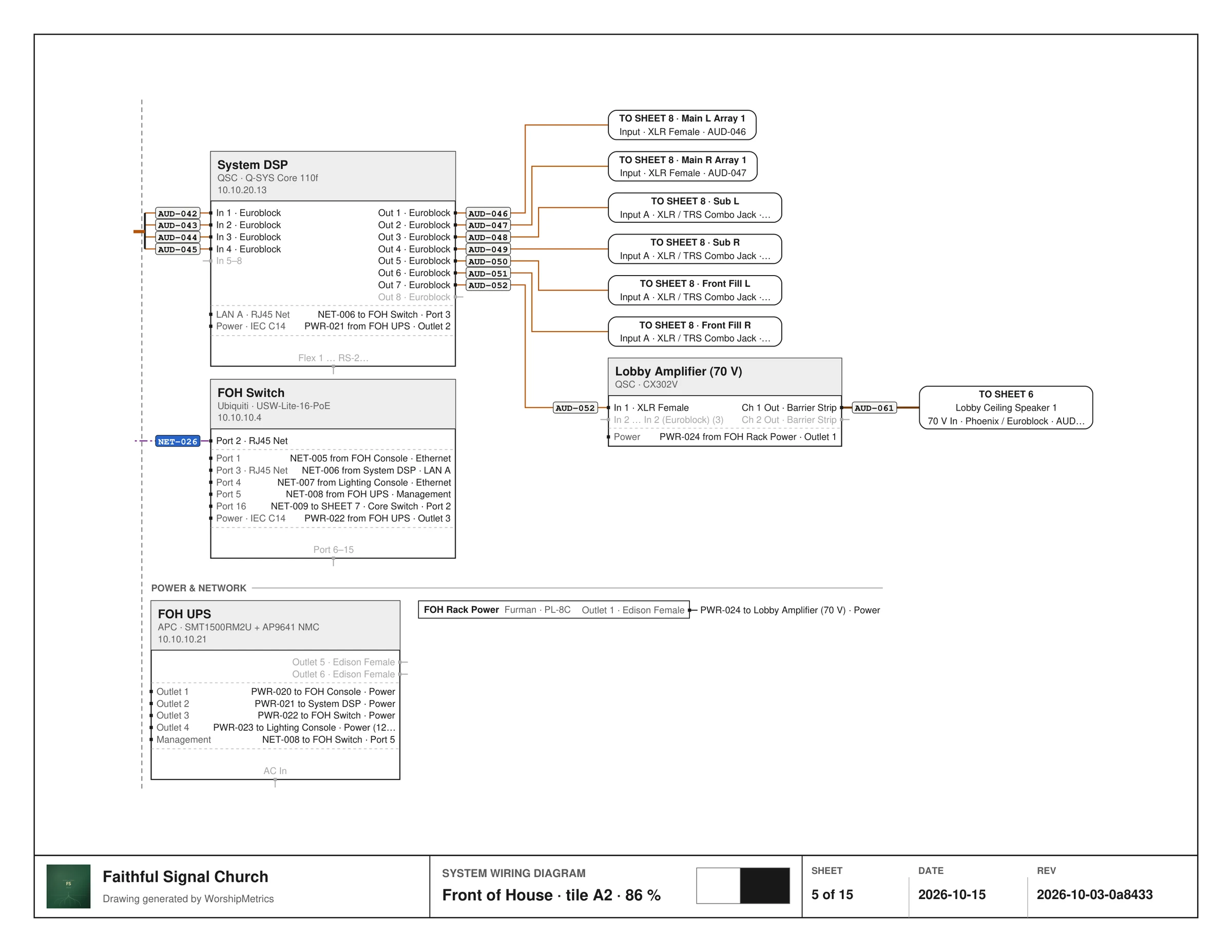
Every device as a block with its ports, every cable numbered at both ends, a legend and a device index, and a title block with the sheet number, the date and a revision. You see each sheet before you export, and the layout is done by an automatic engine, not by hand and not by AI.
Paper
Letter, Tabloid, A4 or A3; landscape or portrait; color or black and white; 5.5 pt text allowed on Letter
Fit
One room per sheet, the whole system on one sheet, or a fixed scale tiled across pages at 75 to 150 percent
Include
Church logo in the title block, cable numbers at both ends, bundled parallel runs, power and network as reference stubs, unlabeled cables, power cables, IP addresses, unused ports dimmed, and devices with no connections
Title block
Church name and logo, SYSTEM WIRING DIAGRAM, the sheet name, SHEET n of N, the date, and a REV made of the last edit date and a content hash; a legend sheet and a device index close the set
One sheet per room
A room that will not fit on one page is split into tiles, and every cable that leaves the page carries a tag naming the sheet it continues on.
Share
A link for the integrator, not a login.
Share makes a read-only page with the wiring diagram and the cable schedule, and both PDFs to download. It expires in 7, 30 or 90 days, you choose per link whether IP addresses and make and model are included, and you can revoke one link or all of them.
Anyone holding the link can open it, so treat it like the paper copy. Serial numbers, MAC addresses, credentials and health are never on it.
Same numbers on the phone
Support reads the schedule too.
In every chat and 910-WORSHIP call, Journey can read the connections with their ports and signal, and is told to use them to say where a fault sits. In chat it sees the cable label too, so when the label on the cable matches the label on the map, "check NET-014 at the switch" is a sentence support can actually say.
Technical details
For the person who reads the spec sheet.
Columns
Cable, Signal, From device, From port, Source connector, To device, To port, Destination connector. Connectors come from the port's type; the device IP prints beside network cable ends on the PDF.
Label scheme
Prefix by physical connector (VID, AUD, NET, DATA, FIBER, PWR, RF; CAB when unknown), three digits from 001, identical at both ends, assigned automatically on the Signal Map.
Wi-Fi
Drawn dashed on the map, no cable number, excluded from the schedule and the sheets.
Finish the wiring
Counts cable ends not landed on a specific port; rule-based suggestions per row or all; can create the implied port; one transaction; never drops a cable.
Import
Pasted tab-separated text or a CSV, TSV or TXT file, with a preview; creates cables only, never devices or ports.
Patch sheet
Landscape or portrait; Letter, A4, Tabloid; color or black and white; logo; sort by cable, signal, from or to device; room grouping with subtotals; optional signal, port, connector and IP columns, unlabeled cables, port-list appendix; dated, prints the current filter.
Wiring diagram
Letter, Tabloid, A4, A3; landscape or portrait; one room per sheet, whole system, or fixed scale tiled at 75 to 150 percent; color or black and white; nine include toggles; live sheet preview; automatic layout engine; legend sheet and device index.
Title block
Church name and logo, sheet name, SHEET n of N, DATE, and REV as the last edit date plus a content hash, on every diagram sheet.
Share links
Read-only public page with diagram and schedule and both PDFs; expires after 7, 30 or 90 days; IPs and make or model opt-in per link; serials, MACs, credentials and health never included; revoke one or all; any church member can share.
Plans
Free on every plan.
From the Knowledge Base