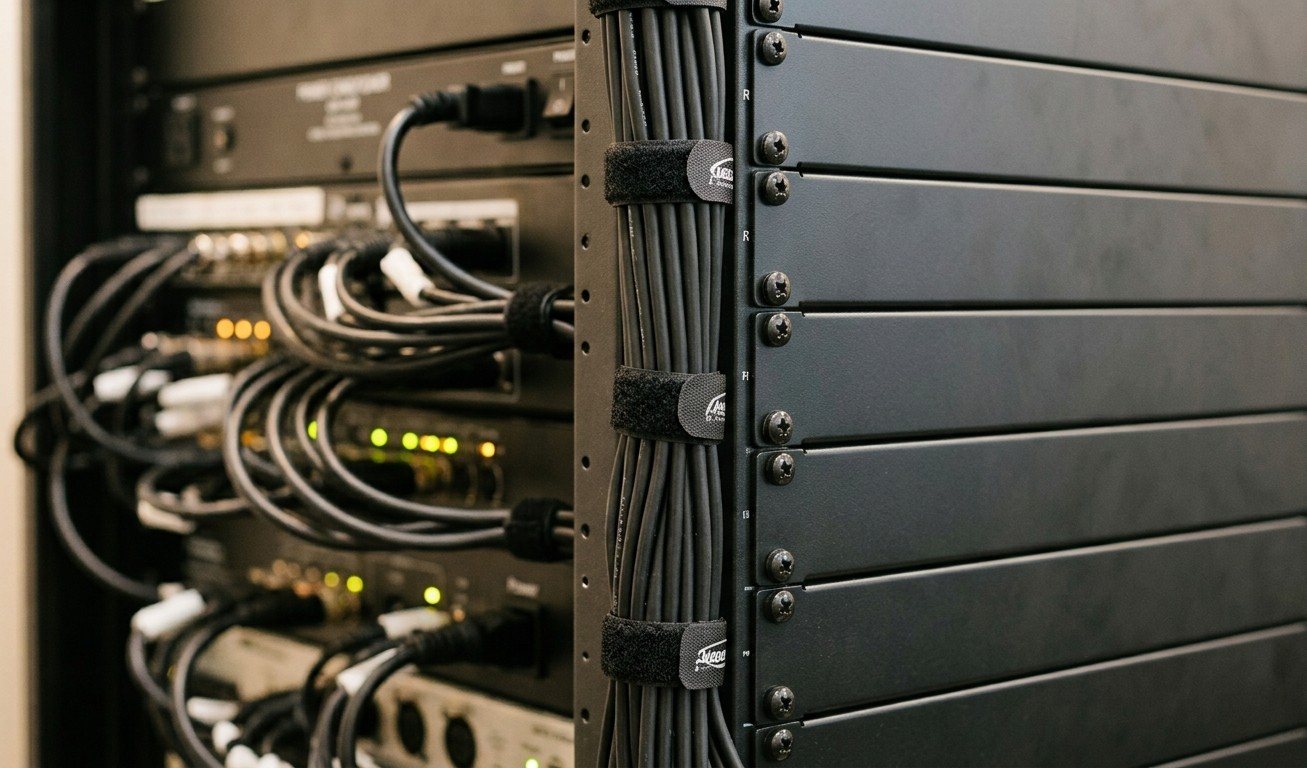
Cables are how booths get broken
Most booth damage isn’t dramatic. It’s a cable tugged a little too hard, a port that snaps when someone pulls a laptop across the table, a power strip kicked under the desk, a camera unplugged to charge a phone.
Good cable management prevents almost all of it, and it makes the booth calmer and more welcoming for every volunteer.
Get cables off the table
- Cable tray or raceway under the table edge. Cables run along it instead of across the work surface.
- Grommets in the table for cables that need to come up to a device.
- Monitor arms with built-in cable channels. (See the volunteer-friendly booth.)
- Equipment in a rack, not on the table. (See why church AV belongs in a rack.)
Bundle, don’t strangle
- Hook-and-loop straps, not zip ties. They reopen, they don’t nick cables, and changes don’t mean cutting.
- Leave a service loop, a little slack near each device, so you can pull a device forward without unplugging everything.
- Strain relief at every connection that might get pulled: a strap or clip that takes the tension before the port does.
Color and labels
- Color-code by type. For example, video, network, audio and power each get their own color. Our wiring diagram uses the same idea.
- Label both ends of every cable with a stable ID like
SDI-001orNET-004. (See a cable labeling system that survives volunteer turnover.) - Label the power. “Do not unplug: streaming computer” on the plugs that matter.
The binder: a wiring diagram anyone can use
Keep a three-ring binder in the booth with:
- The wiring diagram: what plugs into what, matching the labels on the cables
- The patch sheet: which port is which
- The Sunday checklist: start-up, shutdown and what to do if the stream stops (see the Sunday checklist)
- Who to call, including 910-WORSHIP
Paper works when the computer doesn’t. On the morning the streaming computer is the problem, the binder is how a volunteer finds the answer.
Keep paper and digital in sync
The binder is only useful if it’s current. The Signal Map in WorshipMetrics is the master: it documents every device and cable, catches mistakes like a cable mapped twice, and prints the wiring diagram for the binder. When something changes, update the Signal Map and reprint that page. The binder and the digital record always match, and our support team sees the same diagram you do.
A ten-minute monthly check
- Are all labels still readable?
- Has anything been added without a label?
- Does the binder match the Signal Map?
- Any cables pinched, frayed or pulled tight?
Planning a cleanup?
Map your current system, add a photo of the table, and we’ll suggest what to rack, what to bundle, and what can go.
Related questions
- How should we manage cables in our church booth?
- Get cables off the table surface with a tray or raceway under the edge, bundle them with hook-and-loop straps, add strain relief so a pull doesn't yank a port, label both ends, color-code by type, and keep the equipment itself in a rack.
- Should we keep a printed wiring diagram in the booth?
- Yes. A printed diagram in a three-ring binder lets any volunteer answer 'what plugs into what?' even when the computer is down. Keep it in sync with a digital master, like the WorshipMetrics Signal Map, and reprint the page whenever something changes.
- Zip ties or Velcro for church cables?
- Hook-and-loop (Velcro-style) straps. They hold just as well, never cut into cables, and can be opened and reused when something changes. Zip ties have to be cut, and the cutting is where cables get nicked.
What to Expect From a Church AV Project, Step by Step
NextWhy Your Church Booth Monitors Don't Match (and How to Fix the Color)
Related Articles

Making a Complicated Church AV System Easy to Run, Without Hiring an AV Company
Many church AV systems aren't too old or too small. They're too complicated for a volunteer. A simple button panel built with Bitfocus Companion can hide that complexity behind plain-word buttons, and a church can often build it themselves. Here's when that works, when to call a professional, and how to start.

Your Church Livestream Team, Connected Even When They're Not at Church
A three-person livestream team only works if everyone shares the same plan, the same wiring diagram, and the same news when something breaks. Here's how WorshipMetrics connects the director, slides, and camera volunteers through the week: chat, alerts, documentation, AI help, scheduling, and cloud control for OBS and vMix.

The Three-Person Church Livestream Team: Director, Slides, and Cameras
A church livestream runs best with three clear jobs: a director on OBS or vMix, a slides operator, and a camera operator. Here's what each role does before, during, and after the service, what skills it takes, and how the three talk to each other.