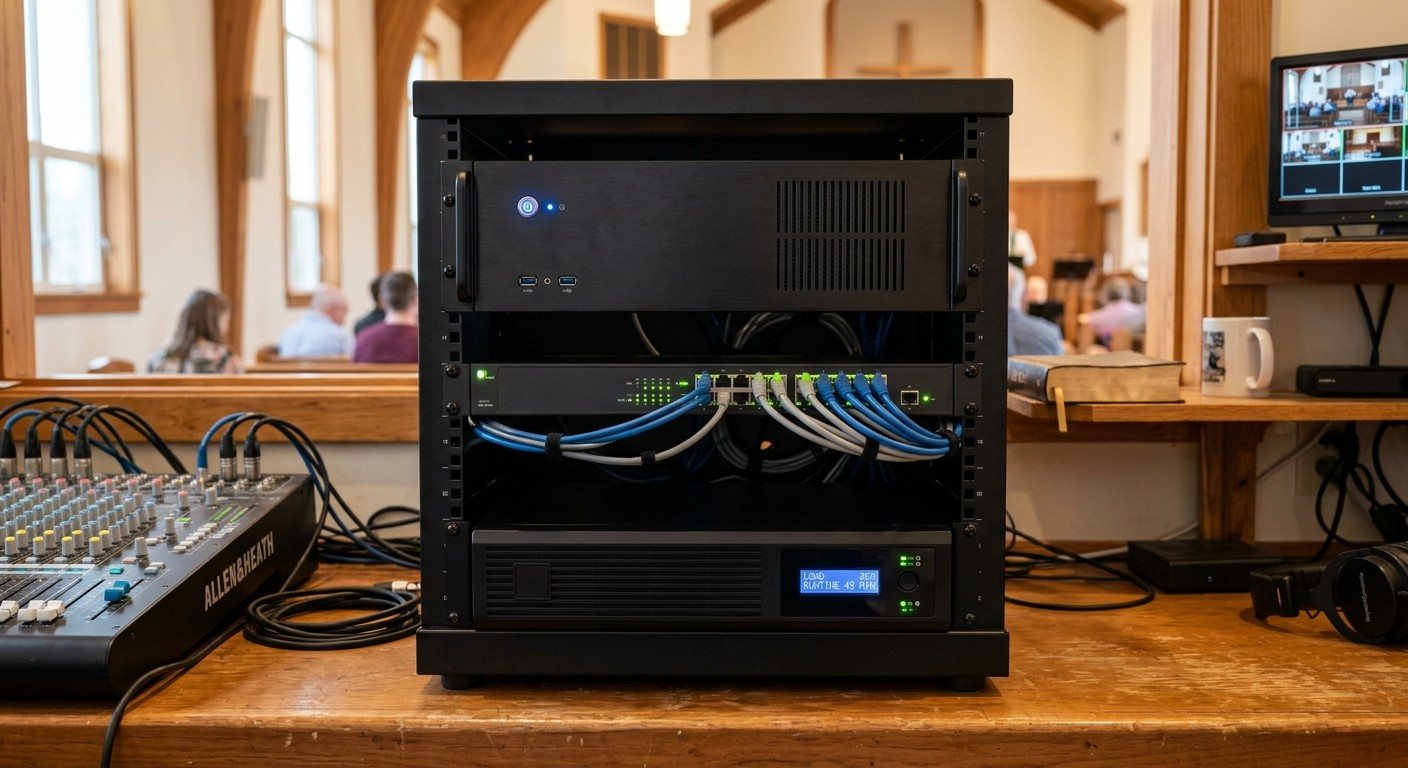
The table is for people
In a lot of church booths, the table holds everything: the computer tower, a switcher, a network switch, power strips, adapters and a tangle of cables. The volunteers get whatever space is left.
A good church AV system flips that around. The equipment lives in a small, properly installed rack. The table is for people.
Why racks make equipment last
- It stays in place. Rack gear is bolted in. A bump, a shove or a dropped bag doesn’t move it.
- Cables stop getting tugged. Connections at the back of a rack aren’t in anyone’s reach, so ports don’t get snapped and plugs don’t get pulled.
- Better airflow. Equipment spaced in a rack stays cooler than a tower boxed under a desk.
- Cleaner power. A rackmount UPS and power strip replace a chain of extension cords.
- Easier to document and support. Everything is in one place, in a known order. (See cable management for church booths.)
- Security. A locking rack or cabinet keeps curious hands off the settings.
What goes in the rack
- The streaming computer, ideally a rackmount model
- Capture and converters, like encoders and decoders
- The network switch for cameras and NDI
- A UPS battery backup and a rack power strip
- Shelves for anything that doesn’t rack-mount
- Wireless mic receivers, if they live in the booth
What stays on the table
Only what volunteers touch during the service:
- Monitors, on arms so they don’t take table space
- Keyboard and mouse, quiet and washable
- Stream Deck and camera joystick
- The sound board
- Notes, the binder and an open space for a second person
How big?
Racks are measured in U (1U is 1.75 inches tall). A typical church booth fits in 8U to 12U:
| Item | Space |
|---|---|
| Streaming computer (our Livestream Systems) | 4U |
| Network switch | 1U |
| UPS battery backup | 1U to 2U |
| Shelf for small devices | 1U to 2U |
| Room to grow and breathe | 2U or more |
Doing it safely
- Heavy things low. The UPS and computer go near the bottom.
- Leave airflow. Don’t block vents; use vented blanks or leave gaps.
- Secure the rack so it can’t tip, especially in a public space.
- Label the front and back. (See a cable labeling system that survives volunteer turnover.)
- Keep the binder nearby, with the wiring diagram and a list of what’s in each rack space.
Built for the rack
Every one of our Livestream Systems is a 4U rackmount computer with professional capture inside, so the core of the booth goes in the rack from day one, and the table stays open for volunteers.
Map your current system and add a photo of the booth table. We’ll show you what can move into a rack and how much space you’ll need.
More tips in the volunteer-friendly booth.
Related questions
- Should church AV equipment be rack mounted?
- Yes, for anything volunteers don't need to touch during a service. Rack-mounted equipment stays in place, its cables can't be tugged or kicked loose, it's easier to cool, power and document, and it frees the table for the people running the service.
- What should stay on the table in a church booth?
- Only what volunteers touch: monitors on arms, keyboard and mouse, Stream Deck, camera joystick, the sound board and notes. Everything else, like the streaming computer, capture, switch and power, belongs in the rack.
- How big a rack does a church need?
- Many churches fit everything in a small 8U to 12U rack: a 4U streaming computer, a network switch, a UPS and a shelf. Leave a few spaces empty for growth and airflow.
Finding an AV Integrator for the Long Term: What Happens After Install Day
NextWhy Is It So Hard for a Small Church to Find an AV Integrator?
Related Articles

Making a Complicated Church AV System Easy to Run, Without Hiring an AV Company
Many church AV systems aren't too old or too small. They're too complicated for a volunteer. A simple button panel built with Bitfocus Companion can hide that complexity behind plain-word buttons, and a church can often build it themselves. Here's when that works, when to call a professional, and how to start.

Your Church Livestream Team, Connected Even When They're Not at Church
A three-person livestream team only works if everyone shares the same plan, the same wiring diagram, and the same news when something breaks. Here's how WorshipMetrics connects the director, slides, and camera volunteers through the week: chat, alerts, documentation, AI help, scheduling, and cloud control for OBS and vMix.

The Three-Person Church Livestream Team: Director, Slides, and Cameras
A church livestream runs best with three clear jobs: a director on OBS or vMix, a slides operator, and a camera operator. Here's what each role does before, during, and after the service, what skills it takes, and how the three talk to each other.