7:40 a.m. — the drive in
This is a composite diary — a morning stitched from the first Sundays we’ve watched real volunteers have. The nerves are universal. The ending, increasingly, is too.
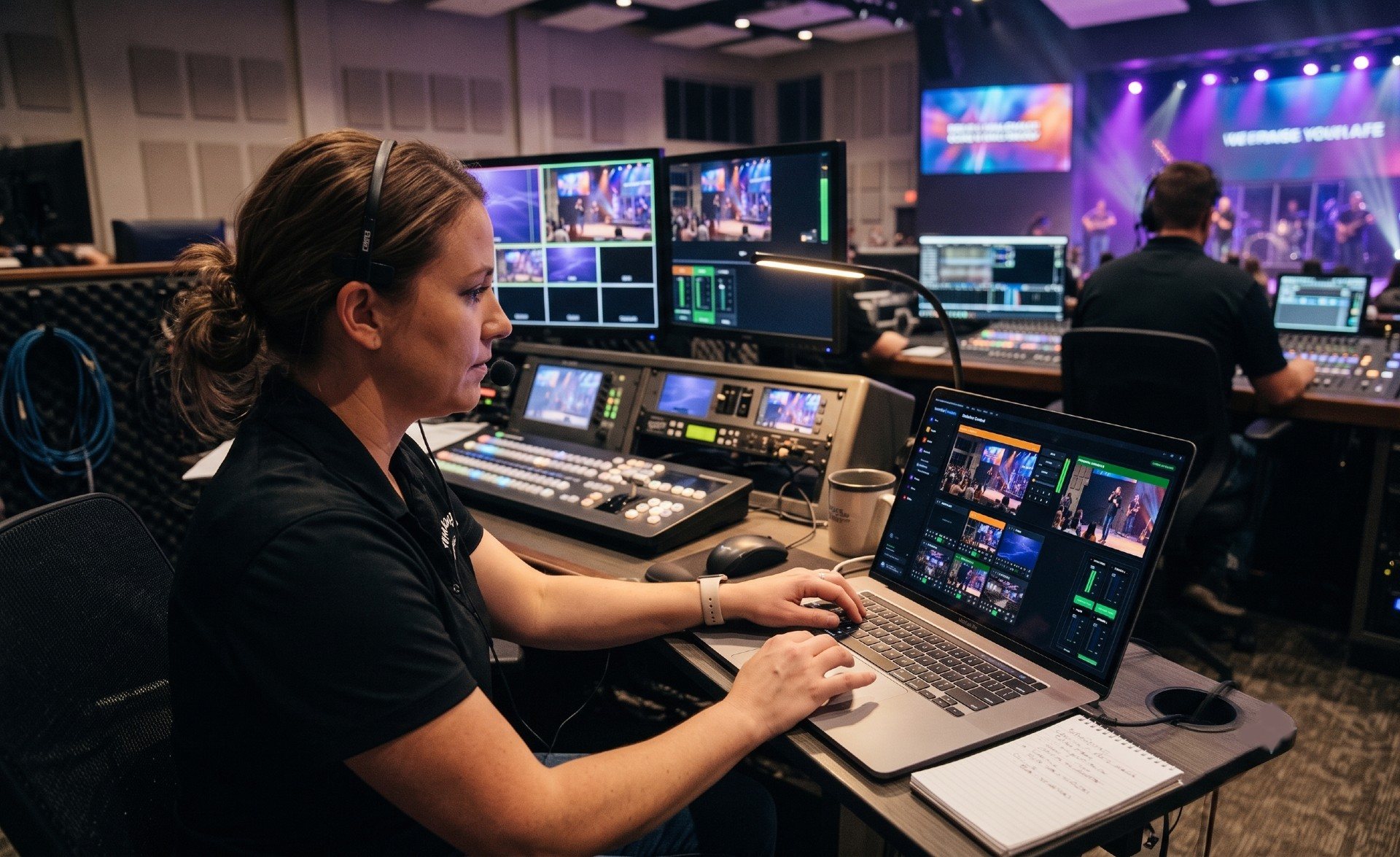
Maya has been on the tech team for six weeks, always as the second person in the booth. Today the first person is at a wedding in Ohio. On the drive in she rehearses the list Marcus made her: encoder on, stream starts at 9:55, watch the program monitor, don’t touch the audio rack.
What she doesn’t know yet is how short the list is because of what’s not on it. There’s no “if the stream drops, do this” flowchart in her pocket — and that’s not an oversight.
8:15 a.m. — the booth wakes up
The booth PC was on before she was: Tech Manager launches at login and sits in the system tray with a small health dot. Green. She doesn’t know the details — that the machine has been reporting CPU, memory, disk, and temperature to Pulse all week, that a fleet of thresholds would have paged Marcus’s phone days ago if anything was drifting — but she inherits the result: a machine nobody has to wonder about.
She opens the printed Signal Map in the binder anyway, because Marcus told her to know where it lives, not memorize it. Every cable in the rack has a label that matches a line on the page. The knowledge isn’t in Ohio. It’s in the binder.
9:55 a.m. — going live
The stream starts. Maya’s monitor shows what the congregation sees, and 400 miles away, Marcus glances at his phone in a hotel lobby — cloud control mirrors the booth’s preview and program to wherever he is, so his one text says: “You’re live, looks great.” That text does more for her heart rate than any training video did.
She doesn’t know the platform is sampling the encoder every five seconds — bitrate, dropped frames, frame rate, load — building the health report that will score this morning 0-100. She just knows the number will exist, and Monday’s conversation will be about facts.
10:22 a.m. — the moment
During the second song of the response set, the stream drops. Maya’s stomach drops with it. She reaches for her phone to call — and a pop-up on the booth screen beats her to it: “Your stream stopped at 10:22 AM. Restart it?” She taps Restart. Twenty seconds later the booth reports the stream is running again. Total elapsed time: about forty seconds. The congregation online saw a buffering wheel; most didn’t leave the tab.
What happened, she learns later, is the least dramatic story possible: the building’s internet hiccuped, and Self Healing did what an experienced operator would have done — noticed the instant the stream stopped and put the fix in front of the person nearest to it, instead of waiting for someone to spot a frozen preview. The offer, her answer, and the result were logged to the support history, timestamped 10:22:41, whether or not anyone ever asked.
Nobody needed Maya to be experienced at 10:22. She needed to tap one button. The experience was already in the booth.
12:05 p.m. — the debrief that wasn’t
After the service she checks her phone: no alerts. That silence is meaningful — the alert system is designed so that quiet genuinely means healthy, and a forty-second drop restarted on the spot never crossed the threshold where the drop alert pages people. The recording is in the library. The health score lands: 91, one deduction, one plain-English note about the drop.
Marcus texts from the wedding reception: “Saw the 10:22 restart in the log — nice tap. Network blip, not you. 91 is a great first Sunday.” He knows exactly what happened without asking her to reconstruct it — the support history already told him.
Maya signs up for the phone alerts before she leaves the parking lot. Next time, she wants to be one of the people the booth can reach.
What made this Sunday boring (in the best way)
None of this was luck. It was four decisions made on calm weekdays: Self Healing left on and trusted, documentation printed and current, a remote helper with access already set up, and alerts flowing to more phones than one. The stream operator seat is a real job with real judgment — but the parts that used to require a veteran’s reflexes now ship with the booth.
If your church is building toward a Sunday like Maya’s, start with the volunteer-proof AV setup guide and the honest answer to can volunteers run the livestream alone? — then give your own Maya a first Sunday where the scariest moment is forty seconds long and one tap from fixed.
Related questions
- How much training does a first-time stream operator need?
- Less than most churches assume — if the routine failures are caught automatically. When a dropped stream or stopped recording is flagged the instant it happens, with a one-tap restart on the booth and the mentor's phone, training can focus on judgment and calm instead of memorized recovery sequences.
- What should a new volunteer actually watch during the service?
- The program output and the room — not the telemetry. Monitoring runs server-side around the clock, alerts reach the phones of people who can act, and the health report scores the whole session afterward. The volunteer's job is the service, not the graphs.
- What if something goes wrong that the volunteer can't fix?
- Help doesn't require anyone in the building. A trusted helper can see preview and program live from anywhere on the Pro and Max plans and assist — or take the wheel — and 910-WORSHIP support starts from your system's actual support history, not from a panicked description.
Can Volunteers Run the Livestream When the Tech Director Is Out of Town?
NextA Pastor's Week with the Numbers
Related Articles

Making a Complicated Church AV System Easy to Run, Without Hiring an AV Company
Many church AV systems aren't too old or too small. They're too complicated for a volunteer. A simple button panel built with Bitfocus Companion can hide that complexity behind plain-word buttons, and a church can often build it themselves. Here's when that works, when to call a professional, and how to start.

Your Church Livestream Team, Connected Even When They're Not at Church
A three-person livestream team only works if everyone shares the same plan, the same wiring diagram, and the same news when something breaks. Here's how WorshipMetrics connects the director, slides, and camera volunteers through the week: chat, alerts, documentation, AI help, scheduling, and cloud control for OBS and vMix.

The Three-Person Church Livestream Team: Director, Slides, and Cameras
A church livestream runs best with three clear jobs: a director on OBS or vMix, a slides operator, and a camera operator. Here's what each role does before, during, and after the service, what skills it takes, and how the three talk to each other.