What “Self Healing” actually means
Every church tech booth has a short list of problems that happen over and over, and near the top is this one: the stream or the recording stops when nobody meant it to. It isn’t hard to fix — you start it again. What makes it painful is when it happens — mid-service, while the one person who knows the fix is also running lyrics, mixing a monitor send, and answering a text from the pastor. Often nobody notices for minutes. Sometimes nobody notices until Monday.
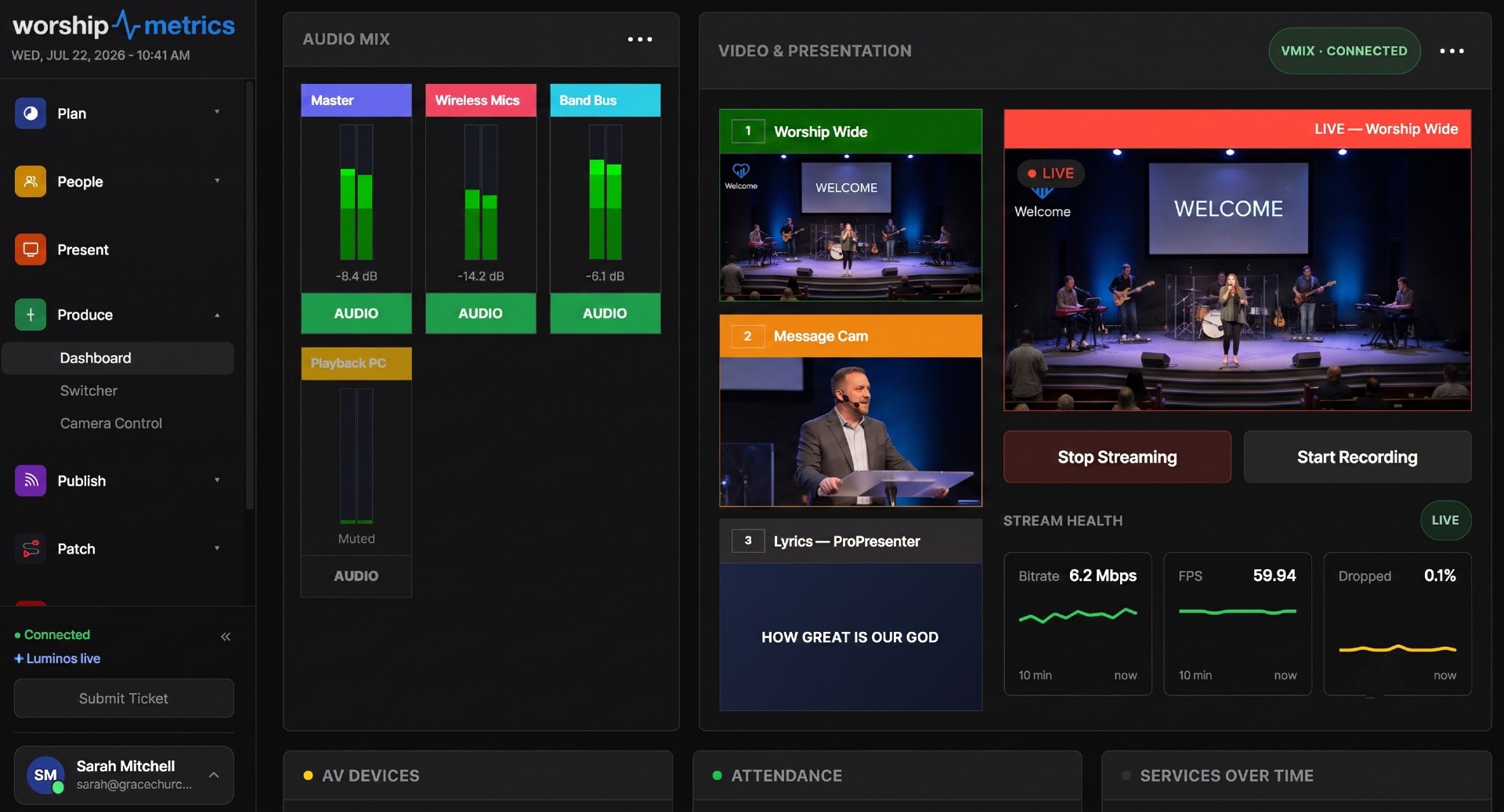
Self Healing in Tech Manager closes that gap. The moment a stream or recording stops unexpectedly, Tech Manager tells you — right away — and offers a one-tap restart, on the booth screen and on your phone. It is not artificial intelligence guessing at solutions, and it is not a robot restarting things behind your back. Nothing restarts until a person taps Restart. The computer does the noticing; a human makes the call.
It’s on by default, on every plan. This article walks through what it watches, what the prompt looks like, how anyone on your team can answer it from anywhere, what it deliberately refuses to do, and how every step is logged. Nothing happens silently.
What it watches
Self Healing watches four outputs:
- the OBS stream
- the OBS recording
- the vMix stream
- the vMix recording
And only the ones WorshipMetrics started. If Tech Manager (or someone using it from the web or phone) started the stream, Self Healing is watching it. If someone started an output by hand inside OBS or vMix, Tech Manager leaves it alone — it doesn’t make assumptions about things it wasn’t asked to run.
“Unexpectedly” is the key word. When someone stops the stream on purpose through WorshipMetrics at the end of the service, that’s not a failure, and you won’t get an offer.
The instant prompt
When a watched output stops unexpectedly, there is no waiting period. Tech Manager tells you at once, in two places:
- On the booth: a pop-up on the booth computer — “Your stream stopped at 9:52 AM. Restart it?” — with two buttons: Restart and Leave it off.
- In Alerts: a row in Alerts on the WorshipMetrics web app and on your phone, with the same two choices.
The notice also goes out by email or text message for anyone who turns on Self Healing notifications under Settings → Notifications, both when Self Healing asks and when someone answers. That way the person who can act on it hears about it even if they’re not looking at a screen, and everyone knows when it’s been handled.
Why offer instead of just restarting? Because a stream that stops isn’t always a stream that should start again. Maybe the service ran short and someone ended it in a hurry. Maybe the platform is having an outage and restarting would just fail again. Maybe the pastor asked to go off-air for a sensitive moment. The person in the room — or the person watching from home — knows things the computer doesn’t. Self Healing makes sure they know in the first second instead of the fifth minute, and makes the fix one tap away.
For what to do when a drop needs more than a restart, keep the dropped-stream recovery playbook handy.
One tap, from anywhere
Anyone on your church’s WorshipMetrics team can answer the offer — the volunteer at the booth, the tech director at home, the youth pastor in the lobby with a phone. The first tap wins. If the volunteer taps Restart on the booth, the row in Alerts updates for everyone else; nobody double-restarts.
The offer doesn’t hang around forever:
- It lapses after 10 minutes if nobody answers.
- It closes itself if the output comes back before anyone answers.
And you’ll know whether the restart worked. About 20 seconds after a restart, the booth re-checks the output and reports back: running again, or still down. If it’s still down, that’s your cue that something bigger is going on — the network, the platform, the encoder — and it’s time for a human to dig in.
What Self Healing deliberately does not do
A reliability system earns trust as much by its restraint as by its actions. Here’s what it won’t do:
It never restarts anything on its own. There’s no automatic restart, no timer, no “it’ll fix itself in 30 seconds.” Every restart is a person’s decision, made with one tap.
It doesn’t relaunch crashed apps. If OBS or vMix crashes or is closed, Tech Manager reports it — it never relaunches the application. A crash can mean a corrupted scene collection, a dying capture card, or a driver problem, and blindly relaunching could compound the damage or hide a hardware failure that needs attention. Restarting a stream output is routine; resurrecting a crashed application is a decision a person should make at the machine.
It only watches outputs WorshipMetrics started. Streams and recordings started by hand inside OBS or vMix aren’t watched.
It doesn’t change your settings. It won’t lower your resolution, change your bitrate, clean up your disk, or tinker with anything else. Bitrate, dropped frames, and disk space are still watched by AV monitoring and alerted on — but fixing those is a human job.
One vMix quirk worth knowing: if someone stops the stream using vMix’s own Stream button, Tech Manager can’t tell that apart from a failure — so you may get an offer you don’t need. That’s fine. Just choose Leave it off.
The pattern across all of these: the computer notices instantly; a person decides.
Nothing is silent: every offer and answer is logged
Here is the part that makes Self Healing trustworthy rather than spooky: every offer, every answer, and every restart result is logged in System history and your support history — including who answered and from where (the booth, the web, or a phone).
That matters for three reasons:
- You can audit your own booth. If the stream stopped at 10:42 last Sunday and someone tapped Restart from the lobby, you’ll see it — who, when, and whether it worked. Over weeks, the log becomes a health record: a booth that needs a restart once a quarter is fine; one that needs one every service is telling you something about your network or hardware that deserves a real fix.
- Support starts with the facts. When you call for help, the history of what stopped, what was offered, and what was tried is already there. You skip the “so what happened?” archaeology and go straight to diagnosis.
- Trust requires visibility. A system that acts and shows its work is a teammate.
The setting
You’ll find it in Tech Manager → Settings → Production Switcher, as the Self Healing switch. It’s on by default. Who gets emailed or texted is set separately, under Settings → Notifications → Self Healing notifications.
How to turn it off
Switch off Self Healing in Tech Manager → Settings → Production Switcher. With it off, Tech Manager won’t pop up offers on the booth or post restart offers to Alerts. Your other monitoring and alerts keep working as before.
How WorshipMetrics handles this
Self Healing is built into Tech Manager, the WorshipMetrics booth application for Windows, on every plan. It starts with your production computer and watches the OBS or vMix streams and recordings WorshipMetrics started — telling you the instant one stops unexpectedly and putting a one-tap restart on the booth screen and in Alerts for everyone on your team.
Everything it does feeds the same live picture your team sees in AV monitoring — bitrate, dropped frames, and encoder load tracked continuously — and every offer and answer lands in your support history, where it’s already on screen if you call 910-WORSHIP for the problems a restart can’t solve. The goal isn’t a booth that never has problems. It’s a booth where problems are noticed in the first second, the fix is one tap away for whoever’s closest, and nothing — ever — happens silently.
SRT vs RTMPS for Church Streaming: Which Ingest Protocol and How to Set It Up
NextVISCA-over-IP PTZ Control: Ports, Presets, and Why Cameras Run Away
Related Articles

Making a Complicated Church AV System Easy to Run, Without Hiring an AV Company
Many church AV systems aren't too old or too small. They're too complicated for a volunteer. A simple button panel built with Bitfocus Companion can hide that complexity behind plain-word buttons, and a church can often build it themselves. Here's when that works, when to call a professional, and how to start.

Your Church Livestream Team, Connected Even When They're Not at Church
A three-person livestream team only works if everyone shares the same plan, the same wiring diagram, and the same news when something breaks. Here's how WorshipMetrics connects the director, slides, and camera volunteers through the week: chat, alerts, documentation, AI help, scheduling, and cloud control for OBS and vMix.

The Three-Person Church Livestream Team: Director, Slides, and Cameras
A church livestream runs best with three clear jobs: a director on OBS or vMix, a slides operator, and a camera operator. Here's what each role does before, during, and after the service, what skills it takes, and how the three talk to each other.