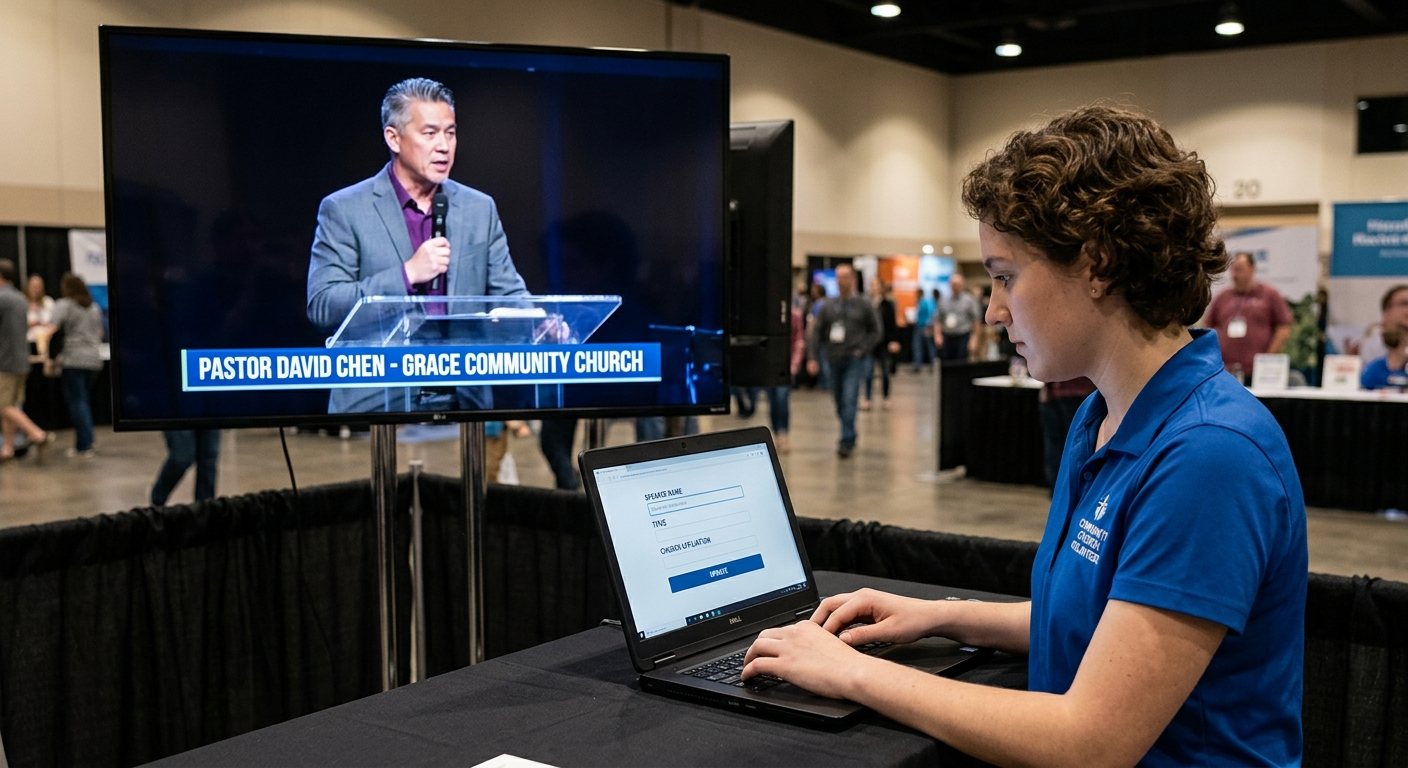
Why titles deserve their own seat
Lower thirds make a stream feel finished: the speaker’s name, the scripture reference, the sermon point, the giving link. But typing them during a service, while also switching cameras, is where directors make mistakes. A misspelled name on screen is the kind of thing a church notices.
Give titles to their own volunteer, working from a laptop or tablet through the vMix Web Controller. (See splitting vMix roles.)
How the Title Editor works
- On the volunteer’s device, open the vMix Web Controller and choose Title Editor. (Setup: the vMix Web Controller.)
- Pick a title from the list.
- In Live, change the text and click Update. The title in vMix changes right away.
- Revert brings back the text from the last update.
- Add Preset saves the current text as a preset instead of sending it live.
- Under Presets, Apply loads a saved preset into the title.
The titles volunteer changes what the title says. The director still decides when it’s on screen, with an overlay button. That split keeps the stream calm.
Prepare before Sunday
- Build presets ahead of time: each speaker’s name and role, this week’s scripture references, the sermon points, the announcements.
- Get the sermon points from the pastor by Saturday. A shared team chat channel makes that easy.
- Use one title per kind of content: a name title, a scripture title, a point title, so the volunteer always knows which to edit.
The rhythm during the service
- Titles: “Pastor’s name is ready.”
- Director: puts the lower third on, then takes it off after a few seconds.
- Titles: loads the next one.
Tips
- Check spelling twice, especially names.
- Keep titles short. Two lines is plenty on a phone screen.
- A laptop is better than a phone for this seat: a real keyboard means fewer typos.
Where WorshipMetrics helps
WorshipMetrics Present builds scripture and sermon slides from the service plan and can send them into vMix over NDI, so many references never need retyping. (See two-computer vMix setup.) Team chat keeps the week’s names and points in one place, and scheduling makes sure the titles seat is covered.
Related questions
- Can someone edit vMix titles from another device?
- Yes. The vMix Web Controller's Title Editor lets anyone on the church network choose a title, change its text, and click Update to change it live. It also lets them apply or delete saved title presets.
- What are vMix title presets?
- Saved versions of a title's text, such as a speaker's name and role, or this week's sermon points. In the Title Editor, a volunteer clicks Apply to load a preset instead of retyping it during the service.
- Who should run titles during a church service?
- Anyone who types accurately and follows the service closely. It's a great first seat for a new volunteer: it needs attention more than technical skill, and the director stays in control of when the title appears on screen.
Who Starts the Stream? Giving One Volunteer the vMix Stream and Recording Job
NextTwo-Computer vMix Setup for Church: Slides Over NDI, Switching on Its Own Machine
Related Articles

Bitfocus Companion + ATEM Mini: A Stream Deck Panel for Your Church Switcher
A Stream Deck running Bitfocus Companion turns a Blackmagic ATEM into plain-word buttons with colors that show what's live, and the same panel can run PTZ cameras, projectors, and more. Here's how to connect Companion to an ATEM and build a volunteer page.

Lyrics Over the Camera on an ATEM Mini: Luma Keys, Chroma Keys, and the Slides Computer
To put song lyrics over the camera shot on a Blackmagic ATEM Mini, feed the slides computer into an ATEM input and key it over the camera. Here's how luma and chroma keys work for lyrics, how to design slides that key cleanly, and who should run it.

ATEM Mini + OBS for Church: Hardware Camera Switching with OBS for Graphics and Streaming
Many churches use an ATEM Mini as a camera switcher and send its output into OBS over USB as a webcam. The ATEM gives volunteers real buttons; OBS adds lyrics, graphics, recording, and streaming. Here's how to set it up, split the jobs, and avoid the common sync and quality problems.