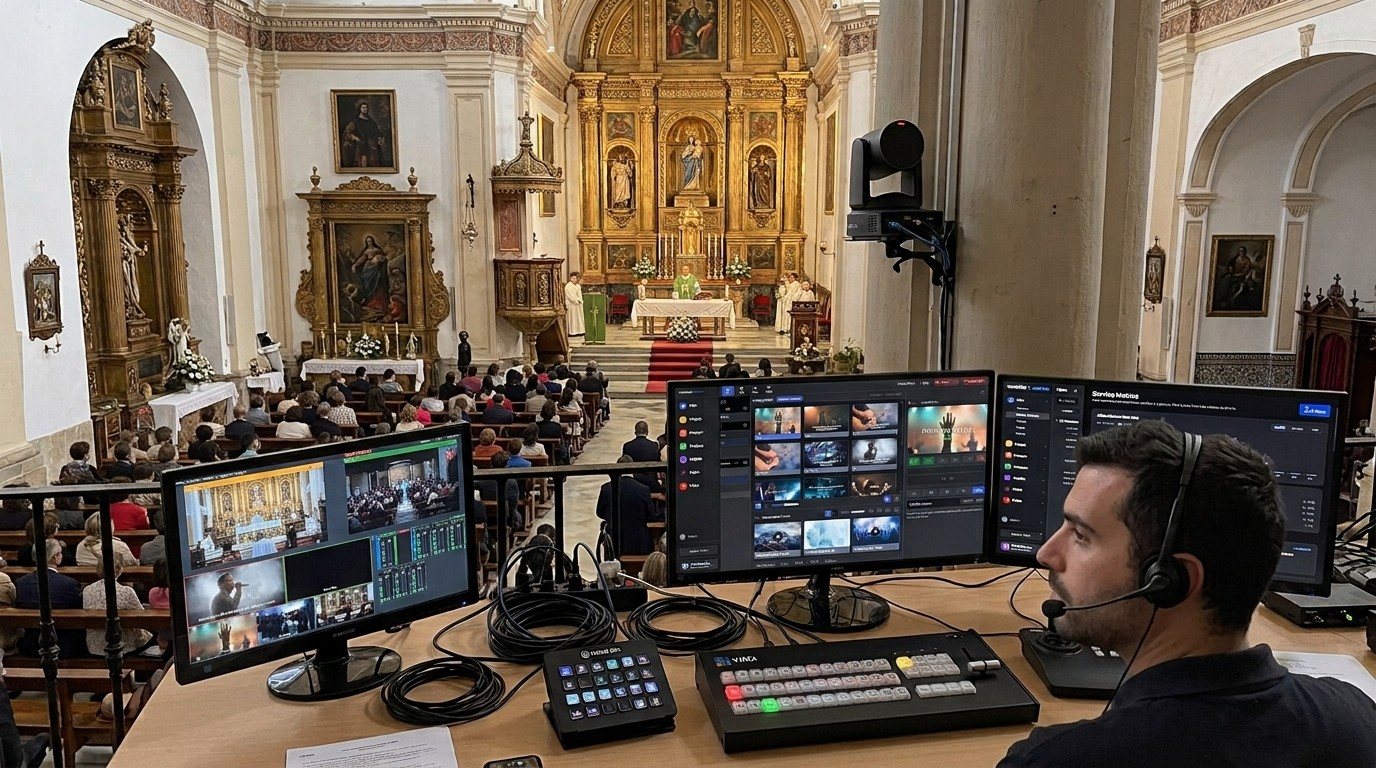
One vMix PC, many hands
vMix is powerful, and that’s the problem for many churches: everything happens on one screen, so it usually ends up being one person’s job. The director cuts cameras, types the speaker’s name into a lower third, nudges the PTZ camera, watches the stream, and keeps the recording going, all at once.
vMix was built to be shared. Its Web Controller turns any phone, tablet, or computer on the church network into a remote for the vMix PC. That makes it possible to split the work into seats, the same idea as the three-seat setup, but with even more options.
The vMix seats
| Seat | What they do | Where they work |
|---|---|---|
| Director | Switching, transitions, overlays | The vMix computer (or a Stream Deck) |
| Titles | Names, scripture references, sermon points, announcements | Web Controller’s Title Editor on a laptop or tablet |
| Cameras | Calling PTZ shots | Virtual PTZ inputs from the Web Controller, or a joystick |
| Stream and record | Starting, stopping, and confirming the stream and recording | Shortcuts in the Web Controller |
| Slides and lyrics | Lyrics and sermon slides | A second computer over NDI (guide) |
| Audio | The stream mix | The sound board |
Small church? Two people covering two or three seats each is already a huge step up from one person covering all six.
Three layers of tools
1. The vMix Web Controller: free and built in
Every copy of vMix includes it. A volunteer opens a web address on any device on the same network, Wi-Fi included, and gets pages for switching, editing titles, running shortcuts, and more. Nothing to install. (See the vMix Web Controller for church volunteers.)
2. WorshipMetrics: when the team wants to do more
The Web Controller is great for one job at a time. WorshipMetrics connects the whole team: team chat, alerts when the stream or a device needs attention, the Signal Map wiring diagrams, AI help from Luminos and Journey, scheduling, PTZ Camera Control with picture presets, and the full WorshipMetrics vMix panel. Volunteers sign in from a browser on any Mac or PC, or install Tech Manager on their own PC (a Mac version is coming soon). (See from the Web Controller to WorshipMetrics.)
3. Bitfocus Companion: beyond vMix
Want one button to cut the camera, turn on the projector, switch a Blackmagic ATEM, and change the lights? That’s Bitfocus Companion. (See vMix + Companion for projectors, ATEM, and lighting.)
Getting started this Sunday
- Turn on the Web Controller (it’s on by default) and set a password.
- Give one volunteer the Title Editor on a laptop beside the booth.
- Make the director’s job smaller by moving titles and the stream checks off it.
- Add a camera seat once you’ve set up PTZ virtual inputs.
- Write a one-page checklist for each seat.
More on recruiting for small, specific jobs: smaller seats get more yeses. Building or upgrading the vMix system itself? See our Livestream Systems.
Build your own buttons: vMix shortcuts as a volunteer button panel in the Web Controller.
The big picture: church livestream setup: what you need, OBS vs. vMix vs. ATEM, and a booth volunteers can run.
Better livestream audio: Why your church livestream sounds bad, and how a separate stream mix fixes it. See also the stream audio seat · getting the sound board into OBS, vMix, or an ATEM.
Related questions
- Can more than one volunteer control vMix at the same time?
- Yes. vMix's built-in Web Controller lets anyone on the same network open vMix in a web browser on a phone, tablet, or computer. One volunteer can edit titles, another can switch cameras, and another can run shortcuts like starting the stream, all while the director works at the vMix computer.
- Do volunteers need to install anything to help with vMix?
- Not for the vMix Web Controller: it runs in any modern web browser on the church network, including Wi-Fi. For more (team chat, alerts, documentation, and the full WorshipMetrics vMix panel), they can sign in to WorshipMetrics in a browser, or install Tech Manager on their own PC (a Mac version is coming soon).
- What vMix jobs can be split between volunteers?
- Common seats are the director (switching), titles and lower thirds, cameras and PTZ presets, the stream and recording, slides and lyrics, and audio. Each can be its own volunteer, so no one person has to run everything.
Two-Computer vMix Setup for Church: Slides Over NDI, Switching on Its Own Machine
NextThe vMix Web Controller for Church Volunteers: Control vMix from Any Phone, Tablet, or Laptop
Related Articles

Bitfocus Companion + ATEM Mini: A Stream Deck Panel for Your Church Switcher
A Stream Deck running Bitfocus Companion turns a Blackmagic ATEM into plain-word buttons with colors that show what's live, and the same panel can run PTZ cameras, projectors, and more. Here's how to connect Companion to an ATEM and build a volunteer page.

Lyrics Over the Camera on an ATEM Mini: Luma Keys, Chroma Keys, and the Slides Computer
To put song lyrics over the camera shot on a Blackmagic ATEM Mini, feed the slides computer into an ATEM input and key it over the camera. Here's how luma and chroma keys work for lyrics, how to design slides that key cleanly, and who should run it.

ATEM Mini + OBS for Church: Hardware Camera Switching with OBS for Graphics and Streaming
Many churches use an ATEM Mini as a camera switcher and send its output into OBS over USB as a webcam. The ATEM gives volunteers real buttons; OBS adds lyrics, graphics, recording, and streaming. Here's how to set it up, split the jobs, and avoid the common sync and quality problems.