The short answer: yes — churches do it every Sunday, and the good ones share a design
Ask this question in a tech-director forum and you’ll get two kinds of answers: horror stories from churches that handed a teenager the whole booth with no net, and quiet success stories from churches that built a ladder. The difference is never the students. It’s the design around them.
The honest safety case has four parts, and none of them is “hope the kid is gifted.”
Guardrail 1: one seat, not the whole booth
The fastest path to a confident student — and a calm parent, and a calm elder board — is one role with one clear job. Not “help with tech.” One camera. The lyrics. The seat-map tablet. The clips queue. A 14-year-old can run one camera genuinely well; nobody of any age runs an unfamiliar booth well.
This is the core of the AV Club model: start smaller than your ambition, match responsibility to age and maturity, and give each volunteer one seat to own instead of the whole production surface. The seats form a ladder — tablet to lyrics to camera to the switcher itself — and your vMix system has more rungs than you think. Climbing is the reward. That’s not a workaround for using students; it’s just good production discipline that happens to fit teenagers perfectly.
Guardrail 2: the routine failures get caught instantly
The scenario behind most “should students do this?” anxiety is the mid-service crisis: the stream drops, the recording dies, the internet blips, and a fifteen-year-old faces it alone. In a booth running Tech Manager, that scenario has mostly been retired: the moment a stream or recording stops unexpectedly, a pop-up on the booth offers a one-tap restart, and the same offer reaches the mentor’s phone — whoever taps first wins, and about 20 seconds later the booth confirms whether it worked. Self Healing encodes what a veteran would notice — so the veteran’s vigilance is in the booth even when the veteran isn’t.
What’s left for the student is the actual craft — framing, timing, attentiveness — which is exactly what you want them learning. And if something does need a human, alerts reach the adults’ phones within moments, wherever they are.
Guardrail 3: a mentor who can see everything, from anywhere
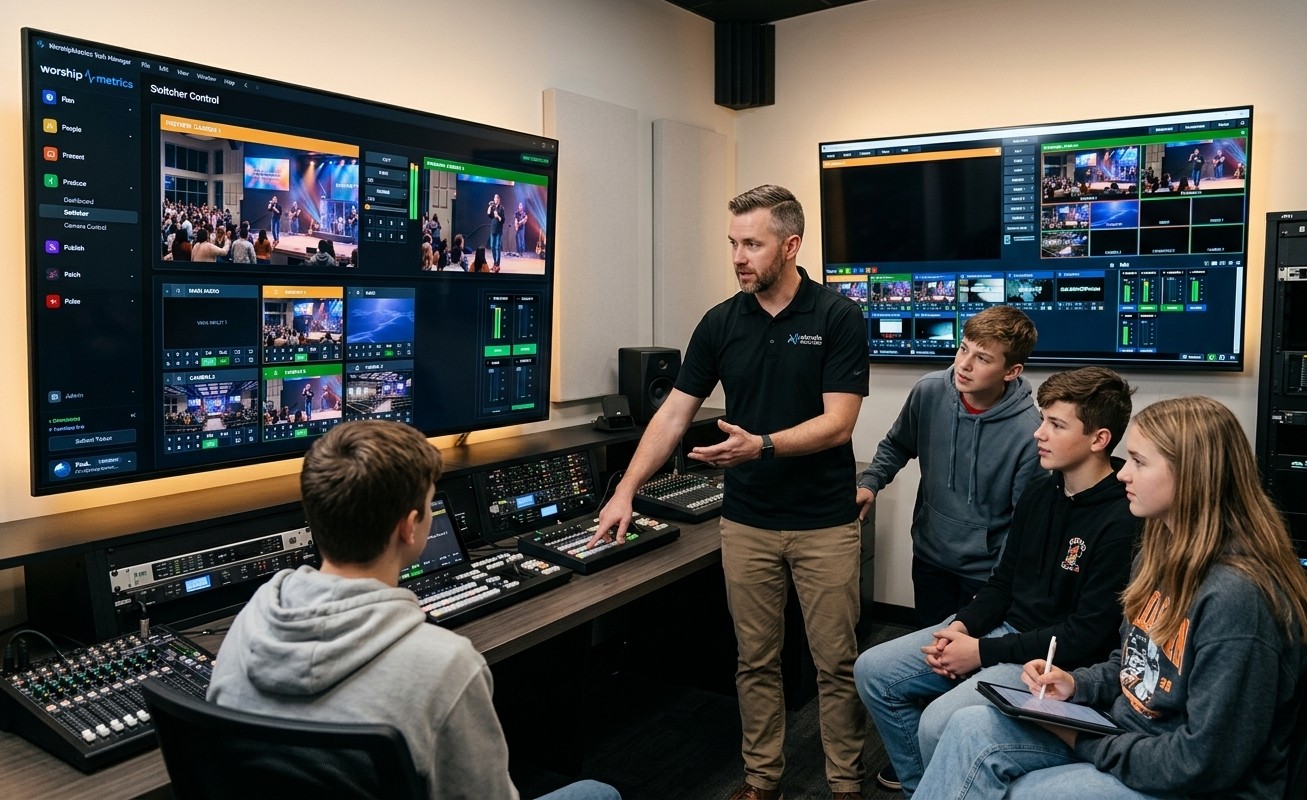
Here’s the piece that changes the conversation entirely. With cloud control, a mentor sees the booth’s actual switching surface — preview and program with live thumbnails of every input, the audio meters, what’s queued next — from a phone or laptop, anywhere. The student sits at the vMix keyboard where tactile learning happens; the mentor watches the same live surface and coaches.
The deep reason this works is the preview/program discipline itself: in a switched production, choices are visible before they’re broadcast. A student’s mistake appears in preview — where mistakes are designed to live — and a watching mentor catches it with a one-line text. Compare that to almost any other place a teenager serves publicly, where mistakes happen live with no undo, and the booth starts looking like one of the safer places to hand a young person real responsibility.
Two facts for the leadership conversation: only people you’ve invited can touch the system, and every remote action is logged. Trust here isn’t vibes; it’s an access list and an audit trail.
Guardrail 4: the debrief is a timeline, not a verdict
After the service, the stream health score gives the morning a number with timestamped reasons, and the support history shows every restart offer and who answered it. That transforms the Monday conversation with a student: not “did you mess anything up?” but “the report shows the stream stopped at 10:22 and you restarted it in seconds — here’s what was happening on the network.” Telemetry replaces blame with curiosity, which is precisely the environment young people learn fastest in. A string of healthy Sundays becomes visible, celebrated evidence of a job well done — recognition that turns a task into belonging.
What churches report when they do this well
The pattern from churches running student teams with these guardrails is remarkably consistent: the students rise to real responsibility precisely because it’s real; older students start training younger ones without being asked; and the booth quietly becomes a place where a kid who would never join the choir belongs on Sunday morning. That last part is the actual point — bigger than staffing, bigger than streams — and it’s the subject of the next post in this series: the tech booth is a youth ministry.
So: can students safely run a church livestream? With one seat each, self-healing underneath, a mentor on the panel, and a report instead of a blame session — yes. Safely, and better than you’re expecting.
Related questions
- What age can a student start serving in the tech booth?
- Younger than most churches assume — matched to the seat. A 14-year-old can run one camera well; the seat-map tablet and clips review have even lower floors; a 17-year-old may be ready to switch the service or train someone younger. Match responsibility to age and maturity, one seat at a time.
- What happens when a student makes a mistake on the stream?
- Usually nothing the congregation sees. The preview/program discipline means choices are visible to a mentor before they hit air, Self Healing flags routine failures like a dropped stream or a stopped recording the instant they happen, with a one-tap restart a mentor can answer from anywhere, and the health report afterward turns the morning into a teachable timeline instead of a blame session.
- Does a mentor have to be in the building?
- No. On the Pro and Max plans, a mentor sees the booth's actual switching surface — preview, program, every input's thumbnail, the audio meters — from any device, anywhere, and can coach by text or take the wheel if needed. Every remote action is logged.
How to Start a Church AV Club Around Your vMix System
NextThe Students Who Stay: Why Serving Teens Don't Drift After Graduation
Related Articles

Making a Complicated Church AV System Easy to Run, Without Hiring an AV Company
Many church AV systems aren't too old or too small. They're too complicated for a volunteer. A simple button panel built with Bitfocus Companion can hide that complexity behind plain-word buttons, and a church can often build it themselves. Here's when that works, when to call a professional, and how to start.

Your Church Livestream Team, Connected Even When They're Not at Church
A three-person livestream team only works if everyone shares the same plan, the same wiring diagram, and the same news when something breaks. Here's how WorshipMetrics connects the director, slides, and camera volunteers through the week: chat, alerts, documentation, AI help, scheduling, and cloud control for OBS and vMix.

The Three-Person Church Livestream Team: Director, Slides, and Cameras
A church livestream runs best with three clear jobs: a director on OBS or vMix, a slides operator, and a camera operator. Here's what each role does before, during, and after the service, what skills it takes, and how the three talk to each other.