 Plan
One plan everyone can see.
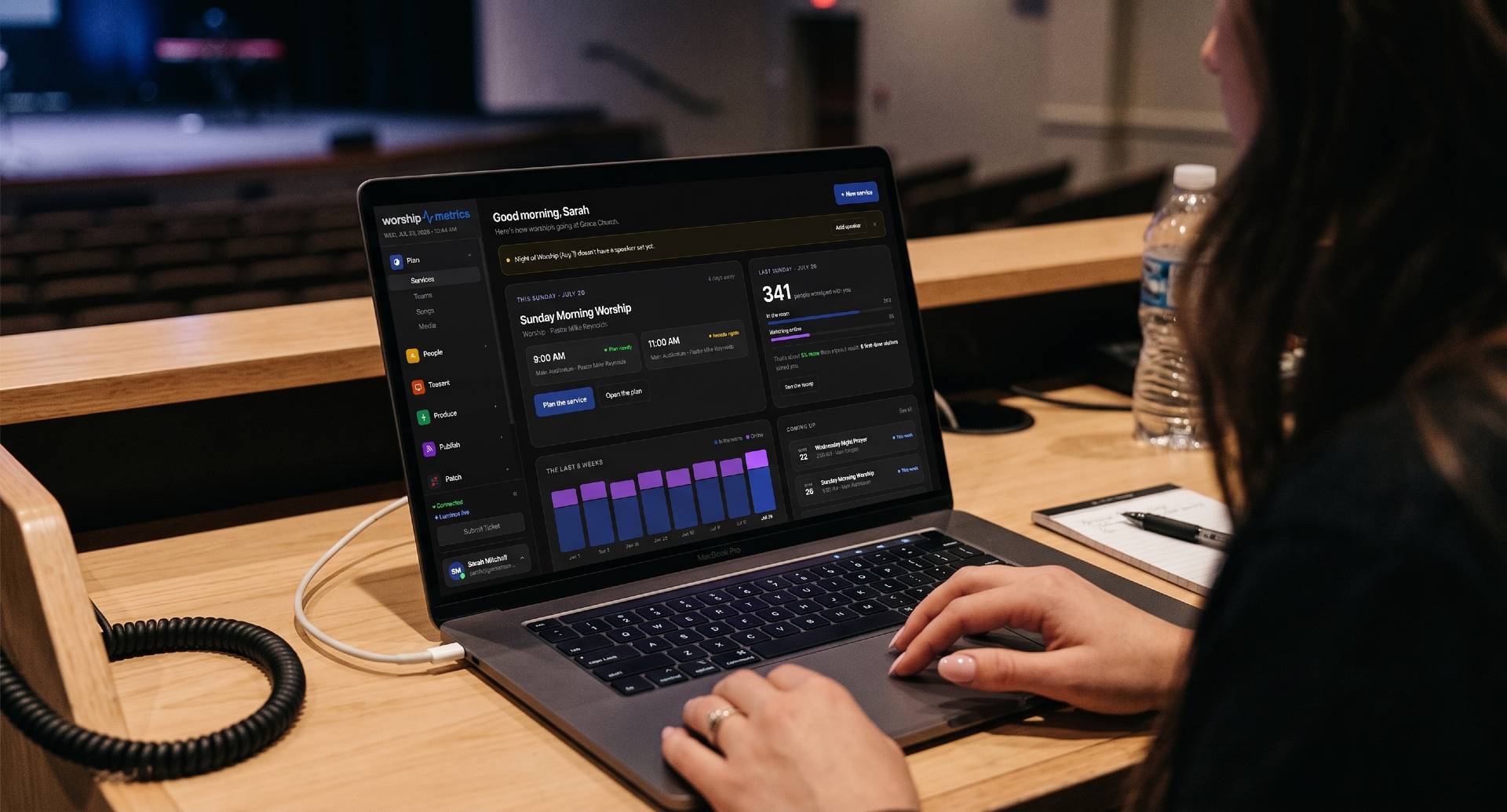
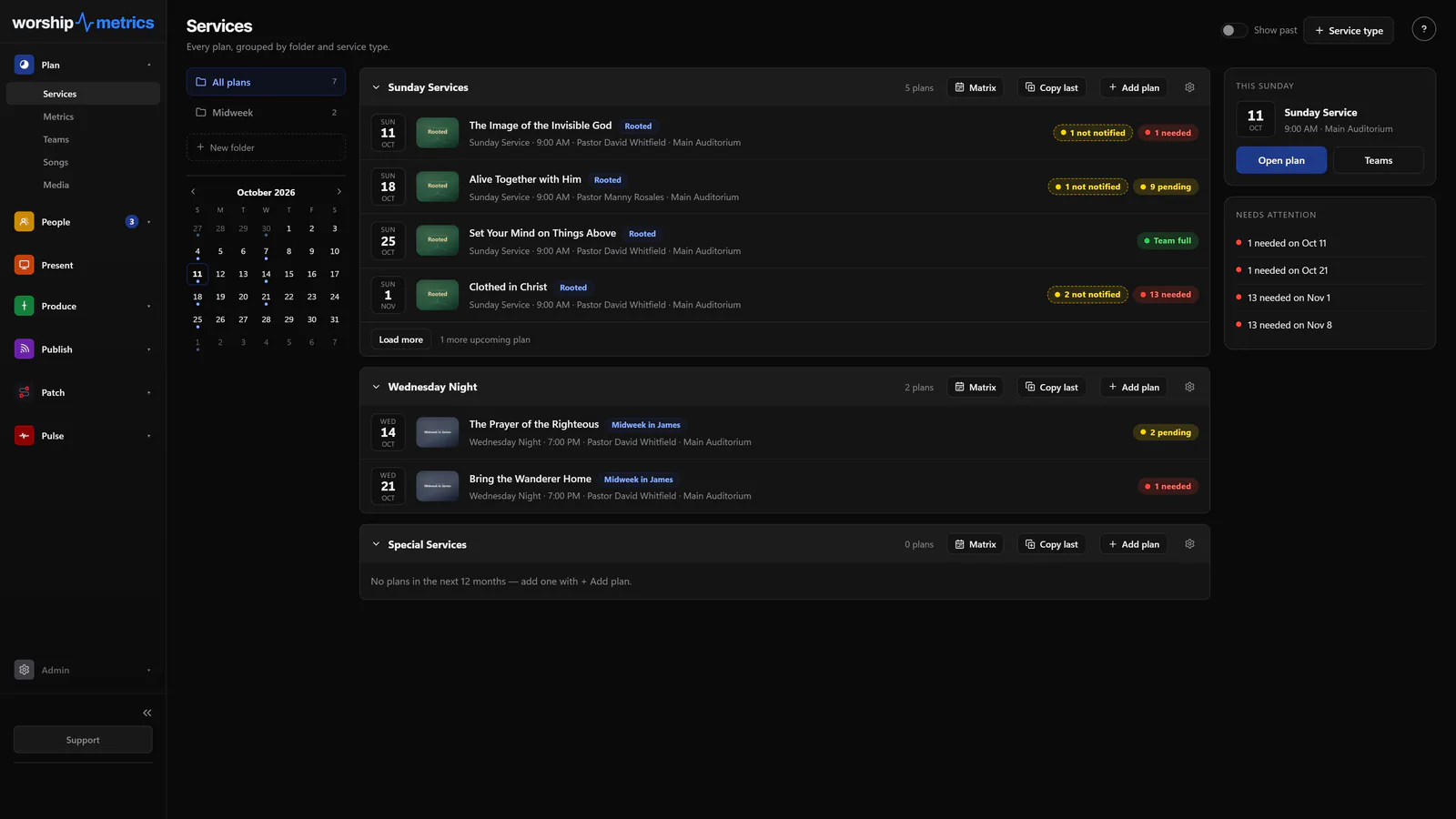
Build the order of service, pick the songs in the right key, and schedule the team in one plan everyone can see. Copy last week forward, make the real changes, and walk into Sunday with the whole church on the same page.
Free on every plan. Online attendance joins the count on Max.
On Planning Center? Sync brings your plans, people, and teams in.
Inside Plan5 sections to explore
Plan the service, assign the team, and run Sunday from one workflow.
Open page →Your song library: CCLI, keys, arrangements, and chord charts that transpose live.
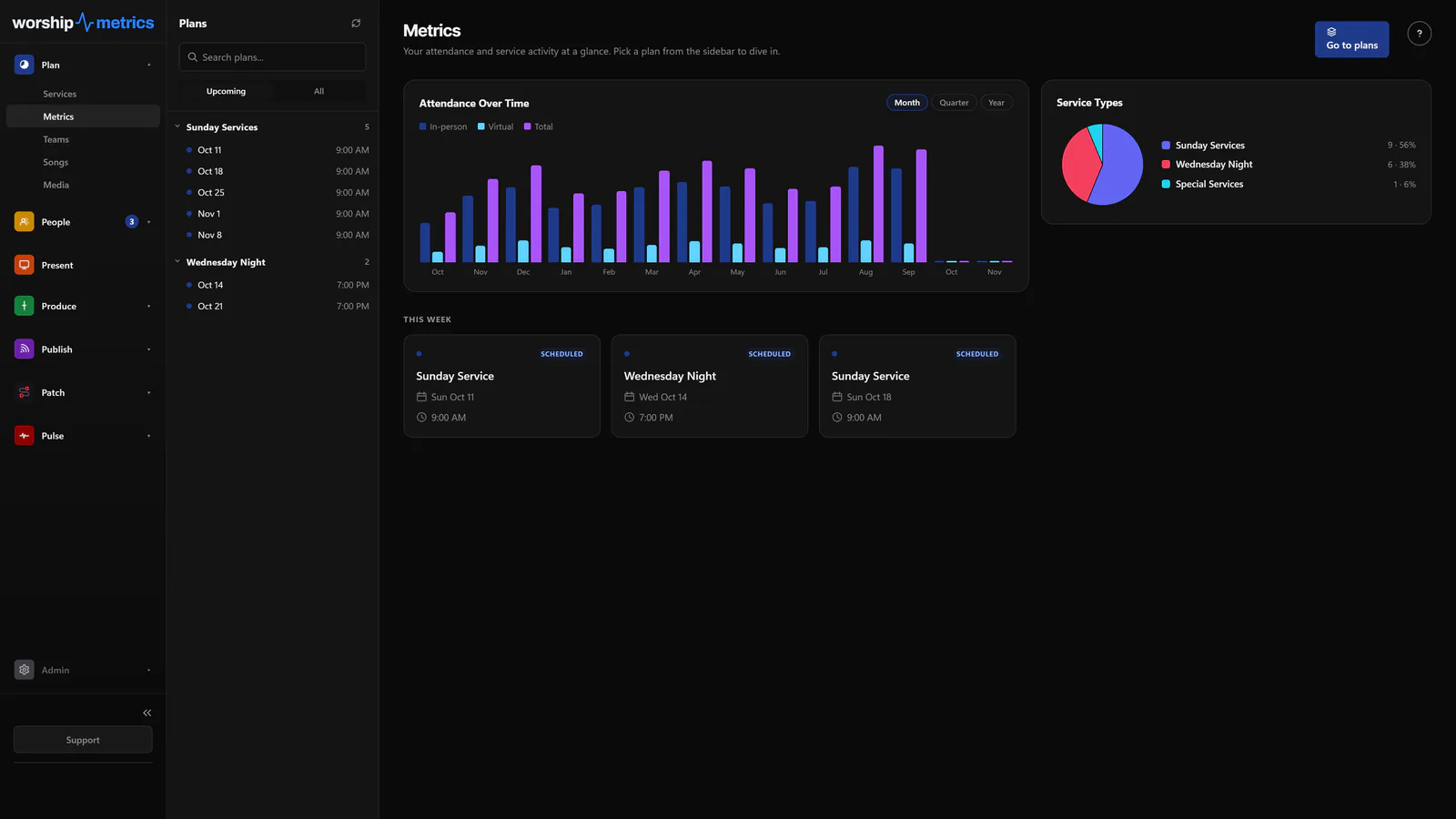
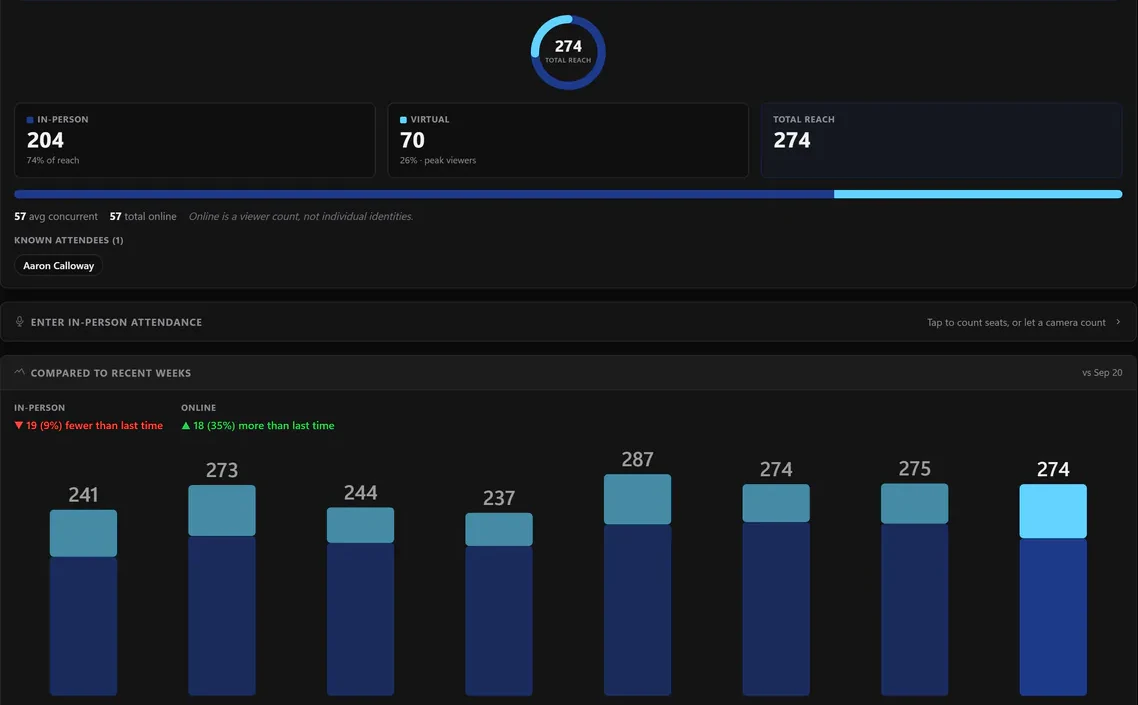
Open page →In-person and online attendance together. The leadership dashboard.
Free, online attendance on Max.
Open page →Count the room with seat templates, Auto-Count, and volunteer-friendly workflows.
Open page →The plan drives the presentation and the switcher, so one change updates everything.
Jump to section →  People
The people who make Sunday happen.
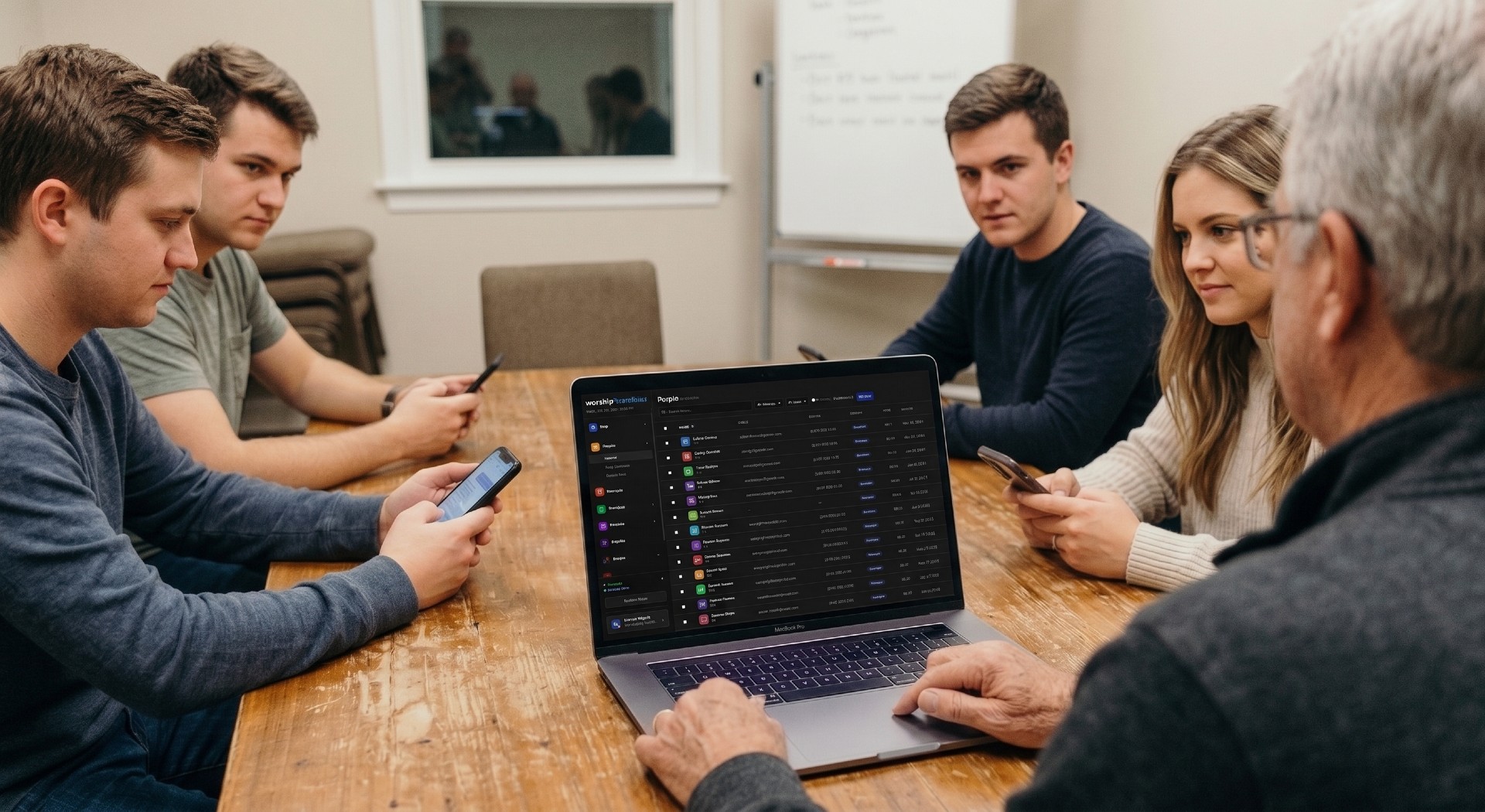
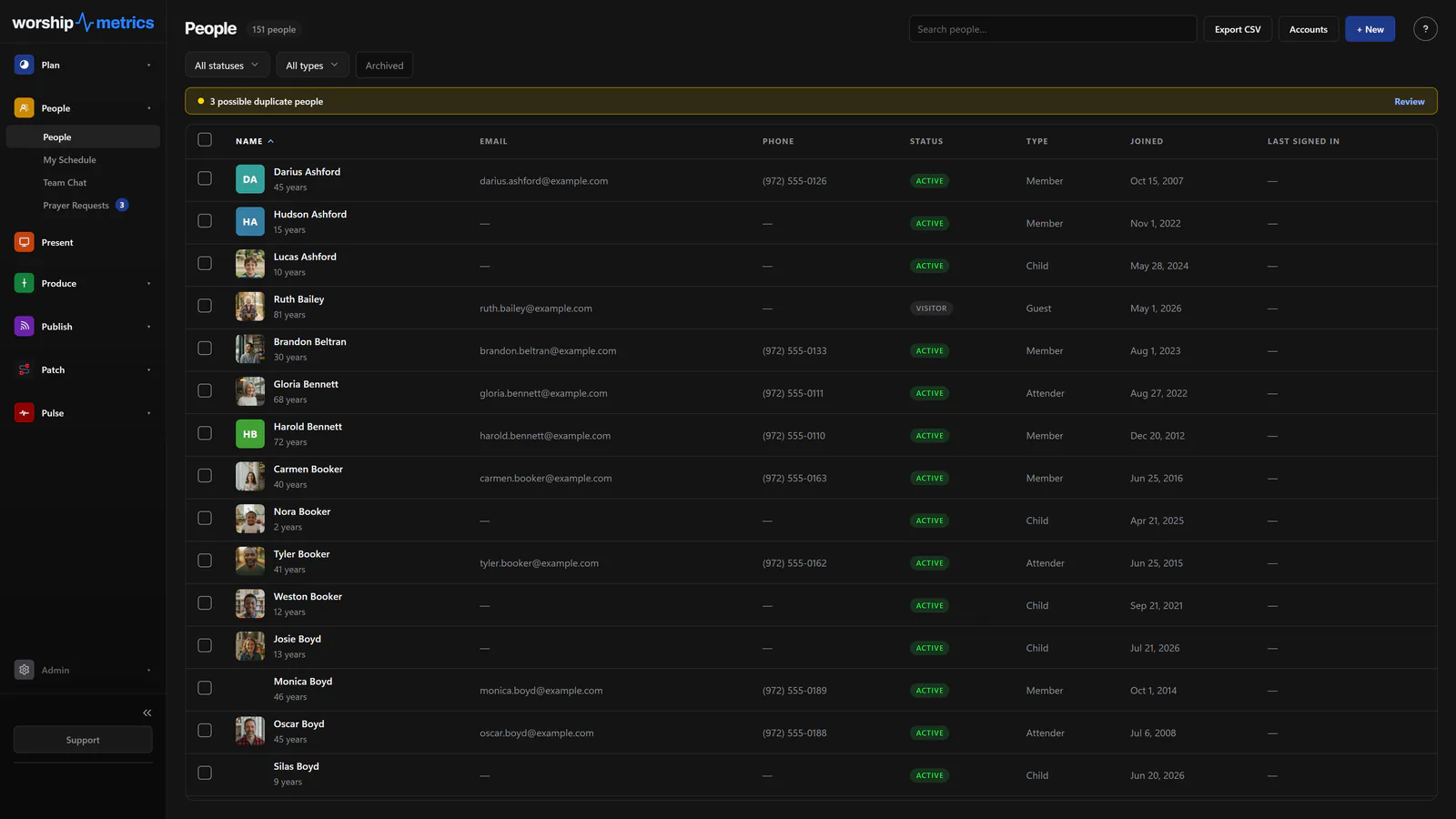
Members, guests, and volunteers in one directory, with serving schedules, team chat, and follow-up built in. Unlimited users on every plan, so the whole team lives in it, from the senior pastor to the newest camera operator.
Free on every plan, unlimited users.
Use it for the booth team, or for the whole church.
Inside People3 sections to explore
Members, guests, and attenders in one directory with households and follow-up.
Open page →Positions and teams in Plan › Teams, scheduling from each service, and everyone's own schedule in People › My Schedule.
Open page →Real-time communication built for the booth, not a separate app.
Open page →  Present
Modern presentation, accessible everywhere.
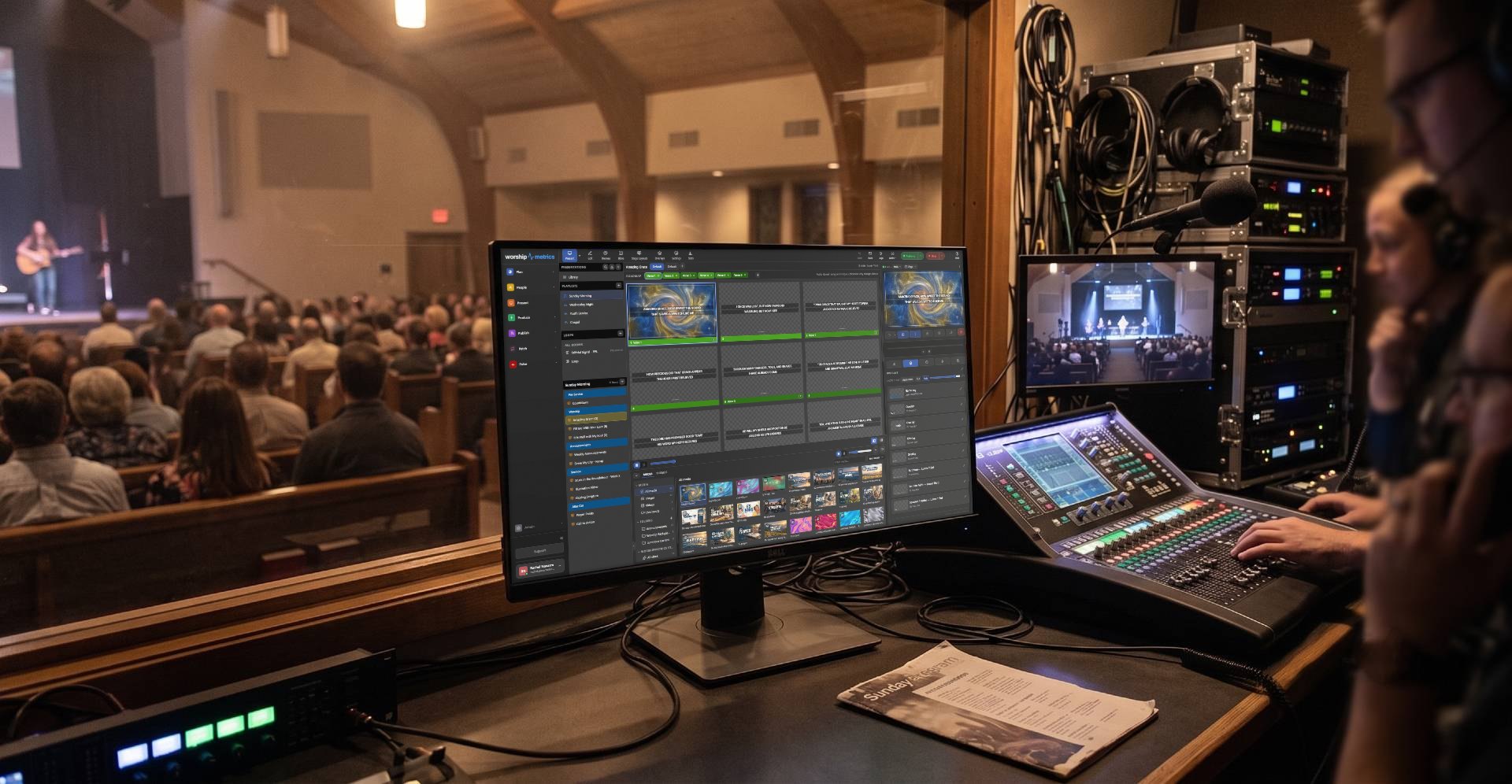
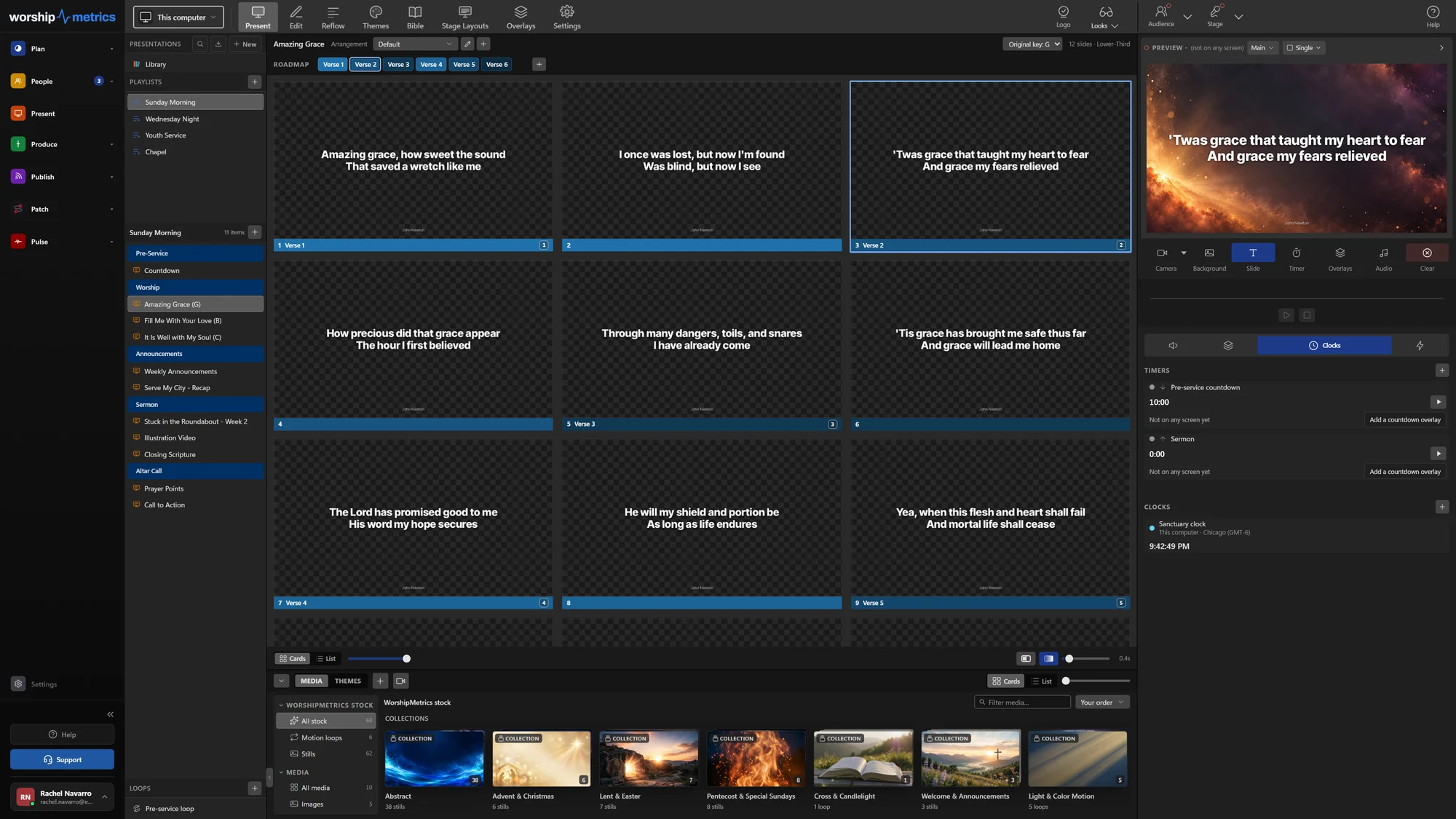
Free forever. A full presentation engine for lyrics, scripture, slides, videos, and stage display, with a slide editor and a media library with motion backgrounds, running on the screens you already own. It works in your browser, so volunteers can prep from home and run it from the booth.
Free on every plan, unlimited users.
Happy with ProPresenter? Keep it. Nothing else here needs Present.
Inside Present5 sections to explore
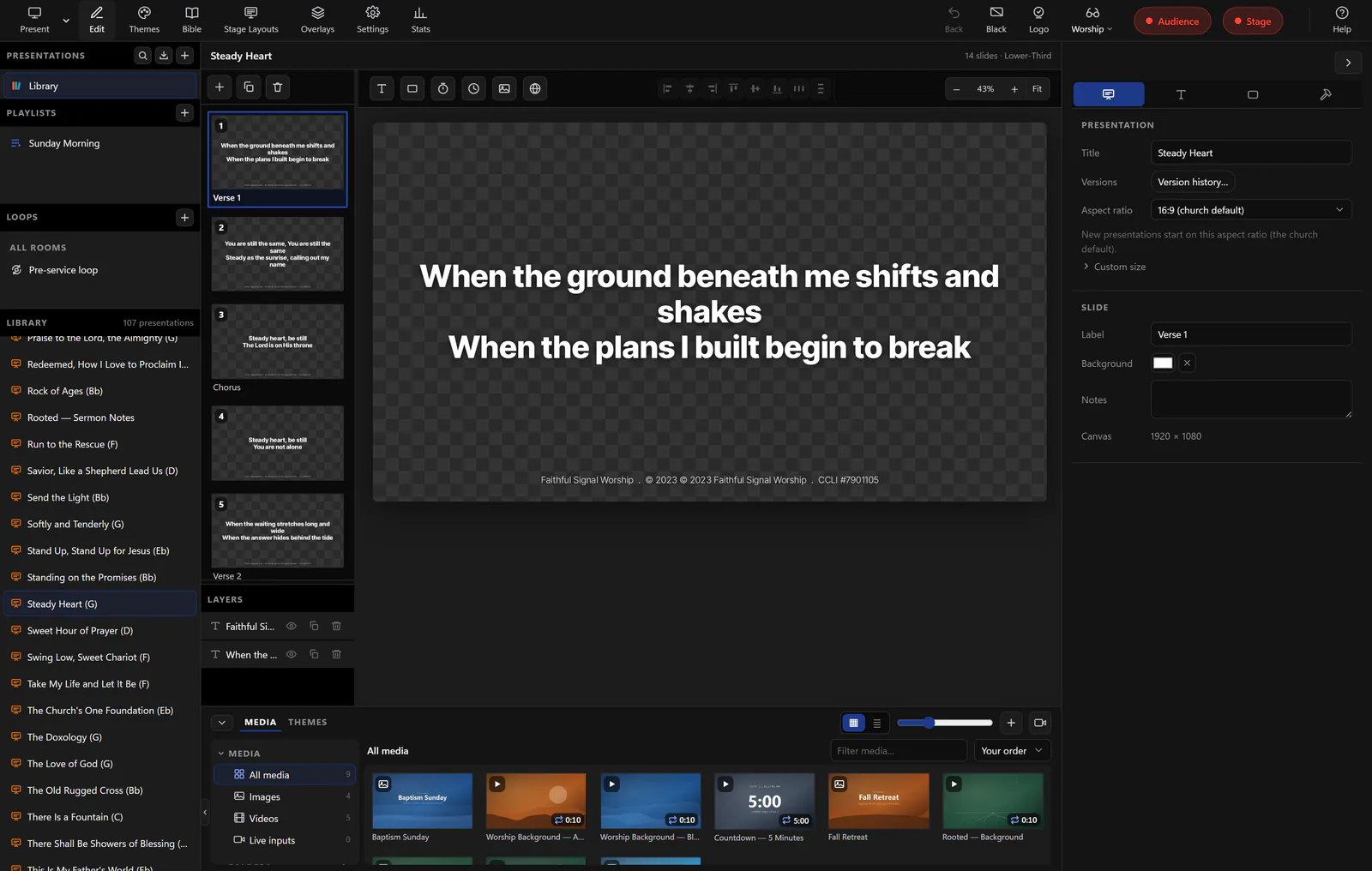
Slide editor, lyrics, scripture, playlists, and your brand. Free forever, unlimited users.
Open page →Song slides built from your arrangements, with section colors and your church's brand.
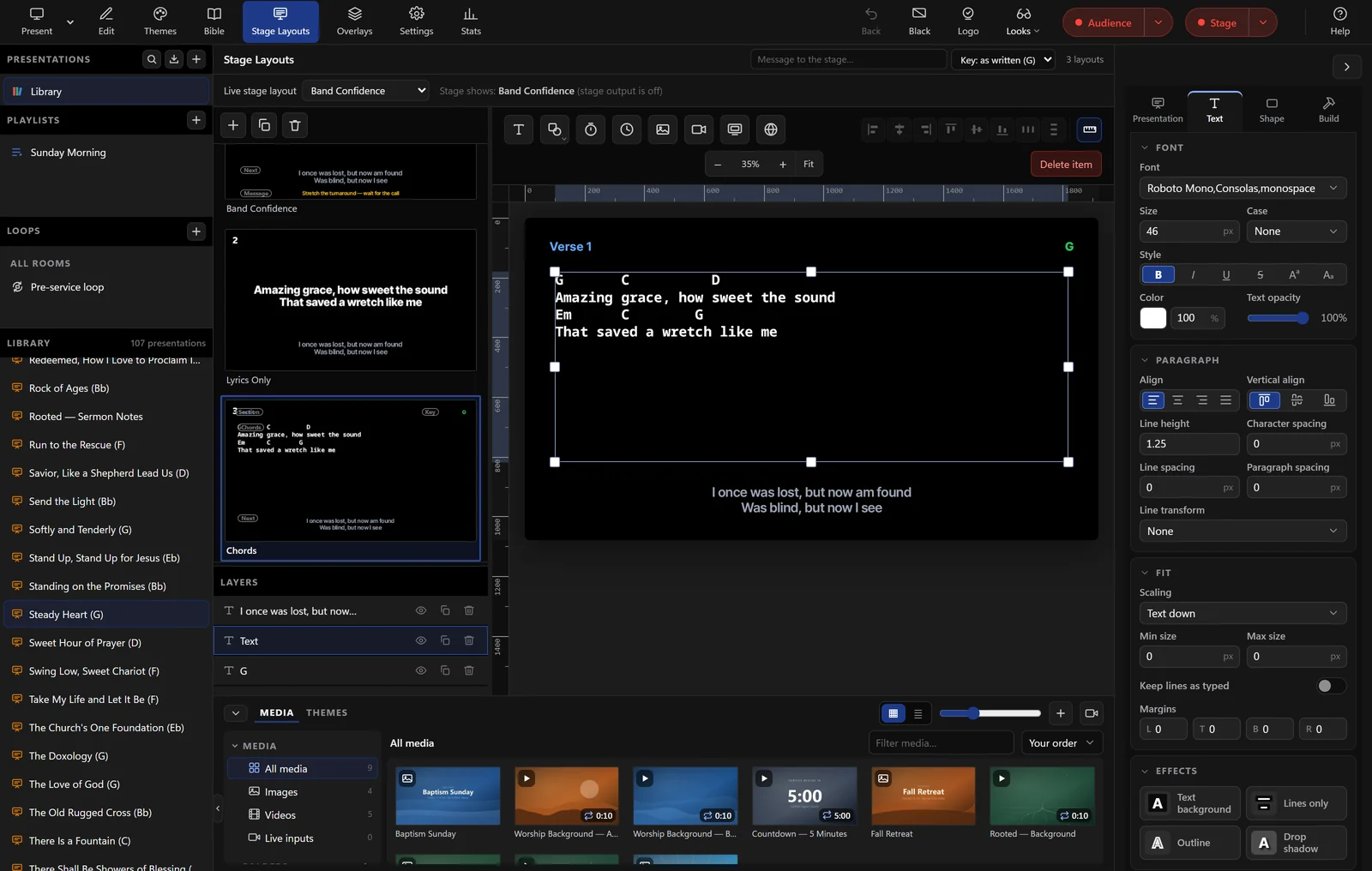
Open page →Current and next slide, chord charts in the right key, timers, and messages from the booth.
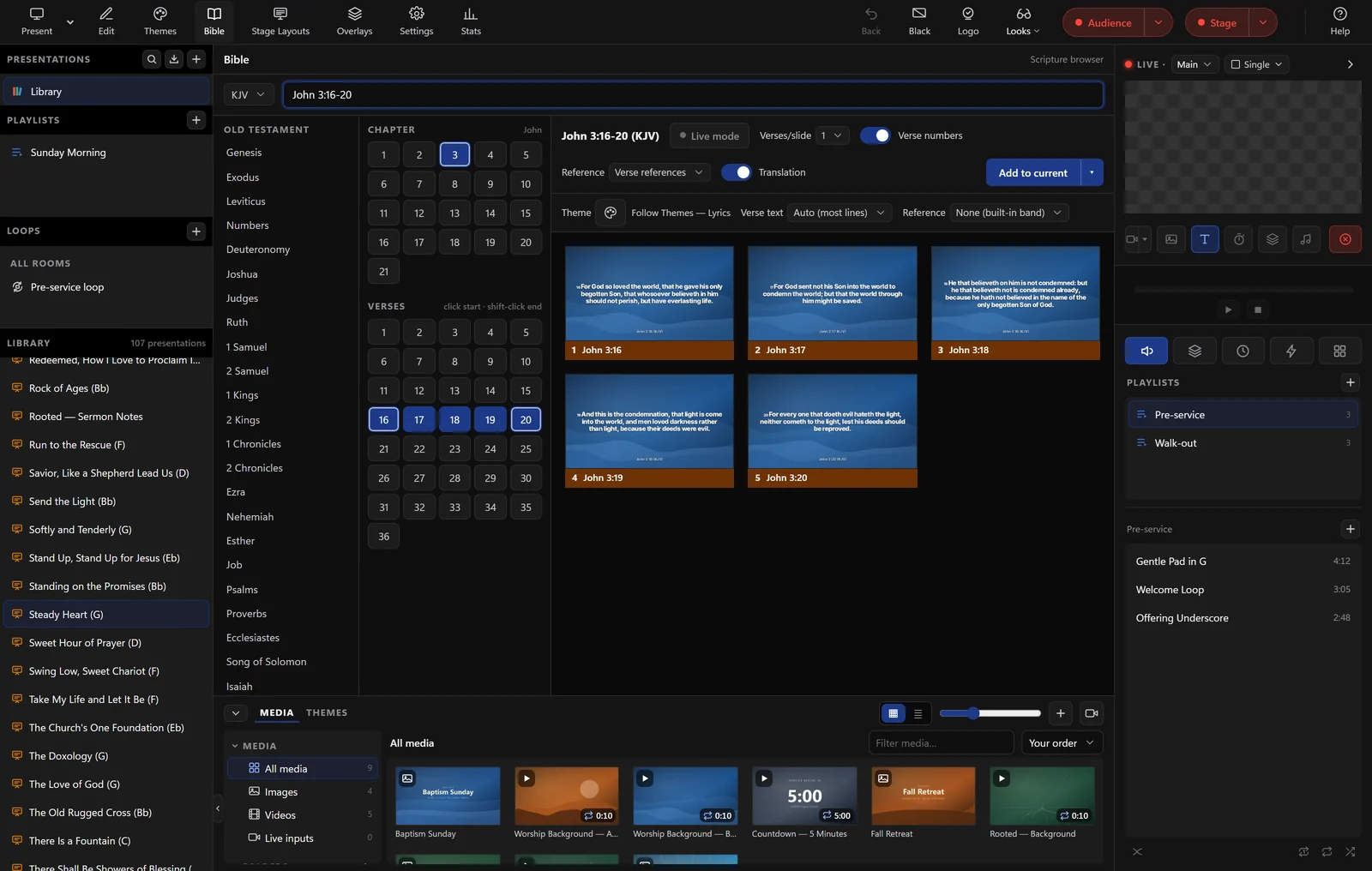
Open page →Pick the book, chapter, and verse. Ready slides in seconds, from nine built-in Bibles in English and Spanish.
Jump to section →Keep ProPresenter or replace it. Import what you have already built.
Jump to section →  Produce
One dashboard for the switcher, the cameras, and the stream.
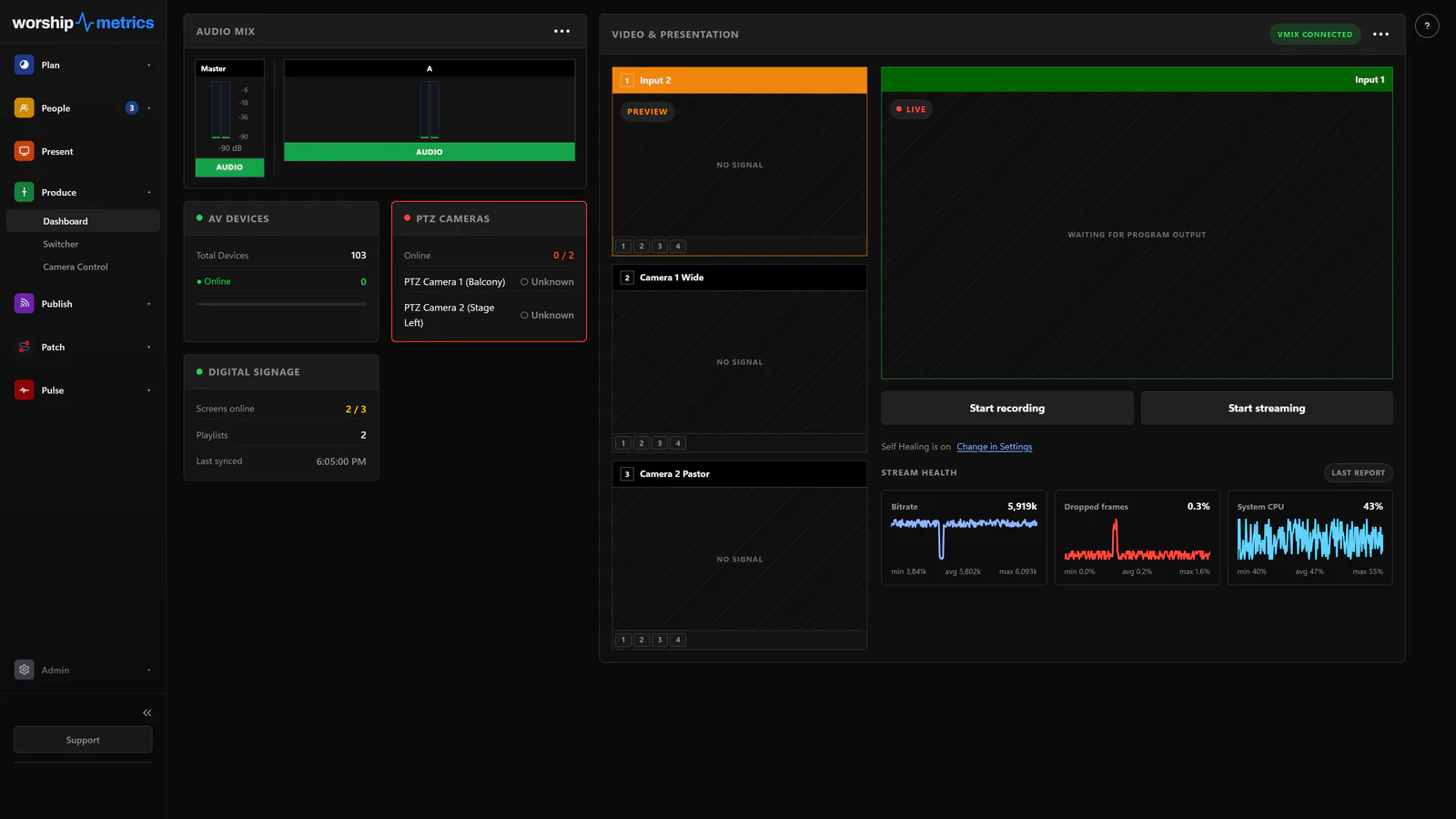
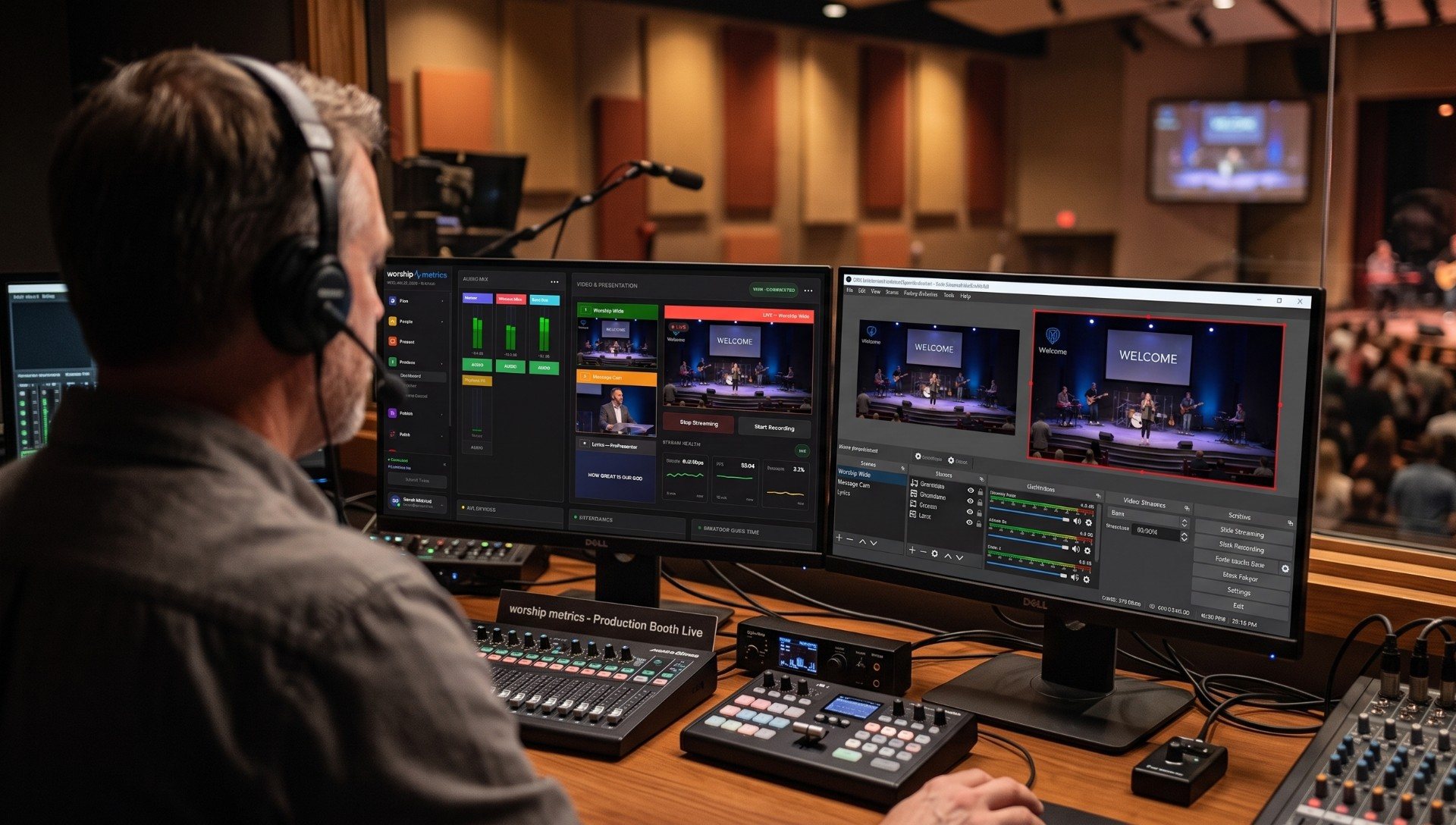
Produce is the booth: a dashboard with audio meters, preview and program, device and camera status, signage, and stream health; a switcher panel for OBS, vMix, or a Blackmagic ATEM; and control of your PTZ cameras. It all runs in Tech Manager, the free desktop app, on the computer you already own.
Free in the booth. Pro adds control from any browser.
Works with OBS, vMix, Blackmagic ATEM, and NDI. It doesn't replace them.
Inside Produce9 sections to explore
The free desktop app for Windows and Mac that runs the booth: the dashboard, the switcher, the cameras, and Present, on the computer you already own.
Open page →Audio meters, preview and program, AV devices, PTZ cameras, signage, and stream health on one screen, with the stream and the recording one click away.
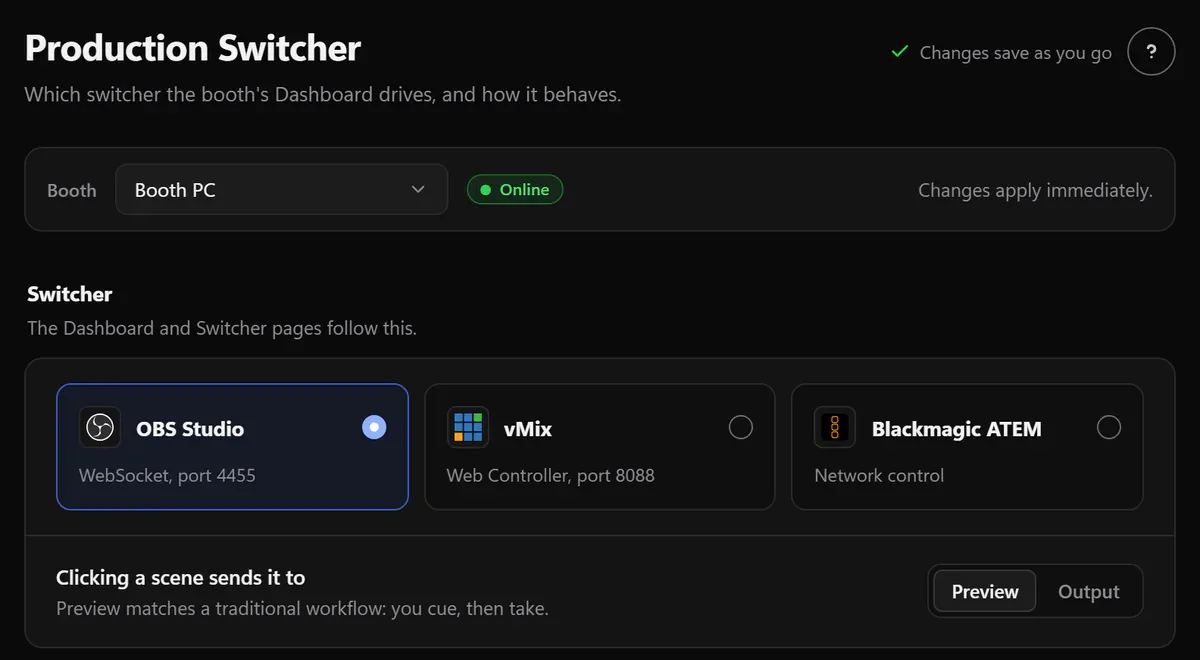
Jump to section →Cut and transition on OBS, vMix, or a Blackmagic ATEM from the booth, and start or stop the stream and the recording in OBS and vMix.
Free, OBS and vMix from any browser on Pro.
Jump to section →vMix and OBS from anywhere, with eyes on preview and program. An ATEM stays in the booth.
Pro, watching program from a browser is free.
Open page →Your PTZ cameras with an on-screen joystick, keyboard, or game controller: live video, nine picture presets per camera, and focus lock.
Free, from any browser on Pro, in beta.
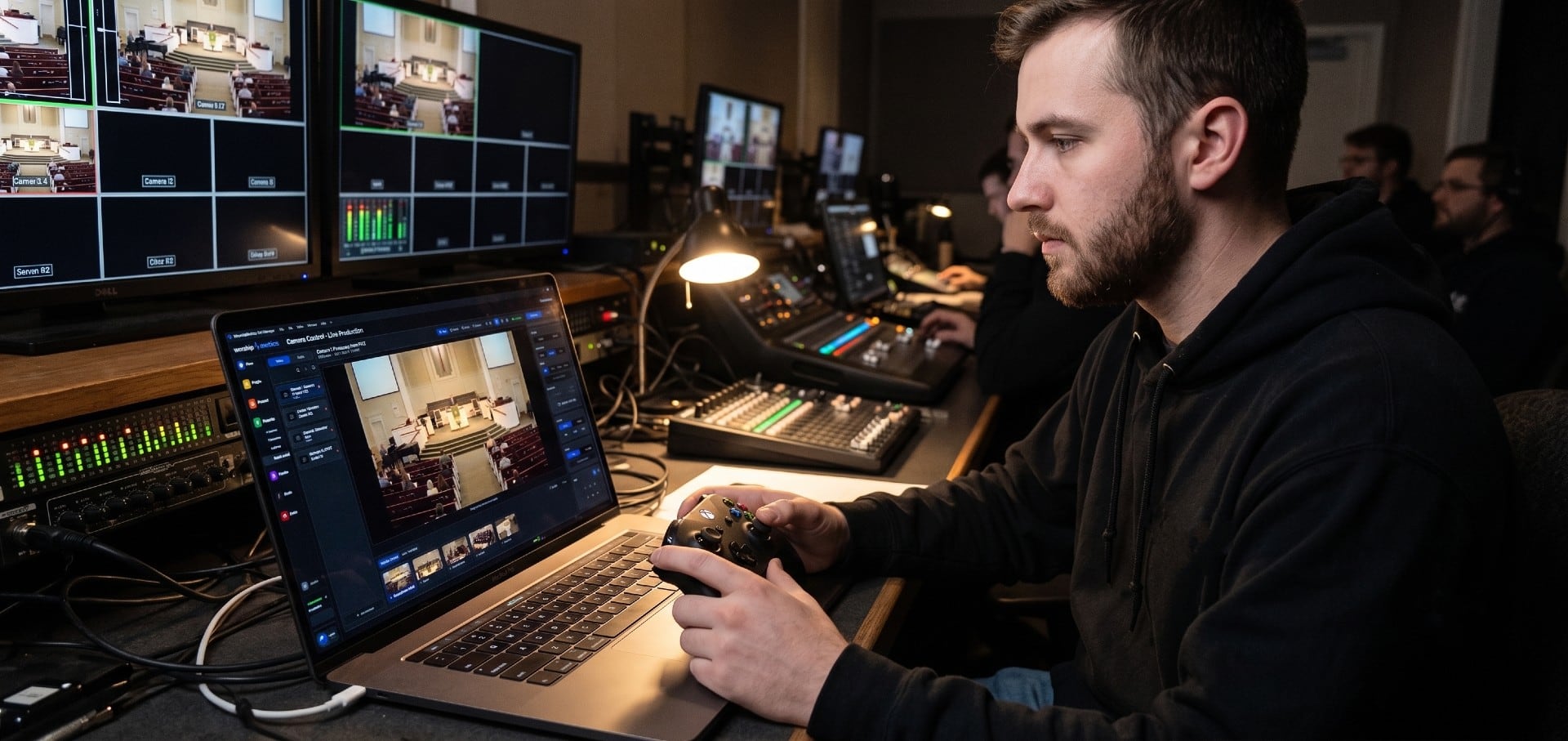
Open page →An Xbox controller and free software in place of a hardware PTZ joystick: analog pan and tilt, zoom, focus, and presets on the buttons.
Free, from any browser on Pro, in beta.
Open page →The camera follows the pastor: switch on a PTZOptics camera's own tracker, or let Tech Manager follow a person with other PTZ cameras.
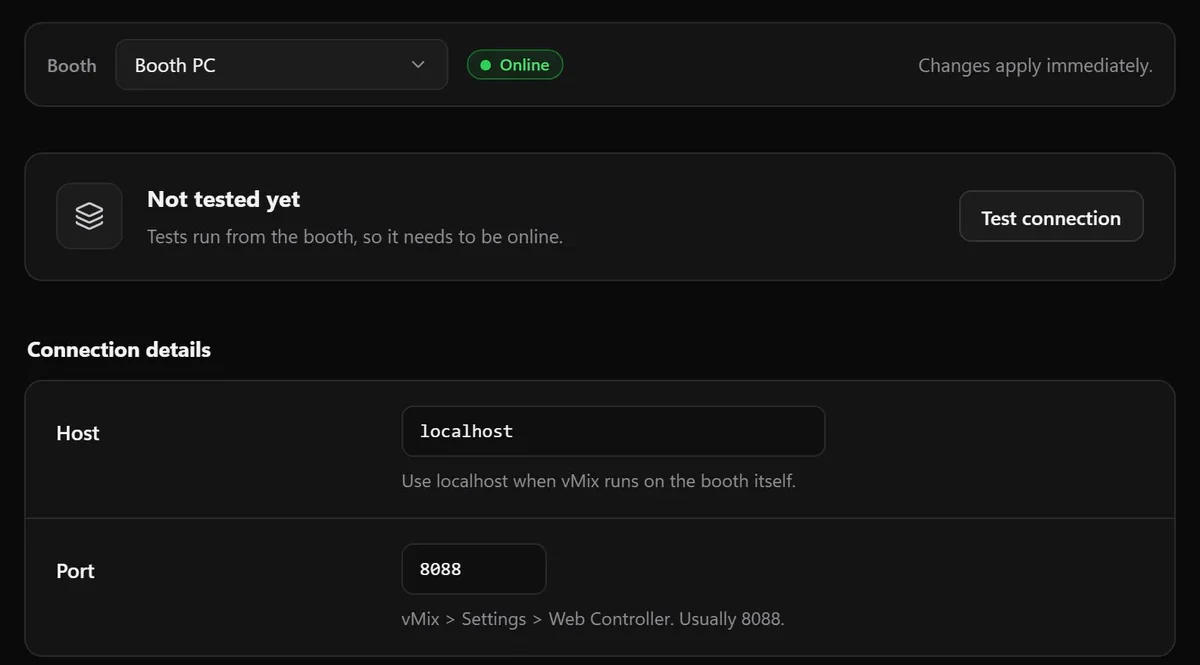
Open page →Full vMix control over its own HTTP and TCP APIs, with real audio meters and support that can see your settings.
Free, from any browser on Pro.
Open page →OBS over WebSocket v5: scenes, stream, and recording, with support that can see your scenes and stream health.
Free, from any browser on Pro.
Open page →  Publish
Go live once. Keep every message on a page that's yours.
Publish is where Sunday leaves the building. Schedule each service and go live on YouTube and Facebook with no stream keys to paste, or on Max send one stream to us and we deliver it to up to ten destinations and your own player. Your Content Library fills your watch page, your sermon series and your podcast; Reels cuts the service into short clips for social; and Signage puts your announcements on any TV with a browser.
Watch page, YouTube and Facebook streams, and Reels in the booth on every plan. The Library and cloud Reels on Pro. Hosted streaming on Max.
Keep OBS or vMix, and the YouTube and Facebook channels you already have.
Inside Publish9 sections to explore
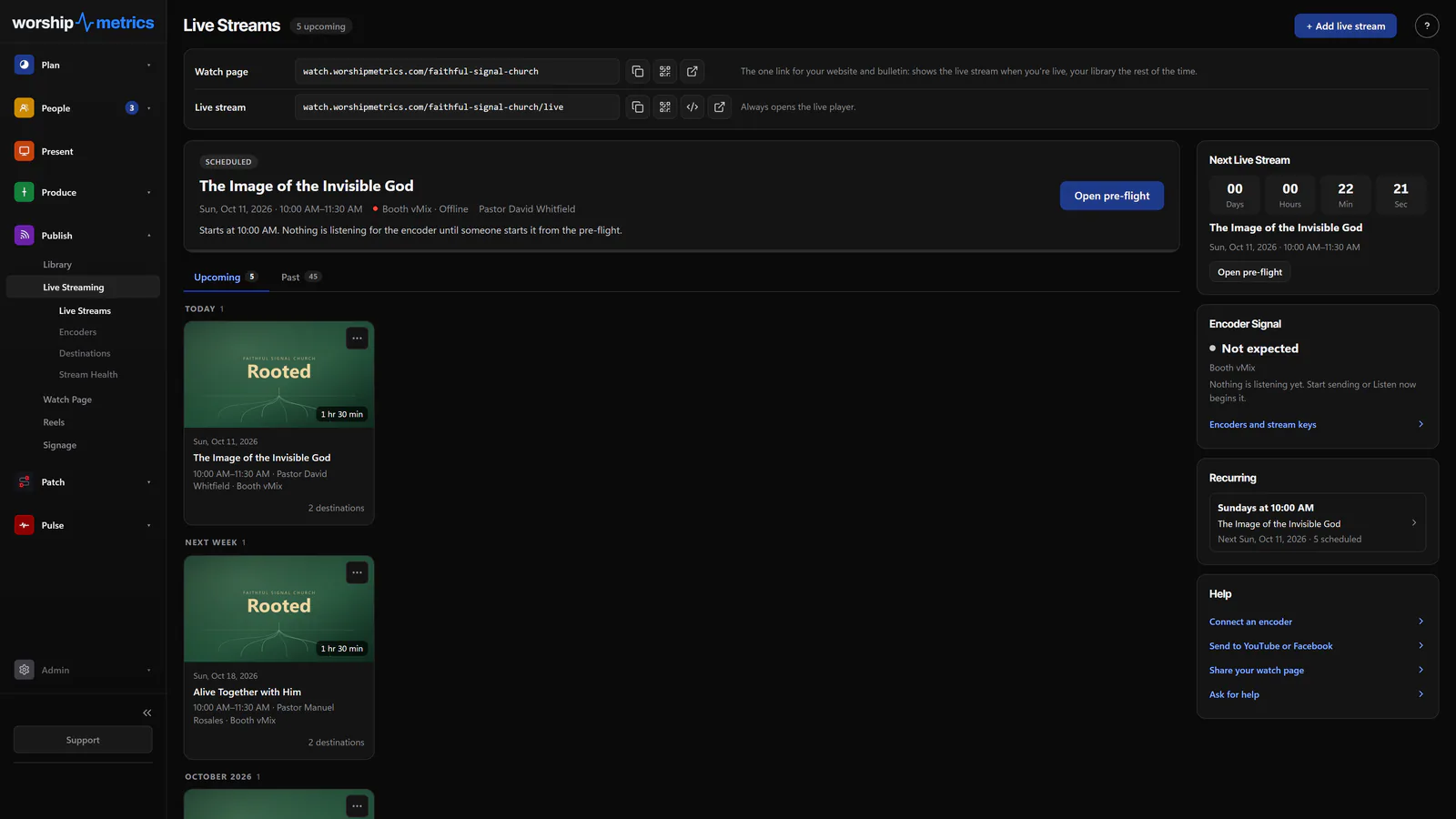
Schedule every service, check it on a pre-flight screen, and go live on YouTube and Facebook from Tech Manager or any browser. On Max, one stream to us reaches every destination and your own player.
Free, hosted and everywhere at once on Max.
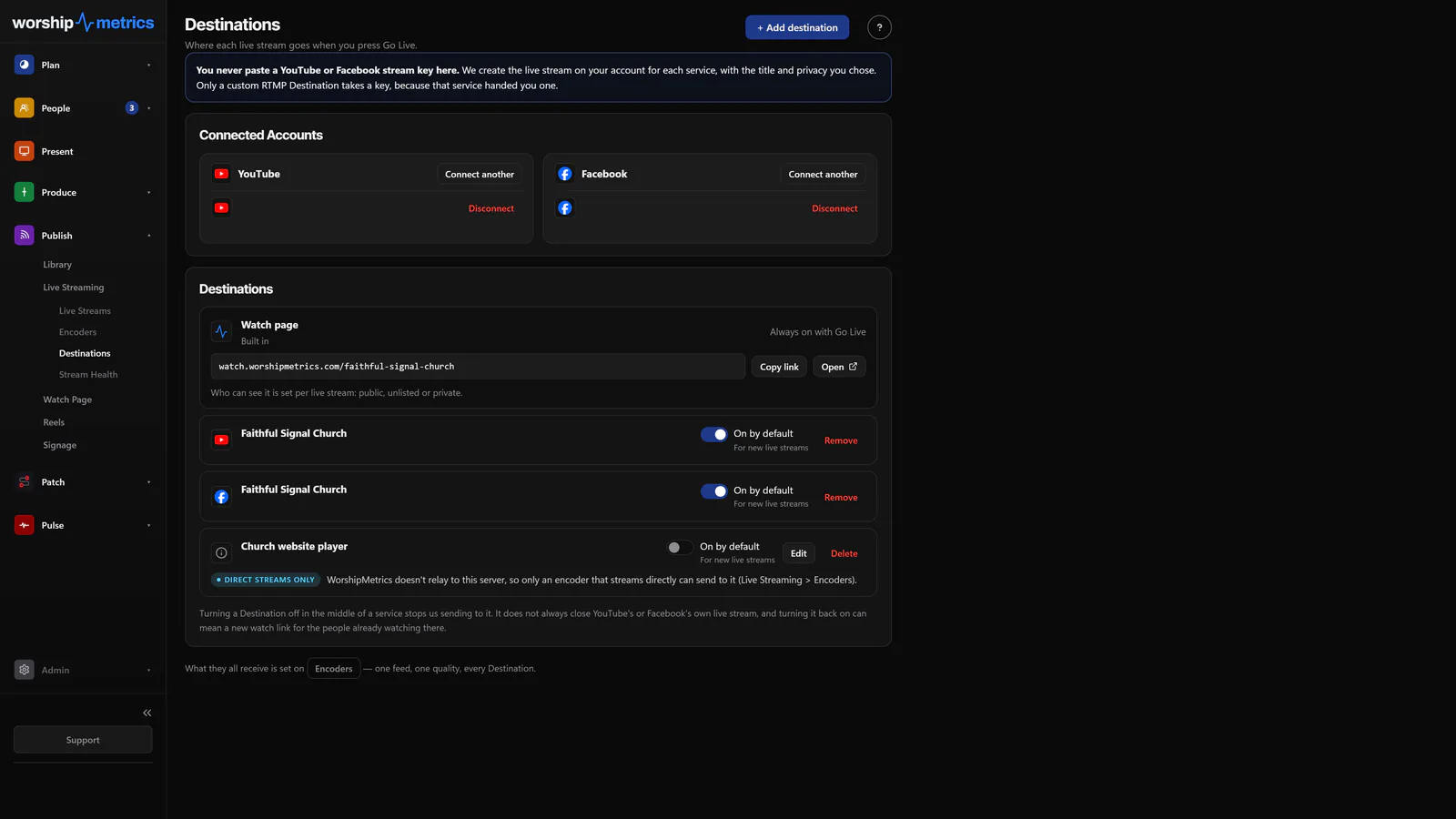
Open page →Connect YouTube and Facebook once. We create each broadcast on your account, so nobody pastes a stream key; a custom RTMP server is the only destination that takes one.
Free, up to ten at once on Max.
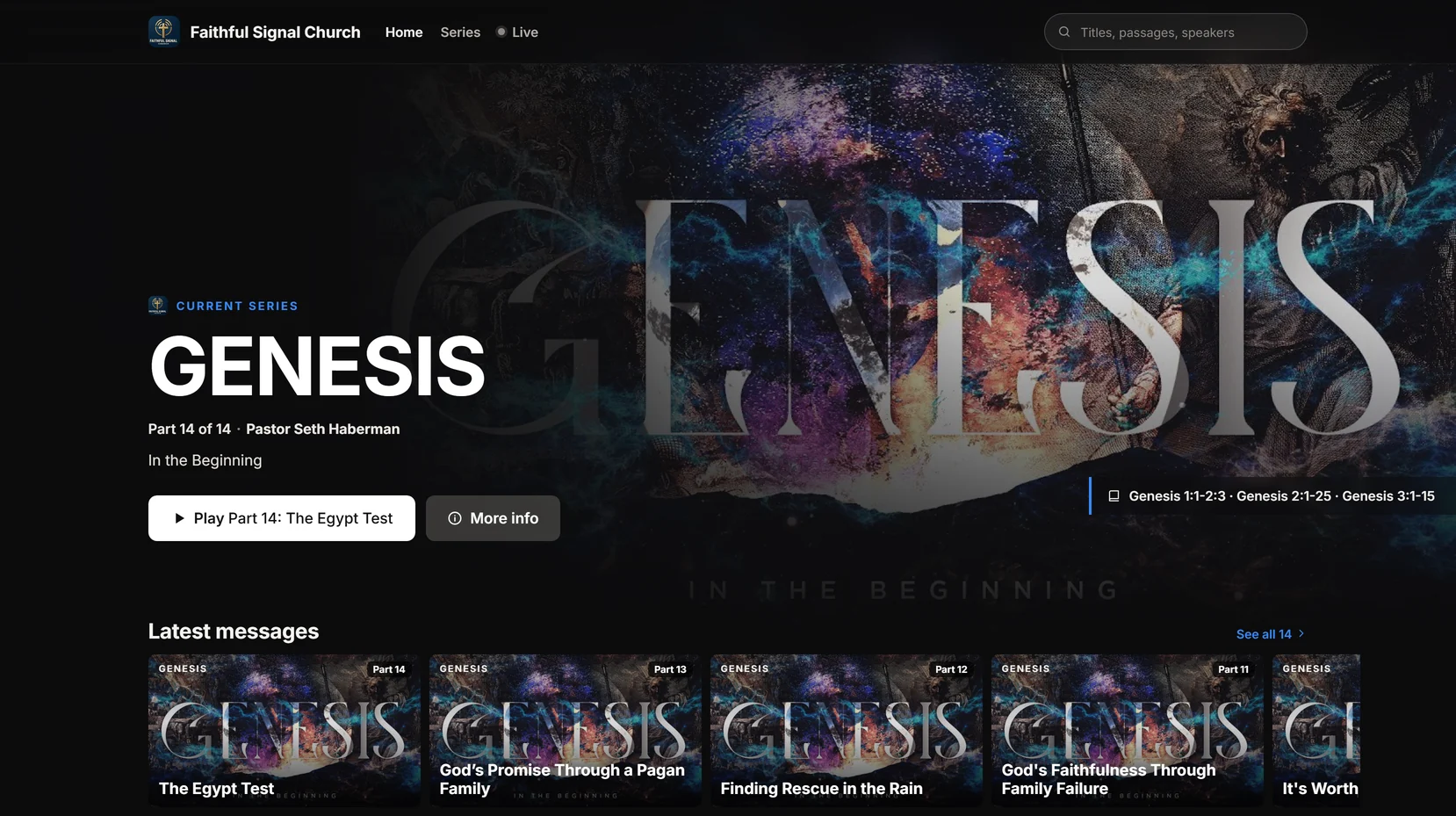
Jump to section →One link that plays your live stream when you're on, and your messages, series and Highlights the rest of the week, with Give, I'm new here and prayer request buttons.
Free, publishing to your Library and its look on Pro.
Open page →Every series gets its own page on your watch site: artwork, every message in the order you set, and Highlights, sermon notes, scripture, Give and prayer on each part.
Open page →Your published messages become a podcast feed for Apple Podcasts, Spotify and YouTube, and Analytics shows plays, viewers and watch time for every message beside your live viewers and in-person attendance.
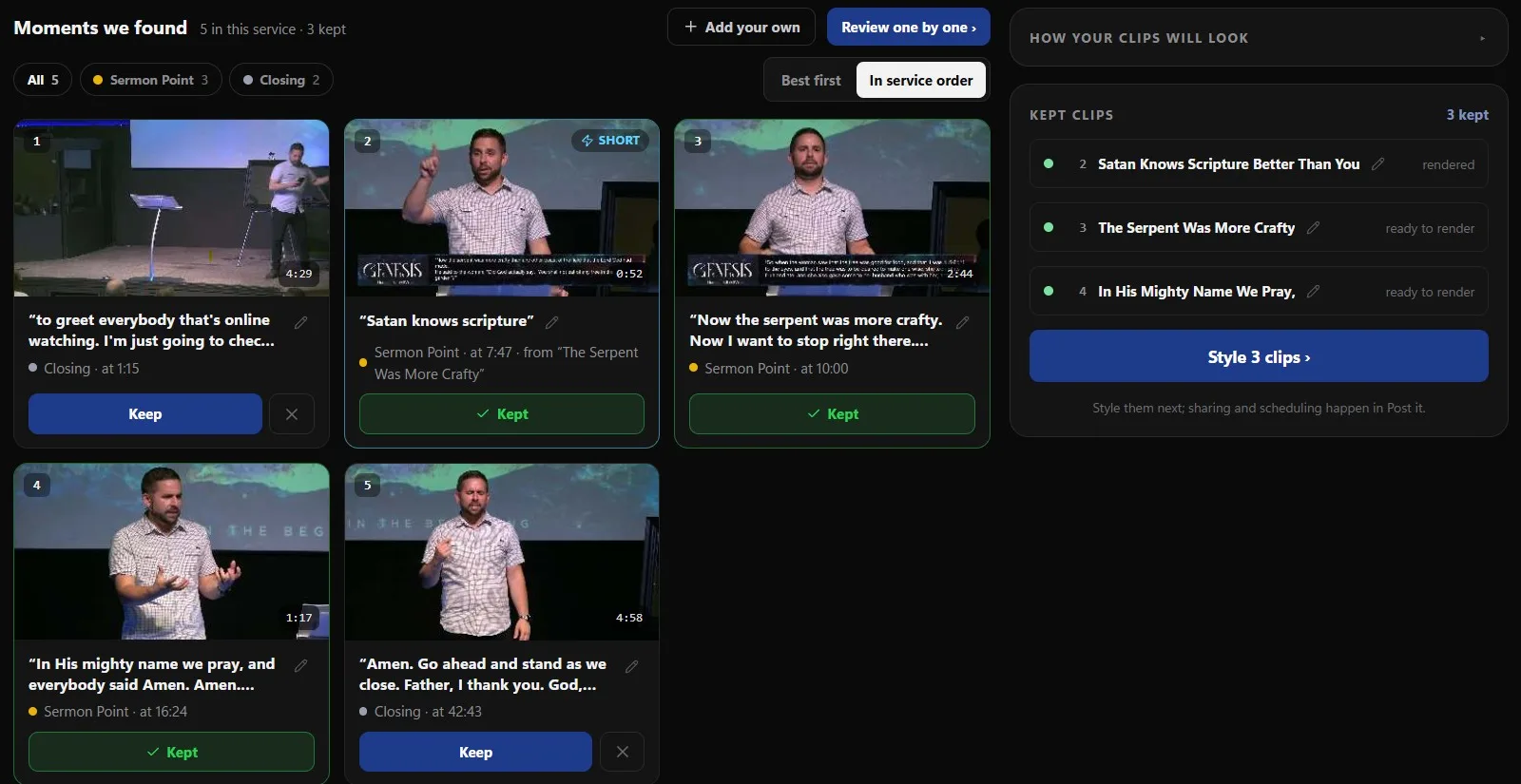
Jump to section →Pick a recording, keep the moments the AI finds, style them with captions and your brand, and post or schedule them to YouTube, Facebook, Instagram and TikTok.
Free, in Tech Manager; cloud clipping and AI-written posts on Pro.
Open page →Every service recording transcribed, with each line timed to the video: search it, copy it, cut clips from its lines, and caption them word by word.
Free, in Tech Manager; any browser on Pro.
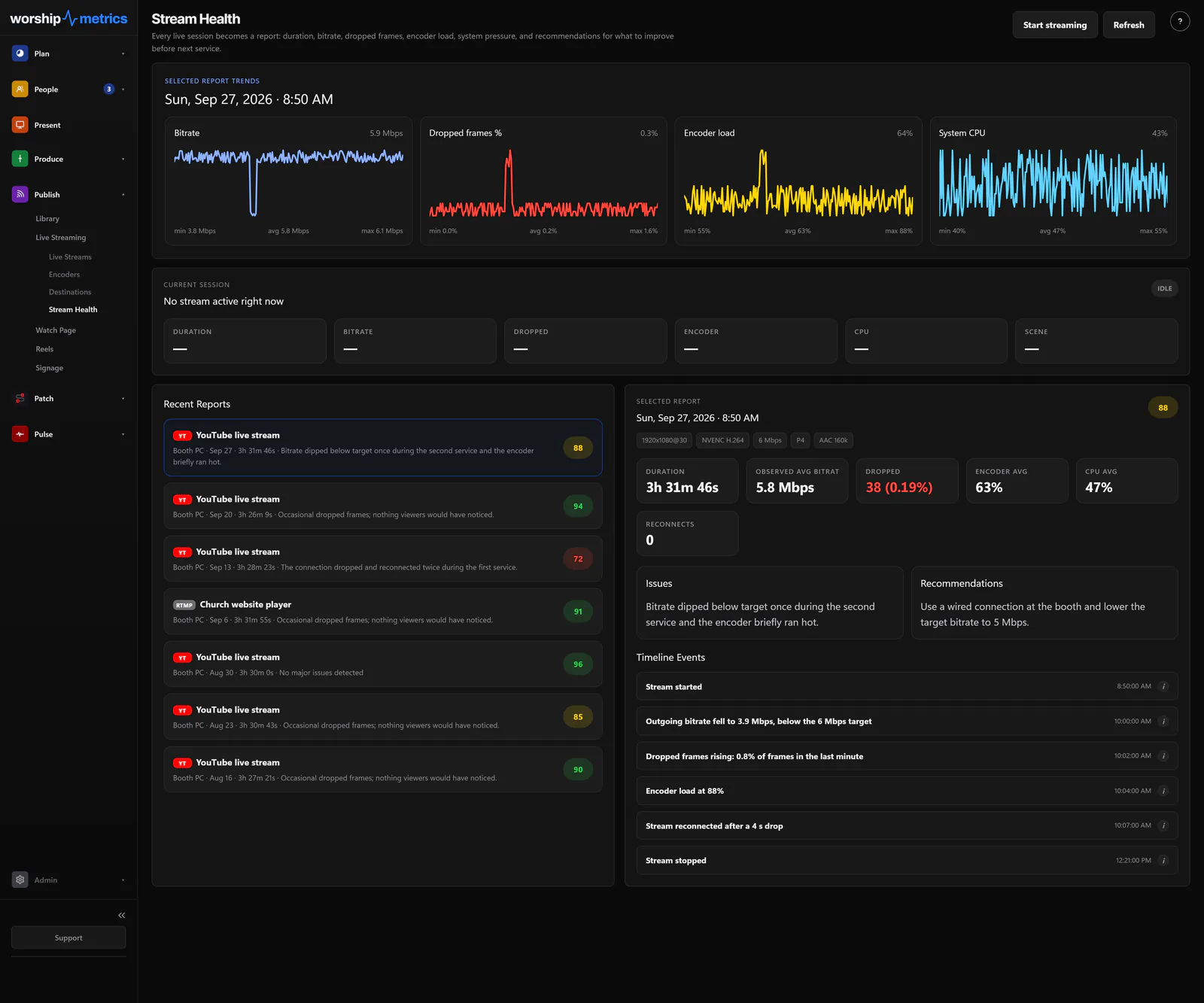
Open page →Bitrate, dropped frames and encoder load while you're live, and a scored report after every stream with what to fix before next Sunday.
Free, live viewer numbers on Max.
Open page →Any TV with a browser becomes a screen for the loops and playlists you build in Present, scheduled by day and hour, grouped by room, with an alert you can push to every display.
Open page →  Patch
Every cable, mapped. Every fix, faster.
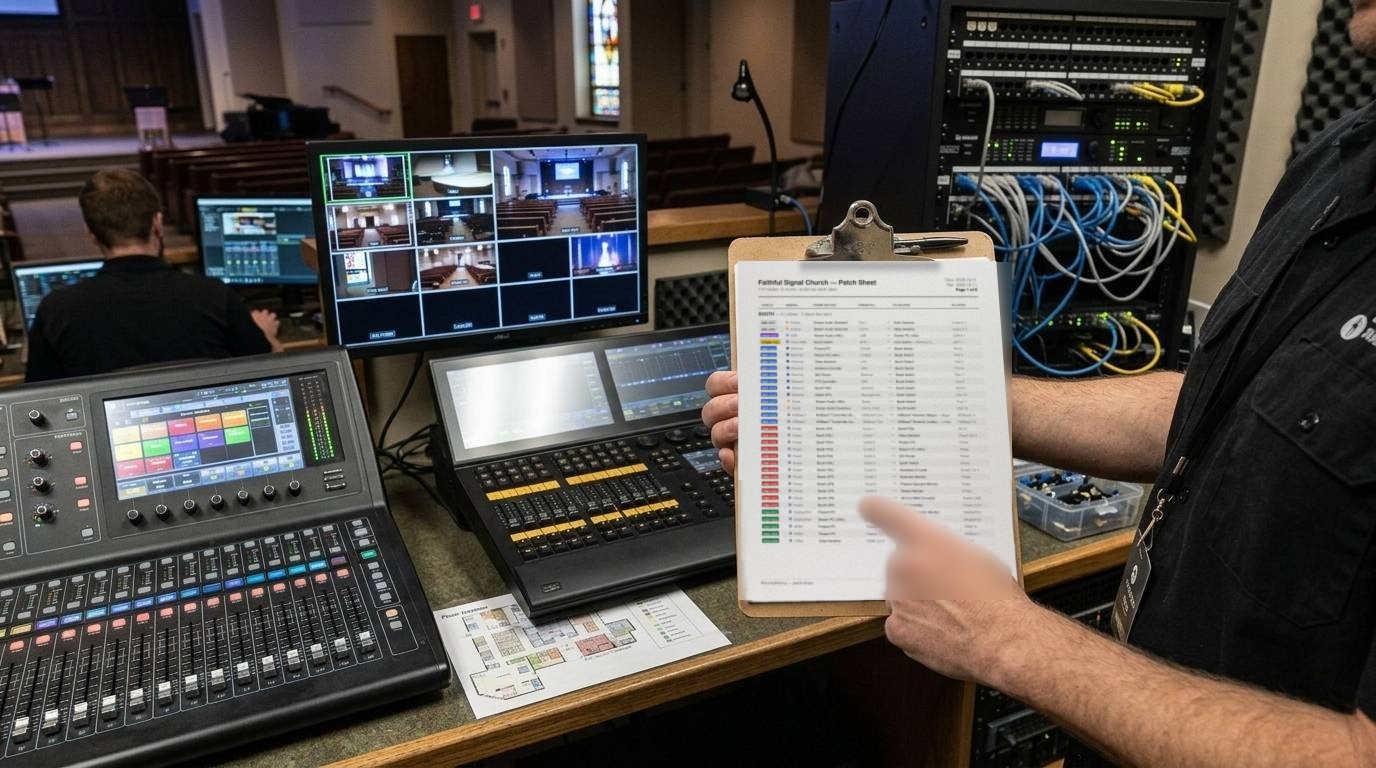
The Signal Map documents your whole system: devices, ports, and labeled cable runs. Knowledge stops living in one volunteer's head, new team members can see how the booth is wired, and support can point to the exact cable. And it prints a wiring diagram and patch sheet fresh from the live map.
Free on every plan. Pro adds AI import of your system drawings.
Documents the gear you already own. Nothing to rewire.
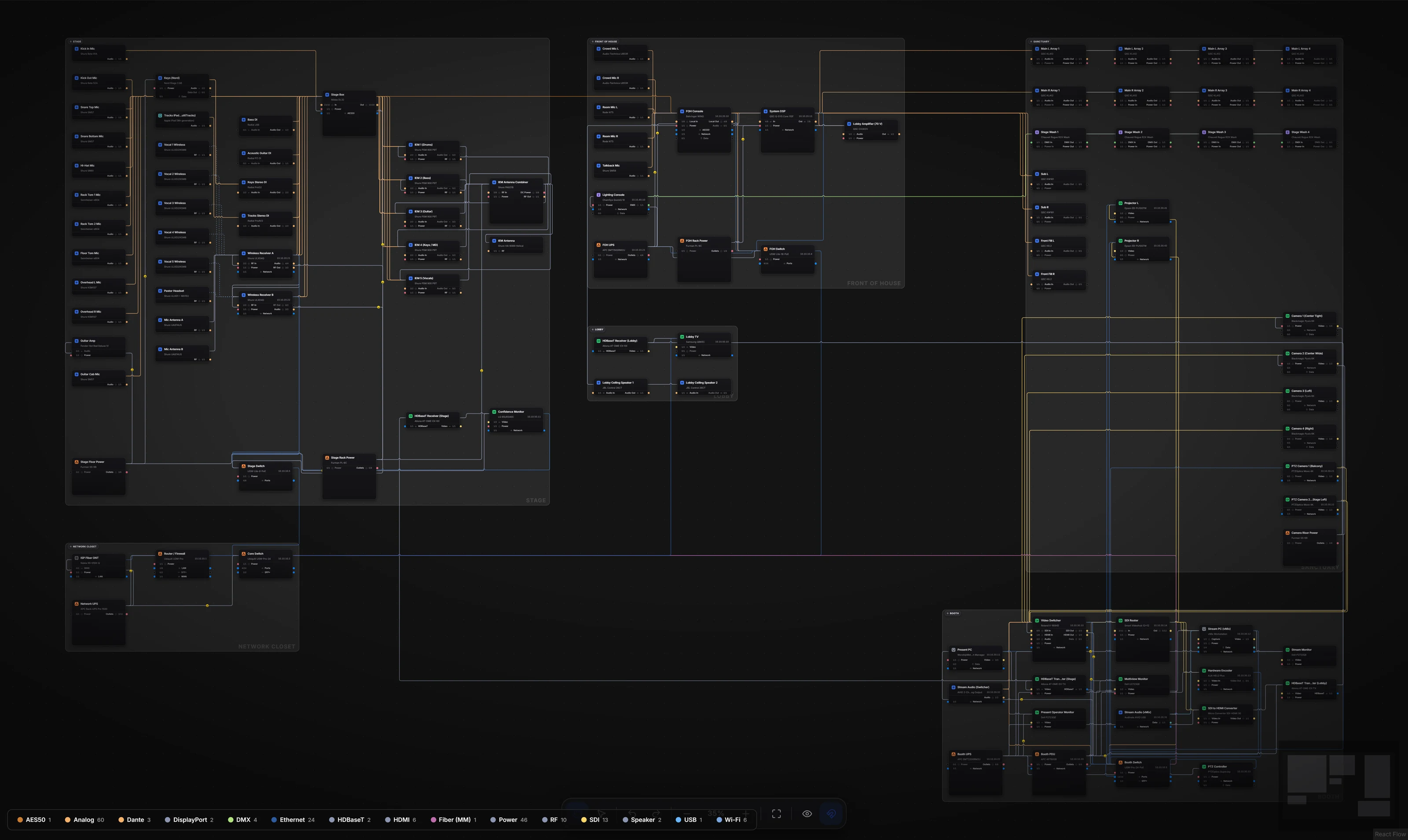
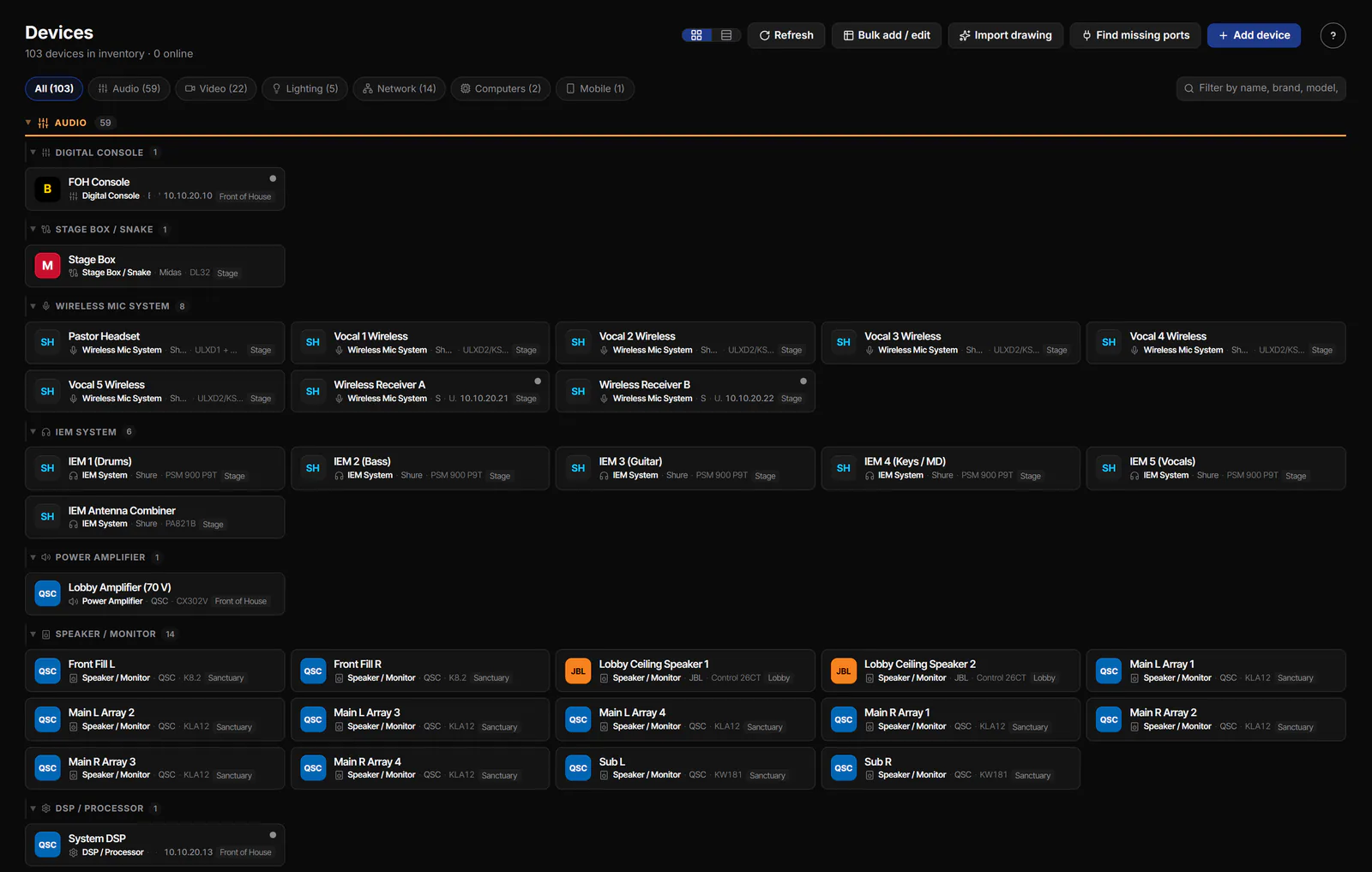
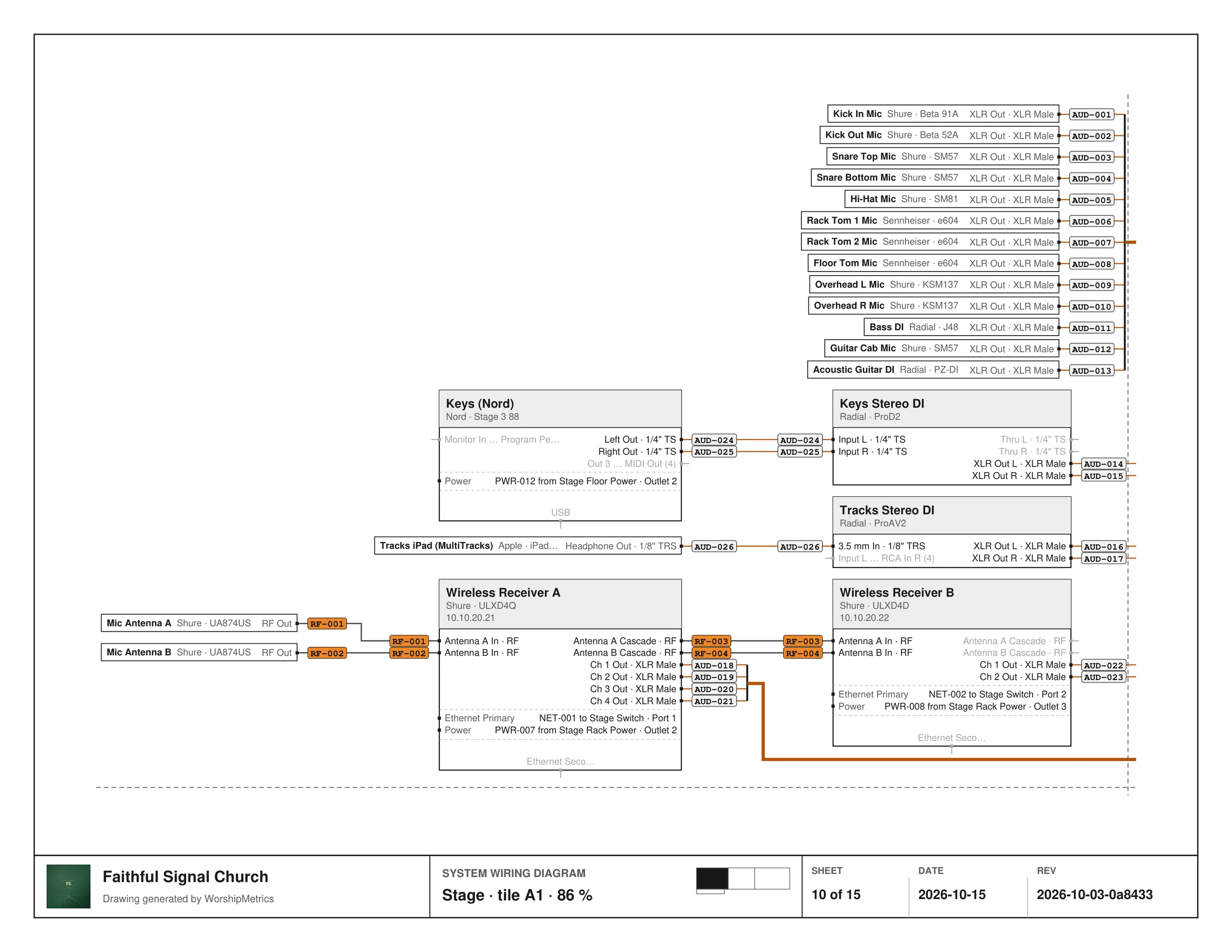
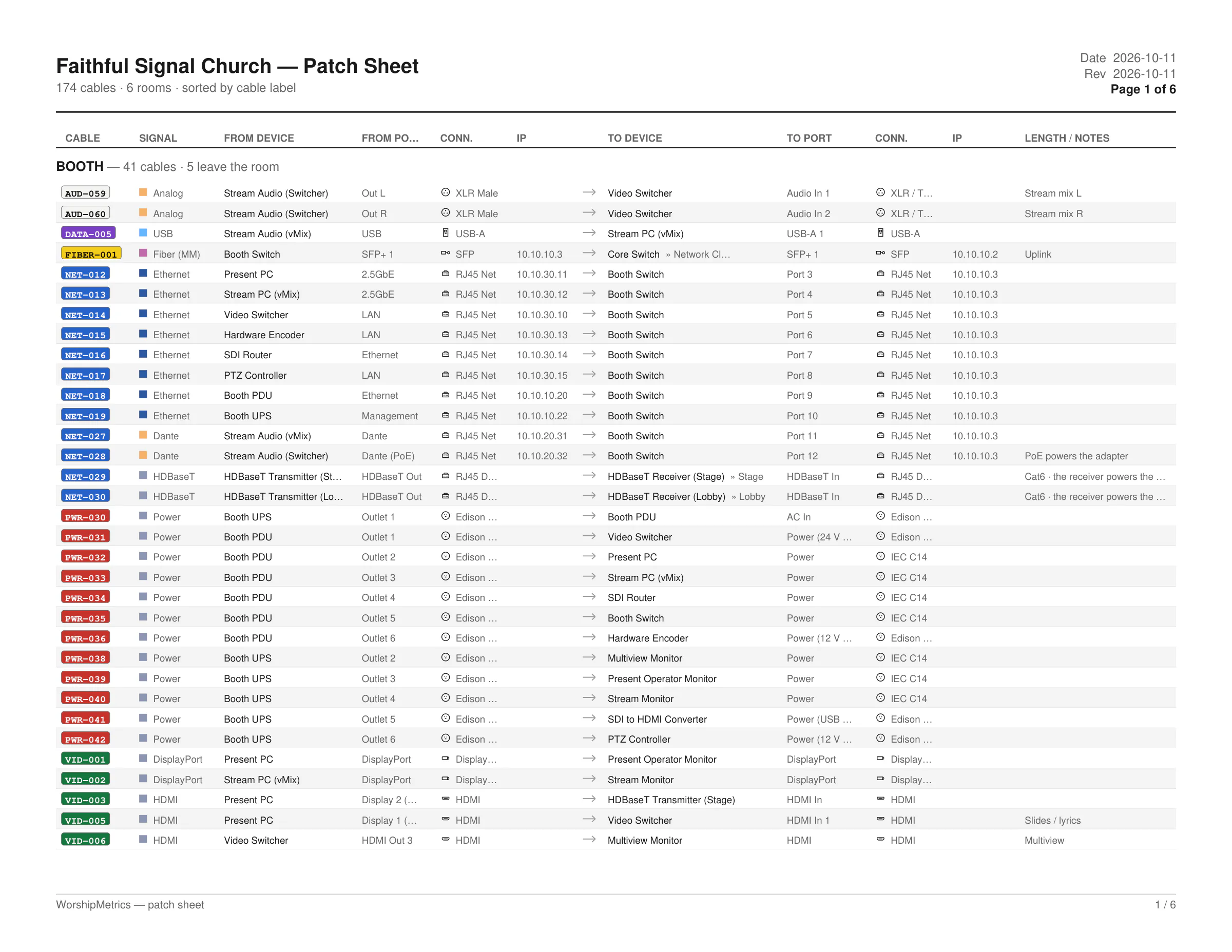
Inside Patch3 sections to explore
Every piece of gear with its brand, model, room, ports, and IP, found on the network by Tech Manager or added in a minute.
Open page →Rooms, device cards with their ports, and every cable drawn port to port, with seven wiring checks and a setup score that shows what is unfinished.
Open page →The cable schedule, numbered at both ends, printed as a patch sheet or exported as a wiring diagram with a revision.
Open page →  Pulse
Professional AV monitoring, free forever.
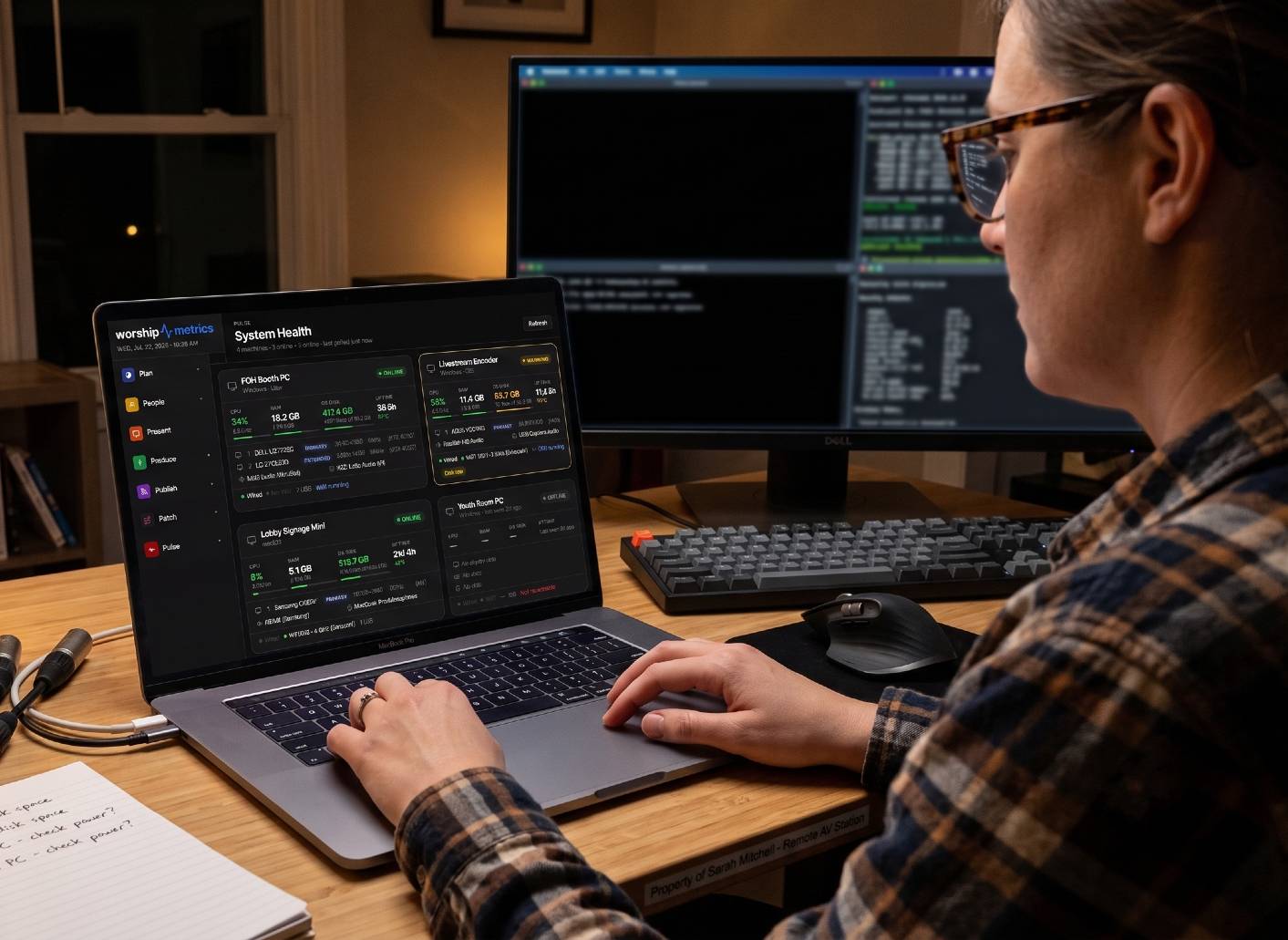
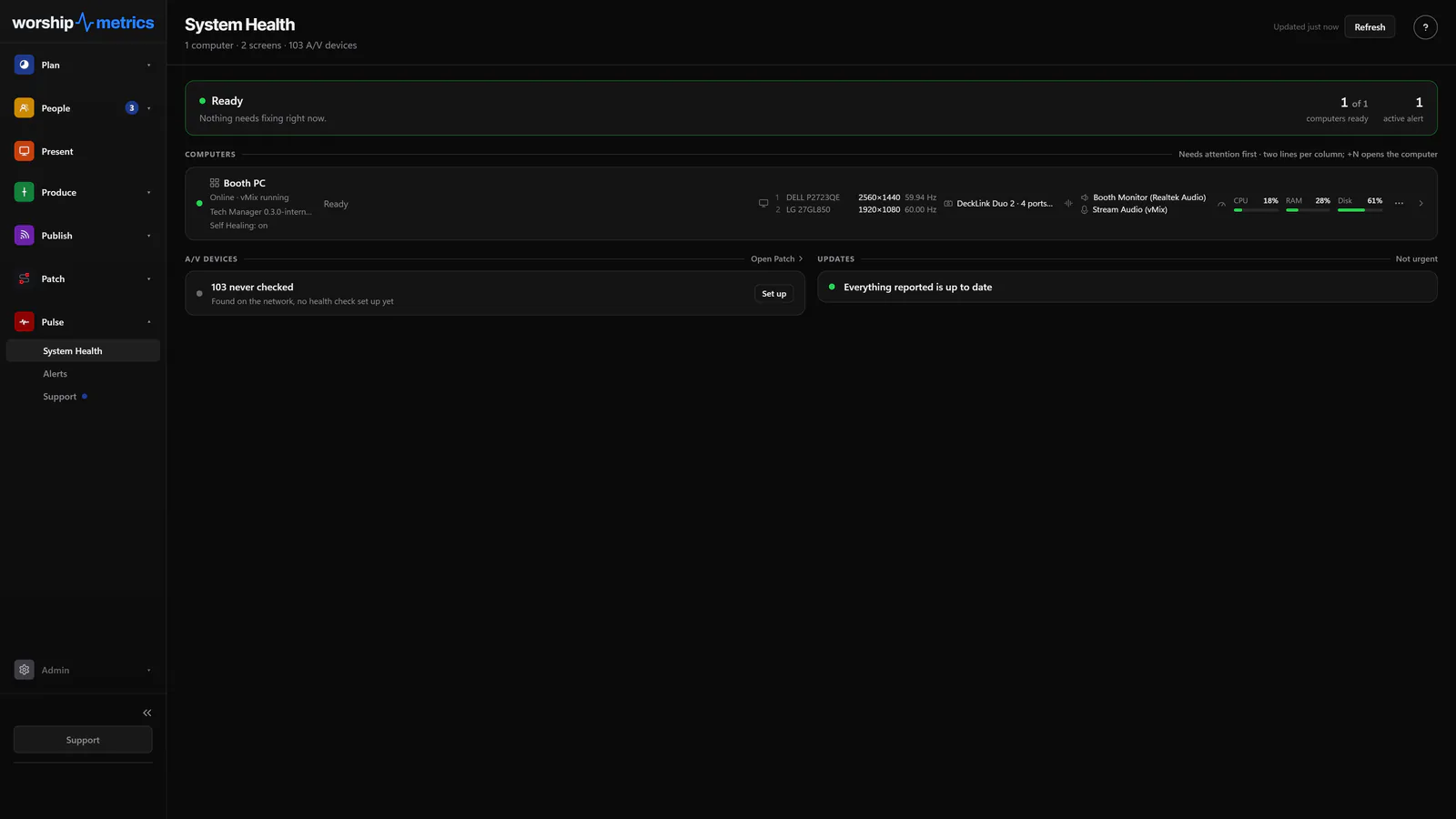
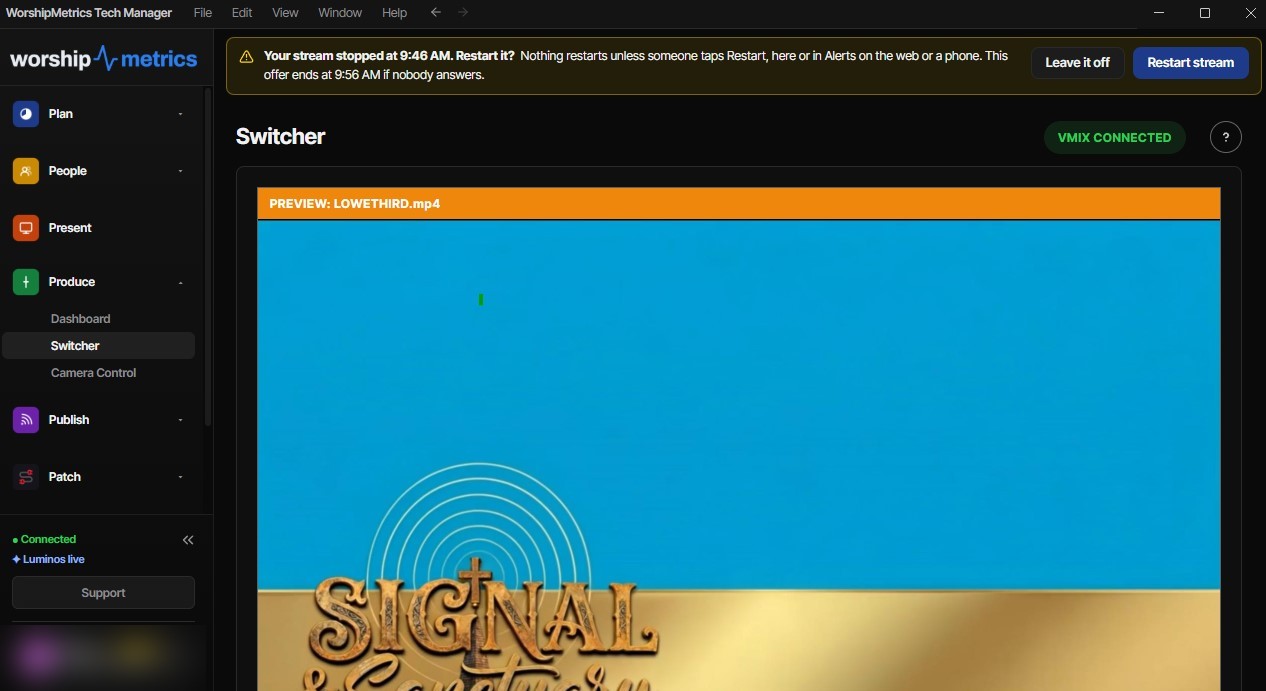
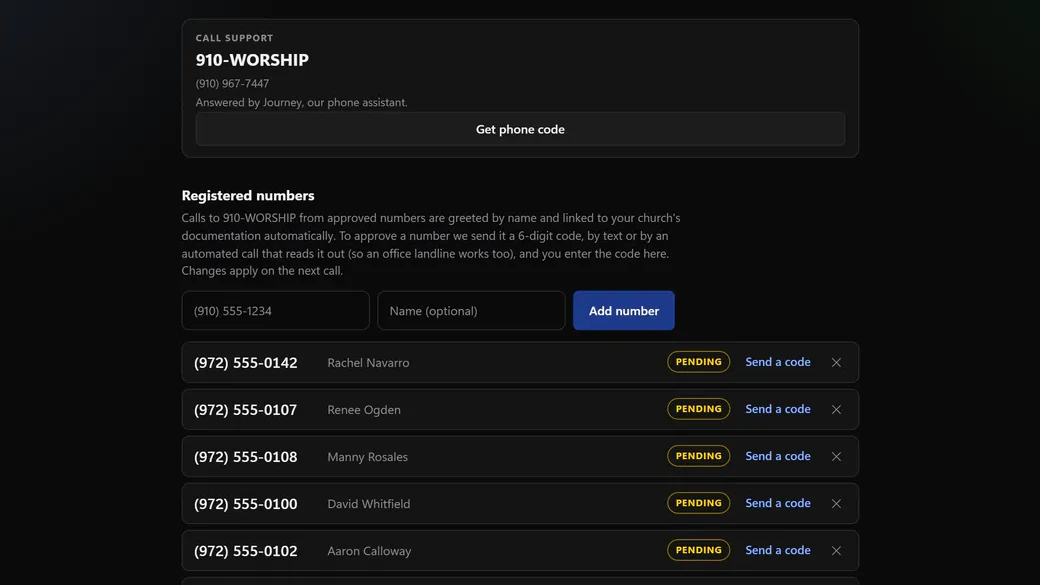
Pulse watches your booth computers, the devices on your network, and your streams while Tech Manager runs in the booth (it starts with the computer). System Health says whether the booth is ready. Alerts tells the right people by email, on the booth, or by text when something goes wrong, often before anyone in the room notices. Self Healing offers a one-tap restart when a stream or recording you started from WorshipMetrics stops. And Journey, the AI in Support, answers from your live system rather than a script.
Free on every plan. Pro adds text alerts, unlimited Journey chat, and AI phone support.
Watches the booth you already have. Nothing to switch over.
Inside Pulse5 sections to explore
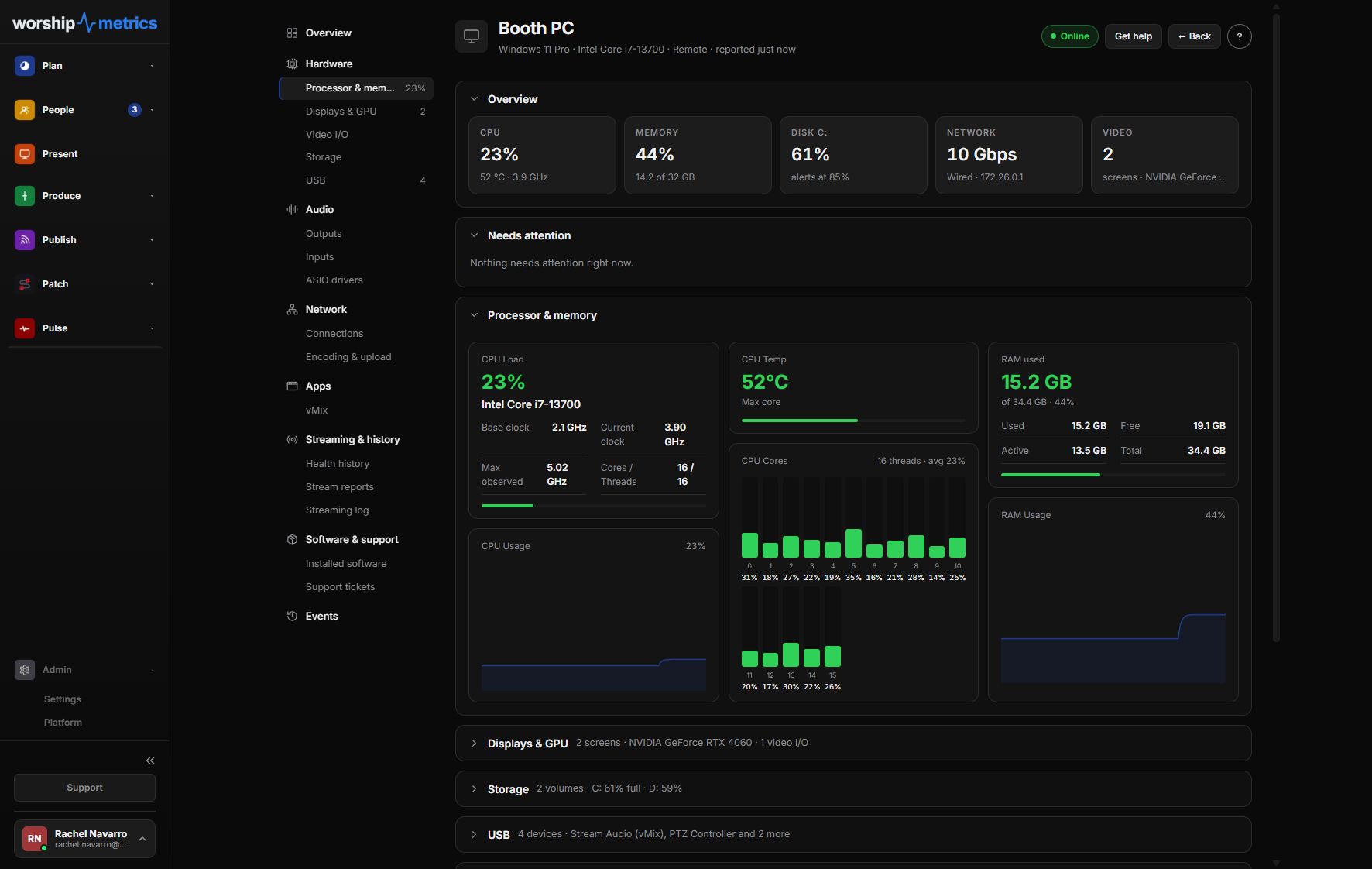
What Pulse watches: every computer running Tech Manager down to its ports, the cameras, consoles and switchers it probes on the network, and the stream, with the exact thresholds published.
Open page →One page that says whether the booth is ready: Computers, Devices and Network, each with a word and a reason, and any computer opened to its full health.
Jump to section →The inbox for problems, one card per computer: booth offline, CPU, memory or disk critical, stream dropped, no audio going out. Acknowledge, resolve, or mute it, and choose who hears about each kind.
Free, text messages on Pro.
Open page →Know the moment a stream or recording you started from WorshipMetrics stops, and restart it in one tap from the booth or a phone. Nothing restarts until a person says so.
Open page →The AI on the Support page that answers from your live system, proposes fixes you approve, and opens a ticket for a person when it cannot fix it. The same Journey answers 910-WORSHIP.
Free, chat for verified churches; unlimited chat and the phone line on Pro.
Open page →Across every module
The parts that belong to all of them.
- Journey AI Diagnoses from your live system and answers 910-WORSHIP any hour.
- Team Chat and unlimited users On every plan, from the senior pastor to the newest camera operator.
- Tech Manager The free desktop app that connects the booth to all of it.
- Planning Center sync The plans, people, and teams you already keep flow in.
How the pieces fit
Free runs your whole Sunday. Pro and Max add premium features, more storage and streaming.
Start with the shared workflow
Services, Volunteers, Attendance, Signage, and Planning Center sync give the team a connected baseline, all on the Free plan.
Add booth intelligence
Tech Manager and Journey bring the booth, the system map, and real diagnostics into the same operating picture.
Grow into the cloud
Pro adds OBS and vMix control from any browser, AI Reels online, more storage, and AI phone support. Max adds hosted live streaming; compare it with what you pay your provider now.