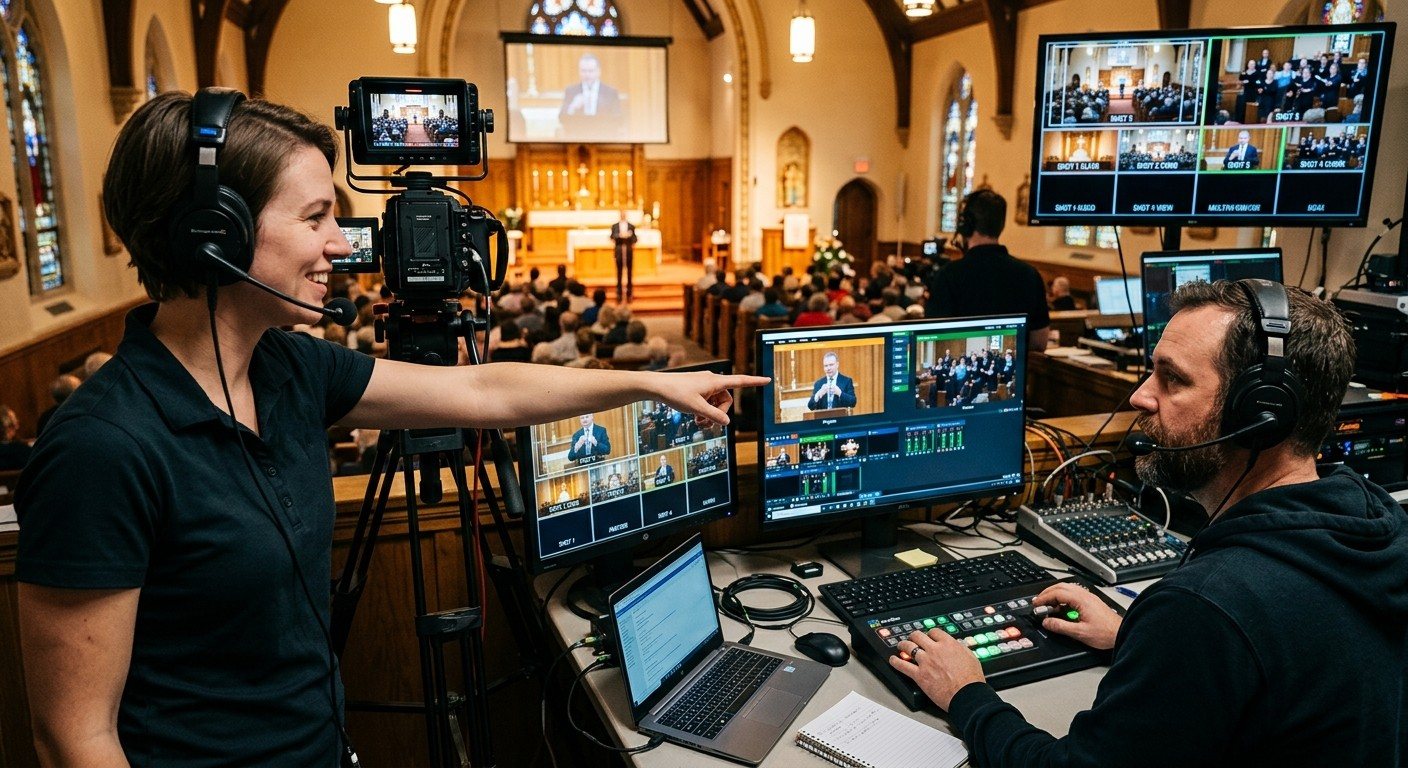
vMix makes room for more cameras. Somebody has to run them.
vMix handles multi-camera production well: multiview, instant replay, overlays, room outputs. As churches add PTZ cameras, though, the vMix operator ends up doing two jobs: framing shots and switching them. Usually one of those suffers.
Give the cameras to their own volunteer. That’s the third seat in the three-seat setup.
The director and the camera operator
| Director (vMix) | Camera operator | |
|---|---|---|
| Watches | Program, preview, the service order | The multiview and the stage |
| Does | Cuts, overlays, lyrics, stream and recording | Frames the next shot, recalls presets |
| Says | ”Ready two… take two" | "Two’s ready” |
The camera operator only moves cameras that aren’t live. The director only cuts to a shot that’s ready. That simple rule makes the stream look calm, even with brand-new volunteers. (See a shared shot vocabulary for church camera teams.)
Setting up the camera seat
- Network the cameras. NDI PTZ cameras go straight into vMix as NDI inputs and carry control and power over the same cable. (See why we recommend NDI PTZ cameras.)
- Give the camera seat its own screen showing the vMix multiview, so the camera operator can see every angle.
- Choose a controller: a tablet, a laptop browser, or a joystick.
- Save named presets for every regular shot.
- Use headsets if the booth is loud or the seats are apart.
- Rehearse the hand-off during a run-through before the first Sunday.
Where WorshipMetrics helps
- Camera Control gives the camera seat nine picture presets per camera, touch, keyboard, game pad, and joystick control, and focus lock, across VISCA and ONVIF cameras. It’s free in the booth on every plan.
- Cloud vMix control lets a second director or a mentor see preview and program and help from anywhere, with every action logged.
- Team chat and the Signal Map keep the camera list, presets, and wiring written down where every volunteer can find them.
Next: the OBS version of this setup, two-computer vMix with slides over NDI, or the three-person church livestream team.
Share the vMix PC with more volunteers: Splitting vMix roles for church volunteers. See also calling PTZ shots with vMix virtual inputs · the vMix Web Controller for volunteers.
Related questions
- Can vMix control PTZ cameras?
- vMix has built-in PTZ control for many cameras. Many churches still give PTZ control to a separate camera operator, on a tablet, browser, or joystick, so the vMix director can focus on switching rather than steering.
- How do a camera operator and a vMix director work together?
- The camera operator frames the next shot on a camera that isn't live; the director cuts to it when it's ready. Simple, agreed words like 'ready two' and 'take two' keep them in sync, and the vMix multiview lets both see every camera at once.
- How many cameras can one volunteer operate?
- With good presets, one volunteer can comfortably run three or four PTZ cameras in a typical service, because most shots are recalled rather than steered live.
vMix + Bitfocus Companion: Control Projectors, a Blackmagic ATEM, and Lighting from the Same Buttons
NextCalling PTZ Camera Shots in vMix from a Phone or Tablet: Virtual PTZ Inputs for Church Volunteers
Related Articles

Bitfocus Companion + ATEM Mini: A Stream Deck Panel for Your Church Switcher
A Stream Deck running Bitfocus Companion turns a Blackmagic ATEM into plain-word buttons with colors that show what's live, and the same panel can run PTZ cameras, projectors, and more. Here's how to connect Companion to an ATEM and build a volunteer page.

Lyrics Over the Camera on an ATEM Mini: Luma Keys, Chroma Keys, and the Slides Computer
To put song lyrics over the camera shot on a Blackmagic ATEM Mini, feed the slides computer into an ATEM input and key it over the camera. Here's how luma and chroma keys work for lyrics, how to design slides that key cleanly, and who should run it.

ATEM Mini + OBS for Church: Hardware Camera Switching with OBS for Graphics and Streaming
Many churches use an ATEM Mini as a camera switcher and send its output into OBS over USB as a webcam. The ATEM gives volunteers real buttons; OBS adds lyrics, graphics, recording, and streaming. Here's how to set it up, split the jobs, and avoid the common sync and quality problems.