Why the Import Is Worth Doing Carefully
Moving a church directory between systems is one of those jobs that takes twenty minutes when it goes well and twenty hours when it does not. The difference is almost never the software — it is whether the spreadsheet going in was prepared, previewed, and deduplicated on the way through.
The good news: a modern CSV import is far more forgiving than the copy-paste marathons many church offices remember. WorshipMetrics ships a guided import wizard that recognizes common column headers automatically, shows you a preview before a single record is written, and gives you three explicit choices for what to do when an incoming row looks like someone you already have. This guide walks through the whole journey — from exporting out of your previous system to a tidy, duplicate-free directory on the other side.
The Field Vocabulary: What a Person Record Can Carry
The import wizard speaks a sixteen-field vocabulary that maps onto the same profile fields you see when you open any person in the directory. Rather than memorizing all sixteen, it helps to think in four groups:
| Group | Fields include |
|---|---|
| Identity | First name, last name, preferred name, gender |
| Contact | Email, phone, mailing address |
| Dates | Birthday (age is computed automatically), anniversary, join date |
| Church life | Member type, membership status, marital status |
A few notes on the church-life group, because this is where migrations most often stumble:
- Member type uses the built-in values Member, Guest, and Attender — and if your church uses its own vocabulary (Covenant Partner, Regular Attender, Staff), you can create unlimited custom member types and import straight into them.
- Membership status is simply Active or Inactive. If your old system used a richer status ladder, decide before the import how each old status maps onto Active/Inactive plus a member type. Writing that mapping down as a two-column note takes five minutes and saves an afternoon.
- Multi-site churches: separate campus support is coming soon.
You do not need all sixteen columns to import. A spreadsheet with just first name, last name, and email is a perfectly valid starting point — you can always enrich profiles later, and a follow-up import set to update (more on that below) can layer in additional fields.
Header Auto-Mapping: Why Your Old Headers Usually Just Work
Every church management system names its export columns a little differently. The WorshipMetrics importer handles this with alias-based auto-mapping: each of the sixteen fields recognizes a set of common header spellings, so a column your previous system labeled slightly differently still lands in the right place without you re-typing headers.
The matching is deliberately conservative. It works on whole words with word-boundary matching, which prevents the classic near-miss mapping bug — a column called “Marital Status” can never be mistaken for “Membership Status,” even though the two headers share most of their letters. If the wizard is not confident about a column, it will not guess.
Practical implication: if a column in your spreadsheet does not map automatically, the fastest fix is usually to rename the header in your spreadsheet to the plain field name (for example, Birthday or Join Date) and run the file through again. Because nothing is written until you confirm, re-running the wizard costs you nothing.
Preview Before Anything Is Written
After mapping, the wizard shows a preview step: what it read from your file, and how each column landed. Treat this screen as your safety net and actually read it.
Three things to check in the preview:
- Column landings. Confirm each mapped column contains what you expect — phone numbers in phone, dates in dates.
- Date parsing. Dates are the most common source of silent CSV trouble in any system, because
03/04/1985means different things in different formats. Unambiguous formats such as1985-04-03(year-month-day) parse most reliably; the preview shows you exactly how each value was read, so a formatting problem is visible before it touches your directory. - The stragglers. Scan the last few rows. Spreadsheet exports often carry a totals row, a blank line, or a note at the bottom that should not become a person.
Nothing is committed until you approve the preview. If something looks wrong, close the wizard, fix the spreadsheet, and start again — the whole loop takes a couple of minutes.
The Three Duplicate Strategies
The heart of a safe import is what happens when an incoming row matches someone already in your directory. WorshipMetrics checks each row against existing people using three dedup keys — email, phone, and exact first-plus-last name — and lets you choose one of three strategies for what a match should trigger:
- Skip — matched rows are left completely alone; only genuinely new people are created. This is the safest default, and it is what makes re-running an import harmless: if your first pass imported 400 of 450 rows before you spotted a problem, fix the file and run it again with skip — the 400 already in the directory will not be touched or doubled.
- Update — matched rows update the existing person’s fields with the values from your file. This is the strategy for enrichment passes: you imported names and emails last month, and now you have a second spreadsheet with birthdays and addresses. Match on email, choose update, and the new data layers onto the existing profiles.
- Create — every row creates a new person, matches or not. This exists for the rare case where you genuinely have distinct people who share a key (two different “John Smith” entries with no email or phone to tell them apart). Use it deliberately and sparingly, and plan a pass through the duplicate detector afterward.
If the import hits rows it cannot process — a malformed value, a missing required field — you get per-row error reporting with row numbers, not a vague “some rows failed.” Open the spreadsheet, jump to the listed rows, fix them, and re-import with skip. Errors never block the healthy rows around them from a clean landing.
Round-Tripping from Another System
Most church management platforms — Planning Center, Breeze, ChurchTrac, and others — can export their people list to CSV, and that export is your migration vehicle. A simple sequence:
- Export people to CSV from your current system, including as many profile fields as it will give you.
- Open the file and tidy it. Delete columns you do not want to migrate, split any combined “Full Name” column into first and last name columns, and standardize dates to year-month-day.
- Map your old vocabulary. Translate legacy statuses and types into Member / Guest / Attender (or your custom types) plus Active / Inactive, using the two-column note you wrote earlier.
- Run the wizard with skip as your duplicate strategy, review the preview, and confirm.
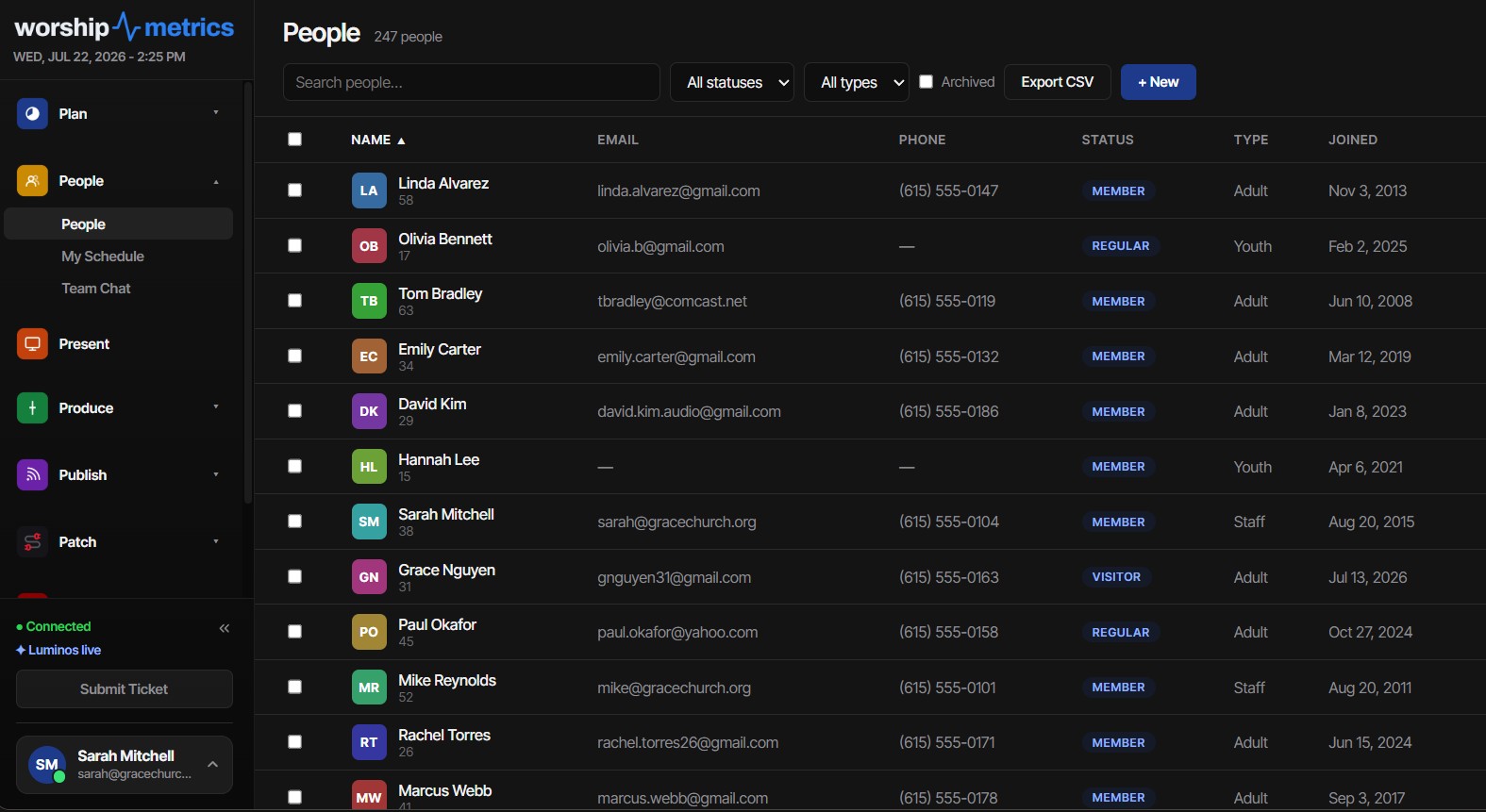
Within WorshipMetrics itself, the loop closes completely: the export CSV uses the same sixteen-field vocabulary as the import, so a file you export will round-trip losslessly back through the importer. The People list export also respects what is on screen — it exports exactly the rows you have filtered or selected, which makes it easy to hand a ministry leader just active members, or just the twelve people you checked.
Post-Import Cleanup: Landing Clean and Staying Clean
Even a careful import deserves a short cleanup pass. Three tools to reach for in the first week:
The duplicate detector. WorshipMetrics continuously flags likely duplicate pairs and sorts them by confidence: people sharing an email or phone number are flagged as high-confidence matches, while name or nickname matches (“Bob Smith” / “Robert Smith”) are queued for review. Each pair gets a human decision — merge or dismiss — and dismissals persist, so a pair you have already judged as two real people will not keep resurfacing. Run through this queue once after import day, then check it occasionally as new people arrive.
Households. In WorshipMetrics every person belongs to a household, so after a big import it is worth a pass to group family members together and designate a head of household where that is helpful. Household structure is forgiving by design: removing a household never removes its people, and moving someone out of an empty household tidies it up behind them.
Bulk actions and archive. If the import surfaced people who have long since moved on, select any filtered set and archive them in bulk. Archived people disappear from pickers and rosters but keep their full history, and they can be restored at any time — archiving is a filing decision, not a deletion.
A clean directory pays off well beyond the office. It is the foundation for scheduling volunteers onto serving teams — the same discipline that makes training volunteer AV teams stick — and the same keep-it-current habit that makes an AV inventory trustworthy applies to a people directory: the tool is only as good as the last honest update.
How WorshipMetrics Handles This
Everything in this guide is built into the People pillar of WorshipMetrics. The import wizard’s sixteen-field vocabulary, alias auto-mapping with word-boundary matching, preview-before-write step, and skip / update / create duplicate strategies are standard — as are the duplicate detector, household management, bulk archive and restore, and lossless CSV round-tripping. There is no member cap to plan around: the Free tier includes unlimited people and unlimited users, so you can migrate the whole directory on day one. And once your people are in, they flow straight into service planning and volunteer scheduling — which is usually the reason the directory was worth importing in the first place.
Church Encoder Settings That Survive Sunday: Bitrate, GOP, and Profiles
NextConnecting Planning Center to WorshipMetrics: Token, Sync, and What Imports
Related Articles

Making a Complicated Church AV System Easy to Run, Without Hiring an AV Company
Many church AV systems aren't too old or too small. They're too complicated for a volunteer. A simple button panel built with Bitfocus Companion can hide that complexity behind plain-word buttons, and a church can often build it themselves. Here's when that works, when to call a professional, and how to start.

Your Church Livestream Team, Connected Even When They're Not at Church
A three-person livestream team only works if everyone shares the same plan, the same wiring diagram, and the same news when something breaks. Here's how WorshipMetrics connects the director, slides, and camera volunteers through the week: chat, alerts, documentation, AI help, scheduling, and cloud control for OBS and vMix.

The Three-Person Church Livestream Team: Director, Slides, and Cameras
A church livestream runs best with three clear jobs: a director on OBS or vMix, a slides operator, and a camera operator. Here's what each role does before, during, and after the service, what skills it takes, and how the three talk to each other.