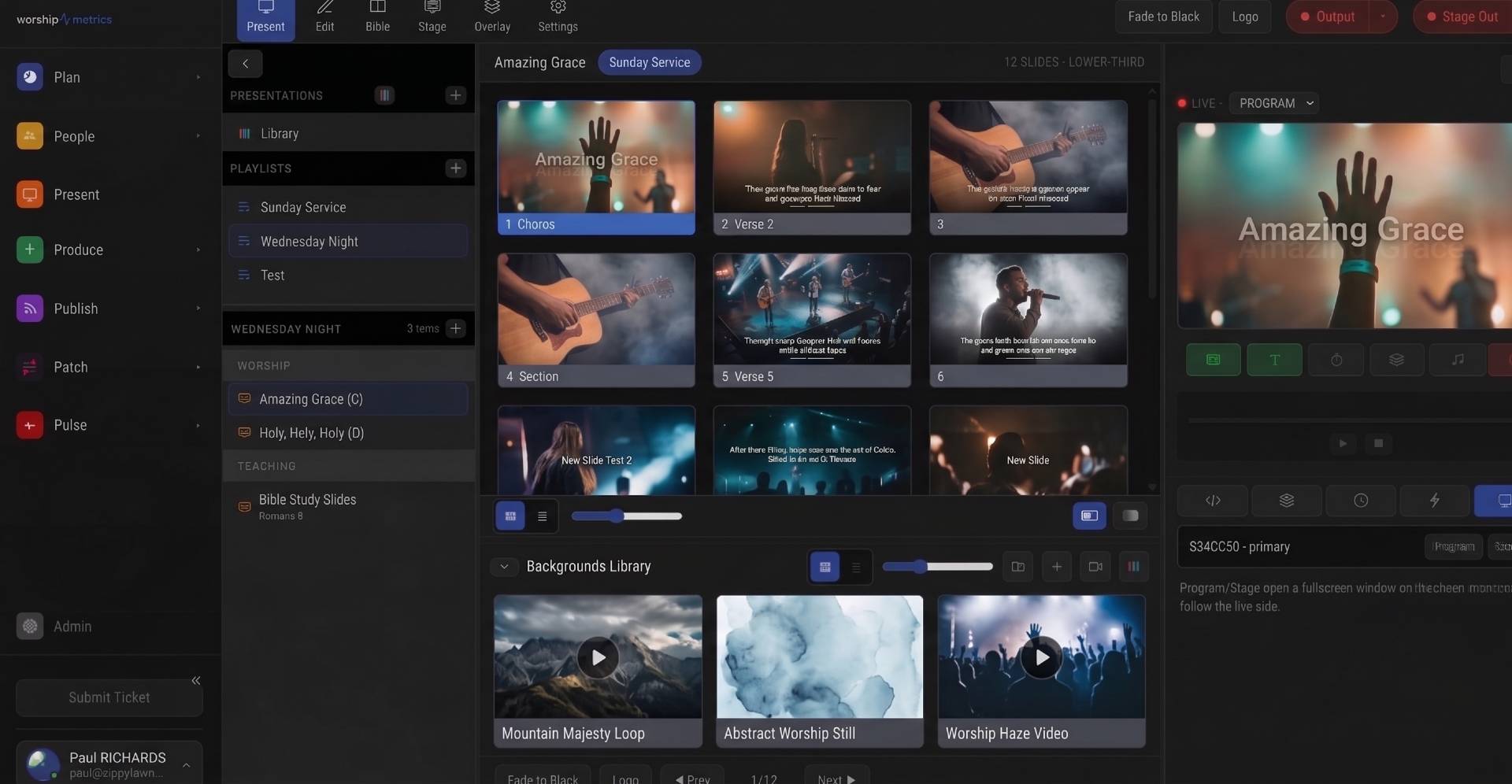
Your ProPresenter library is years of work — treat it that way
If your church has been running ProPresenter for any length of time, your song library is one of the most carefully curated assets your ministry owns. Every verse label, every chorus split across two slides, every bridge someone typed in at 10pm on a Saturday — that is real work, accumulated over years, and it deserves to make the trip intact when you bring your songs into a planning tool.
The good news: it can. ProPresenter documents are structured files, and the song-shaped parts of them — lyrics, section groups, and arrangements — import cleanly. The parts that do not carry over are mostly things you would not want in a song library anyway, because they belong to the presentation layer rather than the song itself.
One thing to say clearly up front: migrating your song library does not mean leaving ProPresenter. Plenty of churches import their songs into WorshipMetrics for planning, chord charts, and CCLI reporting while ProPresenter keeps doing exactly what it does well on Sunday morning. If that is your setup, our ProPresenter 7 advanced setup guide covers the projection side, and this article covers getting the library across. The two workflows coexist happily.
Know your file generations: .pro4/.pro5/.pro6 vs ProPresenter 7
ProPresenter has used two fundamentally different file formats across its history, and knowing which one you have tells you what to expect from an import.
ProPresenter 4 through 6 (.pro4, .pro5, .pro6). These are XML files — plain text, with the slide content stored inside as RTF (Rich Text Format). Because the format is text-based and well understood, imports from these generations are very reliable: the lyrics, the group labels on each slide (Verse 1, Chorus, Bridge), and the header metadata all parse cleanly. If your church ran ProPresenter 5 or 6 for years before upgrading, those old files are still perfectly good import sources — do not throw away that backup drive.
ProPresenter 7 (.pro). With version 7, the file format changed to protobuf — a compact binary format rather than readable XML. The same information is in there (and more: ProPresenter 7 made arrangements a much more prominent feature), but it takes a purpose-built parser to read it. WorshipMetrics reads both generations: ProPresenter 7 .pro shows import straight into Present, and .pro4/.pro5/.pro6 XML files come in through Songs.
Finding the files is usually the easy part. ProPresenter stores its library as individual document files on disk — by default under your Documents folder in a ProPresenter directory (~/Documents/ProPresenter on a Mac, Documents\ProPresenter on Windows). Each song is its own file, so you can migrate the whole library or just this week’s set.
What carries over — and what stays behind
Here is the honest inventory. A song library import is about the song, so the song-shaped data makes the trip and the presentation-shaped data does not.
| ProPresenter element | Carries over? | Notes |
|---|---|---|
| Lyrics (slide text) | Yes | The text on each slide becomes the song’s lyric content |
| Groups (Verse 1, Chorus, Bridge…) | Yes | Group labels become named sections |
| Arrangements | Yes | The ordered sequence of groups becomes an arrangement section sequence |
| Song title | Yes | Taken from the document |
| Backgrounds and motion loops | No | Presentation assets, not song data |
| Slide formatting (fonts, sizes, line breaks per slide) | No | Text carries; per-slide visual styling does not |
| Templates and looks | No | These live in the presentation layer |
| Linked media (videos, audio cues) | No | Media stays with your presentation software |
Two of these deserve a closer look.
Groups become sections. ProPresenter’s group labels are the closest thing your library has to a formal song structure, and they map naturally onto library sections. A song whose slides were grouped as Verse 1, Verse 2, Chorus, and Bridge arrives with those sections named and intact — which matters enormously later, when you build arrangements or line lyrics up against a chord chart.
Arrangements are first-class. If your ProPresenter operators built arrangements — the ordered playlists of groups that say “this Sunday we do Verse 1, Chorus, Verse 2, Chorus, Bridge, Chorus ×2” — that ordering is song data, and it imports as an arrangement with its own section sequence. In WorshipMetrics, arrangements are full-fledged objects that can carry their own named keys (a “Girl Key” in E and a “Guy Key” in G, for instance), so an imported arrangement becomes the foundation you hang keys and charts on rather than a flattened lyric blob.
What about CCLI numbers, authors, and copyright lines? ProPresenter documents can carry CCLI metadata in their headers, but in practice whether it is present depends on how each song entered your library — songs typed in by hand often have none. Budget a metadata pass after import (more on that in the checklist), because the library treats CCLI number, authors, and copyright as structured fields, and filling them once pays off every renewal season. Our guide to CCLI reporting from actual services explains where that metadata ends up.
The MultiTracks exception: SlidePro and ChartPro files
One category of ProPresenter 7 file will not yield lyrics on import, and it is worth understanding why: it is a licensing boundary, not a technical failure.
MultiTracks sells ready-made ProPresenter content — SlidePro lyric presentations and ChartPro chord charts. Those files contain content licensed for use inside ProPresenter, and that license does not extend to extracting the text into other software. Respecting that boundary is the right thing to do, so purchased SlidePro and ChartPro documents are the one kind of .pro file where the lyric content stays where it was licensed to live.
That does not leave those songs stranded. WorshipMetrics supports a MultiTracks structure import, which brings across the song’s skeleton — key, tempo, and the section map with timecodes — because MultiTracks serves song structure but no lyrics. From there, you pair the structure with lyric text you are licensed to use: a ChordPro file, an OpenLyrics file, or a plain-text paste under your church’s CCLI license. It is one extra step for a small subset of your library, and the result is a song entry that is fully yours to plan, transpose, and report from.
If you are unsure whether a given file came from MultiTracks, the tell is usually its origin: songs your team typed or built by hand import normally; presentations downloaded as finished products from a content store are the ones to check.
A checklist for a clean migration weekend
You do not need to migrate seven hundred songs in one sitting, and you should not try. Here is a rhythm that works, timed so nothing threatens a Sunday.
Friday evening — gather and back up (30 minutes)
- Copy your entire ProPresenter library folder to a backup location before touching anything. You are not modifying the originals, but a backup makes the whole weekend zero-risk.
- Identify your file generations. A mixed library (.pro5 files from the old machine, .pro files from the current one) is completely normal — both import.
- Flag any purchased SlidePro/ChartPro content so you know which songs will need the structure-plus-licensed-lyrics path instead.
Saturday — import in batches and spot-check (2–3 hours)
- Start with your current rotation — the 30 to 50 songs you actually sing — rather than the full archive. These are the songs where an error would matter, so check them while you are fresh.
- After each batch, spot-check three things per song: the lyrics read correctly, the sections carry their group names, and any arrangement ordering survived.
- Import the archive in larger batches once you trust the process. Old files from ProPresenter 4–6 are text-based XML and tend to be the most predictable of all.
- For any file that misbehaves — corrupted, ancient, or otherwise stubborn — plain-text paste is the escape hatch. Two minutes of copy-and-paste beats twenty minutes of forensics.
Saturday — the metadata pass (1 hour)
- Walk your current rotation and confirm each song has its CCLI number, authors (the songwriters, distinct from the recording artist), and copyright line. Hand-typed ProPresenter songs usually will not have them yet.
- While you are there, set keys. Each arrangement can carry named keys with capo positions, and once a ChordPro chart is attached, every key gets its own print-ready chord chart automatically — so the metadata pass is also the moment your library starts producing charts instead of just storing lyrics.
Sunday — change nothing
- Run Sunday exactly as you did last week. A migration weekend should be invisible to the congregation and to your volunteers. Next week, start planning from the imported library and let the new workflow prove itself at its own pace.
One more source worth knowing about: the library ships with 94 public-domain hymns already seeded, so the oldest part of your repertoire may already be waiting for you before you import a single file.
If Planning Center is also in the picture
Many ProPresenter churches also run Planning Center, and it is natural to ask whether the song library can come from there instead. Today, the Planning Center connection syncs service types, plans, items and times, plus people, teams, positions and scheduling — the Planning Center integration guide covers exactly what flows across — but song library import is not part of that sync. File-based import, as described here, is the path for lyrics and arrangements, and the two work well together: plans sync from Planning Center while the songs on those plans live in your imported library.
And if your team ever wants slides driven from the same library, Present’s multi-screen output reads ProPresenter files directly too — same import engine, pointed at projection.
How WorshipMetrics handles this
Everything above describes the import pipeline built into the WorshipMetrics songs library. It reads ProPresenter 4–6 XML documents, ChordPro (.cho/.crd/.chopro), OpenLyrics XML, MultiTracks structure import, and plain-text paste, and ProPresenter 7 shows import straight into Present — so whatever mix of formats your history left you with, there is a road in.
Once imported, songs are not static text: arrangements are first-class with their own section sequences, named keys carry starting key and capo, transpose is non-destructive (one stored chart renders in every key), and each named key gets an auto-generated, print-quality PDF chord chart. Your CCLI numbers, authors, and copyright lines become structured fields that feed usage reporting straight from the services you actually run. The library you spent years building in ProPresenter does not just survive the move — it becomes more useful on the other side, whether or not ProPresenter stays in the booth.
If you do decide to project from the same place the library lives, worship presentation reads those arrangements directly, and lyrics slides inherit the section structure your imports brought with them.
Test Runs vs the Real Thing: How Live Run Protects Your Service History
NextMulti-Campus People Management: Time Zones, Teams, and Lists
Related Articles

Making a Complicated Church AV System Easy to Run, Without Hiring an AV Company
Many church AV systems aren't too old or too small. They're too complicated for a volunteer. A simple button panel built with Bitfocus Companion can hide that complexity behind plain-word buttons, and a church can often build it themselves. Here's when that works, when to call a professional, and how to start.

Your Church Livestream Team, Connected Even When They're Not at Church
A three-person livestream team only works if everyone shares the same plan, the same wiring diagram, and the same news when something breaks. Here's how WorshipMetrics connects the director, slides, and camera volunteers through the week: chat, alerts, documentation, AI help, scheduling, and cloud control for OBS and vMix.

The Three-Person Church Livestream Team: Director, Slides, and Cameras
A church livestream runs best with three clear jobs: a director on OBS or vMix, a slides operator, and a camera operator. Here's what each role does before, during, and after the service, what skills it takes, and how the three talk to each other.