What CCLI actually asks for
Every church that projects lyrics, prints chord charts, or streams worship operates under a copyright license — for most congregations, that’s CCLI. The license itself is straightforward. The reporting is where teams get nervous, because CCLI doesn’t ask what you planned to sing. It asks what you actually sang.
That distinction sounds small until you try to reconstruct a year of Sundays from memory. The setlist said four songs, but the worship leader cut one for time. The band reprised a chorus that was never in the plan. Someone deleted the Easter plan in March to reuse the template. If your only record of song usage is your planning document, your report is a record of intentions, not reality.
This article walks through a better model: treating song usage as evidence that comes from three distinct sources, merging those sources without double-counting, and exporting the result as a clean CSV when renewal time comes.
Why “what was sung” is harder than it sounds
A worship plan is a forecast. Real Sunday mornings diverge from forecasts in predictable ways:
- Songs get cut. A baptism runs long, and the closing song disappears.
- Songs get added. The worship leader flows into a spontaneous chorus of a hymn nobody scheduled.
- Plans get edited after the fact. Someone tidies up the plan on Monday, and now the record reflects the cleanup, not the service.
- Plans get deleted. Old plans are pruned, duplicated over, or archived — taking their song history with them.
Meanwhile, the same Sunday often happens more than once. A church running identical 9 and 11 AM services sang each song twice in one sense, but for reporting purposes most teams treat one Sunday’s setlist as one usage — the same arrangement, the same lyrics, the same plan, presented to one combined congregation across two gatherings. Whatever counting convention your license terms lead you to, you need a system that applies it consistently, because a report that sometimes counts a two-service Sunday once and sometimes twice isn’t a record — it’s a guess.
The fix is to stop thinking of your report as a single list and start thinking of it as three overlapping bodies of evidence.
The three evidence sources
Performed: the strongest evidence
The gold standard for “we sang this” is a live service run that actually happened. In WorshipMetrics, every performance of a plan is its own run, and runs come in two kinds: draft (a rehearsal, a walkthrough, a Thursday-night test) and committed (the real service). Only committed runs count as performance evidence. A song that appeared in a completed, committed run was demonstrably on screen or on stage during a real service — and once a committed run finishes, its record is locked read-only, so nobody can accidentally rewrite history during Monday cleanup.
This draft-versus-committed split matters more than it first appears. If your presentation software logs every time a song is opened, your “usage” data includes every rehearsal, every tech check, and every time a volunteer clicked the wrong file. Performance evidence should mean performance.
Scheduled: the paper trail
The second source is the plan itself: a song sitting on a dated order of service. Scheduled evidence is weaker than performed evidence — plans are forecasts, as we said — but it’s far from worthless. For churches that don’t run every service live from software, or for the months before your team built the habit, the schedule is often the only record you have. A song on the plan for March 8th is reasonable evidence it was sung on March 8th, and a merged report should say so honestly rather than pretend the data doesn’t exist.
The key is that the report distinguishes the two. A line backed by a committed run carries more confidence than a line backed only by a plan, and your export should label which is which.
Logged: the ledger that survives everything
The third source solves the two problems the first two can’t: spontaneous songs and deleted plans.
A logged usage is a durable ledger entry — “we sang this song, at this service, on this date” — that lives independently of any plan. When the worship leader breaks into a chorus that was never scheduled, someone logs it after the service, and it becomes a permanent line in the ledger. And because the ledger doesn’t depend on the plan existing, deleting the plan later doesn’t erase the history. Your March plans can be pruned in November; the March usage survives.
This is the piece most churches are missing. Planning tools record plans, presentation tools record clicks, but almost nothing records the song that happened anyway. A simple post-service habit — “did we sing anything that wasn’t on the plan?” — captured in a durable log closes the gap. If you’re building that habit into your Sunday close-down checklist, our guide to training volunteer AV teams covers how to make small post-service routines stick.
How the merge works — and why 9 and 11 AM count once
With three evidence sources, the obvious risk is triple-counting. A song that was scheduled, then performed at 9 AM, then performed again at 11 AM, then logged by an eager volunteer would show up four times in a naive report.
The merge rule that prevents this is deduplication per song, per plan — which in practice means per song, per service date. One Sunday plan with two service times produces one usage line for each song, no matter how many times the run button was pressed. The 9 AM and 11 AM runs are separate records internally (each service time gets its own run lane, so timings never overwrite each other), but for reporting purposes they collapse into a single use: same song, same plan, same Sunday.
The merge also picks the best available evidence for each line. If a song was both scheduled and performed, the line reports it as performed — the stronger claim. If it was only scheduled, the line says scheduled. If it exists only in the ledger, the line says logged. Nothing is counted twice, and nothing is silently upgraded to more confidence than the evidence supports.
For a church with a typical year — 52 Sundays, a handful of special services, two or three spontaneous moments a month — this produces a report in the low hundreds of lines, each one traceable to a specific service. That traceability is the whole point: if anyone ever asks “how do you know you sang this on June 14th?”, the answer is a specific committed run or a specific ledger entry, not “we’re pretty sure.”
Exporting the trailing-year CSV
CCLI license renewals ask about your usage over the license period — in practice, the trailing year. When that email arrives, you want a one-click export, not an archaeology project.
The WorshipMetrics export produces a CSV with one line per use, defaulting to the trailing-year window, with these columns:
| Column | What it contains |
|---|---|
| Date | The service date |
| Title | Song title as it appears in your library |
| Authors | The songwriters (distinct from the recording artist) |
| Copyright | The copyright line stored on the song |
| CCLI Number | The song’s CCLI number from your library |
| Confirmation | The evidence level: performed, scheduled, or logged |
| Plan | Which service plan the use belongs to |
Two details are worth calling out.
The CCLI number comes from your song library, not from guesswork at export time. Each song in the library carries its CCLI number, authors, and copyright as first-class fields. If you imported your library from presentation software, it’s worth a one-time pass to confirm CCLI numbers made the trip; our ProPresenter 7 setup guide touches on how song metadata is structured on that side.
The Confirmation column is honest. Rather than presenting every line with equal certainty, the export tells you — and anyone reviewing it — which uses are backed by a real committed run, which are backed by a plan, and which came from the ledger. When you sit down to complete CCLI’s reporting, you’re working from a document that distinguishes evidence, which is exactly what you want if a number ever needs explaining.
One scope note: if you stream your services, remember that CCLI’s streaming license is a separate grant from the copy license, and your online services carry the same reporting logic — the songs in your stream are the songs in your run. If you’re setting up or rethinking your stream, start with our church live streaming platform guide.
A simple weekly rhythm
You don’t need a compliance department. You need three small habits:
- Run Sunday from the plan. If the service runs live from your planning tool, performance evidence accumulates automatically — every committed run is a permanent record.
- Log the spontaneous moments. Sunday afternoon, one question: “Did we sing anything that wasn’t on the plan?” Thirty seconds to log it, and it’s in the ledger forever.
- Glance at the report quarterly. Not because CCLI asks quarterly, but because a quick look catches missing CCLI numbers or forgotten logs while memories are fresh — instead of twelve months later.
Do those three things, and renewal season becomes a download button.
How WorshipMetrics handles this
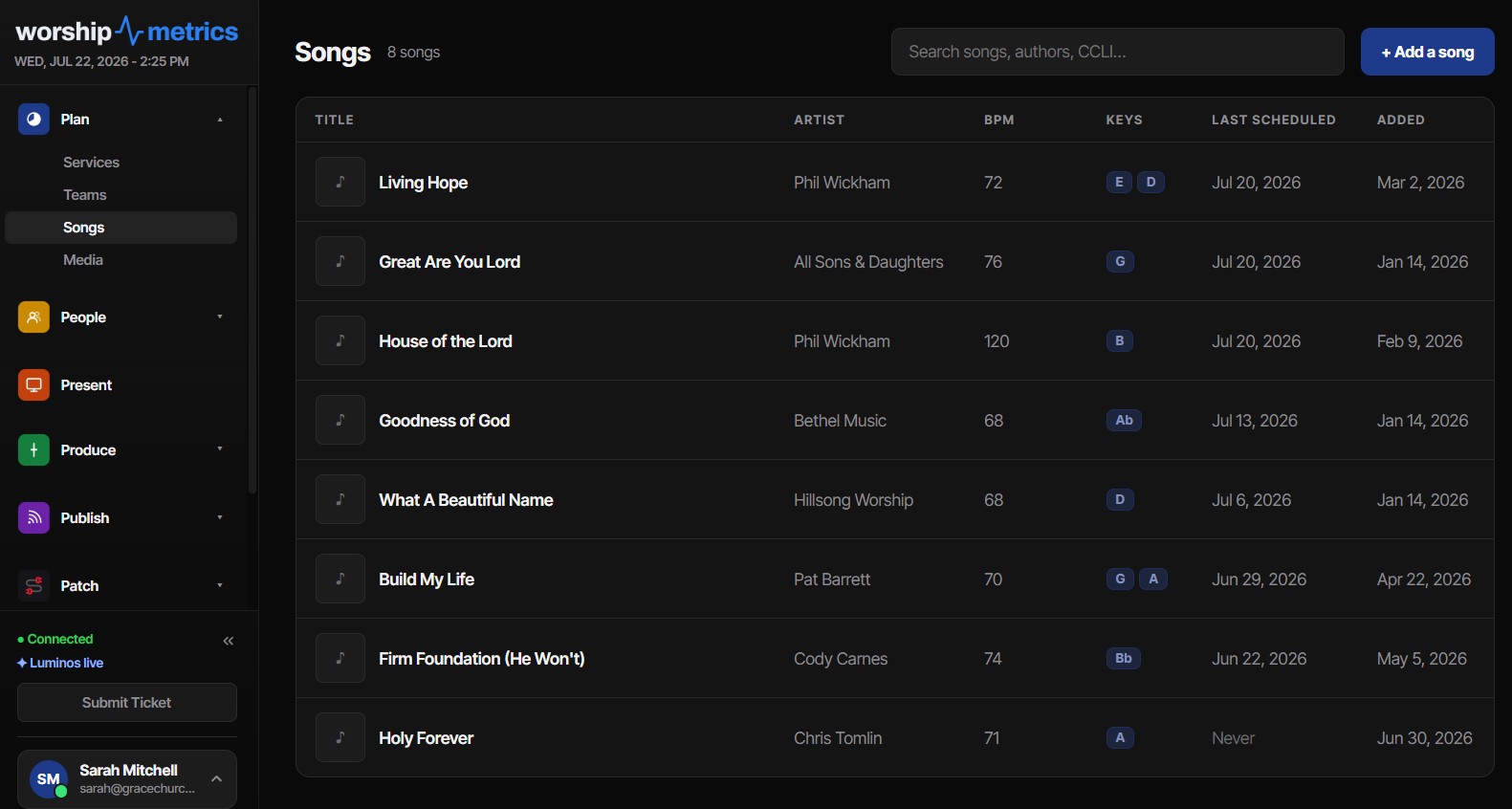
CCLI usage reporting is built into the WorshipMetrics songs library and works exactly as described above: usage merges performed evidence from committed live runs, scheduled evidence from dated plans, and a durable logged ledger that covers spontaneous songs and survives plan deletion. Everything is deduplicated per song per plan, so a two-service Sunday counts once, and the export produces a per-use CSV — Date, Title, Authors, Copyright, CCLI Number, Confirmation, Plan — over a default trailing-year window, the span a renewal asks about.
Because the library stores CCLI numbers, authors-versus-artist credits, and copyright lines as structured fields, the report is complete the day you need it. Pair it with service planning to run Sundays from the same source of truth, and your copyright report stops being a project and becomes a byproduct of ministry you were already doing.
A Cable Labeling System That Survives Volunteer Turnover
NextChurch Encoder Settings That Survive Sunday: Bitrate, GOP, and Profiles
Related Articles

Making a Complicated Church AV System Easy to Run, Without Hiring an AV Company
Many church AV systems aren't too old or too small. They're too complicated for a volunteer. A simple button panel built with Bitfocus Companion can hide that complexity behind plain-word buttons, and a church can often build it themselves. Here's when that works, when to call a professional, and how to start.

Your Church Livestream Team, Connected Even When They're Not at Church
A three-person livestream team only works if everyone shares the same plan, the same wiring diagram, and the same news when something breaks. Here's how WorshipMetrics connects the director, slides, and camera volunteers through the week: chat, alerts, documentation, AI help, scheduling, and cloud control for OBS and vMix.

The Three-Person Church Livestream Team: Director, Slides, and Cameras
A church livestream runs best with three clear jobs: a director on OBS or vMix, a slides operator, and a camera operator. Here's what each role does before, during, and after the service, what skills it takes, and how the three talk to each other.