 Plan Services, songs, and attendance, with the team scheduled.
 People Your directory, volunteers, and team chat in one place.
 Present Lyrics, scripture, slides, and stage display, free in any browser.
 Produce One dashboard for the switcher, PTZ cameras, and the stream.
 Publish Stream Sunday, keep every sermon on your watch page, clip it.
 Patch Every device, cable, and signal path, mapped and printable.
 Pulse Know the moment the stream or a device drops.
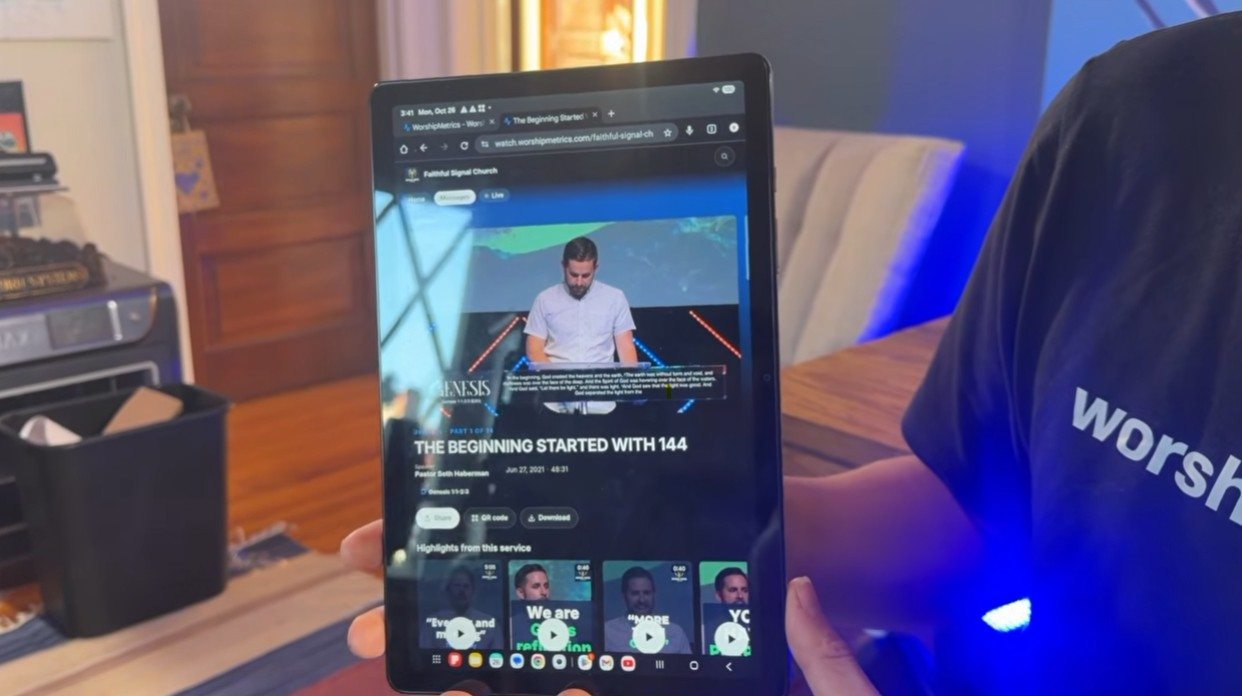
Some of the most meaningful moments in a sermon end up buried in an hour-long livestream. Your pastor says the one sentence someone needed to hear, and it sits 38 minutes into a recording that almost nobody outside the church will press play on.
Short clips fix that. A 60-second Short or Reel gives people another way to find the message, and if you set it up right, a path back to the whole sermon.
I recorded a walkthrough of how we do this in WorshipMetrics, start to finish, on a laptop and then on a tablet. It’s about 12 minutes. If you’d rather read, the main steps are below.

Start with the service you already recorded
Everything starts in Reels, under Publish. Each service you’ve recorded shows up as a card with its date, its length, and how many clips you’ve made, posted, and not shared yet. You can upload a recording, add a message that’s already in your Content Library, or send over the recording of a stream you ran with us. Nobody has to download a file from one place and upload it to another.
When the AI has been through a service, the card says New moments found. Press Clip it and you’re in.
Let the AI find the moments, then you choose
Reels transcribes the whole service and suggests the moments worth sharing: sermon points, scripture readings, prayers, the welcome, and more. You see each one with its opening words and where it falls in the service. Keep the good ones and skip the rest.
That part matters to me. The AI does the hours of scrubbing through video. A person on your team still decides what represents your church.
Trim with the transcript, not just the timeline
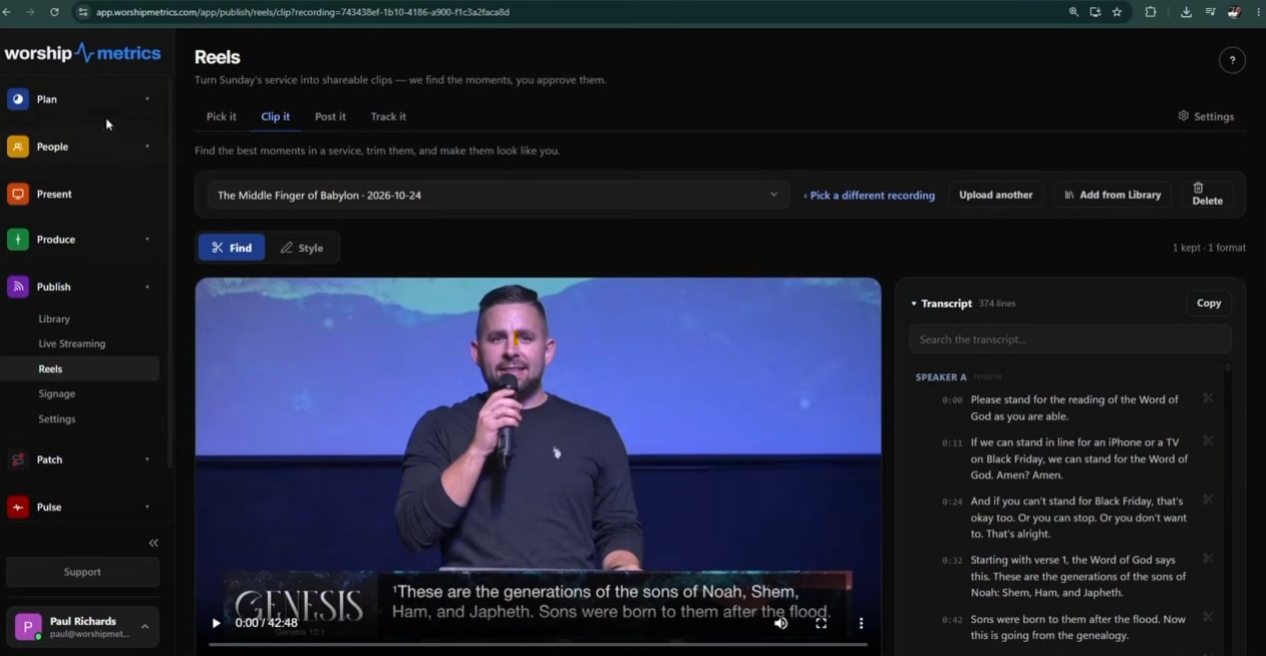
If the AI’s clip starts a sentence too early or ends a beat too late, you can drag the handles on the timeline like any editor. But most of the time it’s easier to use the transcript. Every line has a time next to it, so you can search for the phrase you remember, click the scissors on the line where the clip should start and the line where it should end, and that’s your clip.
That’s also how you make a clip the AI didn’t suggest. If you remember the moment, you can find it in the words.
Make it look like your church
Under Style, pick the formats you need: vertical for Shorts, Reels and TikTok, square, or wide for YouTube. You can make all three from the same clip. Then add:
- Captions, burned in, with each word lighting up as it’s said. Plenty of people scroll with the sound off, so don’t skip these.
- Your logo and brand colors, so people start to recognize your clips in their feed.
- An intro and outro, if you want one.
A reframe slider keeps your pastor in the shot when the wide camera angle gets cropped to vertical, and safe zones show you where each app puts its buttons so they don’t land on the captions.
Let it write the post
The part most volunteers dread isn’t the editing. It’s the blank title box. Press Write it for me and Reels writes a title, description, hashtags and tags from what was actually said. It can also design four thumbnail ideas from the clip. Change anything you like.
Then post to YouTube now or schedule it, or send it to your Facebook Page, to Instagram, or to TikTok as a draft. You can also just download the file and share it anywhere.
Do it from a tablet, wherever you are
Part of the video is on a tablet, because I wanted to show that none of this needs the booth computer or a fancy editing machine.
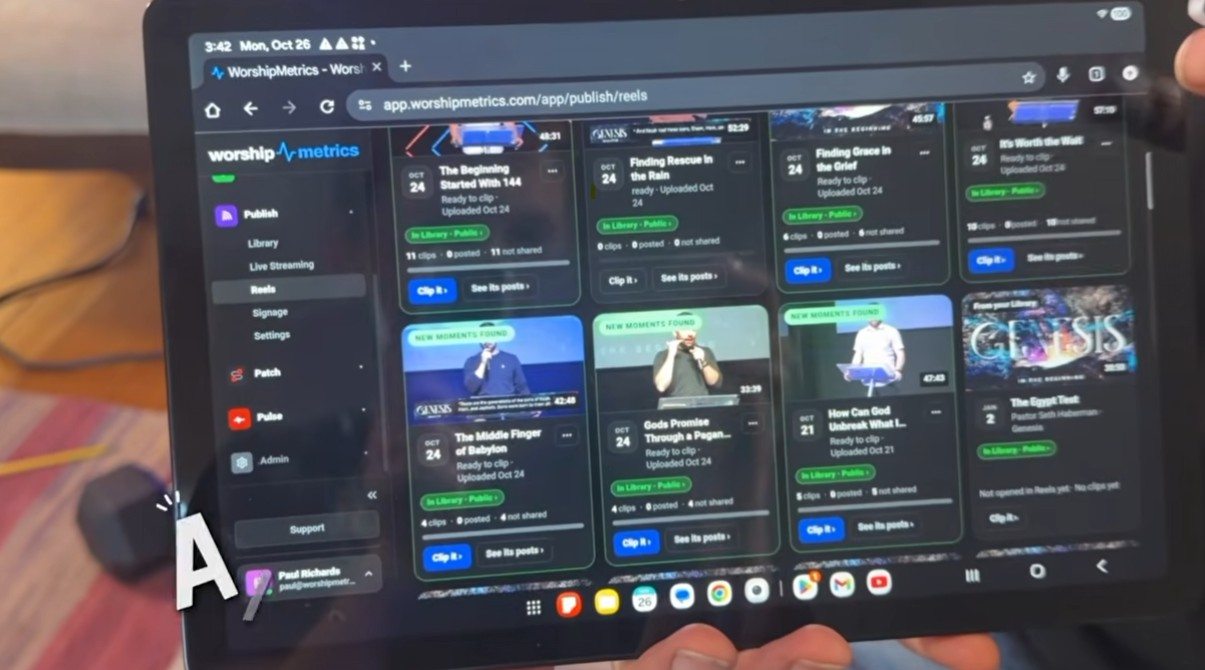
That changes who can help. The person with the best eye for what connects on social media is often not the person who runs the booth on Sunday. It might be a college student, a busy parent, or someone who travels for work. If they can review clips on a tablet on Tuesday night, they can serve.
Reels is free on your church’s booth computer in Tech Manager, our desktop app. Clipping in the cloud, from any browser, is on Pro and Max. More on the free side in free AI sermon clips.
Give every clip a way back to the full message
Here’s the part I care about most. A clip on social media gets someone’s attention. But when it ends, the feed moves them on to someone else’s video.
So every clip can also live on your church’s own watch page as a Highlight. Each Highlight links to the full message, each message sits inside its sermon series, and there’s nothing from anyone else competing for attention beside it.
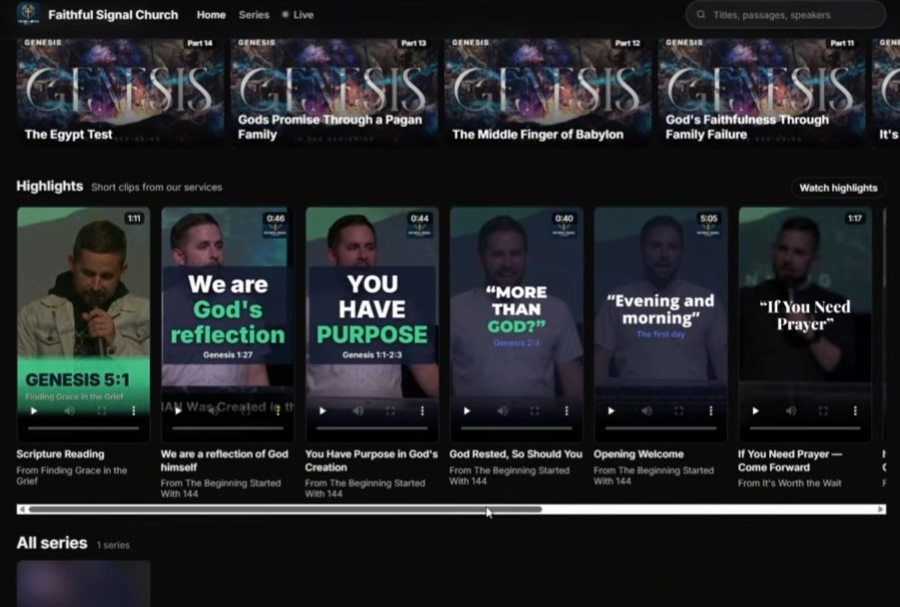
And it works the other way, too. Open a full message on the watch page and the Highlights from that service are right underneath, ready to share with a friend. I wrote more about that idea in Social media gets their attention. Your own page keeps it.
Try it on this Sunday’s sermon
The fastest way to see this is to open our demo church, Faithful Signal Church, on your phone and swipe through its Highlights. Then start for free and run last Sunday’s service through Reels.
If you’d like a hand, or want me to walk your team through it, call us at 910-WORSHIP. We answer seven days a week.

Paul Richards is a co-founder of WorshipMetrics, where he leads education and customer success. He was previously CEO of PTZOptics. Read our story.