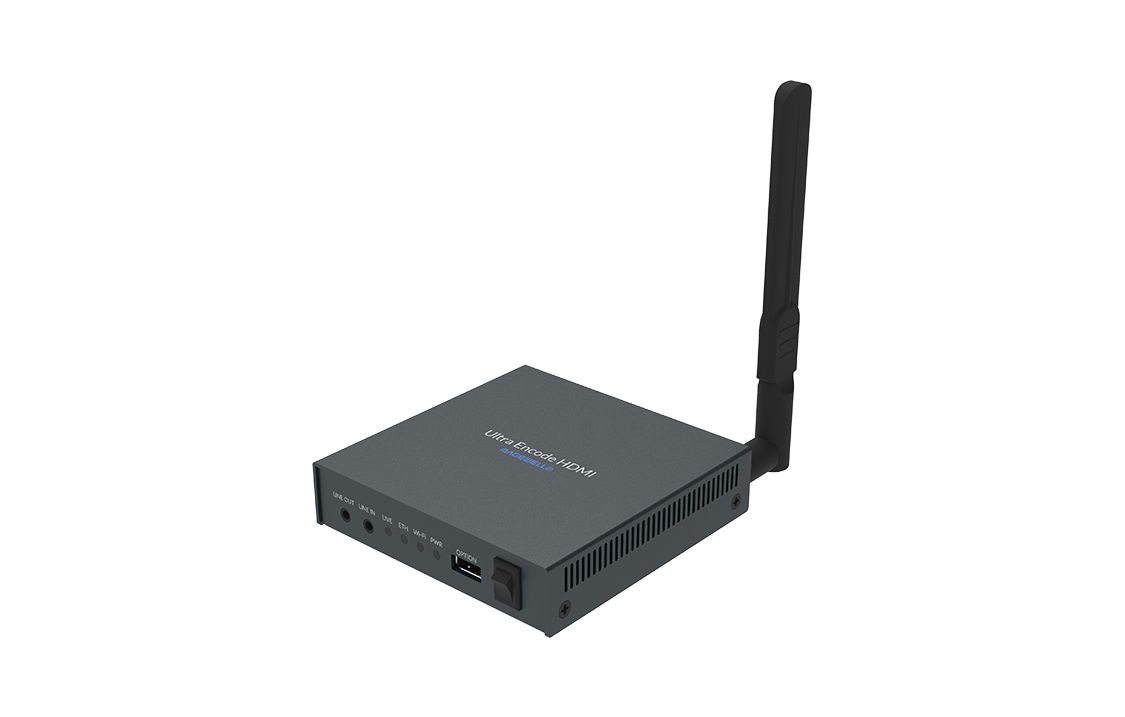
How to use this guide when the service starts in twenty minutes
This is a field guide, not a lecture. Scan the ten symptoms below, find the one blinking at you, and run its fast checks in order — each links to a full deep dive if the quick version doesn’t land the fix. Keep the encoder’s job description in mind: it has exactly three — see the input, encode it, reach the platform. Every failure below is one of those three wearing a costume. And as everywhere in the booth: change one thing at a time, and say what you touched.
This guide is part of a series — the other front doors are OBS, vMix, ProPresenter, PTZ cameras, and stream audio, and the pre-service half of all of them lives on one printable checklist.
1. The box is stuck on “connecting” and never goes live
The encoder sees video, encodes happily, and can’t reach the platform — job three is the patient. Fast sequence: does the box have working internet at all (can its web UI resolve a ping or show a gateway)? Is the RTMP/RTMPS URL current — platforms retire ingest endpoints — and is a firewall or guest VLAN blocking outbound on the streaming port? Swap to a phone hotspot for sixty seconds: if it connects, your network is the suspect, not the box.
Deep dives: Magewell encoder not streaming, diagnosed, and Teradek VidiU failing to connect.
2. The platform rejects the stream key
Keys rotate when someone clicks “End Stream” on the platform side, and a key pasted with a trailing space fails silently. Re-copy the key fresh from the platform, confirm you’re pointed at the matching ingest URL (a YouTube key on a Facebook URL fails with maximum confusion), and try once before touching anything else.
Deep dives: stream key invalid errors, and Facebook Live connection failures.
3. “No signal” at the input — but the camera is on
Job one is the patient, and the input isn’t what the box accepts: a resolution or frame rate off its supported list, a source that switches formats mid-chain — or HDCP, the silent one. A laptop, Apple TV, or consumer player flagging copy protection hands most encoders a legally mandated black screen. Test with a camera straight in: if that works, walk the chain back toward the real source.
Deep dives: HDMI signal dropping or going black, and the Magewell-specific input troubleshooting.
4. The web UI is unreachable — or nobody knows the password
You can’t fix what you can’t reach. Fast sequence: confirm you’re on the same subnet as the box (encoders love to fall back to a default address after a reset), try plain http:// and a second browser, and find the box’s IP from your router’s client list rather than guessing. Lost passwords have documented recovery paths — use them before a blind factory reset erases a working configuration.
Deep dives: Kiloview web UI access and password recovery, and the Epiphan Webcaster recovery guide.
5. The stream starts clean, then drops minutes in
A start-then-drop pattern is bandwidth arithmetic failing in real time: the bitrate cleared the line when the network was quiet and lost when Sunday traffic arrived. Drop the bitrate 25%, kill the other upload consumers, and if the pattern repeats weekly, measure the real Sunday-morning upload — not the Tuesday-afternoon one.
Deep dives: how much bandwidth church streaming really needs, and recovering when YouTube goes offline mid-service.
6. It streams — but it looks terrible
Macroblocking in worship lighting, smearing on camera moves: the encoder is working, the settings aren’t. Bitrate too low for the resolution, a keyframe interval the platform dislikes, or 60fps forced through a bitrate sized for 30. The fix is three settings, not a new box.
Deep dives: encoder bitrate settings that fit the job, and encoder settings that survive Sunday.
7. The video is fine but the audio is missing — or late
Encoders take embedded audio, and embedded audio has its own failure modes: the wrong input pair selected, a source not embedding at all, or an offset between the audio path and the video path. If the encoder’s meters are dead, the problem is upstream of the box — which makes it the stream audio guide’s jurisdiction.
Deep dives: audio/video sync fixes, and the full audio troubleshooting front door.
8. The multi-campus or SRT link keeps hiccuping
Point-to-point links live and die by protocol fit: RTMP tolerates little, SRT is built for hostile networks if its latency buffer is sized honestly for the path. Caller/listener confusion and a too-small latency setting cause most SRT grief; both are configuration, not hardware.
Deep dives: SRT vs RTMPS, and how to set each up, and the Kiloview caller/listener configuration guide.
9. A firmware update changed the rules
The box rebooted into new defaults, a renamed setting, or a “fixed” behavior your workflow depended on. The discipline that survives this: never update in the week before a big Sunday, read the changelog first, and export the configuration before every update so rollback is a file, not a memory.
Deep dives: the Teradek firmware and recovery guide, and encoder settings that survive Sunday.
10. It worked last Sunday
Nothing changed on the box — something changed around it: the platform ended the stream and rotated the key, a cable path got re-patched without a word, a switch port died quietly. The encoder is the most innocent-looking suspect in the booth precisely because it has no screen to complain on.
Deep dives: which AV signals survive which paths, and an AV inventory that stays true.
When the list stops helping: three upgrades and an honest question
If this page fixed your morning, bookmark it and go do the service. Then consider what every fix above assumed — that someone knew the box’s address, its cable path, and its history. Those assumptions are upgradeable.
Upgrade one: a mapped system is a system you can hand to someone else
A Signal Map — every device, every labeled cable, every port and address, printable as patch sheets — turns “which input feeds the encoder?” from an interview question into a lookup, and makes the knowledge transferable: new volunteers train against the map, a labeling discipline survives re-racks, and the booth survives its builder leaving.
Upgrade two: put the encoder on watch
Flag the encoder “Alert when offline” and every machine running Tech Manager probes it continuously — Pulse pages your phone the moment the stream drops, with published thresholds, and every service ends with a health report that captures how the stream actually behaved. A box that dies Thursday night stops being a Sunday surprise.
Upgrade three: Luminos — help that already knows your rack
Luminos, the AI assistant in WorshipMetrics, doesn’t answer encoder questions from generic checklists — it reads your church: your inventory, your Signal Map down to the encoder’s input cable, live device health, and every past incident. It’s there for the volunteer alone in the booth, and it answers 910-WORSHIP by voice as Journey.
The honest question: do you still need the box?
A dedicated encoder earned its rack space when computers couldn’t be trusted with the stream. That math has changed. Tech Manager — the WorshipMetrics desktop app — does the encoder’s whole job on a PC your church already owns: take one feed, encode it, and send it everywhere at once, watched by the same platform that alerts your phone and writes the health report. It’s a $0 replacement for a $1,500 box — and unlike the box, it can explain itself when something goes wrong. If the encoder has become the thing you troubleshoot most, that’s the sign.
How WorshipMetrics handles this
The ten symptoms above stop being emergencies when the encoder lives inside a watched, documented system: Pulse monitors the box and the stream around the clock, the Signal Map holds its paths and addresses, alerts reach your phone before Sunday finds the failure, and Luminos reads all of it. And when you’re ready to retire the box entirely, Tech Manager is the encoder that costs nothing, updates itself, and never loses its password. Monitoring, the map, and alerts are free forever — start with the watching, and let the box earn its rack space from here.
Related questions
- What is the fastest way to troubleshoot a hardware encoder during a church service?
- Work from the symptom, not from theory: identify which of the ten failure shapes you're looking at — stuck on connecting, a rejected key, no signal at the input, an unreachable web UI, a stream that starts then drops, bad quality, missing audio, an unstable SRT link, a firmware surprise, or a box that worked last Sunday — and run that symptom's short checks in order. An encoder has exactly three jobs: see the input, encode it, reach the platform. Find which of the three is failing and you're halfway home.
- Why does the encoder say no signal when the camera is clearly on?
- Because the input isn't what the box can accept: a resolution or frame rate outside its supported list, a source switching formats mid-chain, or — the silent one — HDCP. A laptop, Apple TV, or consumer player that flags its output as copy-protected will hand most encoders a legally mandated black screen. Test with a known-clean source like a camera straight in, and the diagnosis takes one minute.
- Do we still need a hardware encoder at all?
- Sometimes — a dedicated box has real virtues for set-and-forget simplicity. But the job it does is one Tech Manager, the WorshipMetrics desktop app, performs on a PC your church already owns: encode one feed and send it everywhere, watched by the same platform that alerts your phone when anything drops. If the box has become the thing you troubleshoot most, the honest math has changed.
Church Stream Audio Troubleshooting: The 10 Problems Behind Almost Every Sunday Failure
NextOBS Troubleshooting for Church Streams: The 10 Problems Behind Almost Every Sunday Failure
Related Articles

Bitfocus Companion + ATEM Mini: A Stream Deck Panel for Your Church Switcher
A Stream Deck running Bitfocus Companion turns a Blackmagic ATEM into plain-word buttons with colors that show what's live, and the same panel can run PTZ cameras, projectors, and more. Here's how to connect Companion to an ATEM and build a volunteer page.

Lyrics Over the Camera on an ATEM Mini: Luma Keys, Chroma Keys, and the Slides Computer
To put song lyrics over the camera shot on a Blackmagic ATEM Mini, feed the slides computer into an ATEM input and key it over the camera. Here's how luma and chroma keys work for lyrics, how to design slides that key cleanly, and who should run it.

ATEM Mini + OBS for Church: Hardware Camera Switching with OBS for Graphics and Streaming
Many churches use an ATEM Mini as a camera switcher and send its output into OBS over USB as a webcam. The ATEM gives volunteers real buttons; OBS adds lyrics, graphics, recording, and streaming. Here's how to set it up, split the jobs, and avoid the common sync and quality problems.