The most dangerous cable in your building looks completely ordinary
Walk into any church tech booth and count the Cat5e and Cat6 cables. The one feeding the streaming computer, the one going to the stage box, the one running to the personal monitor mixers, the one carrying video to the lobby TV — they all look identical. Same jacket, same RJ45 plug, same satisfying click when they seat.
But those identical-looking cables are carrying wildly different things. Some of them are genuine network traffic that any decent Ethernet switch will happily forward. Others are proprietary signals that merely borrow the physical cable — and the moment a well-meaning volunteer patches one into a network switch, the signal dies at the port.
This is one of the most common “everything was working last week” failures in church AV, and it is entirely preventable once your team understands one distinction: switchable versus point-to-point.
The one-question test: does it speak IP?
Here is the rule that sorts nearly every Cat-cable signal in your building.
If the signal is real network traffic — Ethernet frames carrying IP packets — a switch can forward it. Protocols like Dante, AES67, NDI, Art-Net, and sACN were designed from the beginning to live on standard networks. They have IP addresses. They coexist (with some care) alongside other traffic. You can route them through switches, across VLANs, and in some cases across your whole campus.
If the signal only borrows the cable and connector, a switch will kill it. Protocols like AES50, Ultranet, dSNAKE, gigaACE, and HDBaseT use twisted-pair cable because it is cheap, rugged, and everywhere — but what travels down that cable is not standard Ethernet traffic a switch knows how to handle. These links must run directly from one device to its intended partner. There is no switch, no VLAN, no “just patch it through the wall plate into the network closet.”
Let’s look at both families in detail.
Signals that survive the switch
Dante and AES67 (audio over IP)
Dante is the most widespread audio-over-IP system in church installs, and AES67 is the interoperability standard that lets different AoIP ecosystems exchange streams. Both are genuine IP traffic: every Dante device gets an IP address, streams move as UDP packets, and standard gigabit switches forward them.
“Survives a switch” does not mean “thrives on any switch,” though. Dante is timing-critical. For reliable service-day performance you want:
- Gigabit switches — not the old 10/100 unit rescued from a closet.
- QoS (DSCP) configured so Dante’s clocking packets get priority when the network is busy.
- IGMP snooping if you use multicast flows, so audio doesn’t flood every port.
- Energy Efficient Ethernet (EEE / Green Ethernet) disabled, because power-saving link tricks can disturb Dante’s clock sync.
Many churches run Dante on a dedicated VLAN or a physically separate switch. That is a wise practice, and it pairs naturally with the broader segmentation advice in our network infrastructure guide.
NDI (video over IP)
NDI moves video, audio, and control as network traffic, which is exactly why it has become so popular for church production — one Cat6 run can carry a camera feed, tally, and PTZ control that would otherwise take three cables. It absolutely rides switches, but it is hungry: a single full-bandwidth NDI stream commonly runs 100–150 Mbps, so a handful of cameras will saturate links that were fine for email and browsing. Gigabit everywhere is the floor, and busy NDI systems benefit from their own VLAN or switch. Our NDI for church production guide covers bandwidth planning in depth.
Art-Net and sACN (lighting control over IP)
Both are DMX lighting data wrapped in UDP/IP packets. They switch and route like any other network traffic, which is what makes networked lighting nodes so flexible: one cable from the booth to the stage can feed multiple DMX universes. sACN’s multicast design is generally the better citizen on shared networks, but either one belongs firmly in the “switchable” column.
Signals that die at the port
AES50 (the digital snake on Behringer and Midas consoles)
AES50 is the one that causes the most Sunday-morning grief, because it is everywhere: it is the link between a Behringer X32 or WING (or Midas M32) and its stage box. It uses shielded Cat5e cable and an RJ45-style connector — usually ruggedized with an EtherCON shell — and it looks exactly like a network drop.
It is not one. AES50 uses the Ethernet physical layer but replaces the traffic with its own deterministic, ultra-low-latency framing. There are no IP addresses, no Ethernet frames a switch can parse, no forwarding logic that applies. AES50 runs point-to-point: console port to stage box port, full stop. Patch it into a network switch and you get silence — 32 channels of it.
Two practical notes while we’re here: AES50 wants shielded Cat5e (the console manufacturers are explicit about this), and long runs are far more reliable with EtherCON-terminated cable than with fragile bare RJ45 clips.
Ultranet (personal monitoring)
Ultranet carries 16 channels of monitor audio to Behringer Powerplay and Midas personal mixer systems — again over Cat5 cable, again not Ethernet traffic. Ultranet devices daisy-chain or connect through dedicated Ultranet distribution hardware (like a Powerplay hub), never through a network switch. A P16 mixer plugged into your office switch will sit there dark and silent no matter how long you reboot it.
dSNAKE and gigaACE (Allen & Heath)
Allen & Heath’s ecosystem has the same pattern. dSNAKE links SQ and Qu consoles to their stage boxes; gigaACE links dLive and Avantis surfaces to their MixRacks. Both use familiar Cat cable, and both are direct, point-to-point transports that a standard network switch cannot forward. Console port to rack port, always.
HDBaseT (video extension)
HDBaseT is the technology inside most “HDMI over Cat6” extender sets and many installed wall plates. It deserves special mention because it is the furthest thing from Ethernet on this list: HDBaseT uses its own high-frequency modulation to push uncompressed video, and the transmitter must connect directly to its matching receiver. A switch cannot forward it, and the extender pair simply won’t link. If a lobby display “worked until we tidied the rack,” check whether someone re-patched an HDBaseT run through the network switch thinking it was a data drop.
Anatomy of the classic disaster
It usually happens during a cleanup, a re-rack, or a volunteer-led “let’s label everything” day — the kind of initiative we otherwise love and encourage in volunteer team training.
Someone traces the cable from the console’s AES50 port back to a wall plate. On the other end, in the network closet, that wall plate’s patch panel port sits right next to twelve others — all feeding the network switch. To keep things tidy, they patch it into the switch like its neighbors. Everything looks more organized than before.
Sunday morning: the console powers up, the stage box powers up, and there is no audio from a single stage input. No error message says “your snake is plugged into a switch.” The console just reports the AES50 link as down, and a stressed volunteer starts rebooting gear one piece at a time while the worship team waits on stage.
The fix takes thirty seconds — move one patch cable — but only if someone knows what they’re looking for. That knowledge gap is the whole problem, and it’s why the switchable/point-to-point distinction belongs in your documentation, not just in one veteran’s head.
Gray areas worth knowing
A few honest wrinkles, so the rule doesn’t surprise you:
- “It uses Cat cable” tells you nothing. Cable type is a physical-layer fact; switchability is a protocol fact. Both families use the same copper.
- Point-to-point doesn’t mean single-device. Ultranet supports daisy-chaining and dedicated distribution hubs; AES50 stage boxes can cascade. But every hop is a purpose-built device that speaks the protocol — never a generic Ethernet switch.
- Switchable doesn’t mean carefree. Dante on a congested, unmanaged network will glitch; NDI can flatten a gigabit backbone. “Survives a switch” is the entry requirement, not the whole design.
- Console control ports are the exception that proves the rule. The remote-control Ethernet port on an X32 or SQ (for the iPad app) genuinely is network traffic and genuinely does belong on a switch. Same chassis, two ports, two different worlds — label them accordingly.
Make the distinction physical: labels and documentation
Because these signals are invisible on the cable, the only durable defenses are labeling and documentation:
- Color-code by signal family. Many teams run AES50 and other point-to-point links on a distinct jacket color (or distinct EtherCON boot color) so they visually cannot be mistaken for network drops.
- Label both ends with the signal, not just the destination. “AES50-A → Stage Box” prevents the mistake; “Stage” invites it.
- Document it where the next person will look. A patch sheet in the rack door that lists every Cat-cable run and what protocol it carries turns tribal knowledge into a system anyone can follow — the same philosophy behind good AV inventory and maintenance practice.
How WorshipMetrics models this
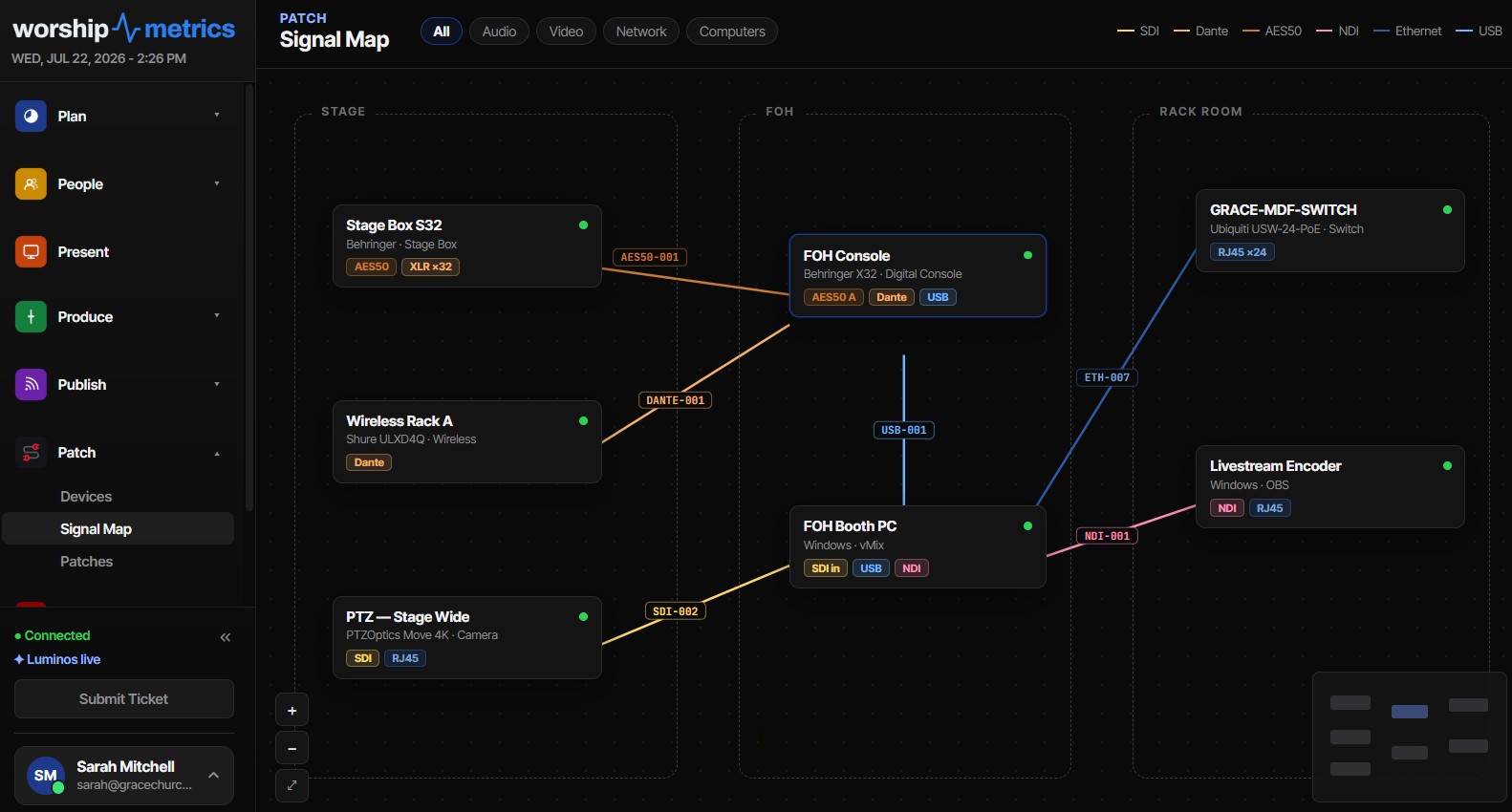
This distinction is not a footnote in WorshipMetrics — it is built into the Signal Map’s vocabulary. The connector and signal taxonomy behind the map separates switchable network signals (Dante, AES67, NDI, Art-Net, sACN among them) from point-to-point link signals (AES50, Ultranet, dSNAKE, HDBaseT), across 76 physical connector types organized into 8 groups. The snake-into-the-switch disaster is modeled in the data itself: while you’re drawing a connection, every other port on the map lights green, orange, or red — so an AES50 port never presents a network switch as a valid destination, and the map distinguishes “a passive adapter works here” from “this needs a powered converter.”
Every cable you draw gets a permanent per-signal ID — VID-001, AUD-002, NET-014, by cable type and color-coded to the printed label — that keys the printable patch sheet and wiring-diagram PDF, so the label on the rack door matches the map exactly. Seven continuous wiring audits (including connector-mismatch and unmapped-signal checks) flag suspect runs and jump straight to the offending cable. And for churches on Ubiquiti networks, a UniFi controller sync verifies the documentation against live telemetry — port-precise topology, negotiated versus maximum link speed, and per-port PoE draw — so the map reflects the building as it actually is, not as it was last documented.
Learn more about documenting your signal flow on the system documentation page.
Restreaming for Churches: One Feed In, Every Platform Out
NextA Cable Labeling System That Survives Volunteer Turnover
Related Articles
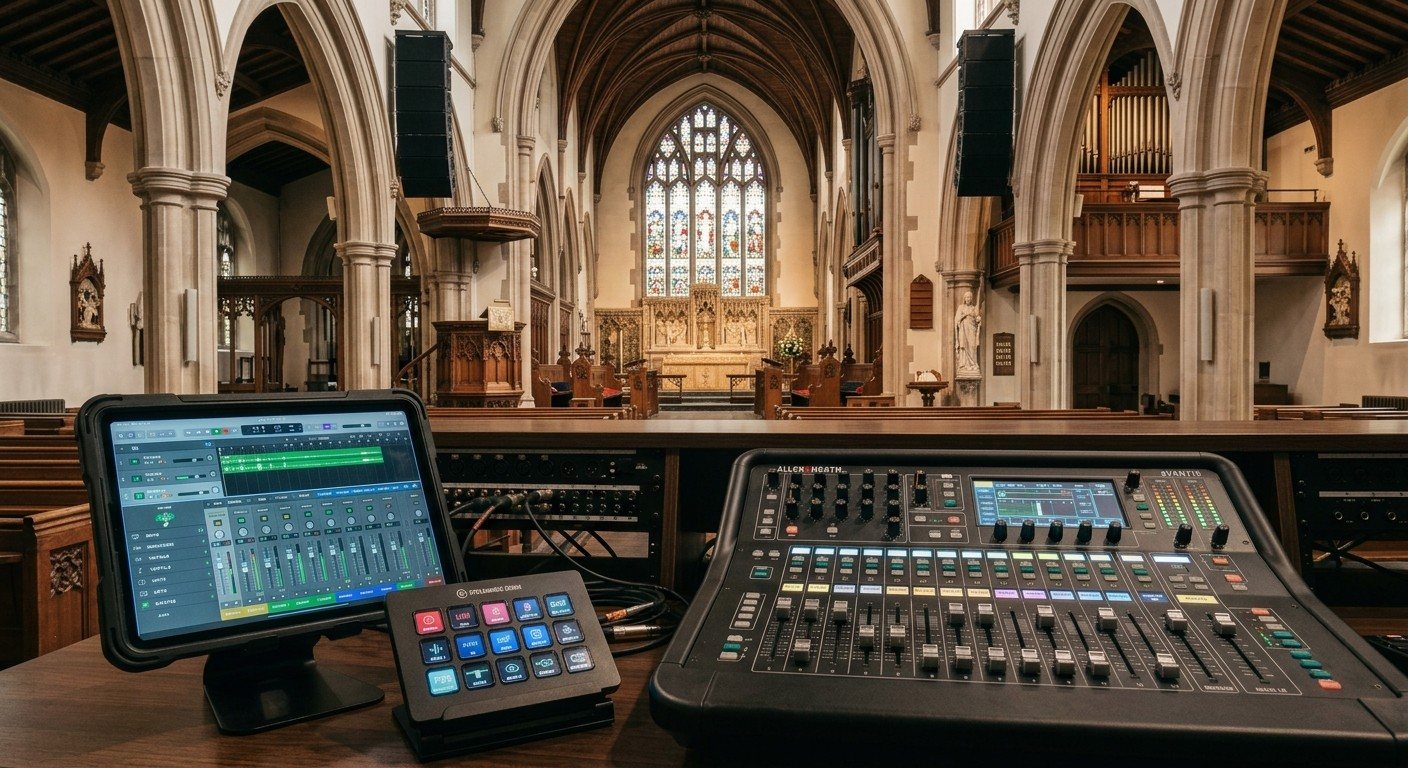
Sound Board Scenes, Stream Deck, and WorshipMetrics: Making Church Audio Volunteer-Friendly
Church audio gets easier when the hard work is saved once and recalled with a button. Board scenes, Bitfocus Companion on a Stream Deck or tablet, and WorshipMetrics slide actions and monitoring turn complicated console moves into plain-word buttons a volunteer can trust.
Pastor Too Quiet, Out of Sync, or Echoey: Fixing the Three Classic Church Livestream Audio Problems
Most church livestream audio complaints come down to three problems: levels (the pastor is too quiet or the band is too loud), sync (lips and sound don't match), and room sound (echoey, distant, or doubled). Here's how to spot each, why it happens, and how to fix it in OBS, vMix, or an ATEM.
Why Your Church Livestream Sounds Bad, and How a Separate Stream Mix Fixes It
The mix that sounds great in the sanctuary almost never sounds right on a phone at home. The room adds drums, voices and reverb the board never sends. A separate stream mix (an aux, a matrix, or a second mixer) is the single biggest audio upgrade most churches can make. Here's why, and how to start.