The short answer: the floor is free, and the floor is higher than you think
Small-church math is unsentimental: the AV budget is a rounding error, “support contract” isn’t in the vocabulary, and the whole system runs on one volunteer’s goodwill. So most small churches conclude tech support is a big-church luxury and resign themselves to the burnout lottery.
Here’s the update that changes the math: the most valuable layers of a modern support stack now cost zero dollars. Not trials — the actual layers. A small church can build the floor this week for nothing, and then spend — if it ever spends — in an order where every dollar lands on a real gap. Here’s the whole plan, priced honestly.
The $0 stack (build this regardless)
Automation that shrinks tickets to a tap. Tech Manager is free — on every plan, forever — and it brings Self Healing with it: the moment a stream or recording stops unexpectedly, it tells you and offers a one-tap restart — from the booth or your phone. The failures that generate most small-church panic get caught in seconds instead of minutes. Free.
Monitoring and alerts. The same install watches the booth around the clock — the honest online badge, the server-side checks — and pushes alerts to real phones, with smart help built into the alerts themselves. Free.
Documentation that makes any helper effective. The Signal Map — every device, port, and labeled cable — ships free in Tech Manager. It’s the difference between any future helper (volunteer, phone line, or hired pro) starting from facts versus starting from archaeology. Free, and the single best afternoon investment a small church can make.
AI chat, plus the community. The free tier includes chat with AI that reads your actual system — 5 conversations a month for verified churches — and the forums and manufacturer docs remain excellent for Tuesday-time research. Free.
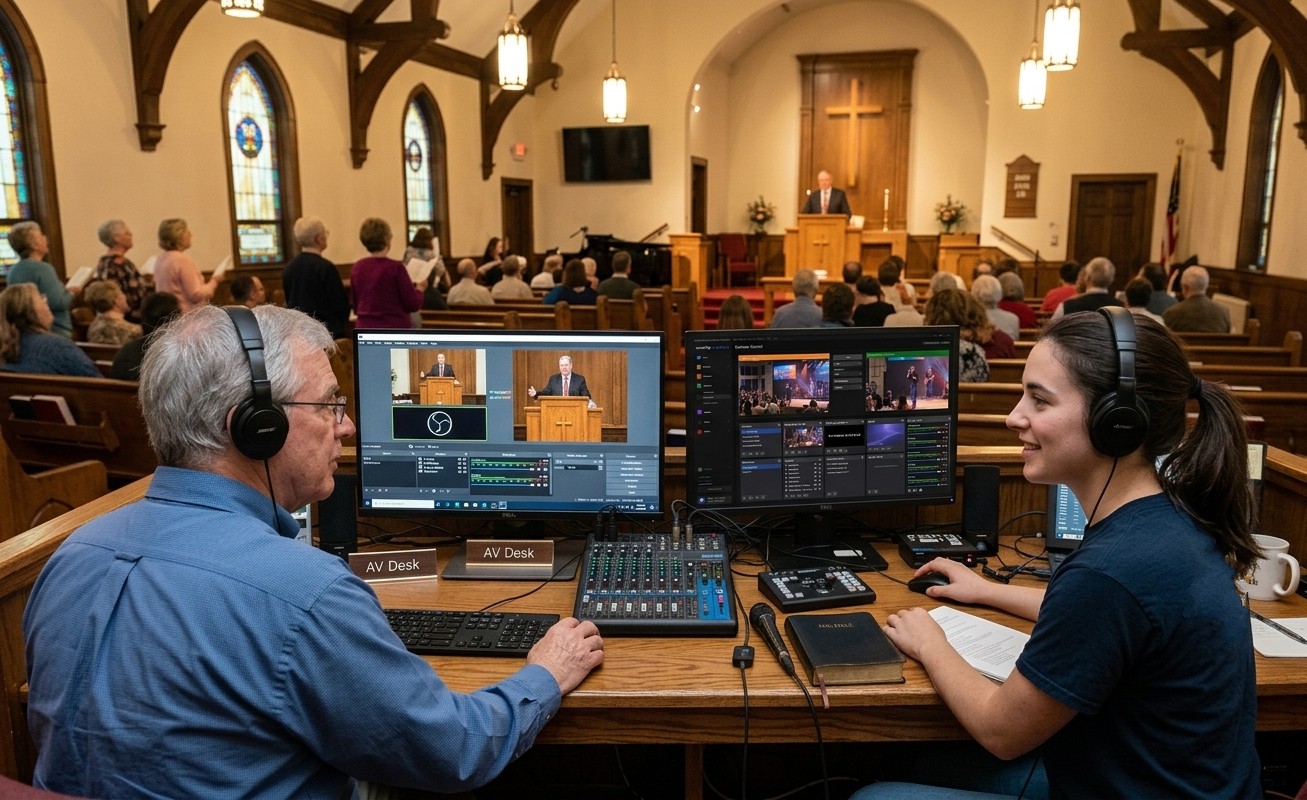
The deepest free layer: a second person. Everything above makes the booth safe enough to share — which means the recruiting and training posts in this series are, functionally, support strategy. A student from the youth room on a second seat is worth more than any contract. Free, plus pizza.
When the first dollars appear: the honest spending order
First $49/mo — Pro: answers by phone. The cap comes off the chat and the phone line opens: Journey answers 910-WORSHIP around the clock, 2 hours a month — an always-on help line that knows your wiring, for less than most churches spend on coffee. For a team with no in-house expert, this is the highest-leverage support dollar in church tech, and it also unlocks the browser remote control layer that lets a mentor help from home.
Next: the human add-ons, matched to your actual fear. If weekday questions and system upkeep are the worry, Care adds a person on weekdays, 9 to 6 CT, up to 4 hours a month of remote help, and priority email tickets. If the fear is Sunday at 8:45, Sunday Assurance puts a person on call Sundays, 5 am to 2 pm CT, with your booth on their screen. Add-ons stack on any tier — you’re choosing how much human stands behind Sunday, not buying a bundle of things you won’t use.
What not to spend on first: gear. Small churches routinely buy hardware to solve what are actually support-and-structure problems. Run the free stack for a month; let the health reports tell you whether any purchase is even needed — and if one is, you’ll have telemetry to justify it to the board.
The budget you haven’t asked
One more small-church truth: the money often exists — just not in the budget. It’s sitting with the member who ran sound for twenty years, or the family that wants their giving to reach the next generation directly. The gift model was built for them: a designated, tax-deductible gift through the church’s normal giving covers the annual plan (two months free built in), one ask instead of a monthly line item. There’s a whole post to hand that person — and in a small church, that person usually already knows who they are.
No budget was never the real barrier. The free floor is real, the first paid layer costs less than the coffee, and the rest is a choice about how much backup your one faithful volunteer deserves. Start at zero this week.
On a small budget for social media too? See a social media strategy for small churches.
Related questions
- Is there free tech support for small church AV teams?
- More than most churches realize: community forums and manufacturer docs, plus a genuinely free platform layer — Tech Manager's monitoring, self-healing, alerts, and system documentation cost nothing, with Luminos AI chat included (5 conversations a month for verified churches). The free stack catches routine failures instantly and puts the fix one tap away before support is even needed.
- What's the first support thing worth paying for?
- AI phone support that knows your system — Pro at $49/mo makes Journey on 910-WORSHIP an always-answering help line, with 2 hours of calls a month, and makes Luminos chat unlimited. For a volunteer team with no in-house expert, that's the highest-leverage support dollar in church tech.
- What if the church budget genuinely can't stretch to it?
- A member often can. The gift model lets someone sponsor the annual plan as a designated, tax-deductible gift through the church's normal giving — one gift covers the year, with two months free built into annual billing. Many small-church subscriptions are funded exactly this way.
Should Our Church Use AI? A Framework for Leadership
NextThe Church Social Media Volunteer's Guide to Sunday Reels
Related Articles

Making a Complicated Church AV System Easy to Run, Without Hiring an AV Company
Many church AV systems aren't too old or too small. They're too complicated for a volunteer. A simple button panel built with Bitfocus Companion can hide that complexity behind plain-word buttons, and a church can often build it themselves. Here's when that works, when to call a professional, and how to start.

Your Church Livestream Team, Connected Even When They're Not at Church
A three-person livestream team only works if everyone shares the same plan, the same wiring diagram, and the same news when something breaks. Here's how WorshipMetrics connects the director, slides, and camera volunteers through the week: chat, alerts, documentation, AI help, scheduling, and cloud control for OBS and vMix.

The Three-Person Church Livestream Team: Director, Slides, and Cameras
A church livestream runs best with three clear jobs: a director on OBS or vMix, a slides operator, and a camera operator. Here's what each role does before, during, and after the service, what skills it takes, and how the three talk to each other.