The short answer: they know the software — teach them the Sunday
Church tech training has always budgeted most of its hours for the tool: which button, which panel, which setting. For OBS booths recruiting from the generation that grew up on OBS, that budget is obsolete. The student who streams on weeknights already knows scenes, sources, and going live — often more fluently than the trainer. What they don’t know is your church’s Sunday: the service flow, the cue points, what matters pastorally, what to do at 10:22 when something blinks red.
So the modern OBS training method inverts the old one: assume software fluency, teach the service, and let the system carry the risk while judgment develops. Four practices make it work — and they work for your less-fluent adult recruits too, just with one extra hour on the front end.
Practice 1: one seat, one hour, one month
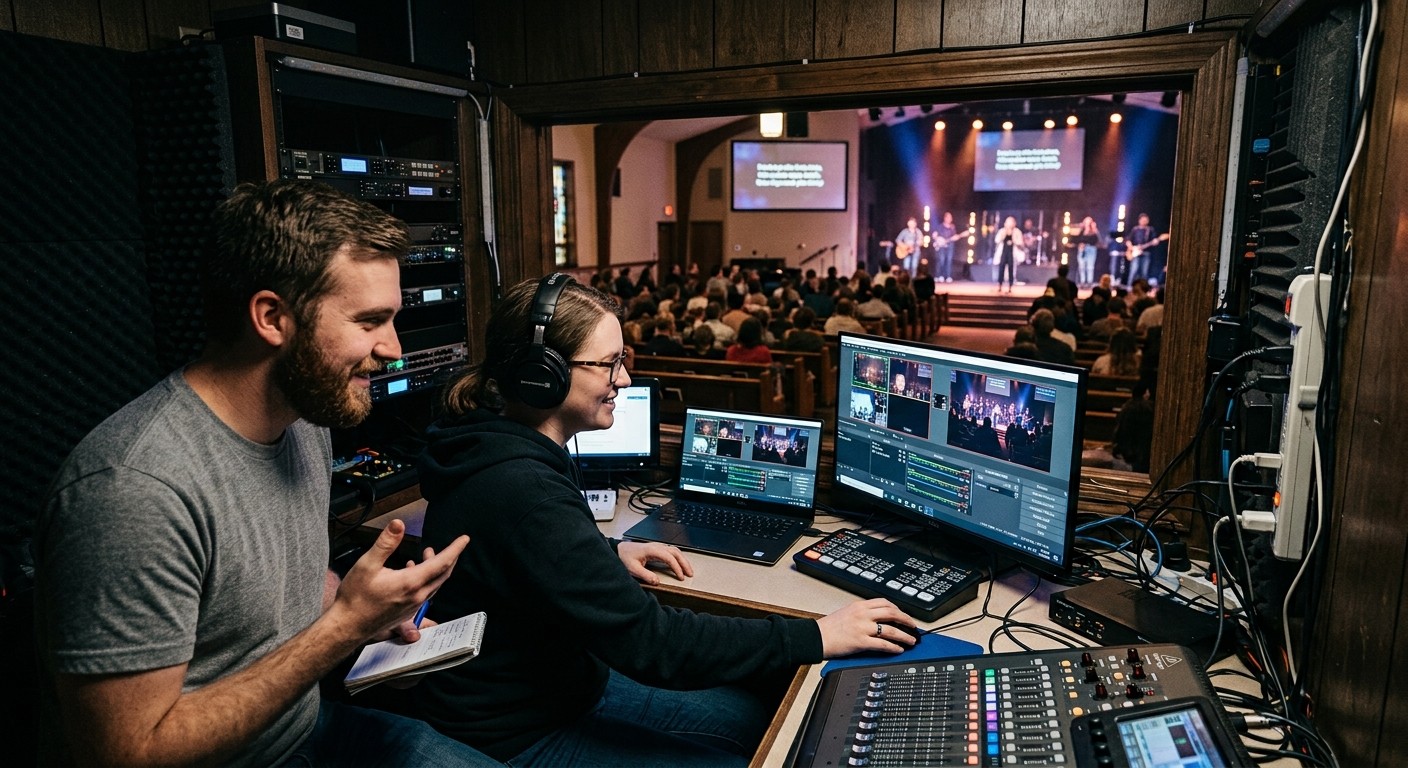
Nobody trains for “the booth.” You train one person for one seat — the stream output, a camera, the monitors, the recording — with one clear job description. For a fluent recruit, the teaching hour is mostly translation: here’s our scene collection, here’s the service order, here’s what we never touch on Sundays (the settings baseline does a lot of quiet work here). Then a month of supervised Sundays turns knowledge into ownership. The ladder — seat to seat, eventually to training others — takes care of ambition.
Practice 2: rehearse for real, in draft
The trainee’s fear is polluting something; remove it structurally. Every run of a service plan in WorshipMetrics is either a draft (rehearsal, walkthrough, tech night) or committed (the real thing) — and only committed runs enter your history. So Thursday night, the trainee runs the entire Sunday — same scenes, same slides, same stream-start ritual — as many times as their nerves need, and the records stay pristine. By Sunday, nothing is new except the congregation.
Practice 3: the mentor watches the real controls — from anywhere
This is the practice that changed everything, and it’s why training no longer requires the veteran’s physical Sunday. The trainee sits at OBS; the mentor watches the same live state — what’s streaming, what’s recording, current scene, the machine’s vitals — from the next chair or their living room, able to coach by headset or text, and able to switch scenes or manage the stream remotely if a moment demands it. Every remote action is logged, so the training record writes itself.
And underneath both of them, Self Healing holds the floor: a dropped stream or stopped recording is flagged the instant it happens, with a one-tap restart on the booth and the mentor’s phone. Tell the trainee this on day one — “you cannot sink Sunday” — because learners who know the floor holds take the small risks that build real skill. It’s the same architecture that makes student operators safe, applied to trainees of any age.
Practice 4: debrief from the timeline
Feedback from memory is vague and bruising; feedback from telemetry is precise and kind. After each training Sunday, open the health report together: the 0-100 score, each event timestamped, the settings the stream ran with. The conversation becomes “here’s the reconnect at 10:22 — what did you notice?” — evidence, not opinion. A month of reports teaches failure patterns faster than a year of hypotheticals, and a stack of clean ones is how a trainee knows they’ve arrived, no pep talk required.
What the trainer gets back
Notice the labor math: the old way, training cost the veteran every Sunday for months — which is why it never happened and why more OBS volunteers never materialized. The new way costs one teaching hour, a few remotely-supervised services, and Monday coffee over a report. Training stops competing with the trainer’s survival — and somewhere around week six, the student you trained starts explaining the scene collection to the next recruit, which is the moment your booth stops having a training problem forever.
Make the booth easier to run: How to make your church livestream easier for volunteers: the three-seat setup. See also the three-person church livestream team · two-computer OBS setup with slides over NDI.
Related questions
- How long does it take to train an OBS volunteer?
- For one seat with a fluent recruit — a student who already streams — about an hour of teaching and a few supervised Sundays to own it. The software is rarely the curriculum anymore; what you're actually training is the service: the flow, the cues, the judgment, and the calm.
- How do volunteers practice OBS without risking a real service?
- Two ways: rehearse the real thing as draft runs — full-fidelity practice that never touches your service history — and run early Sundays with a mentor watching the same live controls remotely, where mistakes surface and get corrected before the congregation ever sees them.
- How do you give feedback to a new OBS operator?
- From the telemetry, not from memory. Every service produces a health report with a 0-100 score, timestamped events, and the settings it ran with — so the Monday debrief is 'walk me through 10:22' instead of 'I think you messed up somewhere.' Data teaches faster and bruises less.
No Social Media Person? How to Train a Church Clips Volunteer
NextWill AI Replace Our Church Tech Volunteers?
Related Articles

Making a Complicated Church AV System Easy to Run, Without Hiring an AV Company
Many church AV systems aren't too old or too small. They're too complicated for a volunteer. A simple button panel built with Bitfocus Companion can hide that complexity behind plain-word buttons, and a church can often build it themselves. Here's when that works, when to call a professional, and how to start.

Your Church Livestream Team, Connected Even When They're Not at Church
A three-person livestream team only works if everyone shares the same plan, the same wiring diagram, and the same news when something breaks. Here's how WorshipMetrics connects the director, slides, and camera volunteers through the week: chat, alerts, documentation, AI help, scheduling, and cloud control for OBS and vMix.

The Three-Person Church Livestream Team: Director, Slides, and Cameras
A church livestream runs best with three clear jobs: a director on OBS or vMix, a slides operator, and a camera operator. Here's what each role does before, during, and after the service, what skills it takes, and how the three talk to each other.