The fluency gap that runs in reverse
Church tech has always had a fluency gap: the systems are complex, the veterans are few, and training a newcomer takes months. Here’s what almost no church has noticed — for OBS, the gap runs in reverse. The software running your livestream is the same free tool the gaming and streaming generation grew up on. They used it for Twitch. They used it for YouTube. They used it to record Fortnite clips at thirteen. While your adult volunteers approach OBS as an alien cockpit, there are teenagers in your youth room for whom it’s home.
The scale of that generation is worth stating plainly. Pew Research finds 85% of U.S. teens play video games — 41% daily — and four in ten identify as gamers outright. This is not a niche hobby inside your youth group. It is your youth group. And streaming culture rides along with it: watching creators go live, reading a chat, knowing instinctively what “dropped frames” means to the people on the other end. Your church spent years wishing someone understood this stuff. An entire generation showed up understanding it, and we mostly asked them to put their phones away.
The stat that should reorganize your thinking
Buried in the same research is the number that turns this from a staffing observation into a ministry one: 72% of teen gamers say a reason they play is to spend time with others, and nearly half have made a genuine friend through games. The pull of gaming was never mostly the screen. It was belonging — a crew, a shared craft, a place where showing up matters.
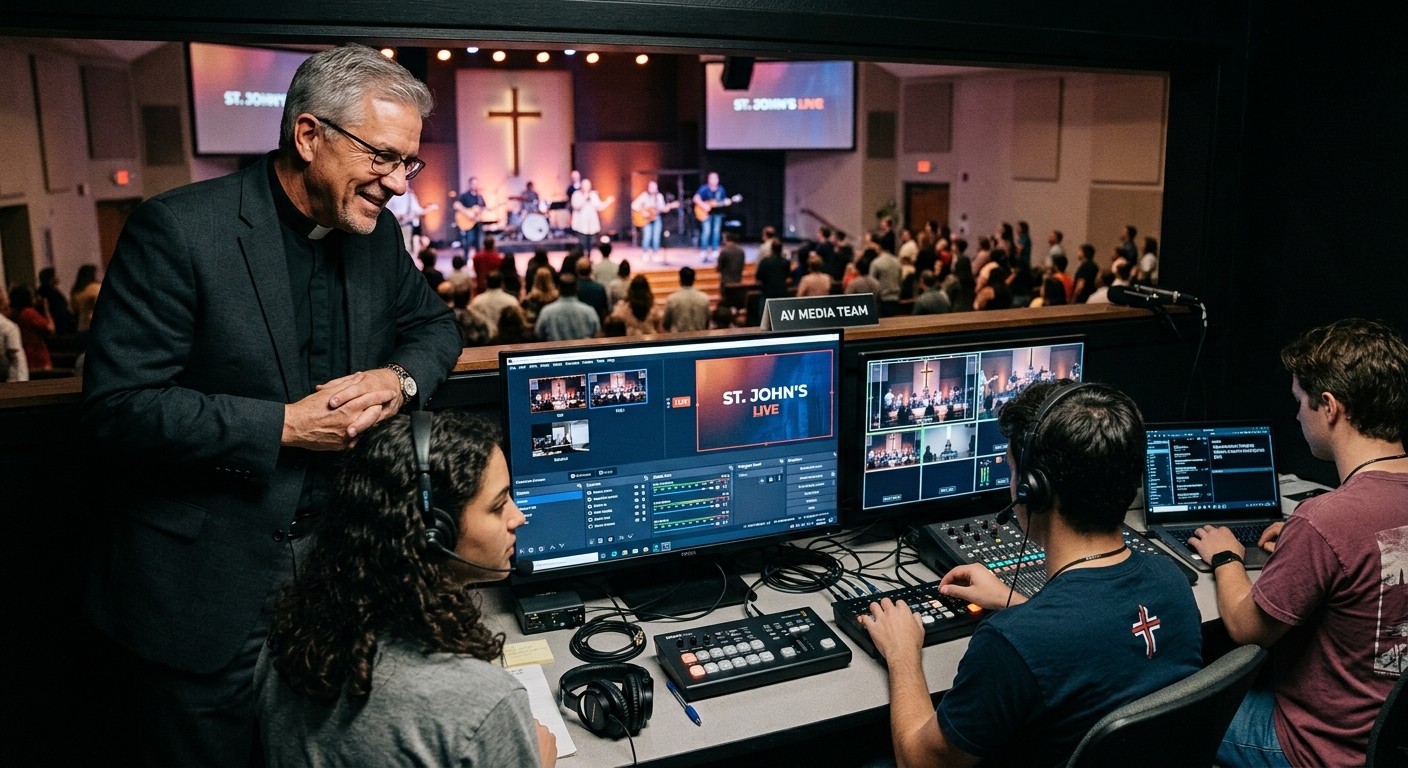
Read that way, your tech booth isn’t competing with gaming culture. It’s offering the same structure with deeper stakes: a headset crew, a shared craft, a Sunday that genuinely needs them, and adults who treat their fluency as a gift instead of a problem. That’s the tech booth as youth ministry argument with generational data behind it — and it’s why the students who take a seat tend to still be around after graduation.
The objection, and the answer that changed
Every leader hears the thesis and asks the same right question: “we’re going to hand teenagers the church’s livestream?” For most of streaming history, the honest answer was “carefully, and with an adult hovering” — because nobody could see what was happening in the booth without standing in it.
That’s the answer that changed. WorshipMetrics connects OBS to the cloud, and connection means visibility for everyone responsible: the AV lead sees the booth’s live state from anywhere, the youth minister can glance at a phone and know the stream their student is running is actually working, and leadership gets a 0-100 health report after every service — objective, timestamped, nobody’s word against anybody’s. Underneath, Self Healing flags a stopped stream or recording instantly with a one-tap restart, so no student has to be a hero about it, a mentor can assist or take over from home, and every action lands in a log.
Access with oversight is how every good apprenticeship in history has worked. The cloud just made it possible for a church tech booth — which means the full safety case now holds for the exact generation most ready to use it.
What this solves on the adult side
Be honest about who else this rescues: your video producer. The volunteer who’s run OBS alone for five years, burning out on schedule, certain nobody else is qualified — while the most OBS-qualified generation in history sits forty feet away on Wednesday nights. Connecting those two facts is the whole pipeline play: the youth ministry gets real responsibility to disciple with; the AV team gets volunteers who arrive half-trained; the producer gets Sundays off.
Start where the fluency already is
The first move costs nothing: ask your youth pastor which students stream, game seriously, or edit video — Pew says the honest answer is “most of them,” so ask for the most fluent three. Run them through the seat finder, connect the booth so the adults can see, and give one student one seat with a mentor. The generation your church has been praying would engage is already fluent in your production stack. Hand them the keys — with the dashboard on.
Related questions
- Do teenagers really already know how to use OBS?
- A remarkable number do — OBS is the standard free tool of the gaming and streaming world Gen Z grew up in, used for Twitch streams, YouTube videos, and school projects. Even teens who haven't opened it arrive fluent in its concepts: scenes, sources, going live, and reading a stream's health.
- Is it safe to give youth ministry students access to the church's OBS?
- With visibility, yes. When OBS is connected to the cloud, youth ministers, AV leads, and leadership can all see the booth's live state — what's streaming, what's recording, how the machine is doing — while automation catches routine failures and every action is logged. Access with oversight is how every good apprenticeship works.
- What does the church get out of it besides help in the booth?
- A discipleship engine. Pew Research found 72% of teen gamers play to spend time with others — the pull was always belonging. A booth crew offers the same belonging around work that serves the whole congregation, which is why students who join tend to stay.
You Already Have OBS. Here's the Team It Can Carry.
NextCloud OBS Production for Churches: Remote Control Over WebSocket
Related Articles

Making a Complicated Church AV System Easy to Run, Without Hiring an AV Company
Many church AV systems aren't too old or too small. They're too complicated for a volunteer. A simple button panel built with Bitfocus Companion can hide that complexity behind plain-word buttons, and a church can often build it themselves. Here's when that works, when to call a professional, and how to start.

Your Church Livestream Team, Connected Even When They're Not at Church
A three-person livestream team only works if everyone shares the same plan, the same wiring diagram, and the same news when something breaks. Here's how WorshipMetrics connects the director, slides, and camera volunteers through the week: chat, alerts, documentation, AI help, scheduling, and cloud control for OBS and vMix.

The Three-Person Church Livestream Team: Director, Slides, and Cameras
A church livestream runs best with three clear jobs: a director on OBS or vMix, a slides operator, and a camera operator. Here's what each role does before, during, and after the service, what skills it takes, and how the three talk to each other.