The most reasonable trap in ministry
“Nobody else is qualified to run it.” Every solo tech operator has said it, and the maddening thing is that it’s locally true. Looking around the congregation, there genuinely isn’t another person who can walk in cold and run vMix, mix the room, fix the network, and troubleshoot the encoder before the prelude. The evidence is real. The conclusion — so it has to be me, indefinitely — is where the trap closes.
Because notice what the belief quietly assumes: that the job is one job, that qualification means fully qualified, and that training happens before serving instead of through it. All three assumptions were true of your booth five years ago. None of them has to be true now.
Nobody is qualified for the whole booth — including you, once
Rewind to your own first Sunday. You weren’t qualified either — you became qualified, in the seat, one crisis at a time, probably with no safety net and someone patient nearby (or worse, no one). The qualification you now can’t find in others wasn’t a prerequisite for you. It was a product of access, time, and permission to learn.
That’s the honest reframe: “nobody is qualified” almost always means “nobody has been given what I was given.” The question isn’t where the qualified people are hiding. It’s whether your booth has a shape that lets unqualified people start — the way you once did, but safer.
Decompose the booth, and the bar drops to human height
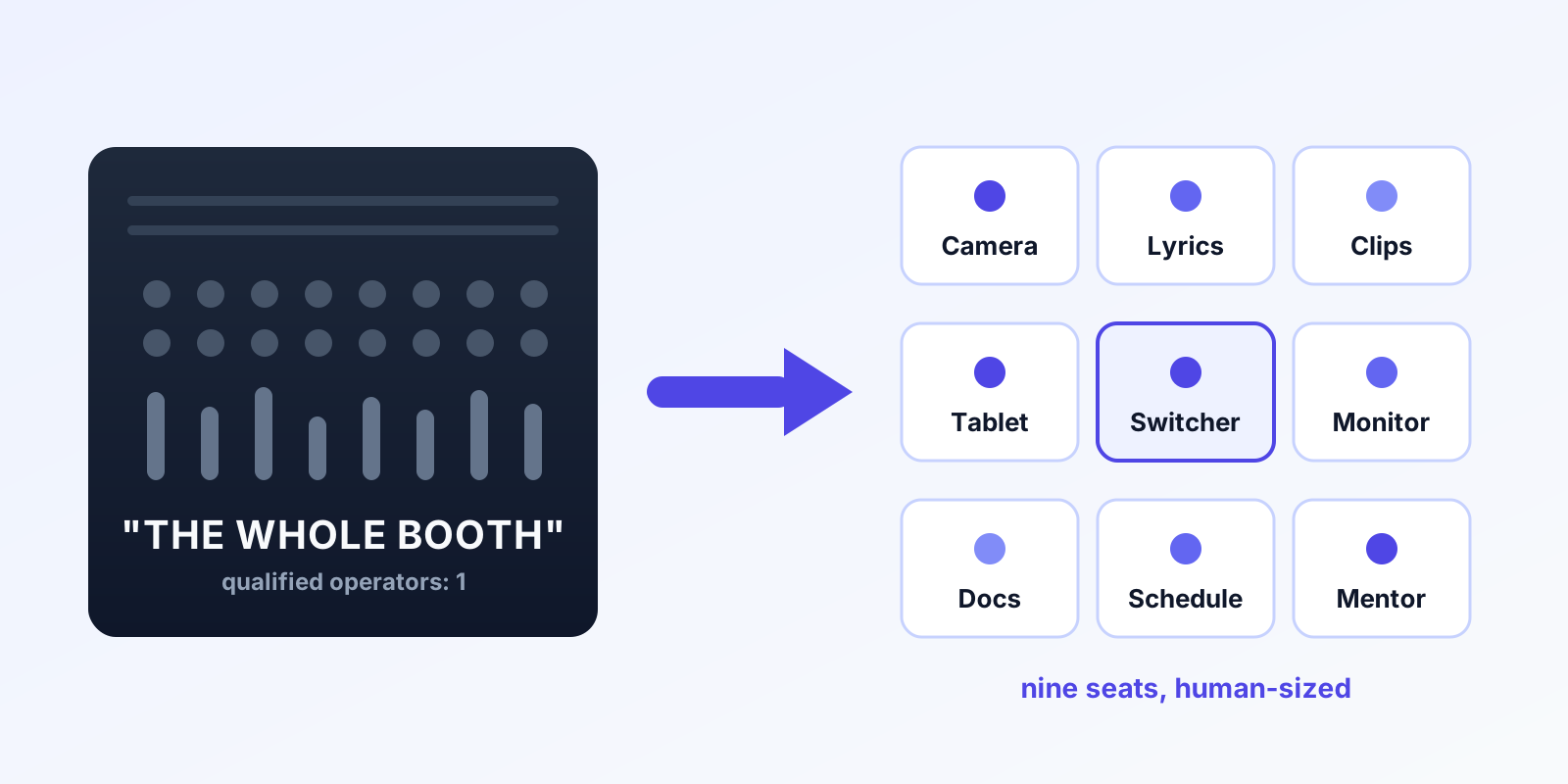
The whole-booth job is five jobs wearing one headset. Wrapped in the ecosystem, your one vMix system breaks into nine seats — and each seat’s real qualification bar is startlingly low:
- The seat-map tablet: can you tap a screen and love greeting people? Qualified.
- The lyrics: can you follow a service order and pay attention? Qualified, with an hour of training.
- The clips queue: the teenager who edits videos for fun is overqualified — they review AI-ranked moments and pick winners.
- One camera: steady hands, teachable eye, a preset list. A 14-year-old does this well.
- The vMix chair itself: the summit — reached by ladder, not helicopter.
For every seat, the actual requirements are teachability and faithfulness. The technical floor is an hour; ownership is a month. The expertise you carry doesn’t need to be replicated in each chair — it needs to be installed in the structure: presets, documented workflows, a Signal Map instead of tribal memory.
What changed: the system now carries the depth
The old objection was legitimate: seats were connected, and a beginner in any of them could sink the service. Three modern facts retire it:
- Routine failures no longer need experts. The moment a stream or recording stops unexpectedly, Tech Manager says so and offers a one-tap restart — from the booth or a phone; the veteran’s vigilance is built in. What’s left in each seat is craft, not crisis response.
- Expertise can watch every seat at once. From the cloud panel, you see preview, program, every input, and the meters — from anywhere. One expert supervising five beginners live was impossible in 2015. It’s a Tuesday now. Mistakes surface in preview, where they cost nothing.
- There’s a floor under the floor. Alerts reach real phones when a human is needed, the support history means help starts from facts, and with Sunday Assurance a production pro is on call who can see your system the moment you call. “Qualified backup” is now a service, not a unicorn volunteer.
Depth of expertise still matters — it just lives in the system, the mentor, and the on-call layers instead of needing to be pre-installed in every volunteer.
Retire the belief on purpose
A belief this load-bearing doesn’t dissolve on its own; it retires through one deliberate experiment. Pick your simplest seat. Pick one name — and if no adult comes to mind, ask the youth leader for one; the AV Club pattern exists precisely because the qualified-in-waiting are mostly fifteen. Train the seat, watch from the panel for a month, debrief from the health report instead of your memory.
Somewhere around week four, the report will show a clean service you barely touched — and the belief will quietly update itself from nobody else is qualified to the thing that was true all along: nobody else had been given the chance. What you do with the margin that follows is the rest of the story.
Related questions
- What qualifications does a church tech volunteer actually need?
- For one seat: teachability and faithfulness. That's the honest list. The technical floor of a single seat — one camera, the lyrics, the clips queue — is an hour of training and a month of reps, especially when Self Healing flags routine failures with a one-tap restart and a mentor can watch the live panel from anywhere.
- But what happens when something goes wrong beyond their seat?
- The same thing that happens now, minus the panic: monitoring pages the people who can act, automation flags dropped streams and stopped recordings with a one-tap restart, a remote mentor can see and even take the controls, and phone support starts from your system's actual history. Depth of expertise lives in the system and the on-call layers, not in each chair.
- Isn't it faster to just do it myself?
- This Sunday, yes. Every Sunday, no — 'faster to do it myself' compounds into the burnout cycle, while every hour spent training one seat repays itself weekly. The question isn't which is faster today; it's which version of next year you want.
Need Volunteers for Your vMix Livestream? Start with the Youth Ministry
NextHow to Ask for Tech Volunteers So People Actually Say Yes
Related Articles

Making a Complicated Church AV System Easy to Run, Without Hiring an AV Company
Many church AV systems aren't too old or too small. They're too complicated for a volunteer. A simple button panel built with Bitfocus Companion can hide that complexity behind plain-word buttons, and a church can often build it themselves. Here's when that works, when to call a professional, and how to start.

Your Church Livestream Team, Connected Even When They're Not at Church
A three-person livestream team only works if everyone shares the same plan, the same wiring diagram, and the same news when something breaks. Here's how WorshipMetrics connects the director, slides, and camera volunteers through the week: chat, alerts, documentation, AI help, scheduling, and cloud control for OBS and vMix.

The Three-Person Church Livestream Team: Director, Slides, and Cameras
A church livestream runs best with three clear jobs: a director on OBS or vMix, a slides operator, and a camera operator. Here's what each role does before, during, and after the service, what skills it takes, and how the three talk to each other.