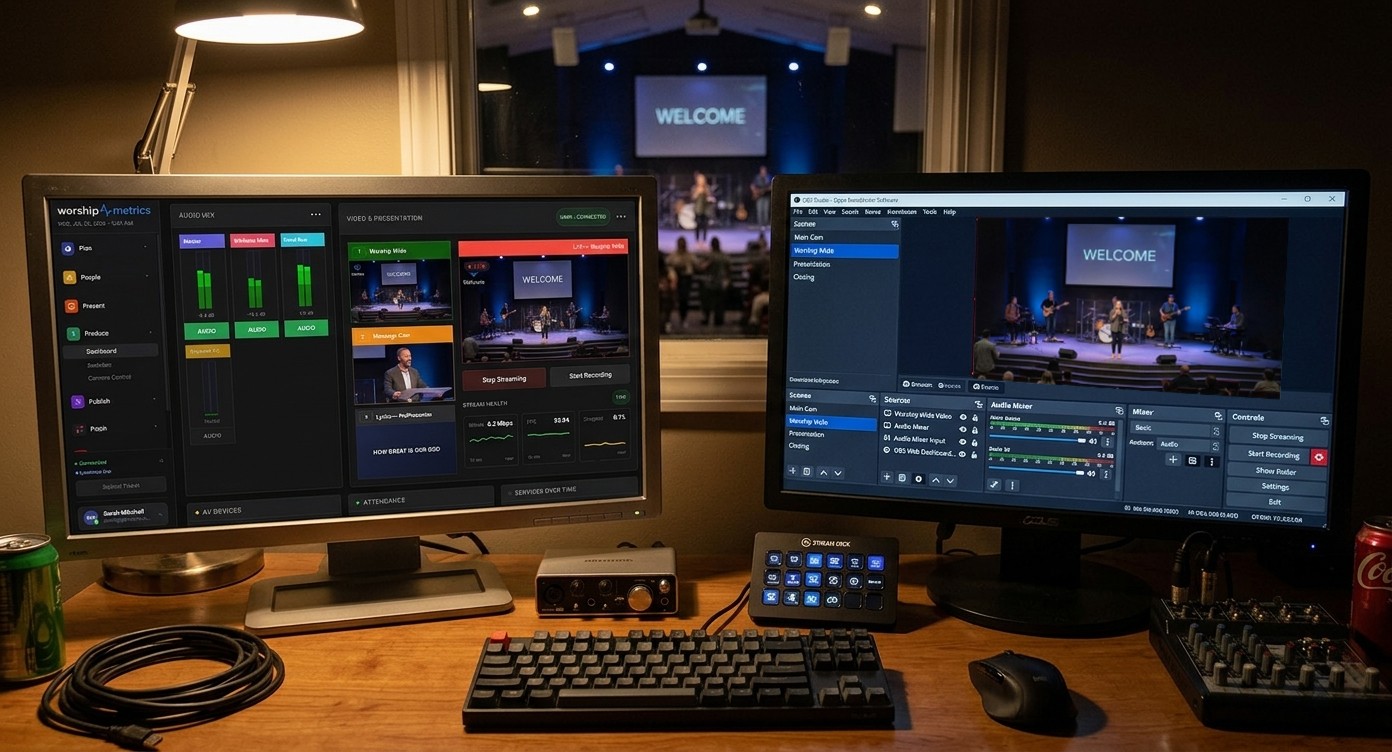
OBS was built to be driven remotely — most churches just never wired it up
Here’s a fact that surprises many church OBS operators: OBS has spoken a remote-control protocol for years. It’s called WebSocket (v5), it ships inside the app, and it’s the front door the OBS project maintains precisely so other software can see and drive OBS. What most churches lack isn’t the capability — it’s a church-shaped way to use it safely on a Sunday. That’s what cloud OBS production provides.
The model matches the rest of the ecosystem: OBS keeps running locally in your booth, free, on the PC you own — and WorshipMetrics relays its WebSocket control and streams its live state to any device your team signs into. Local switch, cloud reach. Nothing about your production moves to a rented server.
What remote OBS control covers — honestly
Straight about the boundary, because honesty is the whole brand here. Cloud OBS control gives your team the live-operation surface:
- Scene switching — move between your service scenes from anywhere.
- Stream control — start and stop the broadcast remotely.
- Recording control — start and stop the recording, and confirm from a phone that it’s actually rolling before the service starts.
- Live state visible — current scene, stream and recording status, and encoder health streaming in every few seconds, so a remote helper sees the booth rather than asking about it.
What stays in the booth: deep scene editing — building scenes, adding sources, audio filter surgery. And that’s the right boundary, not a limitation: mid-service settings changes are their own failure category, and every stable booth adopts the same discipline anyway — operate live from anywhere, edit on Tuesdays at the machine. (Churches that want a deeper remote switching surface — full T-bar, overlays, bus audio — are the ones who eventually look at vMix; for running an OBS service remotely, scenes plus stream plus recording is the job.)
Why not just host OBS in the cloud?
Because for a church, local-first wins on the three things that matter: the live switch never depends on your upload, there’s no compute rental on top of the PC you already own, and — the OBS-specific bonus — it’s free. OBS costs nothing, its local control through Tech Manager costs nothing, and that makes cloud OBS production the lowest-cost path to a reachable, monitorable, team-run booth in all of church tech. You add the cloud layer; you never rent the production.
What it makes possible
The remote surface is the mechanism; the outcomes are the reason:
- Confirmation without a car. “Is it recording? Is it live?” answered — and fixed — from a phone, by whoever’s on call.
- A real second operator. The backup starts the stream and switches to the countdown from their kitchen when the scheduled volunteer is stuck in traffic — so the rookie at the desk is never alone.
- Mentoring with eyes, not guesses. A veteran watches the actual live scene and encoder state while a student or new volunteer drives — the difference between coaching and interrogation, and the thing that makes help-from-home actually work.
One secure outbound connection carries all of it — no port forwarding, no VPN — only invited team members connect, and every remote action is logged. The full story of turning one OBS machine into a team is you already have OBS.
The platform underneath
Cloud OBS control isn’t a standalone gadget — it rides on the same platform that consolidates your streaming, clipping, presentation, scheduling, monitoring, and support into one login. Your free encoder, made reachable by your whole team, inside one place that also runs the rest of your church tech. That’s cloud production the way a church actually wants it: nothing rented that you already own, nothing outsourced that you’d rather do yourselves, and everything finally in one platform.
Related questions
- Can OBS be controlled from the cloud?
- Yes. OBS includes a remote-control protocol called WebSocket (v5). WorshipMetrics connects to it in the booth and relays it securely, so an authorized person anywhere can see the booth's live state and switch scenes, and start or stop the stream and recording — while OBS itself keeps running on your booth PC.
- Does cloud OBS control cost anything, and does it need port forwarding?
- Local control in the booth is free on every plan, forever; the from-anywhere cloud layer comes with Pro ($49/mo) or Max ($99/mo). No port forwarding or VPN — Tech Manager makes one secure outbound connection, and only people you invite to your team can connect.
- What can't you do with OBS remotely?
- Deep editing — building scenes, adding sources, rewiring audio filters — stays in the booth at the OBS machine, which is where that Tuesday work belongs anyway. Remote control covers the live-operation surface: scene switching, stream start/stop, recording start/stop, with live state visible. For running a service, that's what a second operator needs.
Your Youth Group Already Knows OBS
NextCloud Video Production for Churches: What It Actually Means
Related Articles

Bitfocus Companion + ATEM Mini: A Stream Deck Panel for Your Church Switcher
A Stream Deck running Bitfocus Companion turns a Blackmagic ATEM into plain-word buttons with colors that show what's live, and the same panel can run PTZ cameras, projectors, and more. Here's how to connect Companion to an ATEM and build a volunteer page.

Lyrics Over the Camera on an ATEM Mini: Luma Keys, Chroma Keys, and the Slides Computer
To put song lyrics over the camera shot on a Blackmagic ATEM Mini, feed the slides computer into an ATEM input and key it over the camera. Here's how luma and chroma keys work for lyrics, how to design slides that key cleanly, and who should run it.

ATEM Mini + OBS for Church: Hardware Camera Switching with OBS for Graphics and Streaming
Many churches use an ATEM Mini as a camera switcher and send its output into OBS over USB as a webcam. The ATEM gives volunteers real buttons; OBS adds lyrics, graphics, recording, and streaming. Here's how to set it up, split the jobs, and avoid the common sync and quality problems.