A booth with one chair has one volunteer
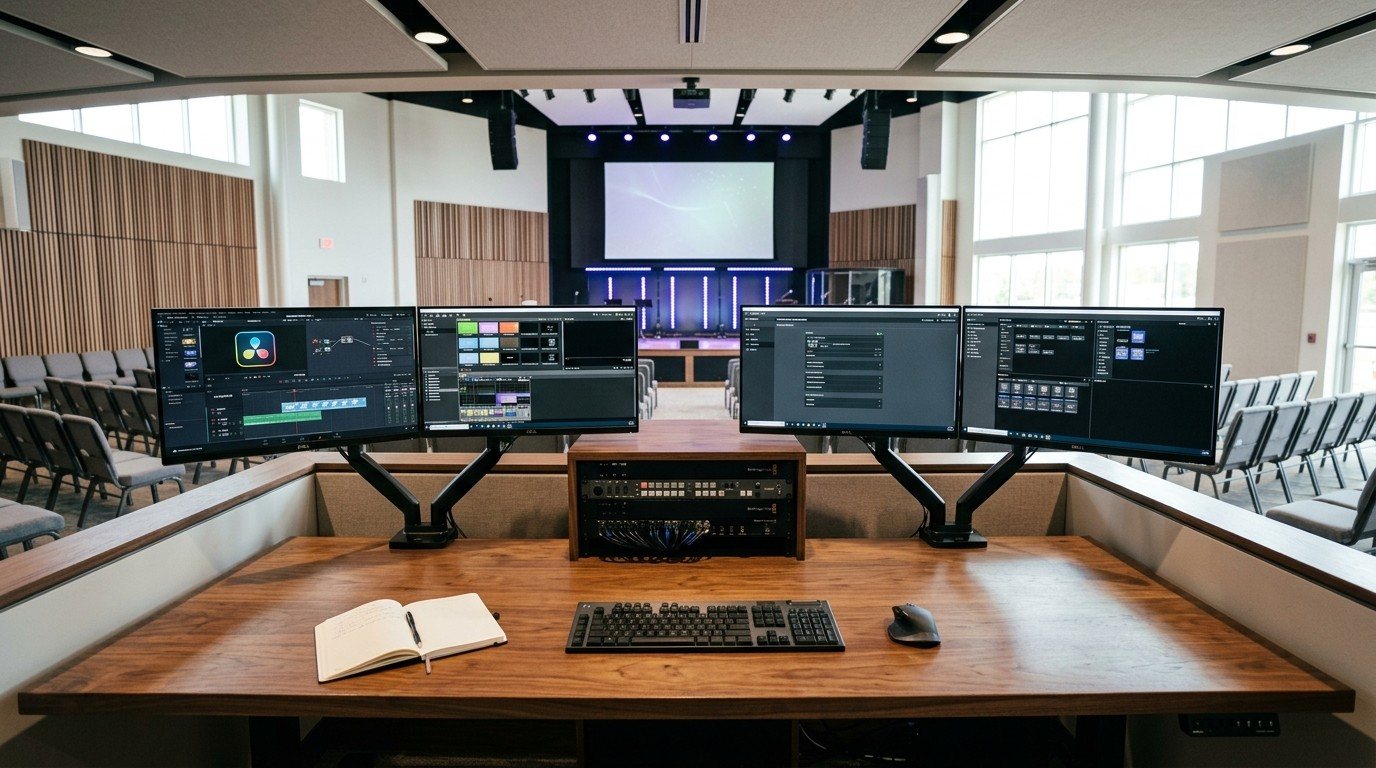
Look at your booth. Is there one chair in front of one computer, with everything crammed around it? Then you’ve designed a system that only one person can run, and it’s no surprise that only one person does.
People join teams they can see themselves in. That starts with a physical place to sit.
Always leave an open chair
There should always be an open chair and space for another person to sit down, watch, learn and feel welcome. It’s how:
- A curious teenager asks, “What does that do?”
- A new volunteer shadows for a few Sundays before running anything
- A backup learns the system before they’re needed
- An older and a younger volunteer serve side by side (see intergenerational ministry in the tech booth)
An open seat is a standing invitation.
Add smaller stations
Instead of one big computer that does everything, put a few smaller stations next to the main streaming computer, each with a clear job:
| Station | The job | What it needs |
|---|---|---|
| Cameras | Frame shots, recall presets | A tablet or laptop with Camera Control, or a joystick |
| Lyrics and slides | Keep words on screen and on the stream | A laptop running Present or ProPresenter |
| Stream monitor | Watch stream health and chat | A small screen with Tech Manager or the web app |
| Roaming camera | Baptisms, kids, close-ups | A phone with the NDI Camera app |
| Clips | Pick the week’s sermon moments | A laptop with Reels |
Each station is a real role a young person or a new volunteer can own. It matches the seven AV team roles that turn one operator into a team. And with NDI, those stations don’t need video cables back to the main computer. (See NDI for churches.)
Make the space work
- Clear the table. Monitors on arms, equipment in a rack. (See why church AV belongs in a rack.)
- Enough power and network at each station, so no one is unplugging the streaming computer to charge a laptop.
- Sight lines to the stage from every seat.
- Quiet gear. Silent keyboards and mice so more people can work without distracting the service. (See consumer vs. commercial-grade gear.)
- Headsets or a talkback so the team can coordinate quietly.
Give old equipment a second ministry
When you upgrade, the old monitors and computers make perfect AV Club training stations. A student can learn OBS on last year’s laptop without touching Sunday’s system. An old screen can become an overflow or confidence monitor. (See how to start a church AV Club.)
Leadership makes it happen
The booth layout is a leadership decision as much as a technical one. When pastors make space, both literally and in the schedule, young people step in. (See ministry by teenagers in the tech booth and building a tech booth for youth ministry.)
Planning your booth
Our Livestream Systems are designed with the main computer in the rack and the table open for a team. Map your current system, tell us how many people you’d like in the booth, and we’ll suggest a layout.
More tips in the volunteer-friendly booth.
Related questions
- How do we make our tech booth welcoming to new volunteers?
- Leave an open chair and space for a second person, add a few smaller stations next to the main streaming computer for specific jobs, keep the table clear and the equipment in a rack, and give newcomers a real role on their first Sunday, even a small one.
- What can young people do in the booth?
- Plenty: run cameras from a tablet, operate lyrics and slides, watch stream health, moderate online chat, run a roaming phone camera, or clip sermon highlights. Each can have its own small station so they're part of the team, not watching over a shoulder.
- What should we do with old AV equipment when we upgrade?
- Give it a second ministry: donate monitors and computers to your AV Club as training stations, or repurpose them as overflow or confidence screens.
Why Your Church Booth Monitors Don't Match (and How to Fix the Color)
NextChurch Livestreaming and Video Are a Specialty: How to Find an Integrator Who Builds for the Stream
Related Articles

Making a Complicated Church AV System Easy to Run, Without Hiring an AV Company
Many church AV systems aren't too old or too small. They're too complicated for a volunteer. A simple button panel built with Bitfocus Companion can hide that complexity behind plain-word buttons, and a church can often build it themselves. Here's when that works, when to call a professional, and how to start.

Your Church Livestream Team, Connected Even When They're Not at Church
A three-person livestream team only works if everyone shares the same plan, the same wiring diagram, and the same news when something breaks. Here's how WorshipMetrics connects the director, slides, and camera volunteers through the week: chat, alerts, documentation, AI help, scheduling, and cloud control for OBS and vMix.

The Three-Person Church Livestream Team: Director, Slides, and Cameras
A church livestream runs best with three clear jobs: a director on OBS or vMix, a slides operator, and a camera operator. Here's what each role does before, during, and after the service, what skills it takes, and how the three talk to each other.