The black box in the back of the room
If you oversee your church’s operations, you’re responsible for a lot: the building, the budget, staff, volunteers, and probably the AV booth too. But if you’re not a tech person, the booth can feel like a black box. You know when it breaks. You’re not sure why, or what to do about it.
You don’t need to become a technician. You need to understand what the pieces do, what to ask, and how to plan.
The four parts of a church AV system
1. Sound. Microphones, a mixer (the board with all the sliders), and speakers. The mixer balances voices and instruments for the room, and often a separate mix for the livestream.
2. Video. Cameras, and something to switch between them: either a hardware switcher or streaming software on a computer (common ones are OBS and vMix).
3. Presentation. Lyrics, scripture, and sermon slides on the screens in the room, and ideally on the livestream too. (See lyrics and slides on your livestream.)
4. Streaming. Sending the service online to Facebook, YouTube, or your website. (See Facebook and your website at once.)
A computer in the booth usually ties these together, and the church’s internet connection carries the stream.
Five questions to ask your AV team
- Who can run each part? If the answer is one name, that’s your biggest risk.
- What goes wrong most often? The same few problems usually repeat.
- Is it written down? Is there a diagram of how everything connects, or does it live in someone’s head?
- If our main volunteer left tomorrow, what would happen?
- What would make Sunday easier for you?
Listen for patterns. They’ll tell you where to invest.
Signs your system needs attention
- Problems most Sundays, especially with the stream
- Only one or two people can run it
- Nobody can explain how it’s connected
- Online viewers say the sound is bad or they can’t see the slides
- Equipment is hard to repair or replace
- Volunteers seem stressed or are stepping away (see the church tech burnout cycle)
How to plan and budget
- Don’t start with shopping. Start by documenting what you have and logging what fails. Many fixes cost little or nothing. (See where to start an upgrade.)
- Budget in phases. Fix reliability first, then capability. (See AV budget planning for churches.)
- Invest in people, not just gear. Training and a simpler booth often matter more than new equipment. (See running AV with a few volunteers.)
- Compare support options. A part-time hire, an AV company, or ongoing remote support each fit different churches. (See how churches get tech support for their AV.)
What you’ll want to see
As the person overseeing operations, you’ll want answers without having to ask the tech team every week:
- Did Sunday go okay? (See how a pastor can check that Sunday went okay.)
- How many people attended, in person and online? (See Service Metrics.)
- Is the system documented? (See the Signal Map.)
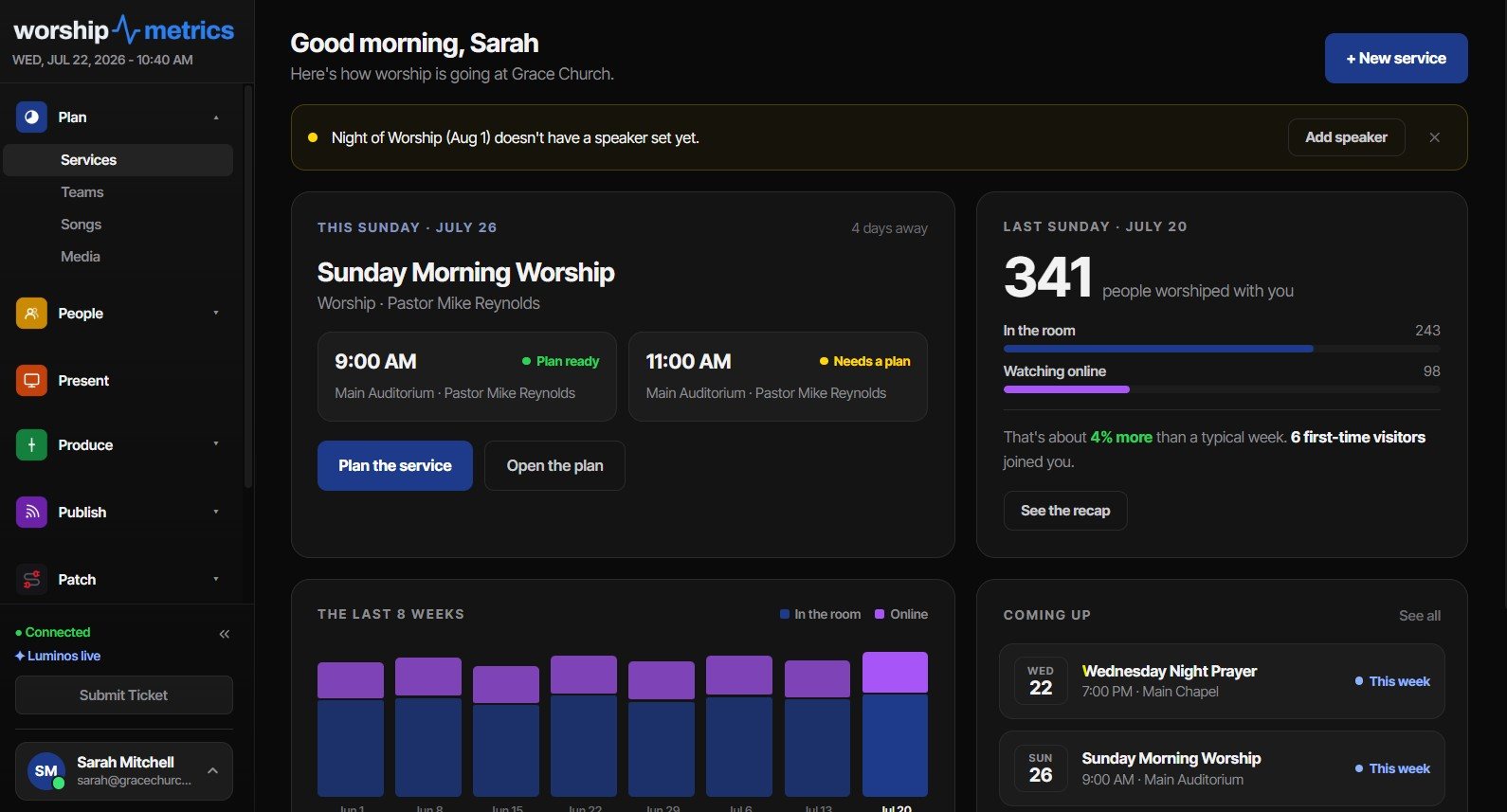
How WorshipMetrics helps the person in charge
WorshipMetrics is built so you can see what’s happening without being the tech expert:
- Monitoring, free: alerts and a health report after every service
- Signal Map: your whole system documented, with a printable wiring diagram
- Service Metrics: in-person and online attendance on one dashboard
- Present, volunteer scheduling, and streaming in the same platform
- Phone support: call 910-WORSHIP. Journey, our AI phone assistant, answers any hour and connects you with our team to talk through your system and an upgrade path.
You don’t have to figure it out alone. Start with where to start an upgrade, or just call.
Next: find out whether your problems are people, process, or equipment with the free two-minute AV system checkup.
Setting up or refreshing the booth? Start with the volunteer-friendly booth: 12 tips.
Related questions
- What does a church AV system include?
- Usually sound (microphones, a mixer, and speakers), video (cameras and a switcher or streaming software), presentation (slides and lyrics on screens), and streaming (sending the service online). A computer in the booth often ties them together.
- What should a church administrator ask the AV team?
- Who can run each part, what goes wrong most often, whether the system is documented, what would happen if your main volunteer left, and what the team needs to make Sunday easier.
- How do I know if our church AV system needs an upgrade?
- Signs include frequent problems on Sunday, only one or two people who can run it, no documentation of how it's connected, complaints from online viewers about sound or slides, and equipment that's hard to get repaired.
Should We Build Our Own Church Streaming Computer or Buy It Built?
NextHow Do We Run Church AV with Only a Few Volunteers and Two Services?
Related Articles

Making a Complicated Church AV System Easy to Run, Without Hiring an AV Company
Many church AV systems aren't too old or too small. They're too complicated for a volunteer. A simple button panel built with Bitfocus Companion can hide that complexity behind plain-word buttons, and a church can often build it themselves. Here's when that works, when to call a professional, and how to start.

Your Church Livestream Team, Connected Even When They're Not at Church
A three-person livestream team only works if everyone shares the same plan, the same wiring diagram, and the same news when something breaks. Here's how WorshipMetrics connects the director, slides, and camera volunteers through the week: chat, alerts, documentation, AI help, scheduling, and cloud control for OBS and vMix.

The Three-Person Church Livestream Team: Director, Slides, and Cameras
A church livestream runs best with three clear jobs: a director on OBS or vMix, a slides operator, and a camera operator. Here's what each role does before, during, and after the service, what skills it takes, and how the three talk to each other.