4:30 p.m. — coffee, laptop, ninety minutes
A composite Tuesday, drawn from how the most relaxed tech directors we know actually spend it.
Dave runs AV at a church of about two hundred, on top of a day job. His secret isn’t heroics — it’s that he stopped doing Sunday-morning firefighting and started doing Tuesday-afternoon reading. Ninety minutes, same order every week.
Minute 0: the alert feed — reading the silence
First stop is the Pulse alert feed. Most Tuesdays it’s short, and that brevity is trustworthy because the thresholds are published: he knows exactly what would have fired an alert, so an empty feed is evidence, not hope.
This week there’s one entry: a critical RAM alert on the booth PC, Sunday, 9:38 a.m., auto-resolved by 10:15. Nobody noticed anything in the room. But Dave has read why streams degrade forty minutes in, and one RAM excursion is how that story starts. He makes a note: find what’s eating memory before it becomes a pattern. The feed keeps 90 days of history, so next Tuesday he’ll know if it was a fluke or a trend.
Minute 20: the self-healing log — the booth’s confession
Next, the self-healing log in the support history. This is the report card most churches never see: every unexpected stop, every restart offer, who answered it, and whether it worked. This week — nothing. Three weeks ago the stream dropped during a storm; the restart offer and the drop alert reached his phone, he tapped Restart from the grocery store, and the log shows the stream back up twenty seconds later.
Dave’s rule of thumb comes straight from experience: a booth that needs a restart once a quarter is fine; one that needs one weekly is filing a complaint. The log is how the complaint gets heard on a Tuesday instead of shouted on a Sunday.
Minute 30: the physical layer — what the network witnessed
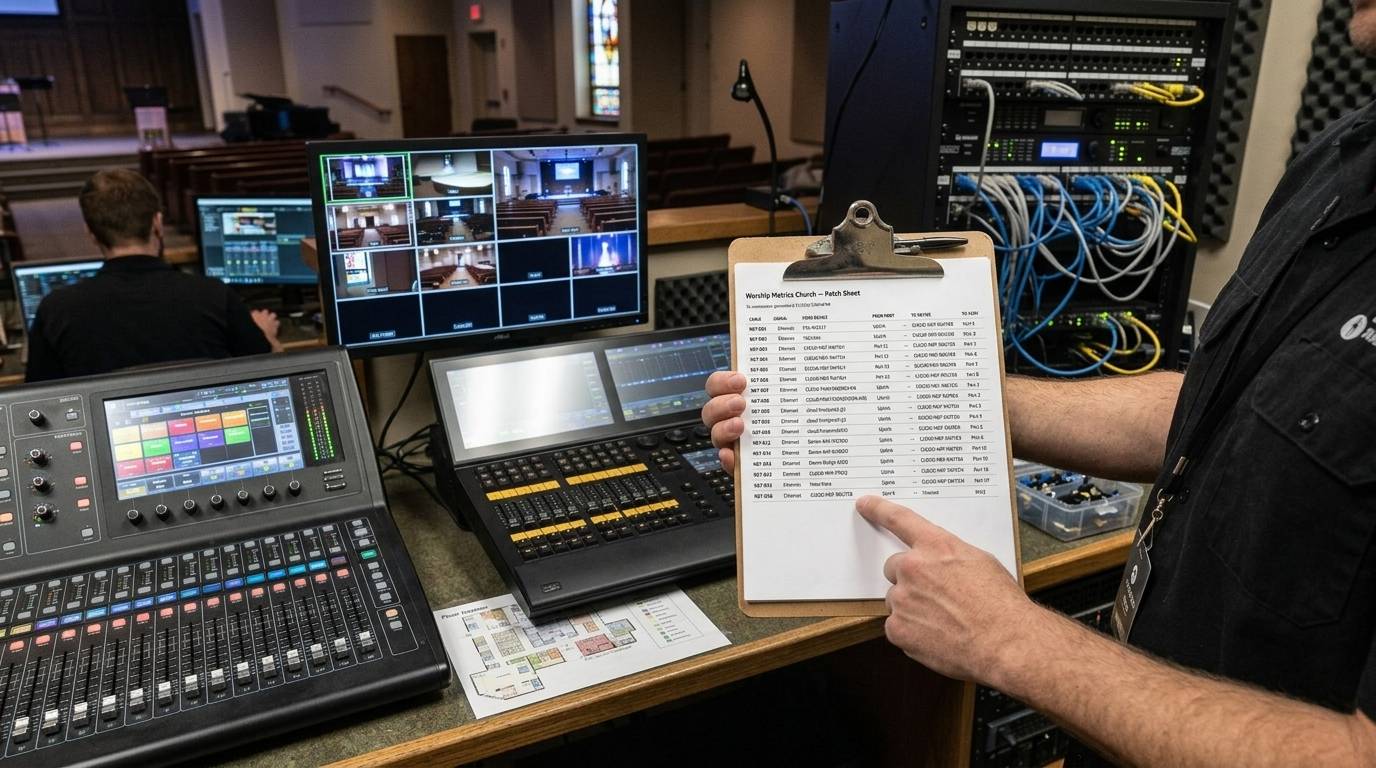
The church runs UniFi, and the controller is connected, so Dave’s documentation audits itself. He scans two things:
- Negotiated link speeds. Every port that should be gigabit, is — except one. The stage-left run is negotiating 100 Mb/s behind a green link light, which almost always means a damaged pair. That cable was re-pulled during last month’s stage rework. Fifteen minutes with a crimper this Saturday, instead of an NDI mystery some future Sunday.
- PoE draw. The rear camera is pulling what it always pulls. The lobby access point crept up a watt — noted, not alarming.
Then a glance at the Signal Map: the auto-inferred Ethernet wires still match what he believes about his own building. When they disagree, the switch is usually right.
Minute 50: disk, recordings, and the archive
Sunday’s service recorded automatically, so the library has it — and Sunday’s disk-space trend shows the drive crossing 40% free, gigabytes lower than last month. Recordings accumulate; that’s their job. He archives two months of raw services to the external drive before the 10%-free cleanup rule ever has to earn its keep. Storage planning on a Tuesday costs nothing.
Minute 60: people, not machines
The last half hour is the human layer. Next month’s volunteer grid needs drafting: he fills the stream seat, camera, and lyrics positions across four Sundays — silently, no emails firing while he thinks — checks the blockout warnings, and saves the draft to sleep on. Thursday he’ll hit Send once, and the loop runs itself: one-tap accepts, decline notifications, day-before reminders.
He also spends ten minutes on next quarter’s ask. The health reports show bitrate sagging during greeting time three weeks running — the classic guest-WiFi squeeze. Three weeks of five-second telemetry make a better budget case for a network upgrade than any hunch ever could.
6:00 p.m. — done
Laptop closed. Nothing about this Tuesday was urgent, which is precisely the point: every item was a Sunday problem intercepted at the cheap end of its life. The service director’s seat gets the glory on Sunday morning — but the calm it enjoys was manufactured here, in ninety unglamorous minutes with a coffee.
Sundays are won on Tuesdays. The telemetry just makes the winning legible.
Related questions
- How much weekly time does proactive AV maintenance actually take?
- With telemetry doing the watching, about ninety minutes a week covers it: reviewing the alert feed and self-healing log, checking resource and link-speed trends, and drafting volunteer schedules. The machines flag what needs attention; the human decides what to do about it.
- What's the highest-value thing to review each week?
- The self-healing log. A booth that needed a restart once this quarter is healthy; one that needs one every Sunday is telling you something about its network or hardware. That trend line is invisible unless every stop and restart is logged — and it's the difference between a Tuesday project and a Sunday outage.
- What if the tech director is a volunteer with a day job?
- The rhythm works asynchronously. Alerts reach your phone when something needs you; everything else waits in the feed with 90 days of history. Nothing in this routine requires being in the building — even attendance counts can be triggered remotely.
A Pastor's Week with the Numbers
NextA Worship Leader's Thursday: One Planning Hour, Start to Finish
Related Articles

Making a Complicated Church AV System Easy to Run, Without Hiring an AV Company
Many church AV systems aren't too old or too small. They're too complicated for a volunteer. A simple button panel built with Bitfocus Companion can hide that complexity behind plain-word buttons, and a church can often build it themselves. Here's when that works, when to call a professional, and how to start.

Your Church Livestream Team, Connected Even When They're Not at Church
A three-person livestream team only works if everyone shares the same plan, the same wiring diagram, and the same news when something breaks. Here's how WorshipMetrics connects the director, slides, and camera volunteers through the week: chat, alerts, documentation, AI help, scheduling, and cloud control for OBS and vMix.

The Three-Person Church Livestream Team: Director, Slides, and Cameras
A church livestream runs best with three clear jobs: a director on OBS or vMix, a slides operator, and a camera operator. Here's what each role does before, during, and after the service, what skills it takes, and how the three talk to each other.