The short answer: wire the encoder, and let WiFi do a different job
“Is our WiFi good enough to livestream?” is usually the wrong question, and the right answer starts by splitting it in two:
- The streaming computer should not be on WiFi at all. Run a cable. WiFi in a building full of phones is the single most common cause of Sunday-morning dropped frames, and no router upgrade beats a $15 patch cable.
- The real question is whether your internet connection is good enough — and that’s measurable in ten minutes, on the right morning.
Here’s why the distinction matters, how to run the honest test, and how to move from “we think it’s fine” to knowing.
Why WiFi betrays streams specifically
WiFi is a shared medium: every device in range takes turns on the air. On Tuesday afternoon, your booth laptop has the airwaves nearly to itself and everything looks great. On Sunday at 9:55, two hundred phones arrive — auto-syncing photos, checking in on the guest network, hunting for signal — and the encoder now queues behind all of them for its turn to transmit.
A live encoder is uniquely intolerant of that. Web browsing shrugs off a half-second stall; an encoder pushing thirty frames a second experiences the same stall as frames it must drop. That’s why dropped frames carry the heaviest penalty (−35) in the stream health score: they’re the failure viewers feel most directly, and the fix list starts with get the encoder on wired Ethernet — before bitrate, before hardware, before anything.
So give WiFi the job it’s good at — the congregation’s phones, QR check-ins, the lobby — and give the stream copper.
The honest bandwidth test
With the encoder wired, the question becomes your internet connection’s upload capacity, and there’s a rule of thumb worth taping to the booth desk: stream at no more than half your reliably measured upload speed — measured on Sunday morning, not Tuesday afternoon.
Both halves of that sentence do work. Half, because upload capacity fluctuates and an encoder run at the ceiling has no headroom for the moments that need it. Sunday morning, because that’s when your congregation’s devices, the neighborhood’s usage, and your ISP’s real-world performance all show up at once. A connection that tests at 40 Mbps up on Tuesday and 12 Mbps at 9:45 on Sunday is a 12 Mbps connection for your purposes.
If the Sunday number can’t comfortably carry your target bitrate, you have three levers, in order of cost: lower the stream’s bitrate and resolution (a stable 720p beats a struggling 1080p every time — our encoder settings guide covers the numbers), separate streaming traffic from guest WiFi with VLANs and QoS so the phones can’t starve the booth (the design is in the church network guide), and only then talk to your ISP about a faster plan.
From guessing to knowing
Everything above you can do with a speed test and a cable. The step most churches never take is making the network report on itself — and it’s the step that finds problems on Tuesdays instead of Sundays.
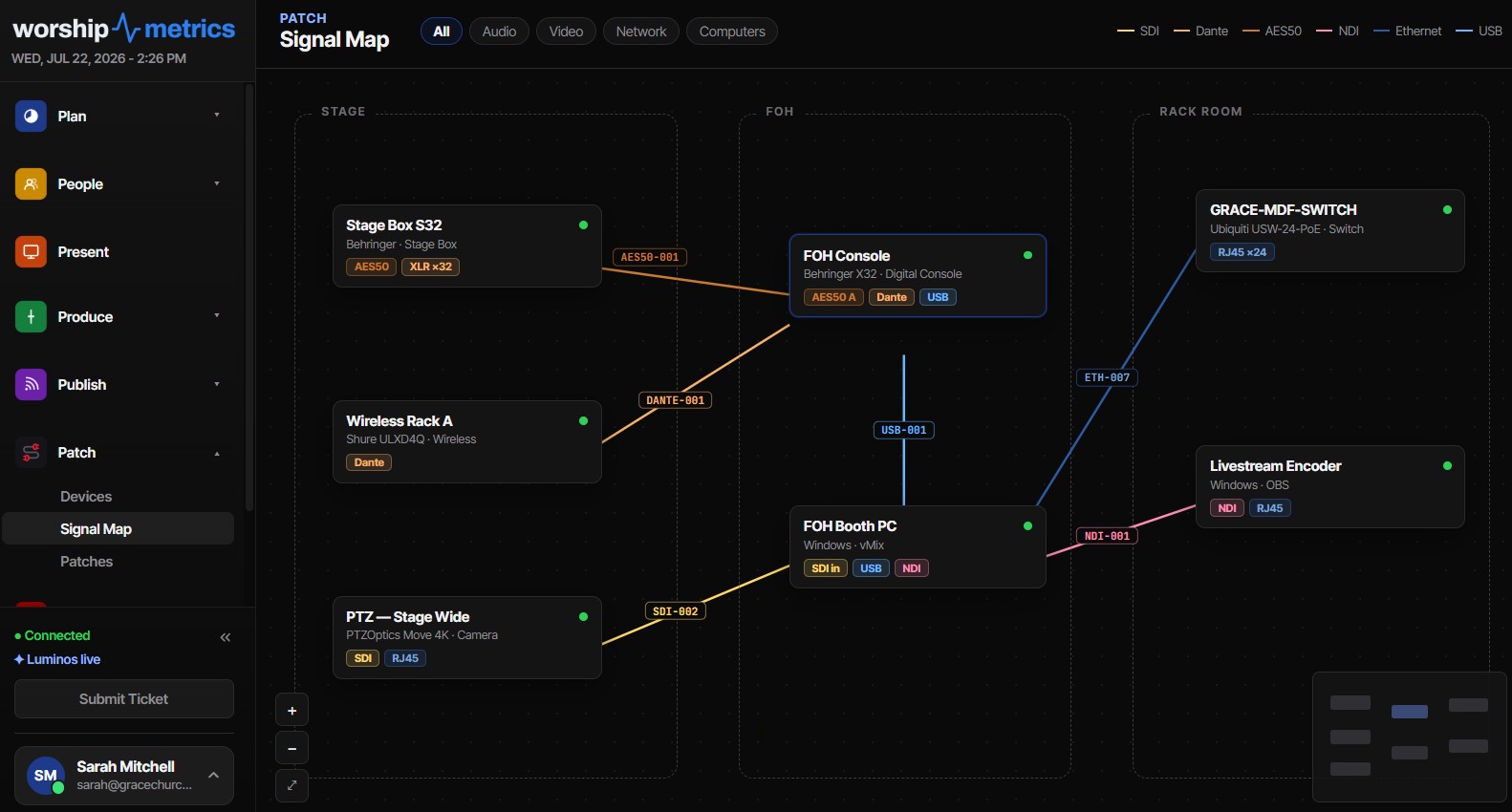
If your building runs Ubiquiti UniFi gear, connecting the controller to WorshipMetrics pulls live network truth into your documentation: which device hangs off which switch port, live PoE draw, and — the sleeper feature — negotiated versus maximum link speed. A gigabit port that silently fell back to 100 Mb/s hides behind a green link light, “works” for browsing, and then chokes the first NDI feed or big upload you push through it. Almost always it’s one damaged pair in a cable, and seeing it in the documentation means finding it before it finds you.
Meanwhile every stream you run produces its own evidence. The health report samples bitrate, dropped frames, and encoder state every five seconds, so “the internet was weird” becomes “bitrate sagged for ninety seconds during greeting time, three weeks running” — a pattern with an obvious suspect (the lobby WiFi lighting up) and a concrete fix. And Pulse watches for network patterns across devices, flagging packet loss and latency drift against each device’s own baseline.
One more safety net for the Sundays when the connection struggles anyway: Tech Manager’s Self Healing tells you the moment the stream stops unexpectedly and offers a one-tap restart — from the booth or your phone — while monitoring watches bitrate and alerts you when it sags. If your connection sags often, set a lower bitrate before Sunday: viewers forgive softness; they don’t forgive freezing.
How WorshipMetrics handles this
WorshipMetrics can’t pull the Ethernet cable for you, but it turns every other part of this from folklore into data: stream health reports show exactly when and how the connection struggled, UniFi integration exposes the per-port truth your green link lights are hiding, Pulse monitoring watches for the patterns that precede failures, and Tech Manager keeps the stream alive through the rough patches while you fix root causes on a weekday. Wire the encoder, measure on Sunday, stream at half — and let the telemetry tell you the rest.
Related questions
- Can we livestream over WiFi if the signal is strong?
- You can, but you shouldn't if a cable is possible. WiFi in a building that fills with phones every Sunday is the single most common cause of dropped frames — signal strength on Tuesday says little about airtime contention at 9:55 on Sunday. Wire the encoder; let WiFi carry the congregation.
- How much upload speed does a church stream need?
- A safe rule of thumb is to stream at no more than half your reliably measured upload speed — measured on Sunday morning under real load, not on a quiet Tuesday afternoon. If a speed test says 20 Mbps up on Sunday at 9:45, a stream in the 4–6 Mbps range has comfortable headroom.
- How do we find network problems before they hit a Sunday?
- Let the network report on itself. Connecting a UniFi controller to WorshipMetrics surfaces per-port truth — including gigabit links that silently fell back to 100 Mb/s, which is almost always a damaged cable — and every stream produces a health report showing exactly when and how the connection struggled.
Can I Get an Alert on My Phone When Our Church Stream Drops?
NextHow Do Churches Know How Many People Actually Watched the Livestream?
Related Articles

Bitfocus Companion + ATEM Mini: A Stream Deck Panel for Your Church Switcher
A Stream Deck running Bitfocus Companion turns a Blackmagic ATEM into plain-word buttons with colors that show what's live, and the same panel can run PTZ cameras, projectors, and more. Here's how to connect Companion to an ATEM and build a volunteer page.

Lyrics Over the Camera on an ATEM Mini: Luma Keys, Chroma Keys, and the Slides Computer
To put song lyrics over the camera shot on a Blackmagic ATEM Mini, feed the slides computer into an ATEM input and key it over the camera. Here's how luma and chroma keys work for lyrics, how to design slides that key cleanly, and who should run it.

ATEM Mini + OBS for Church: Hardware Camera Switching with OBS for Graphics and Streaming
Many churches use an ATEM Mini as a camera switcher and send its output into OBS over USB as a webcam. The ATEM gives volunteers real buttons; OBS adds lyrics, graphics, recording, and streaming. Here's how to set it up, split the jobs, and avoid the common sync and quality problems.