An honest question
If your church AV system is hard to run, you’ve probably wondered whether new software could fix it, or whether you need new equipment. The honest answer: software can fix more than most churches expect, but not everything.
What software can fix
Watching the stream so nobody has to
The most stressful part of running AV is watching: Is the stream still up? Is the recording running? Software can do that watching.
WorshipMetrics monitoring alerts your team the moment the stream or recording stops, on the booth and on their phones, and offers a one-tap restart. A health report after every service shows what happened. That’s free.
Documenting the system
When the knowledge of how everything connects lives in one person’s head, software can get it written down. The Signal Map documents every device and cable and prints a current wiring diagram for the booth.
Simplifying what volunteers see
Instead of five programs and windows, volunteers can work from one dashboard. Tech Manager, free on your streaming computer, puts audio meters, video and slide preview, camera control, and stream health side by side.
Slides without retyping
Present, free, builds lyrics, scripture, and slides from the service plan and sends them into the stream. (See lyrics and slides on your livestream.)
Help that already knows your system
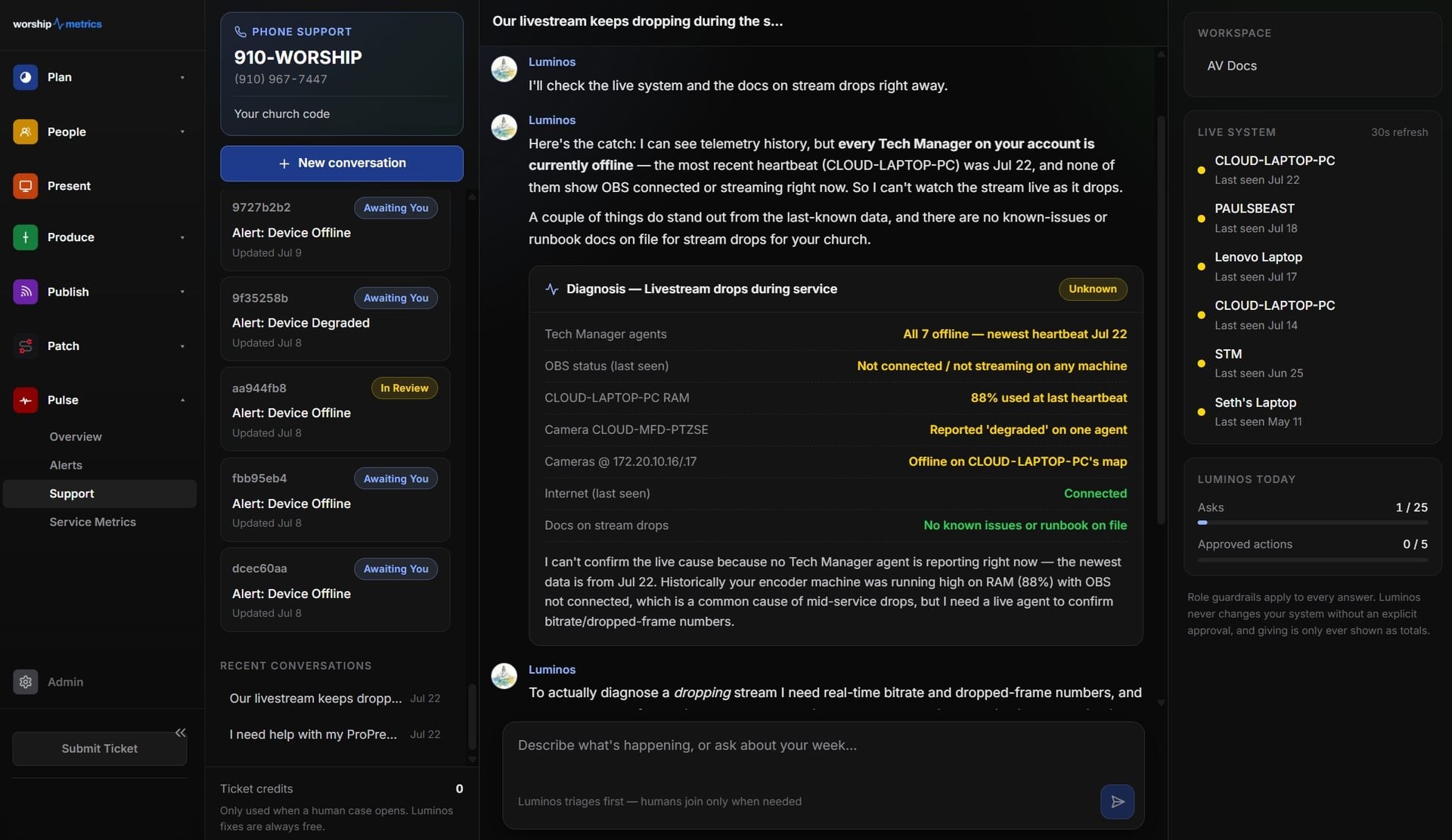
When something goes wrong, the hardest part is often explaining it. Luminos, the WorshipMetrics AI, uses your documented system and live health information to help diagnose problems and walk volunteers through fixes. It proposes; your team decides. And 910-WORSHIP connects you with Journey, our AI phone assistant, which answers any hour and, with Care, brings in a person when needed. (See AI that knows your wiring.)
Help from anywhere
With the cloud, the right people can see what’s happening without being in the building: alerts on their phones, health reports, and on Pro and Max, cloud control so a trusted helper can assist remotely.
What software can’t fix
Be wary of anyone who says software fixes everything. It can’t:
- Repair failing equipment: a camera that drops out, a bad cable, a dying power supply
- Speed up slow internet: if your connection can’t carry the stream, you need a better connection (see is our church WiFi good enough to livestream?)
- Make an underpowered computer fast: if the streaming computer can’t keep up, it needs upgrading
- Fix the room: poor acoustics or speakers need physical changes
- Recruit volunteers: software makes the booth easier to run, so more people can serve, but someone still has to invite them
A rough way to think about it
| Problem | Software helps? |
|---|---|
| Nobody notices when the stream drops | Yes: alerts and a one-tap restart |
| Only one person knows how it’s connected | Yes: documentation and a Signal Map |
| Volunteers juggle too many programs | Yes: one dashboard, fewer tools |
| Slides don’t reach the stream | Yes: Present into the stream |
| Nobody to call on Sunday morning | Yes: AI support and 910-WORSHIP |
| The same camera keeps failing | No: repair or replace it |
| The internet is too slow | No: improve the connection |
| The streaming computer freezes | Partly: monitoring shows it, but it may need replacing |
Start with software, then spend on gear
Software and process fixes are usually the cheapest and fastest. Do those first, and you’ll see clearly which equipment truly needs replacing. (See should we fix or replace our AV system?)
When it is the hardware, like a streaming computer that keeps freezing, our Livestream Systems show what we’d build, from a single upgrade to a full system.
WorshipMetrics monitoring, the Signal Map, Tech Manager, and Present are free to start. Not sure where your church lands? Take the two-minute AV system checkup, or book a free 30-minute call and we’ll help you sort it out.
Related questions
- Can software fix our church AV problems?
- Software can fix many process problems and ease people problems: it can watch the stream and warn you, document the system, simplify what volunteers see, and provide support that knows your setup. It can't repair failing equipment, fix a slow internet connection, or recruit volunteers.
- How does AI help with church AV?
- AI support that can see your actual system, like Luminos in WorshipMetrics, can walk a volunteer through a fix step by step, explain what an alert means, and help diagnose problems. It works best when your system is documented, and it proposes fixes rather than acting on its own.
- What does connecting church AV to the cloud do?
- It lets the right people see what's happening from anywhere: alerts on their phones, system health reports after each service, and help that can see the system without being in the building.
Should We Fix Our Church AV System or Replace It? When to Start Over
NextHow to Put Your Livestream on Lobby and Overflow Room TVs
Related Articles

Making a Complicated Church AV System Easy to Run, Without Hiring an AV Company
Many church AV systems aren't too old or too small. They're too complicated for a volunteer. A simple button panel built with Bitfocus Companion can hide that complexity behind plain-word buttons, and a church can often build it themselves. Here's when that works, when to call a professional, and how to start.

Your Church Livestream Team, Connected Even When They're Not at Church
A three-person livestream team only works if everyone shares the same plan, the same wiring diagram, and the same news when something breaks. Here's how WorshipMetrics connects the director, slides, and camera volunteers through the week: chat, alerts, documentation, AI help, scheduling, and cloud control for OBS and vMix.

The Three-Person Church Livestream Team: Director, Slides, and Cameras
A church livestream runs best with three clear jobs: a director on OBS or vMix, a slides operator, and a camera operator. Here's what each role does before, during, and after the service, what skills it takes, and how the three talk to each other.