Why PoE deserves ten minutes of your attention
Walk through a modern church AV rig and count the devices that get their power from an Ethernet cable: PTZ cameras on the back wall, Wi-Fi access points over the lobby, a touch panel at the tech booth, maybe an intercom beltpack station or a Dante wall plate. Power over Ethernet is one of the best things to happen to church installs — one cable carries both signal and power, so a camera can live thirty feet up a wall with no electrician involved.
It is also one of the most common sources of mystery failures. The classic symptoms all trace back to power, not networking:
- A PTZ camera that works on some switch ports but not others
- A camera that reboots when a nearby access point powers up
- A touch panel that boots, shows its logo, then dies halfway through startup
- An entire bank of devices that browns out when one more thing is plugged in
Every one of these is a PoE class or power budget problem, and every one of them is preventable with a little arithmetic. This article covers the three PoE standards, the difference between a per-port cap and a chassis budget, and how to size a switch for a real church rig.
The three standards: 802.3af, 802.3at, 802.3bt
PoE is standardized by the IEEE, and the three generations you will meet in the wild are usually marketed as PoE, PoE+, and PoE++ (or “4PPoE”).
802.3af (Type 1, “PoE”) — the original 2003 standard. The switch can supply up to 15.4 W at the port, of which about 12.95 W is guaranteed to reach the device after cable losses. Plenty for VoIP phones, small IP cameras, and simple wall panels.
802.3at (Type 2, “PoE+”) — the 2009 revision. Up to 30 W at the port, roughly 25.5 W delivered. This is the workhorse class for church AV: most PTZ cameras, most modern Wi-Fi access points, and most touch panels are PoE+ devices.
802.3bt (Types 3 and 4, “PoE++”) — the 2018 standard, which delivers power over all four wire pairs instead of two. Type 3 supplies up to 60 W at the port (about 51 W delivered); Type 4 goes to 90 W at the port (about 71 W delivered). You will see 802.3bt on larger PTZ cameras with big zoom blocks and heaters, video conferencing bars, LED fixtures, and small computers.
Within those standards, devices negotiate a class — a number from 0 to 8 that tells the switch how much power to set aside:
| Class | Standard | Max power at switch port | Max power at device |
|---|---|---|---|
| 0–3 | 802.3af | up to 15.4 W | up to 12.95 W |
| 4 | 802.3at | 30 W | 25.5 W |
| 5 | 802.3bt Type 3 | 45 W | 40 W |
| 6 | 802.3bt Type 3 | 60 W | 51 W |
| 7 | 802.3bt Type 4 | 75 W | 62 W |
| 8 | 802.3bt Type 4 | 90 W | 71.3 W |
Two practical notes on that table. First, the standards are backward compatible: an 802.3bt switch will happily power an 802.3af phone, and the negotiation handles the details. Second, beware of passive PoE, which is not part of any of these standards. Some older wireless gear ships with passive 24 V injectors that skip negotiation entirely and just put voltage on the wire. Passive PoE and standards-based PoE do not mix — plugging the wrong combination together can damage equipment — so keep passive-powered gear on its own clearly labeled injectors.
Per-port caps vs. the chassis budget
Here is the trap that catches most teams. A switch has two separate limits, and the spec sheet headline usually only tells you one of them.
The per-port cap is the maximum any single port can deliver — this is what “PoE+ switch” tells you. Every port on a 802.3at switch can do up to 30 W.
The chassis budget (or PoE budget) is the total the switch’s internal power supply can deliver across all ports at once. And this is where the arithmetic bites: a “16-port PoE+ switch” with a 120 W budget cannot come close to powering sixteen 30 W loads. Sixteen ports times 30 W would be 480 W; the switch can actually hand out 120 W total, however you slice it.
There is one more wrinkle: many switches budget by allocation, not measured draw. When a Class 4 camera negotiates, the switch may reserve the full 30 W for that port even if the camera only pulls 14 W sitting still. That is conservative by design — the camera is allowed to spike to its class limit whenever it wants, such as when the zoom motor and IR illuminator kick in together. Switches that support LLDP power negotiation can allocate more precisely, but for planning purposes you should always budget by class allocation, not by the wattage you see on a meter during a quiet Tuesday test.
When the budget runs out, switches shed load — usually by refusing power to the lowest-priority port, which on many models simply means the highest port number. This is why “the camera worked until we added the new access point” is such a common story: the AP did not break anything, it just pushed the chassis past its budget and something had to lose.
Sizing a switch for a real church rig
Let’s size a production switch for a typical mid-size sanctuary. The method is simple: list every powered device, find its PoE class, sum the allocations, and add headroom.
| Device | Qty | Class | Allocation each | Subtotal |
|---|---|---|---|---|
| PTZ cameras | 3 | Class 4 (PoE+) | 30 W | 90 W |
| Wi-Fi access points | 2 | Class 4 (PoE+) | 30 W | 60 W |
| Touch panels | 2 | Class 3 (PoE) | 15.4 W | 30.8 W |
| Intercom station | 1 | Class 2 (PoE) | 7 W | 7 W |
| Total allocation | ~188 W |
A 16-port PoE+ switch with a 150 W budget has plenty of ports for this rig — and not enough power. Eight powered devices at 188 W of allocation needs a switch with at least a 250 W budget once you add sensible headroom.
Why headroom? Three reasons:
- Cold-boot inrush. On Sunday morning everything powers up at once, and simultaneous startup draw is the worst case the budget ever sees.
- The next device. Churches add gear. A rig sized at 95% of budget fails the first time someone adds a confidence-monitor player or one more AP.
- Class creep. Replacement devices tend to want more power than the ones they replace — the Wi-Fi 6E successor to your current AP may negotiate Class 5 or 6.
A 20–30% margin over total allocation is a good target. And a few cabling notes while you are planning: Cat5e handles 802.3af and 802.3at fine at any standard run length, but for 802.3bt loads — especially many of them bundled together in a conduit — Cat6a’s heavier conductors dissipate heat better and are worth specifying. Avoid powering anything through long chains of thin patch cables, couplers, or old punch-down blocks; PoE faults love high-resistance joints.
Finally, resist the temptation to hang a small unmanaged desktop switch off a wall port to “split” a PoE feed. Most cheap switches neither pass through nor regenerate PoE, and the ones that do add another unbudgeted, undocumented power domain to your building. If a room needs three powered devices, it needs three runs to a real switch — your future self troubleshooting at 7:45 a.m. will thank you. For the bigger picture on VLANs, switch placement, and keeping production traffic isolated, see our guide to network infrastructure for church AV and streaming.
Write it down before it bites you
The rigs that avoid PoE surprises all share one habit: the power story is documented, not remembered. For every powered device, record:
- The PoE class it negotiates (from the spec sheet, not a guess)
- Which switch and port feeds it — so “camera 2 is switch A port 7” is written down, not tribal knowledge
- The switch’s total budget and current allocation — a one-line running total per switch
- Any passive injectors or midspans — clearly flagged, since they live outside the switch budget entirely
This matters most for the devices that make Sunday happen. A PTZ camera that browns out mid-service looks exactly like a camera failure, and teams have swapped healthy cameras over what was really a budget problem two racks away. If you are speccing cameras now, our PTZ camera setup guide covers the control and video side of the same install, and NDI production adds context on why those camera ports also carry serious data. Keeping this power documentation alongside serials and purchase dates is part of the same discipline as AV inventory and maintenance tracking.
How WorshipMetrics handles this
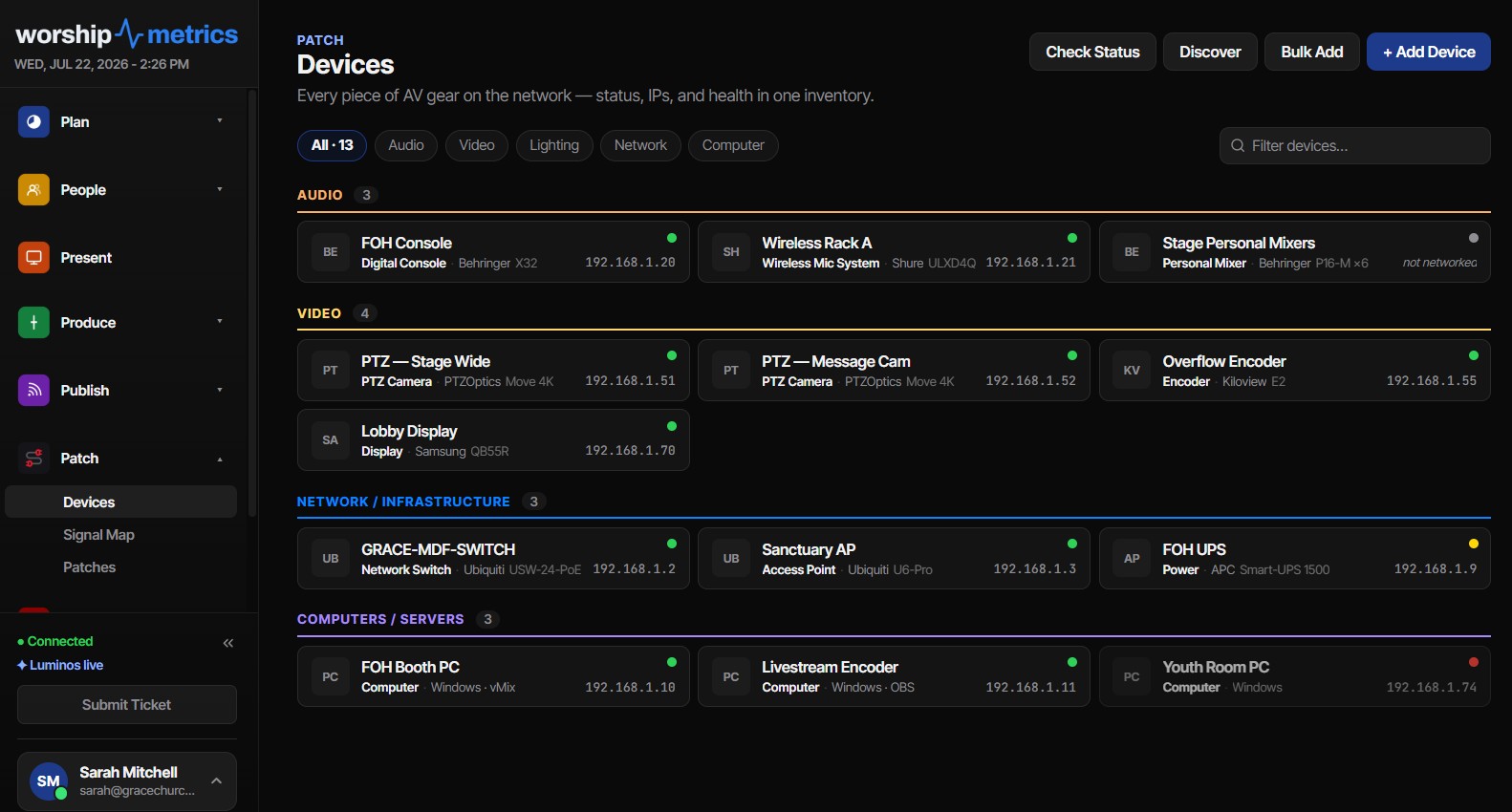
WorshipMetrics treats PoE as part of your system documentation, not a sticky note on the rack door. The built-in device library — thousands of models, with factory port presets — means that when you add a supported PTZ camera or switch, its rear panel arrives already documented, including PoE class and wattage where the manufacturer publishes them. Every port in your signal map can carry its connector type, signal, VLAN and IP configuration, and PoE class and wattage, so the question “what class is camera 2, and which port feeds it?” is answered by the documentation itself.
If your network runs on Ubiquiti UniFi, WorshipMetrics can connect directly to your controller — either through the official Network Integration API with an API key, or with local-admin credentials, which unlocks port-precise detail: the sync maps which device is on which switch port, records negotiated versus maximum link speed (so a gigabit camera stuck at 100 Mb is visible), and shows live PoE draw from your switches. Your documented power budget and your actual Sunday-morning draw live side by side, and device health dots flag anything that has gone quiet for more than 90 seconds.
Explore the full documentation toolset at system documentation, and see how live device health rolls into alerting at AV monitoring.
Choosing network cameras? See why we recommend NDI PTZ cameras for churches, and how one PoE cable replaces video, power and control runs in how NDI saves churches money.
NDI Alpha-Channel Slides: A Clean Lyrics Key Without Chroma
NextProjector, Stage Display, and Beyond: Multi-Screen Output from a Browser
Related Articles
Controlling Projectors, PTZ Cameras, and Sound Boards with Bitfocus Companion
Bitfocus Companion can control far more than OBS and vMix. Projectors over PJLink, PTZ cameras over VISCA, digital sound boards over the network, and almost anything else with an IP address. Here's how churches connect the rest of the room, and how to plan a 'Start Service' button that does it all.
PTZ Camera Troubleshooting for Churches: The 10 Problems Behind Almost Every Sunday Failure
A symptom-first field guide to the PTZ and network camera failures church booths actually hit — cameras that vanish from the network, presets that drift, flicker under LED lighting, video lagging the audio — with fast checks for each, and the upgrades that end the guessing: a mapped system, cameras on watch, and AI that knows your wiring.
AI That Knows Your Wiring: How Luminos and Journey Actually Work
The AV manager's tour of the context architecture: how the Signal Map, live inventory, telemetry, and support history become an assistant that answers questions about YOUR booth — in the app as Luminos, on the phone as Journey.