The short version
We highly recommend NDI cameras, NDI encoders and NDI decoders for most churches, because they let you send video over an affordable network instead of a building full of dedicated video cable. The savings show up in five places.
1. Cabling: one cable instead of three
A traditional camera needs:
- A video cable (SDI or HDMI) back to the booth
- A power outlet at the camera position
- Often a control cable for pan, tilt and zoom
An NDI PTZ camera needs one network cable. It carries video, audio and control, and with Power over Ethernet (PoE) it powers the camera too. Network cable is the cheapest, most familiar cable an installer pulls, and every electrician and IT volunteer knows how to terminate it.
For a camera on a balcony rail or a ceiling mount, skipping the new power outlet alone can save a meaningful part of the install. (See PoE classes for church AV.)
2. Routing: software instead of a video router
With cables, getting one camera to three places means a video router or distribution amplifier and a cable to each place.
With NDI, every source is already on the network. Any screen with a decoder can show any source, chosen in software. There’s no router to buy, and changing what a room sees is a click, not a re-patch.
3. Mixing: the computer is the switcher
A hardware switcher has a fixed number of inputs. When you run out, you buy a bigger switcher.
vMix and OBS take NDI sources directly, so your camera count is limited by the network and the computer, not the number of physical ports. A production computer like our Livestream Systems becomes the switcher, graphics system, recorder and streamer in one.
4. Distance: no extenders
HDMI gets unreliable over long runs, so screens far from the booth need pairs of extenders. A network reaches every room through switches. A Magewell Pro Convert NDI to HDMI decoder behind a TV in the overflow room is all that room needs. (See how to put your livestream on lobby and overflow TVs.)
5. Growth: one piece at a time
- Add a camera: plug it into the switch.
- Add a room: add a decoder and a network drop.
- Add a source from another building: put it on the network with an encoder.
Nothing gets torn out to grow. That’s often the biggest saving of all, because it’s the cost you don’t pay three years from now.
The costs NDI doesn’t remove
Being honest about the trade-offs:
- Good switches. NDI wants a wired gigabit network, kept separate from guest Wi-Fi, with enough PoE power for your cameras. Budget for a quality production switch. (See what network does a church need for NDI?)
- A capable production computer. Many NDI sources take processing power to decode.
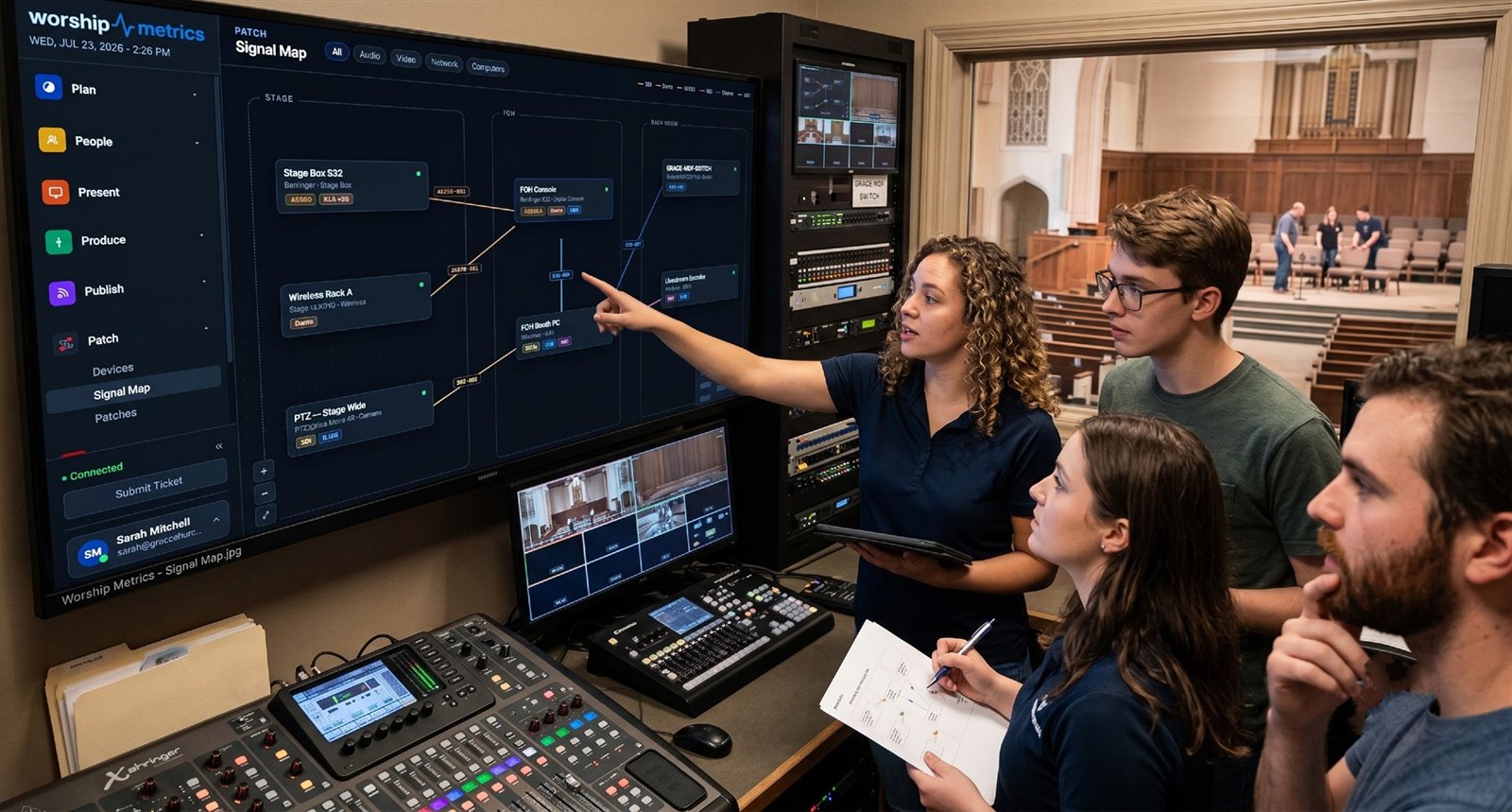
- Planning. Someone needs to decide which devices go on which network. The Signal Map helps document it.
- The sound system. Room audio still runs through your sound board. NDI carries audio for the stream and screens, not your speakers.
Five tricks that cost almost nothing
NDI’s free tools and an inexpensive phone app replace hardware churches usually buy:
- A phone becomes a wireless camera. See turn any smartphone into a wireless church camera.
- The pastor’s laptop sends slides over the network, with no capture card or HDMI extenders. See get the pastor’s slides into the stream.
- A second campus or a remote guest joins over the internet. See NDI over the internet.
- An old laptop becomes an overflow screen. See turn an old laptop into an overflow or confidence screen.
- The service goes into Zoom or Teams for homebound members and hybrid groups. See send your service into Zoom or Teams.
Do you have to replace everything?
No. A Magewell Pro Convert encoder puts an existing HDMI or SDI camera on the network, so your current cameras can keep working while you add NDI ones. Most churches move to NDI a piece at a time. (See NDI encoders and decoders.)
The best first step is to map your current system. We’ll show you which cameras and cables can stay, and where NDI saves the most. Prefer to talk? Call 910-WORSHIP.
See everything WorshipMetrics does with NDI on our NDI for churches page.
Related questions
- Is NDI cheaper than SDI for a church?
- Usually, over the life of the system. Each NDI device needs one network cable that also carries power and control, instead of separate video, power and control runs; there's no video router to buy; and adding rooms or cameras doesn't mean new cable back to the booth. The network itself needs good switches, which is the main cost to plan for.
- Can we use our existing church network for NDI?
- Often the cabling, yes; the switches, maybe. NDI wants a wired, gigabit network kept separate from guest Wi-Fi, and PoE switches with enough power budget for your cameras. Many churches add a dedicated production switch rather than sharing the office network.
- What costs does NDI not remove?
- Good network switches, a production computer that can handle the sources, and someone to plan the network. NDI also doesn't replace a sound system; audio for the room still runs through your sound board.
Why We Recommend NDI PTZ Cameras for Churches
NextGet the Pastor's Slides into the Stream Without a Capture Card or HDMI Extenders
Related Articles

Bitfocus Companion + ATEM Mini: A Stream Deck Panel for Your Church Switcher
A Stream Deck running Bitfocus Companion turns a Blackmagic ATEM into plain-word buttons with colors that show what's live, and the same panel can run PTZ cameras, projectors, and more. Here's how to connect Companion to an ATEM and build a volunteer page.

Lyrics Over the Camera on an ATEM Mini: Luma Keys, Chroma Keys, and the Slides Computer
To put song lyrics over the camera shot on a Blackmagic ATEM Mini, feed the slides computer into an ATEM input and key it over the camera. Here's how luma and chroma keys work for lyrics, how to design slides that key cleanly, and who should run it.

ATEM Mini + OBS for Church: Hardware Camera Switching with OBS for Graphics and Streaming
Many churches use an ATEM Mini as a camera switcher and send its output into OBS over USB as a webcam. The ATEM gives volunteers real buttons; OBS adds lyrics, graphics, recording, and streaming. Here's how to set it up, split the jobs, and avoid the common sync and quality problems.