The honest worry, taken seriously
Your teenager came home excited: they want to serve on the church tech team, running the livestream. And somewhere under your happiness a modern parental question flickered — there’s AI involved in this stuff now, isn’t there? Should I be concerned?
It’s a fair question, asked in a year when most pastors themselves feel conflicted about AI. You deserve a straight answer rather than either hype or hand-waving, so here it is, plainly: the AI your teen would encounter in a church tech booth is a technical helper — it knows the church’s equipment and answers questions about cameras, cables, and streams. It is not a chatbot befriending your child, not a system harvesting their life, and not a replacement for the adults who should be mentoring them. Let’s walk through exactly what it is and isn’t.
What it actually does
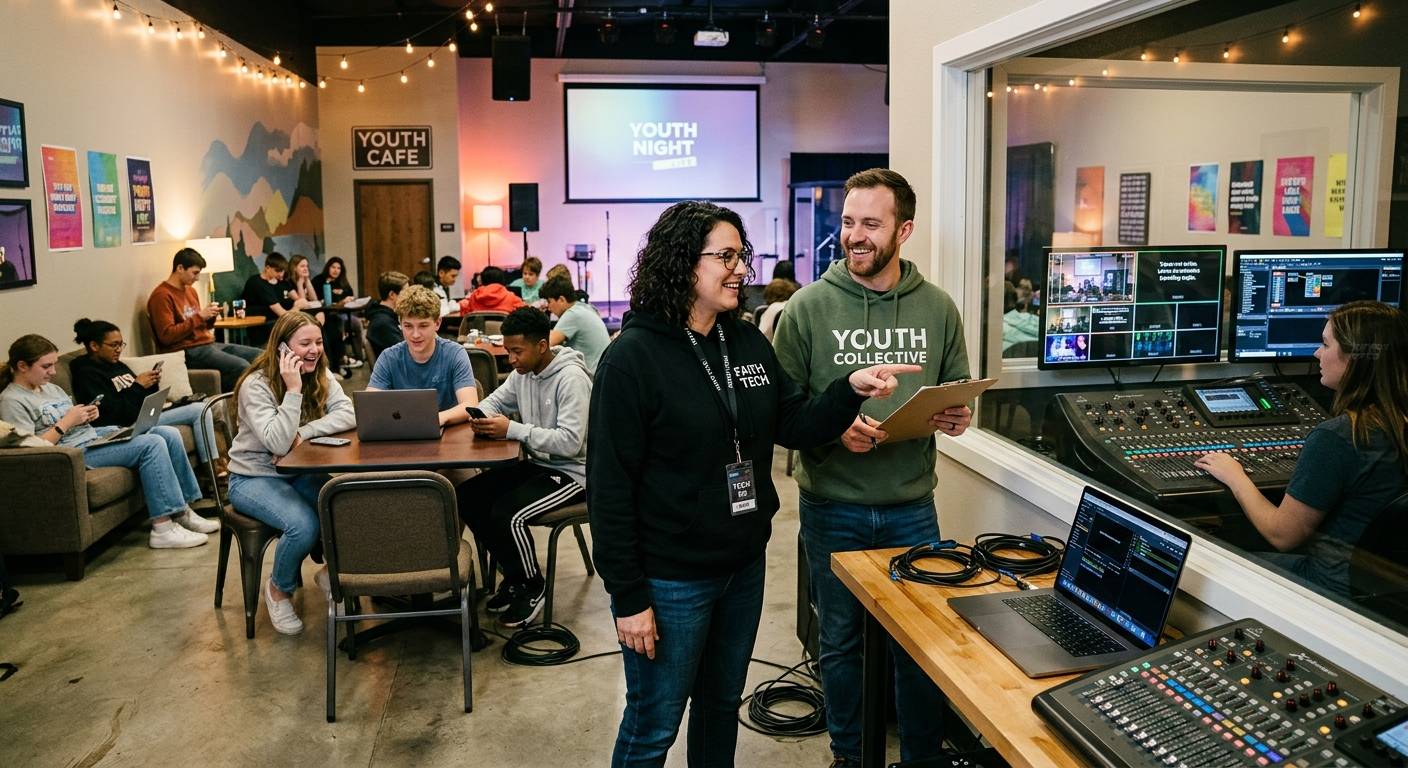
When your teen is at the booth and something goes wrong — a dark screen, a stream that won’t start — they can ask the church’s assistant (Luminos in the app, or Journey by phone at the church’s support line) and get help that knows that specific church’s system: this camera, that cable, the equipment in that booth. It’s the difference between your teen panicking alone and your teen having an infinitely patient expert talk them through it. Honestly, it’s the kind of support you’d want a sixteen-year-old to have before you were comfortable with them being responsible for anything live.
Think of it less as “AI” in the scary headline sense and more as a very smart manual that can talk — one that happens to know the exact room your teen is standing in.
Where the data goes (the part worth asking about)
Good instinct to ask, so here’s the frame. The AI’s context is the church’s equipment and streams — the devices, the wiring, the technical telemetry — not your teenager as a person. It reads the system to answer system questions.
For the one place real people appear on camera — recorded services — churches that care about media handling can run a local mode where the audio and video never leave the booth computer; only short bits of text go out for processing. If you want to be a thorough parent, the five questions in our leadership framework are exactly what to ask your church — a healthy church can answer all five without getting defensive, and asking them is a gift to the whole congregation, not just your family.
The line that should reassure you most
Here’s the boundary that matters, and any healthy church holds it: the AI handles the technical; humans handle the ministry. It answers “why is this cable not working.” It does not disciple your child, counsel them, or replace a single human relationship. That’s the booth-not-pulpit principle the good platforms are built on — AI for the wiring, people for the souls.
And notice what the technical help frees up. When the assistant carries the “why is this dark” questions, the adults in the booth get to spend their attention on your teen instead of on the crisis — mentoring, encouraging, noticing them. The AI doesn’t crowd out the human relationships you want for your kid. It clears the technical panic that was crowding them out.
Why this is a yes
Step back and the picture inverts the worry. Your teen wants to be needed — to serve, to belong to a crew, to matter on Sunday morning. The tech booth offers exactly that, and the AI is what finally makes it safe enough to say yes: real responsibility, with a patient expert on call, an instant heads-up — and a one-tap restart from the booth or a phone — if the stream or recording stops, human backup a phone call away, and church leaders able to see the booth while your teen serves.
The AI isn’t the thing to worry about. Used the way a good church uses it, it’s part of why the answer to your teenager can be an enthusiastic yes — go serve, we’ve got you, and so does the whole team around you.
Source: Barna Group — Pastors Are Using AI More Than You Think.
Related questions
- What does the AI my teen would use in the church booth actually do?
- It's a technical helper, nothing more: it knows the church's equipment and wiring and answers questions like 'why is this camera dark?' or 'the stream won't start.' It helps your teen solve AV problems with patient, system-specific guidance — the way a knowledgeable adult would, available the moment they need it.
- Is my teenager's data safe with church AV AI?
- The AI's context is the church's equipment and streams, not your teen personally. It reads the system — devices, cables, telemetry — to answer technical questions. Churches concerned about service media can run a local mode where audio and video never leave the booth computer. Ask your church leadership the five questions any good vendor can answer plainly.
- Will AI replace the human relationships in youth tech ministry?
- No — and a good church makes sure of it. The AI handles the technical questions so the human parts — the mentor beside your teen, the crew they belong to, being genuinely needed on Sunday — are what they actually experience. The tool carries the wiring; people carry the ministry.
Youth Group Beyond Game Night: Real Jobs Students Come Back For
NextAI in the Church: For the Booth, Not the Pulpit
Related Articles

Making a Complicated Church AV System Easy to Run, Without Hiring an AV Company
Many church AV systems aren't too old or too small. They're too complicated for a volunteer. A simple button panel built with Bitfocus Companion can hide that complexity behind plain-word buttons, and a church can often build it themselves. Here's when that works, when to call a professional, and how to start.

Your Church Livestream Team, Connected Even When They're Not at Church
A three-person livestream team only works if everyone shares the same plan, the same wiring diagram, and the same news when something breaks. Here's how WorshipMetrics connects the director, slides, and camera volunteers through the week: chat, alerts, documentation, AI help, scheduling, and cloud control for OBS and vMix.

The Three-Person Church Livestream Team: Director, Slides, and Cameras
A church livestream runs best with three clear jobs: a director on OBS or vMix, a slides operator, and a camera operator. Here's what each role does before, during, and after the service, what skills it takes, and how the three talk to each other.