The short answer
For most churches, the best streaming computer is a dedicated one: built for the job, used for nothing else, wired to the network, and set up so Windows doesn’t change underneath it between Sundays. The exact processor matters less than that discipline.
That said, the parts do matter. Here’s what each one does and what we use.
What each part does
Processor (CPU). Runs the production software: switching, graphics, lyrics. A recent Intel Core Ultra 5 handles a typical four-camera church service. Bigger productions step up to a Core Ultra 7 or a workstation-class Xeon.
Graphics card (GPU). The most underrated part. A modern NVIDIA RTX card encodes the stream on dedicated hardware, renders your graphics, and drives your operator monitors and room screens. If your current computer shows “encoding overloaded” in OBS, the missing graphics card is often why. (See why OBS says “encoding overloaded” during worship.)
Memory (RAM). 32GB for a standard service; 64GB for instant replay, many inputs or 4K. Error-correcting memory is worth it for long service days.
Capture card. Turns camera and slide signals into video the computer can use. Professional cards like Magewell Pro Capture do the video processing on the card and are built for 24/7 use. Cheap USB dongles are the most common weak link in church booths.
Drives. A fast system drive, plus a separate drive for recordings, so a full recording drive never takes down the computer.
Network card. Carries NDI cameras, Dante audio and the stream itself. Always wired. Large systems use 10GbE.
Windows edition. The quiet one. A long-term-support edition of Windows takes security fixes but skips surprise feature updates. (See why Windows updates break church livestreams.)
For a picture of how these connect, see the Livestream Systems wiring diagram, or read capture card, graphics card, network card: what each part does.
The specs we use, at three sizes
| Essentials (Good) | Studio (Better) | Broadcast (Best) | |
|---|---|---|---|
| Processor | Intel Core Ultra 5 | Intel Core Ultra 7 | Intel Xeon W |
| Graphics | NVIDIA RTX 5060 | NVIDIA RTX 5070 Ti | NVIDIA RTX 5080 |
| Memory | 32GB | 64GB | 64GB ECC |
| Drives | 1TB system + 2TB recording | 2x 2TB | 1TB + 4TB |
| Capture | Magewell Pro Capture Quad | 8 Magewell SDI inputs | 8 HD SDI + 4K SDI |
| Network | Wired Ethernet | Wired Ethernet | Dual 10GbE |
| Cameras | Up to 4 | Up to 8 | 12+ |
All three run Windows 11 IoT Enterprise LTSC in a 4U rackmount case. They’re based on the kind of hardware vMix itself tests and recommends. (See vMix Reference Systems vs. WorshipMetrics Livestream Systems.)
Mistakes that make a fast computer fail on Sunday
- Doubling as the office PC. Updates, sync tools and browser tabs compete with the stream.
- Wi-Fi. Always wire the streaming computer. (See is our church Wi-Fi good enough to livestream?)
- Recording to the system drive. When it fills, everything stops.
- Consumer USB capture for every camera. Fine for one source; fragile for four.
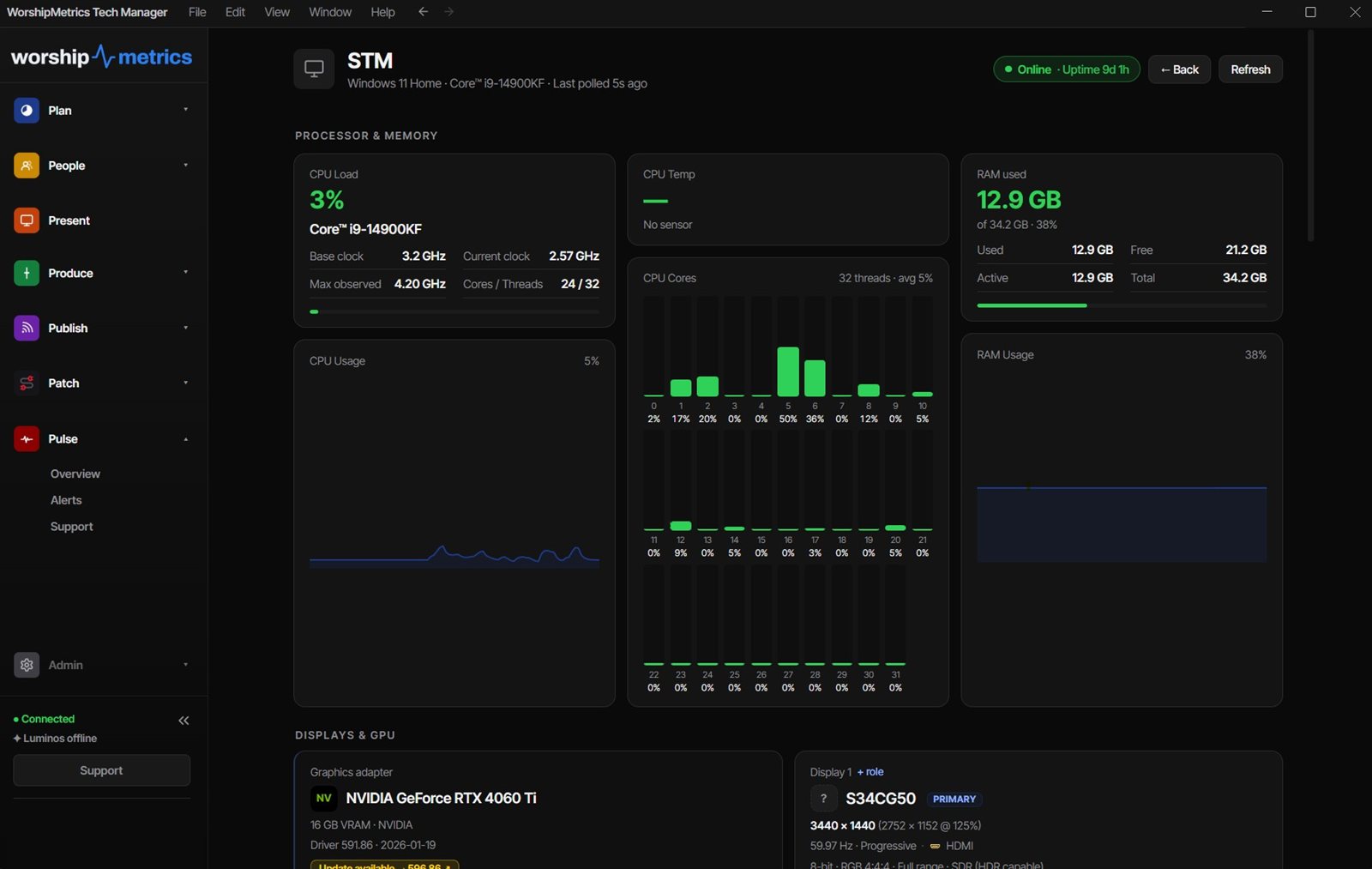
- No one watching it. A computer that overheats or drops frames should tell you before viewers do. Tech Manager, free, reports stream health and alerts your team.
Buy it, build it, or keep what you have
You can buy any of these systems built and tested, build it yourself from our parts list, or keep your current computer and upgrade only the weak part. (See should we build our own church streaming computer or buy it built?)
Not sure which? Map your current system and send it with a free consultation request. It’s the best way to get the best price, because we’ll only quote what’s missing.
Thinking about a Mac? See where Macs fit, and why we recommend Windows for the core streaming computer.
Related questions
- What computer specs do I need to livestream a church service?
- For a typical church with up to four cameras: a recent Intel Core Ultra 5 or similar processor, an NVIDIA RTX graphics card for encoding, 32GB of memory, a fast system drive plus a separate recording drive, a professional capture card such as a Magewell Pro Capture Quad, and a wired network connection. Bigger productions with replay and room outputs need more.
- Do I need a graphics card for church livestreaming?
- Yes, in practice. A modern NVIDIA graphics card encodes the stream on its own hardware, which frees the processor and is the single biggest fix for 'encoding overloaded' errors. It also drives your operator monitors and the screens in the room.
- Can we use the church office computer for livestreaming?
- It's possible but risky. Office computers get updates, sync tools and browser tabs that compete with the stream. A dedicated streaming computer with a locked-down Windows install is far more reliable.
Which Worship Songs Does Your Congregation Love? Song Insights From Clips
NextShould We Build Our Own Church Streaming Computer or Buy It Built?
Related Articles

Bitfocus Companion + ATEM Mini: A Stream Deck Panel for Your Church Switcher
A Stream Deck running Bitfocus Companion turns a Blackmagic ATEM into plain-word buttons with colors that show what's live, and the same panel can run PTZ cameras, projectors, and more. Here's how to connect Companion to an ATEM and build a volunteer page.

Lyrics Over the Camera on an ATEM Mini: Luma Keys, Chroma Keys, and the Slides Computer
To put song lyrics over the camera shot on a Blackmagic ATEM Mini, feed the slides computer into an ATEM input and key it over the camera. Here's how luma and chroma keys work for lyrics, how to design slides that key cleanly, and who should run it.

ATEM Mini + OBS for Church: Hardware Camera Switching with OBS for Graphics and Streaming
Many churches use an ATEM Mini as a camera switcher and send its output into OBS over USB as a webcam. The ATEM gives volunteers real buttons; OBS adds lyrics, graphics, recording, and streaming. Here's how to set it up, split the jobs, and avoid the common sync and quality problems.