The Sunday-morning update
It’s 9:40. The volunteer powers on the streaming computer and sees: “Working on updates, 12% complete. Don’t turn off your computer.”
If that’s happened to your church, you’re not alone. A computer that’s only used once a week is the one most likely to be catching up on a week of updates exactly when you need it.
Three kinds of updates, three ways to break Sunday
1. Windows feature updates. Big twice-a-year changes can reset settings, re-enable sleep, change audio device order, or update drivers. The stream may work, but differently. (See OBS settings changed between Sundays.)
2. Driver updates. A new graphics or capture driver can change how OBS or vMix sees your devices. Sometimes it fixes things. Sometimes the capture card disappears.
3. App updates. A new OBS or vMix version, a plugin that hasn’t caught up, a browser update that changes a source. (See OBS won’t launch on Sunday morning.)
What you can do on the computer you have
These help today, on any Windows 11 computer:
- Set active hours to cover your service times, so Windows never restarts then.
- Pause updates for the week before Easter, Christmas Eve and other big services.
- Update on a weekday. Install updates on Tuesday, then run a full test: every camera, slides, audio, a test stream and a recording.
- Turn off automatic graphics driver updates. Update drivers deliberately, then test.
- Write down your versions of OBS or vMix, plugins and drivers, so you can roll back.
- Never update on Sunday morning. If a prompt appears, choose later.
- Power it on early. Turn the computer on 45 to 60 minutes before the service, so anything pending happens before you need it.
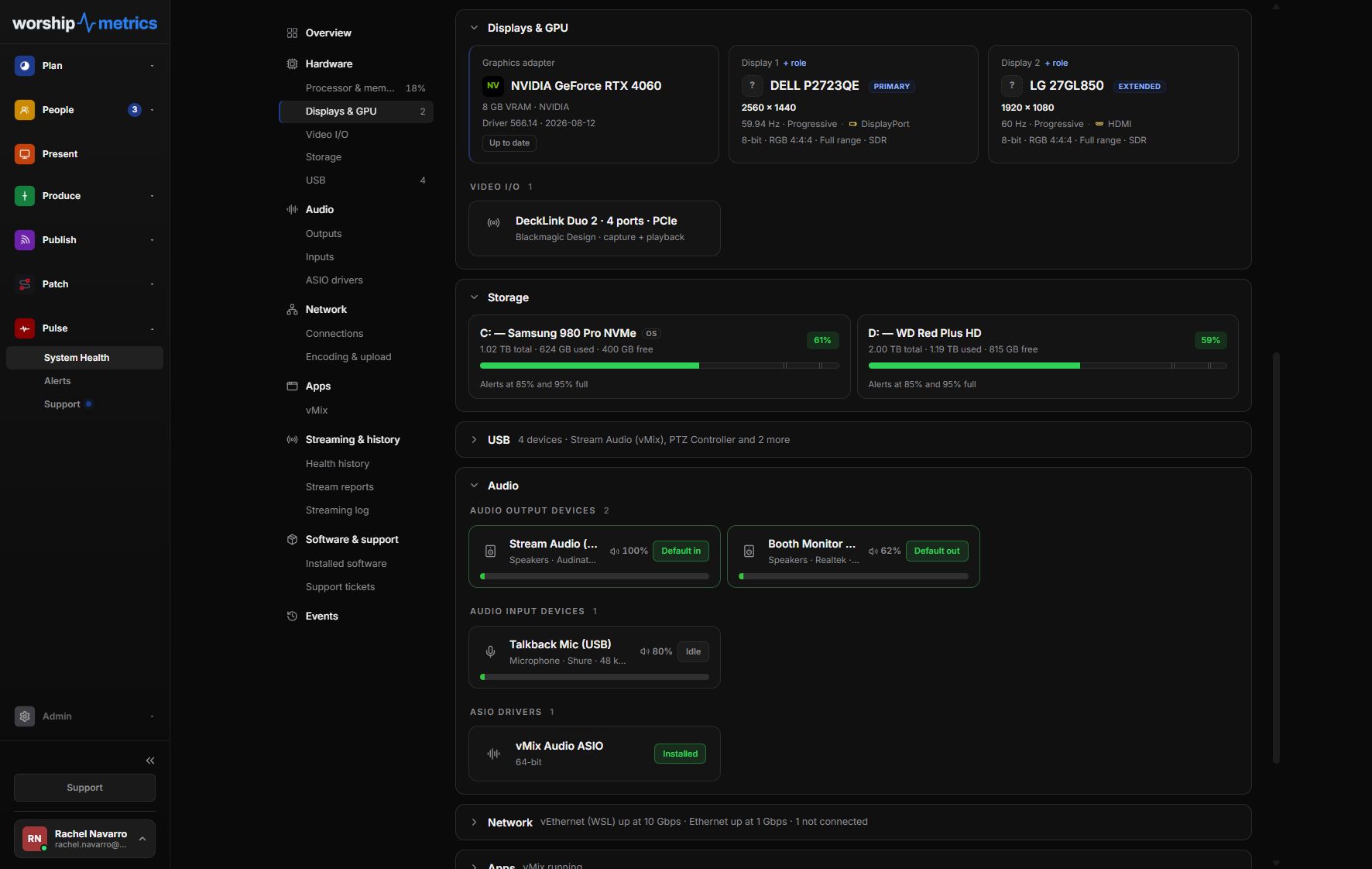
Tech Manager, free, shows stream health and alerts your team if the stream or recording stops, so a problem after an update shows up in your rehearsal, not the sermon.
Why our Livestream Systems run LTSC
Every WorshipMetrics Livestream System runs Windows 11 IoT Enterprise LTSC, a long-term-support edition of Windows. It:
- Takes security fixes for years
- Skips feature updates, so menus, settings and device behavior don’t change between Sundays
- Leaves out consumer extras that compete with the stream
It’s designed for fixed-purpose devices, which is what a streaming computer should be. Combined with a tested set of drivers and burn-in under a real multi-camera load before it ships, it’s the biggest reason a Livestream System on its 50th Sunday behaves the same as on its first.
LTSC isn’t a cure-all. You still update OBS, vMix and drivers deliberately, on a weekday, with a test. But the operating system stops being the wildcard.
When it’s time for a dedicated computer
If your streaming computer is also the office PC, the media team’s editing machine, or a hand-me-down with years of software on it, updates will keep surprising you. A dedicated, locked-down machine is the fix. (See what’s the best computer for church livestreaming?)
Want to know if yours is worth keeping? Map your current system and send it with a free consultation request. We’ll tell you what to reuse and what to replace.
Related questions
- How do I stop Windows updates from breaking our church livestream?
- Set active hours around your services, pause updates in the week before big services, install updates on a weekday and test afterwards, turn off automatic graphics driver updates, and never update OBS or vMix on a Sunday morning. For a dedicated streaming computer, a long-term-support (LTSC) edition of Windows avoids surprise feature updates entirely.
- What is Windows LTSC?
- LTSC (Long-Term Servicing Channel) editions of Windows get security fixes for years but no feature updates, so the system doesn't change underneath you. Windows 11 IoT Enterprise LTSC is meant for fixed-purpose devices, which is exactly what a streaming computer is. It's typically supplied by system builders rather than sold as a retail download.
- Should we update OBS or vMix?
- Yes, but on a weekday, with time to test a full service run afterwards. Write down your version before you update so you can roll back if something changes.
Why Is Our Church AV System Too Hard for Volunteers?
NextHow to Choose a Church AV Integrator Who Actually Understands Churches
Related Articles

Bitfocus Companion + ATEM Mini: A Stream Deck Panel for Your Church Switcher
A Stream Deck running Bitfocus Companion turns a Blackmagic ATEM into plain-word buttons with colors that show what's live, and the same panel can run PTZ cameras, projectors, and more. Here's how to connect Companion to an ATEM and build a volunteer page.

Lyrics Over the Camera on an ATEM Mini: Luma Keys, Chroma Keys, and the Slides Computer
To put song lyrics over the camera shot on a Blackmagic ATEM Mini, feed the slides computer into an ATEM input and key it over the camera. Here's how luma and chroma keys work for lyrics, how to design slides that key cleanly, and who should run it.

ATEM Mini + OBS for Church: Hardware Camera Switching with OBS for Graphics and Streaming
Many churches use an ATEM Mini as a camera switcher and send its output into OBS over USB as a webcam. The ATEM gives volunteers real buttons; OBS adds lyrics, graphics, recording, and streaming. Here's how to set it up, split the jobs, and avoid the common sync and quality problems.