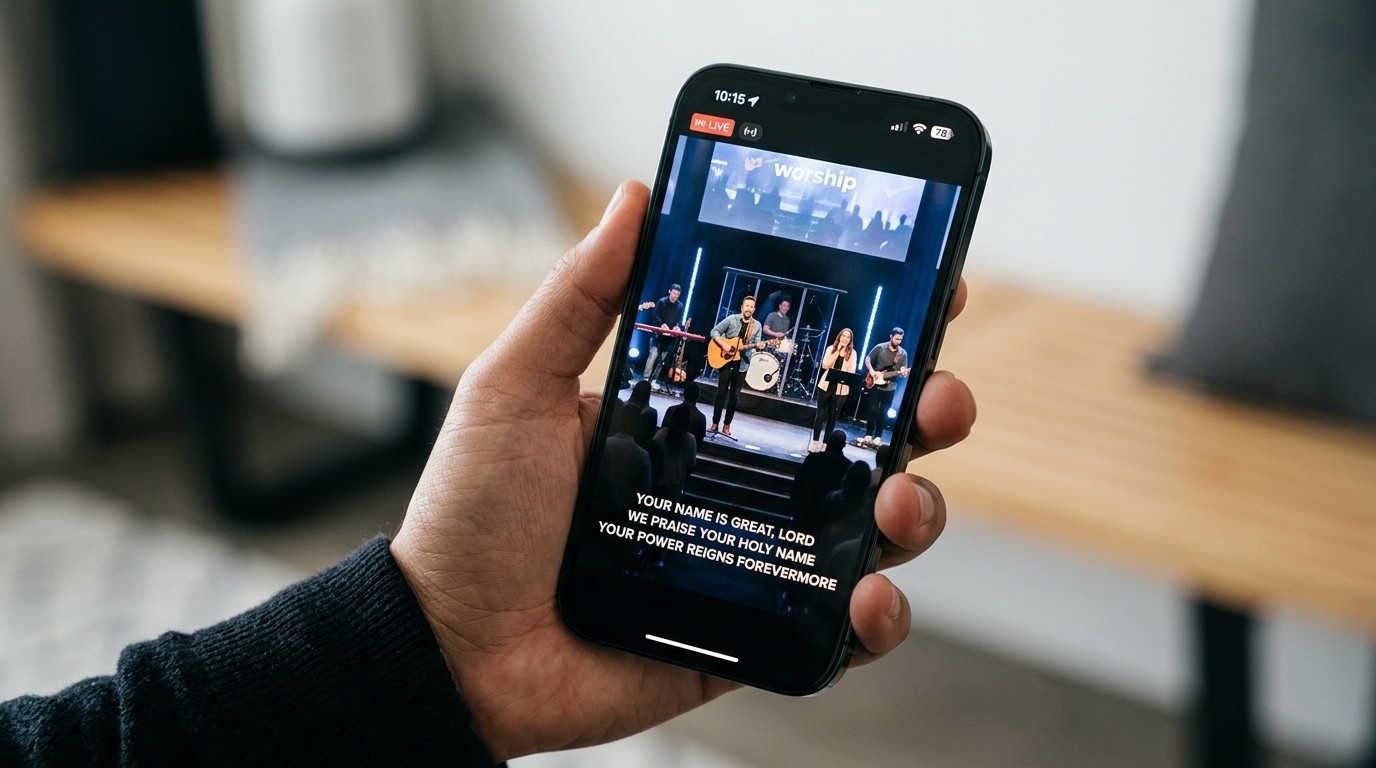
A stream can be technically fine and spiritually thin
Picture a stream with clean audio, sharp video, and no dropped frames. One locked-off camera points at the stage. Nobody on screen mentions the people at home. The chat is empty. The service ends on a logo.
Nothing is broken, and yet watching it feels like looking through a window into a room you’re not invited into. That’s a cold stream, and it’s common, because most church streaming effort goes into the technical side.
Ask four questions about your last service:
- Did the stream welcome anyone?
- Did anyone acknowledge online viewers as part of the gathered church?
- Did the service give people at home a way to respond?
- Did the camera help someone feel the life of the room?
If the answers are mostly no, better gear won’t fix it. Hospitality will.
Hospitality has to be visible
In the building, hospitality is a handshake, a coffee, and someone saying “first time? Let me show you around.” Online, none of that happens unless it’s put on screen or in the chat on purpose.
- Welcome the people at home out loud. A pastor looking into the camera and saying “and to everyone joining us online, we’re so glad you’re here” in the first few minutes does more than any graphic.
- Run a welcome loop before the service, so early viewers know they’re expected.
- Put a real person in the chat. A chat host who greets people by name turns an audience into a congregation.
Show the church, not just the stage
The stage is where the service is led. The congregation is where the church is. If the camera only shows the stage, viewers see a performance. If it shows people singing, listening, and responding, they see a church.
- Use a wide shot that includes the room during worship, not just a tight shot of the worship leader.
- Cut to the congregation during moments of response: a shared laugh, a song people know by heart, the “amen” after a hard truth.
- Show the welcome and the sending. People greeting each other and leaving together tell viewers this is a community.
Follow your church’s policy on filming attendees. Favor wide shots over close-ups of individuals, and keep children’s areas off camera. With PTZ camera presets, a volunteer can recall a “congregation wide” shot with one tap, and Camera Control in WorshipMetrics lets them do it from a browser.
Participation matters more than you’d think
Online viewers lean in when they’re given something to do:
- Ask a simple question in chat during the welcome: “Where are you watching from today?”
- Put lyrics on screen clearly enough that people at home can sing along.
- Invite a response to the sermon: a question to reflect on, something to write down, or a prayer to pray together.
Prayer invitations change the tone of the whole stream
Of all the ways to engage online viewers, a sincere invitation to prayer is the most powerful. It says we care about you, not we want something from you. Mention it during the welcome, show it in a lower third before the sermon, and make it the last thing on screen. Then make sure there’s a real workflow behind it.
Engagement isn’t hype
You don’t need a louder host, a countdown with explosions, or a giveaway. Hype gets attention for a week. Warmth builds trust over months. The test of engagement isn’t how many people commented. It’s whether anyone took a step toward being known.
Start this Sunday
- Welcome online viewers clearly near the start of the service.
- Have a real person greet and respond in chat.
- Offer one pastoral next step, ideally prayer.
- Mention where deeper conversation or community happens after the stream. (See YouTube, Facebook, or a private community?)
All four can happen this Sunday, with the gear you already have. And so the team can focus on people instead of the system, WorshipMetrics watches the booth and alerts you the moment the stream or recording stops.
Related questions
- How can a church make its live stream more engaging?
- Welcome online viewers directly near the start, show the congregation and not just the stage, have a real person greeting and replying in chat, and offer one pastoral next step, ideally prayer. These matter more than production upgrades.
- Why does our church live stream feel cold?
- Usually because nothing on it acknowledges the viewer. A locked-off stage shot, no welcome, an empty chat, and no way to respond make even a well-produced stream feel like watching through a window.
- Should the camera show the congregation?
- Yes, with care. Wide shots of the room, people singing, and responses to the sermon help online viewers feel the life of the gathering. Follow your church's policy on filming people, avoid close-ups of individuals without permission, and keep children's areas off camera.
The Six-Metric Weekly Report: Measuring What Matters in Church Media Ministry
NextFrom Anonymous to Known: A Four-Step Follow-Up System for Online Church Visitors
Related Articles

Bitfocus Companion + ATEM Mini: A Stream Deck Panel for Your Church Switcher
A Stream Deck running Bitfocus Companion turns a Blackmagic ATEM into plain-word buttons with colors that show what's live, and the same panel can run PTZ cameras, projectors, and more. Here's how to connect Companion to an ATEM and build a volunteer page.

Lyrics Over the Camera on an ATEM Mini: Luma Keys, Chroma Keys, and the Slides Computer
To put song lyrics over the camera shot on a Blackmagic ATEM Mini, feed the slides computer into an ATEM input and key it over the camera. Here's how luma and chroma keys work for lyrics, how to design slides that key cleanly, and who should run it.

ATEM Mini + OBS for Church: Hardware Camera Switching with OBS for Graphics and Streaming
Many churches use an ATEM Mini as a camera switcher and send its output into OBS over USB as a webcam. The ATEM gives volunteers real buttons; OBS adds lyrics, graphics, recording, and streaming. Here's how to set it up, split the jobs, and avoid the common sync and quality problems.